Staring at a blank social media calendar is a feeling most brands know all too well. In a world completely saturated with content, having the right social media content creation tools isn't just a nice-to-have anymore—it’s how you stay in the game.
Building Your Modern Content Toolkit
Let's be honest: creating everything from scratch for every single post just isn't sustainable. Consumers expect a constant stream of high-quality content, and brands are left trying to solve three huge challenges: maintaining consistency, hitting a professional level of quality, and doing it all with some semblance of efficiency.
Trying to manually pump out on-brand visuals, videos, and graphics is a fast track to burnout and a messy, inconsistent feed. This is exactly where a well-chosen toolkit changes everything.
Think of your content tools less like software and more like specialized members of your creative team. They're your 24/7 graphic designer, your on-demand video editor, and your data-crunching assistant, all working together to make your brand look great online.
Solving the Core Content Problems
The real job of these tools is to break through the bottlenecks that slow marketing teams down. They bring systems and automation into the picture, turning a chaotic, reactive content process into something predictable and streamlined. For the capture system behind reusable channel-ready images, use the social media product photography system.
Here’s how they tackle the big three problems:
Consistency: Tools are your guardrails for brand identity. Using templates, presets, and shared asset libraries ensures every Instagram Story, TikTok video, or LinkedIn post feels like it came from the same brand. That consistency is what builds recognition and trust.
Quality: You don't need a massive production budget to create beautiful content anymore. Today’s tools give you access to professional-grade effects, AI-powered editing, and high-quality assets, leveling the playing field so even small teams can produce polished, premium-looking work.
Efficiency: This is where you'll feel the biggest impact. Automating repetitive tasks—like resizing the same image for five different platforms, generating caption ideas, or creating simple animations—frees up a staggering amount of time. In fact, some reports show that creators using AI-powered tools can generate content up to 93% faster. That's time you can now spend on strategy and big ideas instead of tedious busywork.
At the end of the day, building a smart toolkit is about swapping manual grunt work for strategic automation. It turns content creation from a constant uphill battle into a manageable, scalable, and even enjoyable process that actually drives growth.
This guide is your roadmap. We’ll walk through how to find, choose, and integrate the best social media content creation tools for your brand's unique needs. We're going beyond just definitions to show you how top brands are using these platforms to save time, get creative, and see a real return on their investment. Your journey to a smarter content strategy starts right here.
Navigating the Types of Content Creation Tools
Trying to pick the right social media content creation tool can feel like staring at a wall of options. It's easy to get overwhelmed and end up with a tool that just doesn't fit what you actually need—like bringing a hammer to a job that calls for a screwdriver. This kind of mismatch wastes time and blows through budgets, a real problem in a market that's absolutely exploding.
To give you some perspective, the digital content creation industry was valued at USD 32.28 billion in 2024 and is on track to hit USD 90.4 billion by 2033. The real engine behind this growth? Software. In fact, tools command over 73% of the market's revenue, according to insights from Grand View Research.
The best way to cut through the noise is to stop thinking of these tools as one giant, confusing category. Instead, see them as specialized solutions for specific jobs. Every brand wrestles with the same core challenges: consistency, quality, and efficiency. The right tool is simply the one that solves your biggest bottleneck.
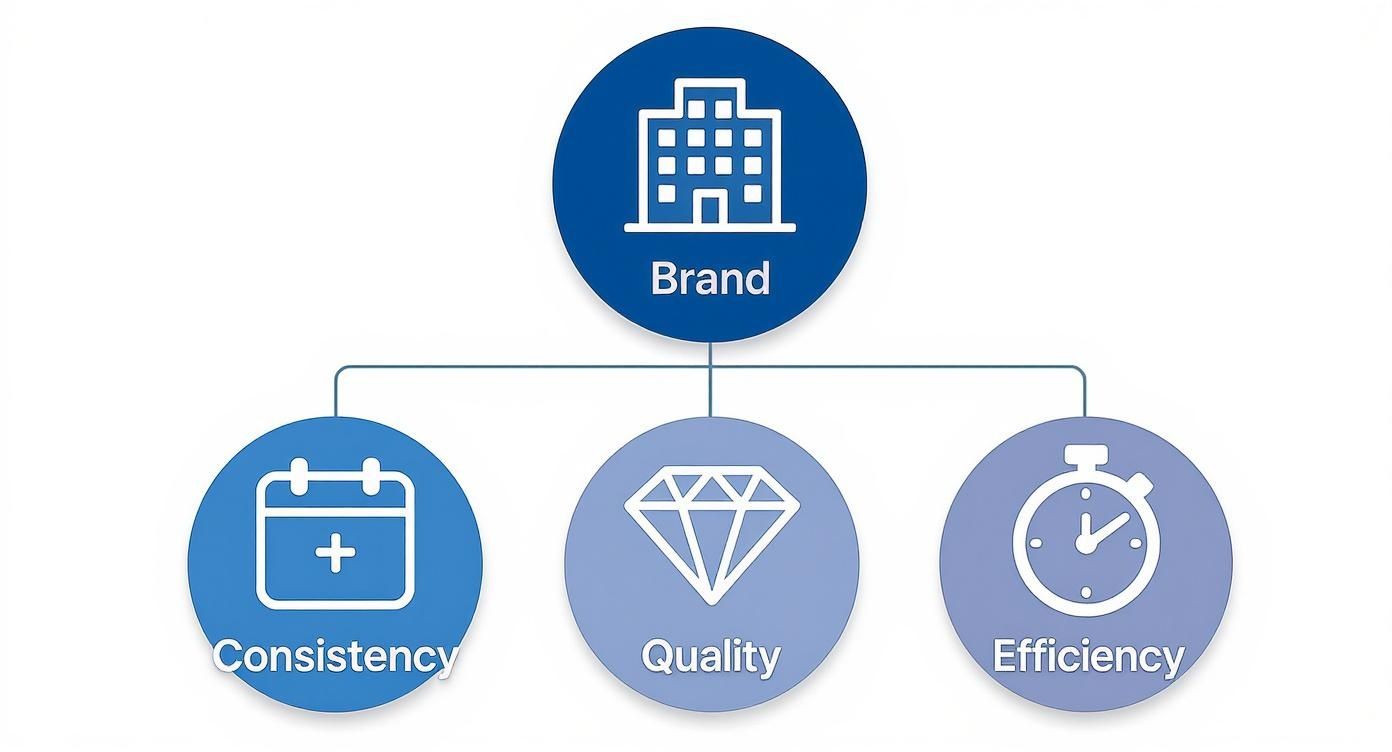
As you can see, a strong brand isn't built by accident. It's held up by these three pillars: consistent output, high-quality visuals, and a streamlined production process.
Let's break down the five main types of tools that will help you get there.
Comparison of Content Creation Tool Categories
To get a clearer picture of how these tools differ and where they shine, this table maps out each category, its main job, what it's best for, and a few well-known examples.
Tool Category | Primary Function | Best For | Example Tools |
|---|---|---|---|
Visual Editors | Creating & refining static images and graphics | Everyday social posts, branded templates, basic photo edits | |
Motion Graphics & Animation | Adding movement to static assets | Attention-grabbing ads, explainer videos, dynamic stories | |
UGC Platforms | Collecting & managing customer-created content | Building social proof, authentic marketing, community engagement | |
AI On-Model Imaging | Generating realistic on-model product photos | E-commerce, fashion/DTC brands, diverse ad creatives | |
Short-Form Video Creators | Producing vertical videos for social media | TikToks, Instagram Reels, YouTube Shorts |
Each category serves a unique purpose in your content strategy. The key is knowing which one to reach for at the right time.
1. Visual Editors for Polishing Your Assets
This is your starting point. Visual editors are the bread and butter for creating and cleaning up the static images that anchor your social media feed. Think of them as your all-in-one digital darkroom and design studio.
These tools are perfect for daily tasks like cropping photos, adding text overlays, applying brand-approved filters, and quickly spinning up graphics from templates. They solve a huge problem: how to produce professional-looking content without having a graphic designer on speed dial for every little thing. If you need to make your images pop, you might find our guide on choosing a free photo enhancer useful.
2. Motion Graphics and Animation Tools
Sometimes, a static image just won't do the trick. Motion graphics tools are built to stop the scroll by injecting movement into your content. This could be anything from a simple animated logo to a full-blown explainer video.
They’re incredibly valuable for making boring data interesting, announcing a product launch with some sizzle, or just telling your brand’s stories in a more dynamic way. In a crowded feed, animation is a superpower.
3. User-Generated Content (UGC) Platforms
Why shoulder the entire burden of content creation when your happiest customers can help? User-generated content (UGC) platforms are designed to help you find, collect, and get the rights to use the amazing content your audience is already creating.
These tools are all about building authenticity and social proof. Let's be honest—a real photo from a happy customer using your product often feels far more trustworthy than a perfectly polished studio shot. UGC platforms just streamline the process of turning that customer love into high-impact marketing assets.
4. AI-Powered On-Model Imaging
For fashion and direct-to-consumer brands, showing products on real people is non-negotiable. But traditional photoshoots are notoriously expensive, slow, and complicated. This is where AI-powered imaging tools are changing the game.
These platforms let you take a basic product photo and instantly generate hundreds of hyper-realistic, on-model images—all without a single photoshoot. You can swap out models, change poses, and test different backgrounds on the fly. It's a direct solution to the massive headaches of cost and logistics.
Tools like Look Atlas give brands the power to produce a diverse library of on-model content in minutes, not weeks. This means you can create lifestyle shots, studio images, and social campaign assets with an efficiency that was unthinkable just a few years ago.
5. Short-Form Video Creators
With TikTok, Instagram Reels, and YouTube Shorts dominating social media, short-form video isn't optional anymore. These specialized video creation apps are built from the ground up to make producing this content fast and almost effortless.
They come packed with features designed for vertical video, like easy clip trimming, libraries of trending audio, auto-captioning, and cool transitions. They help you create content that feels native to the platform and truly connects with how people consume media today. For any brand that wants to stay relevant, getting good with these tools is a must.
How to Choose the Right Tools for Your Brand
Walking into the digital "tool aisle" for social media content can feel like staring at a wall of a thousand different screwdrivers. They all promise to do the job, but which one is actually right for you? It's so easy to get sidetracked by shiny features and end up with a pricey subscription that just sits there, collecting digital dust.
The secret isn’t about finding the single “best” tool on the market. It’s about finding the tool that fits your brand, your team, and your workflow like a glove. To do that, you need a solid game plan. Let's cut through the marketing noise and get real about what matters: your budget, your team's skills, the features you absolutely can't live without, and how everything will plug into your existing setup.
Assess Your Team and Budget
First things first: let's talk about money and people. Your budget is the clearest, most immediate filter you have. The options run the gamut from free tools with basic (but often powerful) features to high-end enterprise platforms that can cost thousands a month. You need to be honest about what you can comfortably afford, not just today, but six months from now when the bill is still coming.
Just as crucial is your team's actual skill set. That super-advanced video editing suite with all the bells and whistles? It's completely useless if your team is made up of marketing generalists who need to create content fast, not spend a week learning new software. The right tool should empower your team, not become a source of frustration.
For solo creators or small teams: Stick with tools that are known for being user-friendly and template-heavy. Platforms like Canva or Adobe Express are brilliant for getting a huge return with a small investment of time and money.
For growing teams with a dedicated creative: Now you can start looking at more specialized software. This might be the time to invest in a dedicated animation tool or a platform with really solid collaboration features that let your team work together seamlessly.
For large organizations or agencies: This is where enterprise-level solutions really start to make sense. They often come with advanced analytics, dedicated support, and features specifically designed for juggling multiple brands or clients at scale.
A tool is only a good investment if your team actually uses it. Choosing software that matches your team’s existing capabilities ensures a higher adoption rate and a much faster return on your investment.
Define Your Must-Have Features
Every tool's website will throw a long list of features at you. But in reality, you probably only need a handful of them to solve your most pressing problems. Before you even open a new browser tab to start shopping, make a simple "Must-Have vs. Nice-to-Have" list. This little exercise is a lifesaver because it forces you to get crystal clear on what's truly essential.
For a direct-to-consumer fashion brand, a "must-have" list might look something like this:
AI On-Model Imaging: The ability to generate realistic product photos without shoots is non-negotiable for saving time and money.
Batch Resizing: We need to instantly turn one master design into assets for Instagram Stories, TikTok, and Facebook.
Video Templates: We have to be able to produce short-form videos for Reels and Shorts quickly.
Shared Brand Kit: Every single person on the team must have one-click access to the right logos, fonts, and colors.
Anything else—like an advanced AI copywriting assistant or a built-in social media scheduler—might be great, but it falls into the "nice-to-have" column. This clarity is what stops you from overpaying for features you’ll barely touch.
Prioritize Integration Capabilities
Here's a detail that often gets overlooked: no content tool works in a silo. It has to play nicely with the other software you rely on every day, whether that's your project management board, your digital asset manager, or your social media scheduler. When your tools don't talk to each other, you create friction. Suddenly, your team is stuck doing tedious manual work, like downloading files from one place just to re-upload them to another.
Always look for tools that offer direct integrations with the platforms that are central to your business. For example, if you're a Shopify seller, a creative tool that connects directly to your product catalog can be a total game-changer. Seamless integration is what turns a collection of separate apps into a smooth, fast, and efficient content pipeline. That's how you build a real content creation machine.
Building an Efficient Content Creation Workflow
Having a toolkit of the best social media content creation software without a smart process is like owning a garage full of high-end power tools but having no blueprint. The real magic isn't just in the tools themselves, but in how you connect them into a seamless system—one that turns creative sparks into published posts with as little friction as possible.
And here’s the good news: great tools are more accessible than ever, letting smaller brands punch well above their weight. In fact, small and medium-sized businesses (SMEs) are on track to make up a staggering 61.8% of the social media content creation market's revenue by 2025. This proves that success is less about a massive budget and more about building a smart, efficient content machine. You can dig into the numbers yourself in this market analysis.
Mapping Your Content Pipeline
A truly effective workflow isn't some rigid, one-size-fits-all formula. Think of it more as a flexible pipeline with distinct, logical stages. Each stage should flow naturally into the next, with specific tools assigned to do the heavy lifting. This setup is your best defense against bottlenecks and forgotten steps.
It’s basically an assembly line for your content. Raw ideas go in one end, and polished, platform-ready assets come out the other.
The goal is to build a system that handles the repetitive, manual tasks for you. This frees up your team's brainpower for what really matters: strategy, creativity, and actually engaging with your community.
Most content pipelines can be broken down into four core phases.
Phase 1: Ideation and Planning
This is where creativity gets its strategic backbone. Your workflow doesn't start in a design app; it starts in a planning environment. It’s where your team can throw ideas at the wall, connect them to real campaign goals, and get everything organized on a content calendar.
Brainstorming: Use a collaborative space like Miro or even a shared Google Doc. The key is to capture every idea without judgment.
Content Calendar: A scheduler like Later or Buffer helps you see the big picture for the month, assign tasks, and keep your posting schedule consistent.
Keyword & Trend Research: Tools like Semrush or even TikTok's own Creative Center point you toward topics your audience is already searching for and buzzing about.
Phase 2: Creation and Refinement
With a solid plan in place, it’s time to bring those ideas to life. This is where your specialized social media content creation tools really shine. The secret to efficiency here is making sure these tools talk to each other to cut down on manual work.
Let’s look at how a fashion brand might do it:
Generate On-Model Images: Instead of a costly photoshoot, they start with a tool like Look Atlas to turn a single flat-lay photo into dozens of unique, on-model images.
Create Video Snippets: Next, they can turn those static shots into dynamic, short-form videos. Tools that offer motion rendering can highlight a product's fit and texture in just a few clicks. For a deeper dive, check out our guide on how to create engaging product videos.
Design Graphics: Finally, they import these fresh assets directly into Canva to add branded text, graphics, and calls-to-action using their library of templates.
This integrated approach means no more tedious downloading and re-uploading files between different platforms.
Phase 3: Scheduling and Publishing
Once your assets are created and approved, the next step is getting them out into the world. A dedicated scheduling tool is absolutely non-negotiable for an efficient workflow. It lets you batch your work, so you can sit down and schedule an entire week or even a month of content in one go.
Modern schedulers do more than just hit "publish." They can analyze your audience data to suggest the best times to post, recommend relevant hashtags, and even automatically add a first comment to kickstart engagement.
Phase 4: Analysis and Optimization
Your workflow isn't finished when a post goes live. The final phase is a continuous feedback loop where you analyze what worked (and what didn't) to make smarter decisions next time.
All your social platforms have native analytics, but a centralized tool can pull all that data into a single, easy-to-read dashboard. Track key metrics like engagement rate, reach, and click-throughs to get a clear picture of what resonates with your audience. Those insights are gold—they'll feed directly back into your next round of ideation and planning.
Measuring the ROI of Your Content Tools
Investing in a new social media content tool feels like a win, but how do you prove it's actually making the business money? Sooner or later, someone from finance is going to ask if that shiny new software is just another line item on the expense report.
The trick is to connect the dots between your software and the bottom line. It’s time to move past vanity metrics like likes and shares. While those feel good, they don’t answer the only question the C-suite really cares about: “What’s our return on this investment?”
Defining Your Key ROI Metrics
To really get a handle on the ROI of your content tools, you need to zero in on metrics that tie directly to business performance. Forget about drowning in data. Pick a few high-impact numbers that tell a clear story about efficiency and profitability.
Here are the three big ones to track:
Content Production Time: How long does it take your team to create a specific asset—say, a set of 10 on-model images or a 30-second Reel? Measure this before and after you bring a new tool on board. A major drop in time is a direct cost saving.
Cost Per Asset: Add up what it takes to produce one piece of content. This includes everything from freelancer fees and stock photo licenses to full-blown photoshoot expenses. A good tool should send this number plummeting.
Conversion Rate: Keep a close eye on the conversion rates for ads and organic posts that use content made with the new tool. A clear lift here is the ultimate proof that your investment is paying off.
The strongest case you can make is one that links your tool directly to core business goals. Frame your argument around making money, saving money, or saving time. Those are the three pillars of any solid business case.
A Simple Formula for Calculating ROI
You don’t need an MBA or a complex financial model to get a clear picture of your return. A simple, back-of-the-napkin formula can quantify the impact and put it in a language everyone in the company understands.
Here’s the basic calculation to get you started:
ROI (%) = [ (Financial Gain from Investment - Cost of Investment) / Cost of Investment ] x 100
Let's make that real with an everyday example.
Case Study: How a DTC Brand Proved Its ROI
Imagine a DTC fashion brand that was routinely spending $5,000 every quarter on photoshoots to get fresh on-model images for their social campaigns.
The Problem: The shoots were a huge time sink, incredibly expensive, and often left them with a very limited number of usable assets. As their content needs grew, the cost to produce a single high-quality image was getting out of hand.
The Solution: The brand started using an AI on-model imaging tool like Look Atlas for $299/month, which comes out to $897 for the quarter. Suddenly, they could turn a single flat-lay photo into hundreds of unique, studio-quality product shots, completely cutting out the need for physical photoshoots.
Let's do the math on their ROI for that quarter:
Financial Gain: They pocketed the $5,000 they would have otherwise spent on the photoshoot. That's a direct saving.
Cost of Investment: Their software subscription for the period was $897.
The Calculation: [ ($5,000 - $897) / $897 ] x 100 = 457% ROI
By walking into a meeting with that number, the marketing manager instantly proved the tool didn't just pay for itself—it generated a massive return by slashing one of their biggest production costs. This is the kind of hard, data-backed evidence that gets budgets approved and shows you’re running a modern, efficient content operation.
Optimizing Your Content for Each Platform

Having the right social media content creation tools is a great start, but it’s only half the equation. You can produce the most stunning video or graphic in the world, but it will fall completely flat if it feels out of place on the platform where you post it.
Think of each social media network as a different room at a party. The vibe in the living room (LinkedIn) is very different from the one on the back patio where everyone's dancing (TikTok). A one-size-fits-all approach just doesn't fly. Content that feels native to a platform always performs better because it fits what users expect to see there.
For instance, that polished, high-production ad that works wonders on YouTube will likely get scrolled past on TikTok, where users are looking for something more raw and authentic. Optimizing isn't just about resizing an image; it's about tweaking the whole creative approach.
Mastering Platform-Specific Visuals
Every platform has its own visual language, and it usually starts with the aspect ratio. Getting this simple detail right is the first step to making your content feel like it actually belongs. Posting a horizontal image to Instagram Stories, for example, is a dead giveaway that you just cross-posted without a second thought.
Here’s a quick breakdown of what to aim for:
Instagram & TikTok: It's all about vertical. A 9:16 aspect ratio for Reels and Stories is essential because it fills the entire phone screen, grabbing a user's full attention. For the main feed, a 4:5 ratio is often better than a square 1:1 post, as it takes up more precious real estate while scrolling.
LinkedIn & Facebook: While vertical video is catching on, the classic landscape (16:9) and square (1:1) formats are still very effective, especially for in-feed videos and posts with links. Clarity and a professional touch are what matter most here.
X (formerly Twitter): This platform is pretty flexible, but images with a 16:9 aspect ratio tend to look best in the feed without getting awkwardly cropped. If you want to dive deeper into creating great visuals, check out our guide on how to take professional product photos.
Getting the technical specs right is crucial. To help you keep track, here's a quick reference table with the key details for the major platforms.
Social Media Platform Content Specifications
Platform | Ideal Image Dimensions | Recommended Video Length | Key Tip |
|---|---|---|---|
1080x1350 (Feed), 1080x1920 (Stories/Reels) | Under 60s for Reels, 15s per Story slide | Use interactive stickers in Stories; lean into trending audio for Reels. | |
TikTok | 1080x1920 | 15-30 seconds (sweet spot) | Jump on trends quickly. Authenticity beats high production value every time. |
1200x630 (Links), 1080x1080 (Square) | 1-2 minutes for in-feed | Videos with captions perform best. Optimize for sound-off viewing. | |
1200x627 (Links) | 30 seconds to 2 minutes | Keep it professional and value-driven. Think "how-to" or industry insights. | |
X (Twitter) | 1600x900 | Under 45 seconds | Make your point fast. Great for quick updates, GIFs, and short clips. |
This table is a great starting point, but always remember to check the latest guidelines, as platforms love to change things up.
Adapting to Unspoken Rules and Accessibility
Beyond the hard numbers, each platform has unspoken rules that can make or break your content. Video length is a huge one. A 10-minute deep dive can build a loyal following on YouTube, but on TikTok or Instagram Reels, the magic often happens in under 30 seconds.
Accessibility shouldn't be an afterthought—it should be a fundamental part of your process. It opens up your content to more people and simply creates a better experience for everyone.
Making your content accessible is easier than you think. Always add closed captions to your videos, since a huge number of people watch with the sound off anyway. Likewise, use descriptive alt text for your images. This not only helps visually impaired users but also gives search algorithms more context, which can give your visibility a nice little boost.
Your Content Tool Questions, Answered
Jumping into the world of social media content tools can feel a bit overwhelming. There are so many options, and it's tough to know where to start. We get it. Whether you're just getting your brand off the ground or you're a seasoned pro looking to optimize your workflow, questions always come up.
This section is dedicated to answering the most common queries we hear from brands. Think of it as a quick, no-nonsense guide to help you make smarter decisions and build a content strategy that actually works.
What Are the Best Free Tools for a Beginner?
Starting out doesn't mean you need a big budget. In fact, some of the best tools on the market are free and surprisingly powerful. The trick is finding software that's easy to learn but still delivers professional results.
Canva: Honestly, this is the first stop for almost everyone. Its drag-and-drop editor is incredibly intuitive, and the sheer number of templates means you can create beautiful Instagram posts, simple animations, and more without any design background.
CapCut: If you're making videos for TikTok or Reels, this is your new best friend. It’s a mobile video editor that’s completely free but loaded with features you'd expect to pay for, like auto-captions and viral effects.
For a beginner, the goal isn't to have the most tools; it's to master one or two that get the job done well. Focus on getting consistent, high-quality content out the door before you worry about building a complicated and expensive software stack you barely touch.
How Can AI Really Improve My Content Creation?
AI isn't just some futuristic concept anymore; it's a practical solution to very real problems in content creation. At its core, AI is all about giving you back time and helping you scale your efforts. Some reports have even shown that creators can produce content up to 93% faster by weaving AI into their process.
Think about it this way: AI-powered on-model imaging tools like Look Atlas can take a single flat-lay photo of a garment and generate hundreds of unique, realistic model images. Suddenly, you've sidestepped the massive costs and logistical headaches of a traditional photoshoot. It’s a game-changer for saving money and getting products to market faster.
How Often Should I Re-evaluate My Tool Stack?
Your toolkit shouldn't be set in stone. As your brand grows and your strategy changes, your tools need to keep up. A great habit is to review your social media content creation tools every six to twelve months. Another trigger? The moment you feel a major bottleneck slowing you down.
When you sit down for a review, ask yourself these questions:
Is my team still doing a repetitive, soul-crushing task by hand?
Are we constantly hitting a wall when trying to make a specific type of content, like video?
Have our goals changed? Are we focused on a new platform or a different audience?
The answers will point you directly to what needs to be added, swapped out, or dropped from your workflow to keep things running smoothly.
Ready to slash your content production time and costs? With Look Atlas, you can generate stunning, on-model product photos and videos in minutes, not weeks. Start creating high-converting visuals today.
