If you want to learn how to photograph products, it really comes down to three things: planning, lighting, and consistency. Get those right, and you’re 90% of the way there. Before you even think about touching your camera, you need a solid plan for your brand's visual style and a detailed shot list. This prep work alone will save you countless hours and make sure your final images actually help you hit your business goals. After that, it’s all about the light—whether you’re using the sun or strobes, mastering your light source is the single biggest factor in creating photos that sell.
Building Your Foundation for Flawless Product Shots

Amazing product photography doesn't happen by accident. It's the direct result of thoughtful planning and a clear strategy. Jumping into a shoot without a plan is the fastest way to get a mishmash of inconsistent, amateur-looking images that just don't connect with customers. This foundational stage is where you turn your brand's personality into a tangible visual language.
And this isn't just a fluffy creative exercise. The commercial photography market, which is where product photography lives, is projected to be worth around US$5.1 billion in 2025 and is on track to hit US$6.4 billion by 2035. E-commerce product shots make up a huge chunk of that—about 45%—which shows just how critical these visual assets are for online stores. If you want to dig deeper, you can explore more product photography market insights to see where the industry is heading.
Define Your Brand's Visual Identity
Before you start worrying about backdrops or props, you have to nail down the mood and style you're going for. Is your brand sleek and modern, or is it more rustic and warm? The answer to that question will inform every single decision you make from here on out.
To really build out your visual identity, think about:
Color Palette: Are your brand colors bold and punchy, or are they more muted and sophisticated? Your photos need to match that energy.
Mood & Tone: Do you want your products to feel luxurious and aspirational, or down-to-earth and friendly? A high-end watch and a handmade ceramic mug demand completely different photographic treatments.
Target Audience: Put yourself in your ideal customer's shoes. What kind of visuals do they respond to? A younger, trend-driven audience might love dynamic, colorful shots, while an older crowd might prefer something more classic and clean.
This identity becomes your north star. It ensures every single photo you post feels like it belongs to the same cohesive, trustworthy brand.
Key Takeaway: Your visual identity is more than just pretty pictures. It's a strategic tool that communicates your brand's value and builds trust with shoppers before they even read a single word of your product description.
Create a Mood Board and Shot List
Once you've got your brand identity figured out, it's time to put it into action. A mood board and a detailed shot list are the two most critical documents for any product shoot. Seriously, don't skip this.
A mood board is your visual playbook—a collection of images, textures, colors, and compositions that perfectly capture the aesthetic you're aiming for. Use a tool like Pinterest or just a simple document to pull together your inspiration. This is what keeps you and your team (even if it's a team of one) on the same page creatively.
Your shot list is the practical, no-nonsense checklist of every single photo you need to get. A well-organized shot list is what stops you from forgetting that crucial angle and ensures you have all the assets you need for your website, social media, and marketing campaigns.
For every product, your list should cover:
The "Hero" Shot: The one killer image that grabs all the attention.
Multiple Angles: Front, back, side, and 45-degree views are standard.
Detail Shots: Get up close on important features, cool textures, or branding elements.
In-Context/Lifestyle Shots: Show the product in use or styled in a realistic scene.
Scale Shot: Include something in the frame that helps customers instantly understand the product's size.
This level of preparation transforms a potentially chaotic day into a smooth, systematic workflow. You'll avoid the frustration (and cost) of having to do reshoots and set the stage for a successful photoshoot that delivers beautiful, on-brand, and high-converting images every single time.
Essential Gear and Camera Settings That Work
You don't need a massive budget or a Hollywood-level studio to create professional product photos. The real secret? It’s all about understanding your tools and how to make them work for you. Whether you’re shooting with a high-end camera or the smartphone in your pocket, mastering a few key principles will completely change your results.
Great gear certainly helps, but a solid grasp of camera settings is what truly separates amateur shots from professional images that sell. Let's break down the practical, technical side of things so you can feel confident behind the lens.
Choosing Your Camera
The debate between DSLR, mirrorless, and smartphone cameras can get noisy, but the truth is, you can get stunning results with any of them. The "best" camera is usually the one you already have and know how to operate well.
DSLR & Mirrorless Cameras: These are the gold standard for a reason. They give you complete manual control, incredible image quality, and the flexibility of interchangeable lenses. This control is exactly what you need to dial in the perfect exposure and depth of field for crisp, professional-looking images every single time.
Smartphones: Don't underestimate the camera in your pocket. Modern phones like the latest iPhone or Google Pixel have incredibly powerful cameras. With good lighting and a little know-how in "pro" or "portrait" modes, you can capture high-quality images ready for any e-commerce platform. They’re perfect for getting started or for anyone needing a fast, efficient setup.
Ultimately, your choice comes down to your budget and your goals. If you're looking to invest in a dedicated camera, our detailed breakdown on the best camera for product photography has specific recommendations to help you decide.
Understanding the Exposure Triangle
At its core, photography is all about managing light. This is controlled by three settings that work together: aperture, ISO, and shutter speed. This is what photographers call the exposure triangle, and getting the hang of it is non-negotiable if you’re serious about your product shots.
Key Takeaway: Think of the exposure triangle like a balancing act. If you adjust one setting—say, the aperture—you almost always have to compensate with another to keep the photo properly lit.
Let's quickly demystify each piece of the puzzle.
Aperture (f-stop)
Aperture controls how much of your image is in focus. It's measured in f-stops (e.g., f/2.8, f/8, f/16), and it's one of your most powerful creative tools.
A low f-stop (like f/2.8) creates a shallow depth of field, which throws the background out of focus and makes your product pop. This is perfect for those dreamy lifestyle shots.
A high f-stop (like f/11) does the opposite, creating a deep depth of field that keeps everything sharp from front to back. This is absolutely essential for group shots or when you need to show off fine details across an entire product. For most standard e-commerce photos, an aperture between f/8 and f/11 is a fantastic starting point.
ISO
ISO measures your camera's sensitivity to light. The rule here is simple: always keep your ISO as low as possible. A low ISO (100-200) produces the cleanest, highest-quality images with virtually no graininess, or what photographers call "noise."
You’d only ever need to raise the ISO in a dark environment where you can't get enough light otherwise. But for product photography, especially with a tripod, you should rarely have to go above ISO 200.
Shutter Speed
Shutter speed is simply how long your camera's sensor is exposed to light. A fast shutter speed (like 1/1000s) is great for freezing motion. A slow shutter speed (like 1/30s) lets in more light but can introduce motion blur if the camera isn't perfectly still.
Since your products won't be moving, you have the freedom to use a slower shutter speed. This is a huge advantage, as it allows you to let in plenty of light while keeping that all-important ISO nice and low. And that brings us to your most important accessory.
To make this easier, here's a quick reference table to get you started.
Recommended Camera Settings for Common Product Types
This table is a great starting point for dialing in your settings. Remember to always take a test shot and adjust based on your specific lighting and product.
Scenario | Aperture (f-stop) | ISO | Shutter Speed | Best For |
|---|---|---|---|---|
Single Product (White BG) | f/8 - f/11 | 100-200 | 1/60s - 1/125s | Apparel, electronics, homewares |
Small Detailed Items | f/11 - f/16 | 100 | 1/30s or slower | Jewelry, watches, cosmetics |
Group Product Shot | f/16 or higher | 100-200 | 1/30s or slower | Product bundles, gift sets |
Lifestyle/Context Shot | f/2.8 - f/5.6 | 100-400 | 1/125s or faster | Products in a scene, on-model |
Action/Motion (Pouring) | f/4 - f/8 | 400+ | 1/500s or faster | Beverage pours, liquid splashes |
Think of these settings as recipes—they provide a solid foundation, but the best photographers know how to tweak them to perfection.
Must-Have Accessories for Sharp Photos
Beyond the camera itself, a few key pieces of gear will dramatically improve your work. These aren't just nice-to-haves; they're essential for getting clean, consistent, and professional results.
A Sturdy Tripod: This is the single most important accessory you can buy. A tripod eliminates camera shake, which means you can use those slow shutter speeds and low ISOs to get incredibly sharp, noise-free images. It also keeps your framing consistent from shot to shot, which is a massive time-saver in post-production.
Lenses (50mm or Macro): If you're using a DSLR or mirrorless camera, a 50mm lens (often called a "nifty fifty") is a fantastic and affordable choice. It captures products naturally without the distortion you sometimes get from wider lenses. For tiny items like jewelry or cosmetics, a dedicated macro lens is a game-changer for capturing those beautiful, intricate details.
Remote Shutter or Timer: Believe it or not, even the simple act of pressing the shutter button can cause a tiny vibration that softens your image. Using a cheap remote shutter release or your camera’s built-in two-second timer completely eliminates this problem, ensuring every shot is perfectly crisp.
Mastering Light to Create Professional Images
If there's one thing I've learned over years of shooting products, it's this: light is everything. Forget the fancy camera for a second. The single biggest factor that separates an amateur shot from a professional one is how you control and shape light.
Great lighting does the heavy lifting. It carves out your product's shape, shows off its texture, and creates the mood that convinces someone to hit "add to cart." Think of light as your primary tool. Soft, diffused light can give a skincare line a clean, airy vibe, while hard, dramatic light can make a luxury watch feel bold and sophisticated. Learning to wield it is the game-changer.
Harnessing Natural Light for Flawless Shots
You don't need a four-figure studio budget to get stunning results. The best light source is often right there in your home or office, and it's completely free: a large window. Natural light is inherently soft and forgiving, creating gentle shadows that make products look realistic and relatable.
The trick is to avoid direct, harsh sunlight. Set up next to a window on an overcast day if you can—the clouds act like a giant, perfect softbox, diffusing the light for you.
Find Your Angle: Position your product at about a 45-degree angle to the window. This isn't an arbitrary number; it's the sweet spot for creating flattering highlights on one side and soft, defining shadows on the other, giving the item real dimension.
Diffuse When Necessary: If the sun is too bright, don't pack up. Just hang a thin white sheet or a sheer curtain over the window. You've just made your own diffuser, instantly softening the light and killing harsh shadows.
Bounce It Back: See how one side of your product is a little dark? A simple piece of white foam board (or even just a sheet of white paper) is your secret weapon. Hold it on the opposite side of the product from the window to bounce light back into those shadows. This little trick instantly lifts the product and gives it a clean, polished look.
Getting Started with Artificial Lighting
As great as natural light is, it’s not always available or consistent. That's where artificial lighting steps in, giving you 100% control over the look of your images, day or night. This consistency is non-negotiable for building a cohesive product catalog.
In fact, the demand for this level of quality is why the professional product photography market is set to explode from US$0.87 billion in 2025 to an estimated US$1.78 billion by 2033. Brands know that consistent, high-quality images build trust and slash return rates.
When you're ready to build a kit, you'll mainly be choosing between two types of lights:
Continuous Lights (LEDs): These stay on, so what you see is what you get. You can adjust the light and see the shadows change in real-time, which is incredibly helpful for beginners. They're also the go-to choice for shooting product videos.
Strobes (Flashes): These pack a serious punch, firing a powerful burst of light the moment you press the shutter. Their intensity lets you use a low ISO and a narrow aperture (high f-stop) to get tack-sharp, noise-free images from front to back.
For a much deeper look at specific gear, we break down different setups in our guide to the best lighting for product photography.
No matter your light source, you'll be balancing three core camera settings to get the exposure right. This relationship is called the exposure triangle.
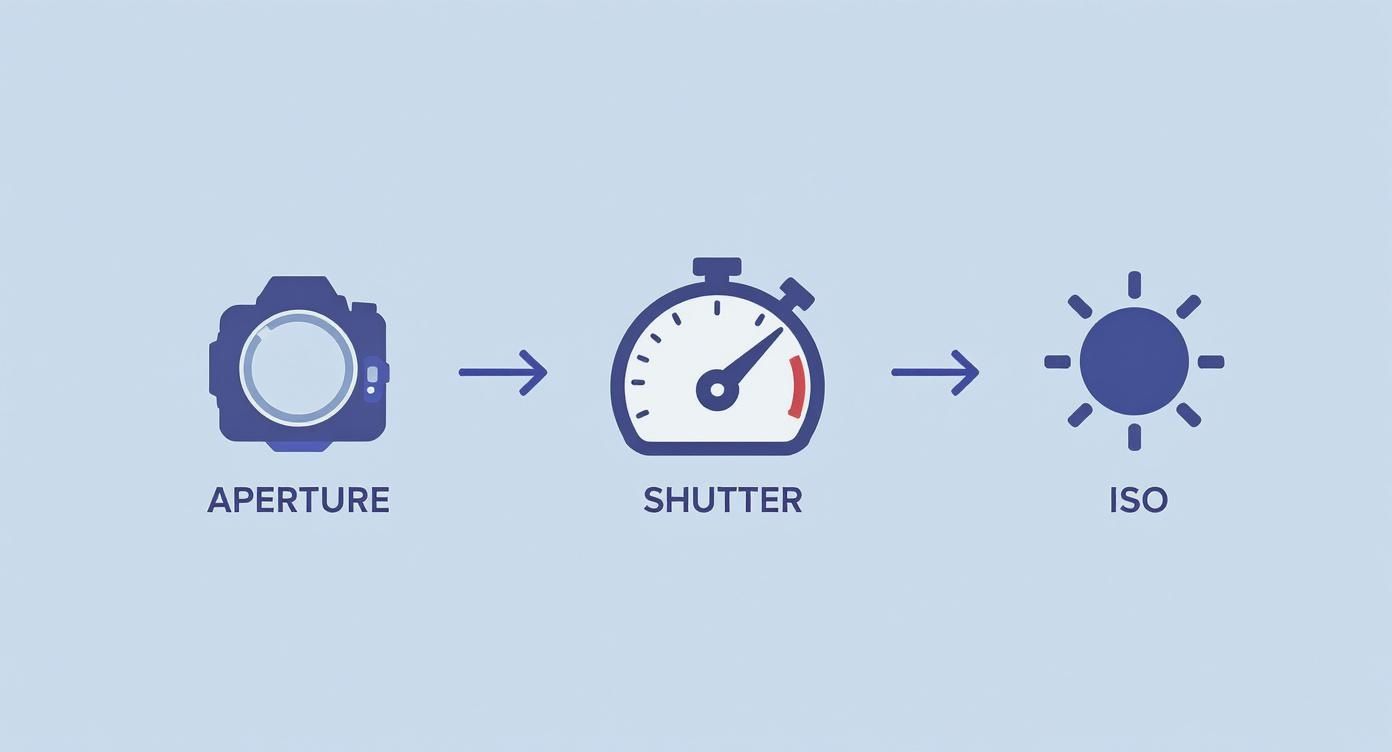
Getting a feel for how Aperture, Shutter Speed, and ISO work together is fundamental. Once you do, you'll be able to master any lighting situation you find yourself in.
Classic Lighting Setups That Work Every Time
So you've got your light. Now, where do you put it? The placement of your lights completely dictates the final look. Here are a few tried-and-true setups that are the foundation of good product photography.
Remember, the goal isn't just to light the product. It's to use light and shadow to highlight its best features, create a sense of depth, and tell its story.
One-Light Setup
Simple, classic, and incredibly effective. Place your main light (the key light) at a 45-degree angle to the product. On the opposite side, place a white reflector card to bounce some light back and soften the shadows. This creates a clean, natural look with just enough shadow to give the product shape.
Two-Light Setup
Ready for a bit more control? Keep your key light at 45 degrees, then add a second light on the opposite side. This is your fill light, and its only job is to fill in the shadows created by the key light. You'll want it to be less powerful than your key light so you don't kill the shadows completely. The result is an evenly lit product that still feels three-dimensional—perfect for those clean, catalog-style shots on a white background.
Three-Light Setup
This is the industry-standard setup for a reason. You start with a key and a fill light, then add a third one—the backlight (or rim light). This light goes behind the product, often pointing back toward it or the camera. It creates a subtle, bright outline around the product's edges, separating it from the background and making it truly pop. It’s the secret to that polished, high-end feel you see in professional shots, especially for things like glassware or electronics where defining the silhouette is key.
Styling Backgrounds, Props, and Composition
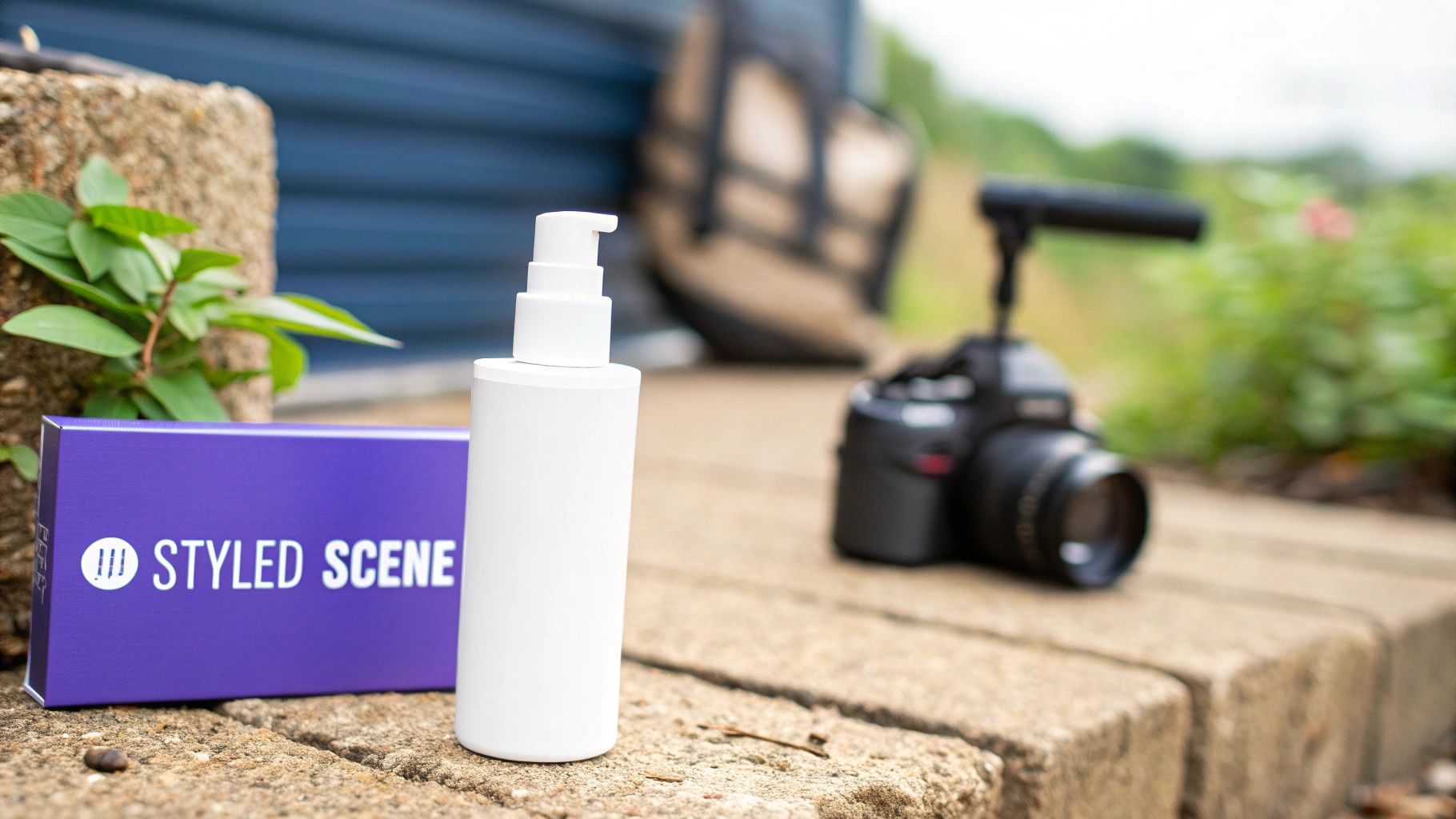
Once you’ve nailed your lighting, it’s time to build the world your product lives in. A truly great product photo does more than just show off features; it tells a story, creates an emotional connection, and builds a sense of desire. This is where the magic happens, combining backgrounds, props, and solid composition to turn a simple item into something a customer has to have.
The background you choose sets the entire mood. Think of it as the canvas for your product's story. Your choice here is a direct reflection of your brand identity and the context you want customers to imagine your product in.
Choosing the Right Background
The right background makes your product the hero, while the wrong one can create a confusing, unprofessional mess. There’s no single “best” option—it all comes down to your product and your brand’s vibe.
For most e-commerce platforms like Amazon or Shopify, a seamless white background is the undisputed industry standard. It’s clean, removes every possible distraction, and puts 100% of the focus squarely on the product. You can easily create this with a roll of white paper curved up a wall, creating what’s known as an "infinity sweep."
But if you're selling a lifestyle product, a plain white background might feel sterile. This is where textured or colored backgrounds can work wonders.
Textured Surfaces: Think rustic wood, cool concrete, or sleek marble. These materials instantly communicate a feeling. A wooden backdrop is perfect for organic skincare or artisanal foods, while a marble surface screams luxury for high-end cosmetics or jewelry.
Solid Colors: A bold, colored background can make your product leap off the screen and reinforce your brand's color palette. This is a fantastic strategy for creating scroll-stopping images for social media feeds.
Lifestyle Scenes: Placing your product in a realistic environment—like a kitchen counter or a styled bookshelf—helps customers visualize it in their own lives. This approach is invaluable for showing scale and context.
A common rookie mistake is picking a background that's way too busy. Remember, the background should always complement the product, never compete with it for attention. When in doubt, keep it simple and on-brand.
Using Props to Tell a Story
Props are the supporting actors in your product’s story. Used correctly, they add context, suggest a use case, or simply elevate the overall aesthetic. The key is to be incredibly intentional with every single item you place in the frame.
A good prop feels like it belongs there naturally, supporting the product's narrative without creating clutter. For instance, scattering a few coffee beans around a bag of gourmet coffee adds texture and reinforces what the product is. Placing fresh ingredients next to a packaged food item can instantly highlight its quality and freshness.
Before adding a prop, always ask yourself: Does this item add to the story, or does it just add noise? If you can't justify its presence, take it out.
Applying Timeless Composition Principles
Composition is simply the art of arranging everything in your frame to create a balanced, visually appealing image. It’s how you guide the viewer’s eye directly to your product. You don't need an art degree to get this right; a few basic principles will dramatically improve your photos overnight.
The Rule of Thirds
Imagine your frame has a tic-tac-toe grid laid over it. The Rule of Thirds suggests placing your main subject not in the dead center, but along one of the lines or where two lines intersect. This simple shift away from the center almost always creates a more dynamic and interesting composition.
Negative Space
Negative space is just the "empty" area around your subject. Don't be afraid of it—embrace it. A clean, uncluttered frame with plenty of breathing room can make a product feel more high-end and luxurious. It gives your subject space and draws the viewer's eye right where you want it to go.
Leading Lines
Use lines that already exist in your scene—the edge of a table, the pattern on a fabric, or even strategically placed props—to create a visual path that leads the eye directly to your product. It’s a powerful, almost subconscious way to direct attention and create a real sense of depth. Honestly, learning how to photograph products effectively often comes down to mastering these subtle visual cues.
Polishing Your Images in Post-Production
The click of the shutter isn't the finish line—it's just the halfway point. Post-production is where your hard work really pays off, transforming well-composed photos into polished, high-converting assets. This is the stage where you fine-tune every detail, nail the color accuracy, and get each image ready to sell.
This final touch is a huge deal. The global photography services market was valued at a massive US$55.6 billion in 2023 and is on track to hit US$81.83 billion by 2032. A big driver of that growth is the rising demand for perfect commercial imagery, especially in the Asia-Pacific market which holds a 35% share. As you can see, professional editing isn't just a nice-to-have; it’s a core business requirement.
Building a Smart Editing Workflow
The name of the game in e-commerce editing is consistency. You want every single image on your site to feel like it belongs to the same professional brand. The best way to do that? Stick to a repeatable process using software you know well, like Adobe Lightroom or Photoshop.
I always tackle my core adjustments in a specific order to keep things clean and efficient.
Crop and Straighten First: Before you touch anything else, fix the composition. Straighten any crooked lines and crop in to put the focus squarely on your product. Using a consistent aspect ratio, like 4:3, for all your thumbnails creates a much cleaner grid on your category pages.
Lock in White Balance and Color: For e-commerce, this is non-negotiable. The color in the photo must match the real-life product, or you're just asking for returns. Use the white balance tool and click on a neutral gray or white area in your shot to kill any weird color cast from your lighting.
Adjust Exposure and Contrast: Now you can make the image pop. I usually bump the exposure just a bit to brighten things up and add a touch of contrast to help define the product's edges. The key here is subtlety—you want to enhance what's there, not create a fake-looking image.
The best editing is invisible. The goal is to make the product look its absolute best in the most realistic way possible. That’s how you build customer trust and cut down on returns from mismatched expectations.
Nailing the Details with Retouching and Sharpening
With the foundational edits done, it’s time to zoom in and hunt for imperfections. This is the fine-tuning that separates a good photo from a great one.
Grab the spot healing brush or clone stamp tool and meticulously get rid of any dust, tiny scratches, or fingerprints on the product or background. It can feel a little tedious, but this is what gives you that clean, professional look that buyers subconsciously expect.
The very last step before you export should be sharpening. A subtle amount of sharpening can bring out the texture and fine details in the fabric or material of your product. Just be careful not to overdo it, which creates a crunchy, digital-looking mess.
Work Smarter with Batch Editing and Proper Exporting
Editing one photo is one thing. Editing a few hundred is a whole different beast. This is where batch editing becomes your absolute best friend.
Once you’ve perfected the look on one image from a set, save those adjustments as a preset in Lightroom. You can then apply that same preset to every other photo shot in the same lighting with just a click. This is a game-changer for maintaining consistency and saving yourself hours of work. For a deeper dive into this, our guide on e-commerce photo editing has some more advanced techniques.
When you're ready to get your images out into the world, your export settings are critical. Slow-loading images are a known conversion killer.
For platforms like Shopify or Amazon, stick to these settings for the best results:
File Format: JPEG is almost always the right choice for the best mix of quality and file size.
Image Size: Export with the longest side at a minimum of 2000 pixels. This ensures the image is large enough for customers to zoom in and see details.
Quality: I find a JPEG quality setting between 70-80 is the sweet spot. It dramatically reduces the file size without any noticeable drop in visual quality.
Color Space: Always, always use sRGB. It's the standard for all web browsers and guarantees your colors will look correct on your customers' screens.
Answering Your Top Product Photography Questions
Even with a solid plan, you're bound to run into a few snags. That's just part of the process. Below are answers to the most common questions and roadblocks I see pop up, designed to get you unstuck and back to shooting.
Can I Really Get Pro-Level Photos With My Smartphone?
Absolutely. Don't let anyone tell you otherwise. The camera in modern phones is a powerhouse, but the real secret isn't the device—it's mastering the environment around it. The fundamentals of good photography don't change whether you're holding an iPhone or a top-of-the-line DSLR.
Here’s how to make your phone sing:
Get a Tripod: Seriously, this is non-negotiable. A small tripod with a phone mount is cheap and eliminates the blur from shaky hands. This lets you use your phone’s lowest ISO setting, which is key for getting sharp, clean images.
Master Natural Light: Find a big window that gets indirect light. That soft, diffused light is your best friend. Direct, harsh sunlight is your enemy—avoid it at all costs.
Go Manual: Switch to your phone’s “pro” or “manual” mode. Taking control of settings like ISO and white balance yourself will give you so much more power than letting the phone’s auto mode make guesses.
Shoot in RAW: If your phone supports it (or you can use an app like Lightroom Mobile), shoot in RAW. This format captures a ton more data, giving you way more flexibility when you get to editing.
What's the Single Biggest Mistake Beginners Make?
Hands down, it's bad lighting. I see it all the time. New photographers often just use whatever light is already there—a harsh ceiling light, direct sun, or even the built-in flash on their camera. These all create nasty, hard-edged shadows, wash out details, and cast weird color tints on the product.
Your goal is almost always to create soft, diffused light. This is the kind of light that wraps around your product, creating gentle shadows that give it shape and dimension. Better lighting will do more for your photos than a camera that costs thousands of dollars.
How Do I Get That Pure White Background?
Getting that perfect, "Amazon-style" white background (technically, an RGB value of 255, 255, 255) isn't about finding a white wall. It’s a specific lighting trick where you light the background and the product separately.
You’ll want to use a roll of white seamless paper, curving it up behind your product so there’s no corner or horizon line. Then, point one or two lights only at the background, making it much brighter than your product. The idea is to intentionally overexpose the background until it's pure white, while keeping the light on your actual product perfectly exposed.
After the shoot, you can pop the image into Photoshop and use the Levels or Curves tool to check your white point and clean up any lingering gray spots.
How Many Photos Should I Take for Each Product?
Put yourself in your customer's shoes. If they were in a store, what would they do? They’d pick it up, turn it over, and look at the details. Your photos need to do that for them. A great starting point is 5-7 images per product.
A solid shot list looks something like this:
A main "hero" shot on a clean background.
Shots from key angles: the front, back, and sides.
A close-up detail shot to show off texture, craftsmanship, or a cool feature.
An "in-context" shot showing the product being used.
An image that clearly communicates the product's scale and size.
Giving customers this much visual information removes doubt, answers questions before they're asked, and gives them the confidence to click "add to cart."
Ready to skip the photoshoots altogether? Look Atlas uses AI to generate hyper-realistic, on-model images and videos from a single product photo, helping brands achieve studio-quality results instantly. Discover how to scale your product visuals today.
