
If you're an ecommerce seller, finding a good photo enhancer free of charge is one of the smartest moves you can make for your business. Let's be honest: in online retail, your product photos are your product. They're often the single biggest factor that convinces a shopper to buy.
Why Better Photos Mean More Sales
Think of your product photo as your digital handshake. It’s the closest a potential customer can get to touching and feeling your item before committing. A blurry, dark, or off-color image immediately screams low quality and kills trust.
On the flip side, a crisp, vibrant, and professional-looking photo builds confidence, creates a premium feel, and makes it that much easier for a shopper to hit "add to cart."

This isn't just about making things look pretty. It's a core business function with a real, measurable impact on your sales.
The True Cost of "Good Enough" Images
Sticking with mediocre photos has hidden costs that can quietly eat away at your profits. It directly affects your store in a few key ways:
Conversion Rates: I've seen it time and time again—better photos lead to better conversions. We're visual creatures. A great image answers questions about quality, texture, and size in a way that text just can't.
Return Rates: Nothing leads to a return faster than a product that doesn't match its photo. Accurate color correction and sharp details set clear expectations, which means fewer disappointed customers and less money lost on returns.
Brand Perception: Your images are your brand's calling card. Polished, professional photos tell customers you care about quality and detail, which helps justify your pricing and builds loyalty over time.
"Your product photography is your virtual storefront. Just as you wouldn't leave a physical store messy, your online images must be clean, inviting, and an accurate representation of your product's value."
The Growing Market for Image Quality
The demand for high-quality visuals has exploded, and the market reflects that. The global photo editing software market was valued at USD 2.37 billion in 2025 and is projected to climb to about USD 3.29 billion by 2032. This isn't just for big corporations; the growth is fueled by accessible tools, especially a powerful photo enhancer free for sellers who are just starting out or working on a tight budget.
Of course, even the best software can't fix a terrible photo. Great editing always starts with a great shot. Before you jump into an enhancer, it's worth getting the basics right. If you need a refresher, check out our guide on how to take professional product photos.
Getting Your Shots Ready for a Flawless Edit
Even the most powerful free photo enhancer has its limits. The real secret to a stunning final image isn’t just in the editing—it's in the raw photo you start with. Give your software a great foundation, and you’ll get incredible results. Thankfully, you don't need a professional studio to make it happen.
Think of it as prep work. A few simple tweaks before you ever press the shutter will make the entire editing process smoother, faster, and far more effective. You'll spend your time refining a great shot into a perfect one, not trying to rescue a bad one.
How to Get Flawless Lighting for Free
Let's be clear: bad lighting is the number one killer of good product photos. If you have harsh, direct light, you get ugly shadows that hide important details. On the flip side, dim, weak light makes your photos look grainy and amateur. What you're aiming for is soft, diffused light that wraps evenly around your product.
You can get this look with stuff you probably already have lying around the house.
Window Light is Your Best Friend: Find a window, especially on a slightly overcast day. The clouds act as a giant natural diffuser, giving you beautiful, soft light. Just make sure to avoid direct, blazing sun.
Make Your Own Reflector: A simple piece of white poster board or foam core is all you need. Place it on the opposite side of your product from the window. It will bounce that soft light back, filling in any shadows for a clean, professional look.
Nailing these simple lighting tricks is a game-changer. For a much deeper dive into getting your lighting just right, check out our complete guide on the best lighting for product photography.
Nailing the Background and Composition
A cluttered, busy background is the fastest way to lose a customer's attention. You want their eyes locked on what you're selling, not on the ficus plant in the corner. For most e-commerce sites like Amazon, a clean, seamless white background isn't just a suggestion—it's the standard.
Creating one is easy. Just grab a white sheet or a large roll of paper. Drape it so it curves up from the surface to the wall behind your product. This little trick eliminates the hard line where the table meets the wall, giving you that "infinity" look that makes your product truly stand out.
When you're framing the shot, don't zoom in too tight. Always leave a bit of extra space—some breathing room—around the edges of your product. This gives you way more flexibility later when you need to crop the image for different uses, like a vertical Instagram story or a wide website banner.
Your raw photo is the foundation. A clean background, good lighting, and high resolution are the pillars that ensure your free photo enhancer can build something spectacular.
This whole idea of shooting for the edit is a modern reality. It’s a world away from the early days of photography, where a single image could take 20 minutes of slow chemical processing. It’s wild to think that more photos are now taken every two minutes than were taken in the entire 1800s, all because we can capture and perfect images in an instant. You can find more incredible photography facts on facts.net.
One last pro tip: always, always shoot in the highest resolution your camera or phone can manage. More resolution means more data, and more data gives your editing software more information to work with. That’s key for getting sharp details, accurate colors, and resizing without the image falling apart.
Getting the Core Edits Right with Free Tools
Once you have your raw photos ready to go, the real magic begins. This is where you can take a decent shot and, with the right free photo enhancer, make it look like it belongs in a high-end catalog. We'll walk through the three most important edits that give you the biggest bang for your buck—or in this case, for no buck at all.
The technology packed into these free tools is getting seriously impressive. The market for AI image editors is projected to jump by USD 109.8 million between 2024 and 2029, a trend driven by sellers just like you who need powerful, automated features. You can read more about the AI image editor market growth on GlobeNewswire. What this means for you is that free software is no longer a compromise; it’s a powerhouse.
One-Click Background Removal
For marketplaces like Amazon or your own Shopify store, a clean, white background isn't just a suggestion—it's the standard. It makes your product the hero by eliminating any and all distractions. Thankfully, the days of meticulously tracing around your product with a clumsy mouse are long gone.
Modern AI-powered enhancers can find the edges of your product and zap the background in a single click. What you're left with is a perfectly clean cutout, ready to be placed on a crisp white backdrop or anything else you can dream up. This feature alone is a massive time-saver.
Even before you get to the editing software, though, your initial setup makes a huge difference.
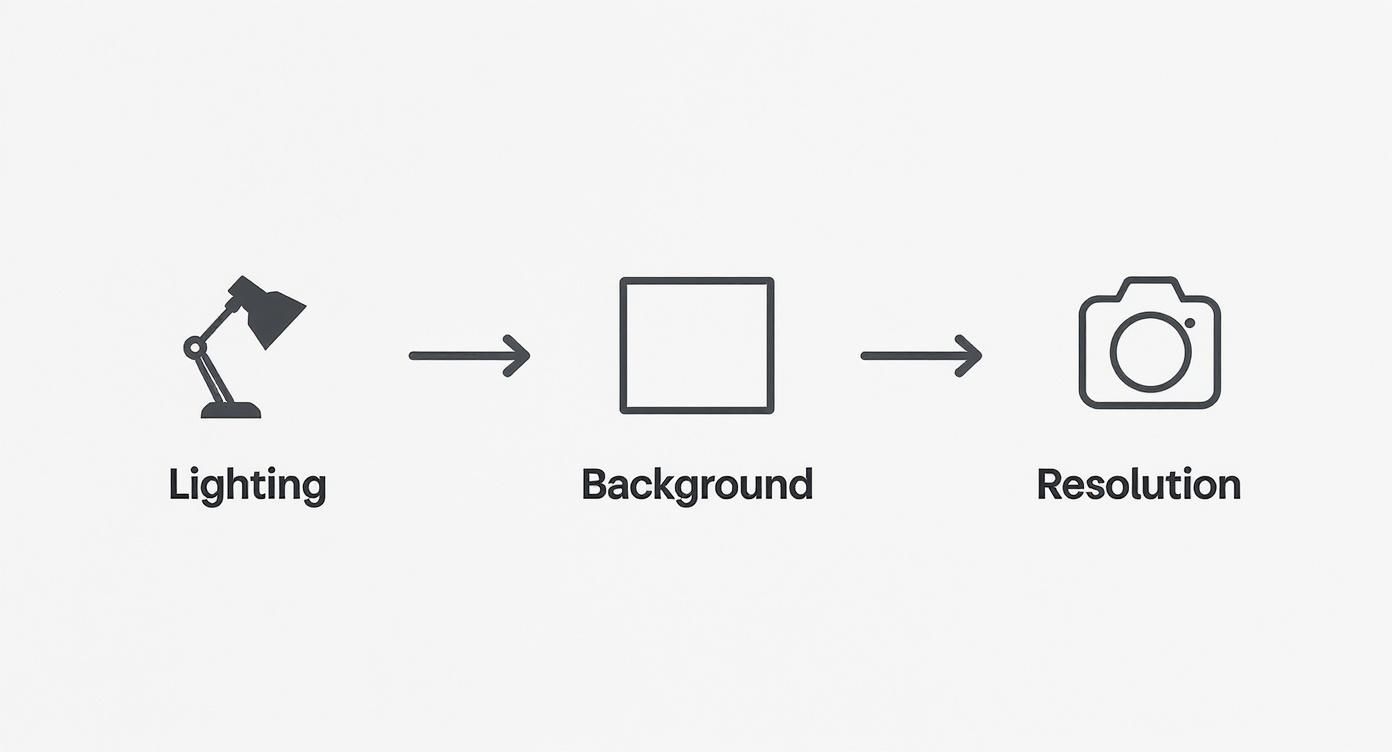
As the diagram shows, thinking about lighting, your initial background, and resolution from the very start gives your editing tools the best possible canvas to work with.
When you're looking for a free tool, certain features are non-negotiable for ecommerce. Here's a quick breakdown of what to look for and why it matters.
Essential Free Photo Enhancer Features For Ecommerce
Feature | What It Does | Ecommerce Impact |
|---|---|---|
AI Background Removal | Instantly detects and removes the background from a photo. | Creates professional, distraction-free product-on-white images required by major marketplaces. Saves hours of manual work. |
Color Correction | Adjusts white balance, saturation, and exposure to match the product's true-to-life color. | Drastically reduces returns by ensuring what customers see online is what they receive. Builds buyer trust. |
Intelligent Sharpening | Enhances fine details and textures without adding digital noise or artifacts. | Makes materials like fabric, wood, or metal look more tangible and high-quality, encouraging the "add to cart" click. |
Batch Processing | Applies the same set of edits to multiple images at once. | Ensures a consistent, professional look across all your product listings and saves a tremendous amount of time. |
Having these core features at your fingertips, even in a free tool, can fundamentally change the quality of your online store's visuals and directly influence your sales.
Perfecting Product Color Accuracy
Nothing kills customer trust faster than a product that arrives in a completely different color than what was shown online. This is one of the biggest reasons for returns, and it's entirely preventable.
A good photo enhancer will give you controls for key settings:
White Balance: This is your secret weapon against weird color casts from your lights. If your photo looks too yellow or too blue, a quick white balance tweak will neutralize it, bringing the colors back to how they look in real life.
Saturation & Vibrance: Be careful with these. Saturation boosts all the colors equally, which can look fake if you push it too far. Vibrance is smarter; it focuses on lifting the more muted tones, giving your product a natural-looking pop without overdoing it.
Exposure & Contrast: These are your brightness and punch controls. A tiny bump in exposure can turn a dingy grey background into pure white, while a little extra contrast will make your product's colors feel richer and more defined.
Pro Tip: Always keep the actual product right next to your monitor while you edit. It’s the only surefire way to know you’re matching the colors perfectly. This little habit builds immense trust with your customers.
Pesky reflections and glare can also throw your colors off. If you’re running into that problem, our guide on how to remove light glare from a photo has some specific tricks that can help.
Intelligent Sharpening for Detail and Texture
Your final touch should be sharpening. This is what makes the details in your product absolutely sing. For anything with texture—think woven fabrics, wood grain, or the facets of a gemstone—this step is critical. You want your customer to almost feel the product through their screen.
Most free tools have a simple sharpening slider, but the key is restraint. Over-sharpening is a classic amateur mistake that creates a gritty, unnatural look with strange halos around the edges.
Here’s how to get it right:
Zoom in to 100%. You need to be looking at the image at its actual pixel size to see what the sharpening is really doing.
Go slow. Nudge the slider up bit by bit until you see the texture become more defined and crisp.
Know when to stop. The second you see grainy artifacts or those ugly halos appear, you've gone too far. Back it off a step.
By focusing on these three foundational edits—backgrounds, color, and sharpening—you can elevate your product photos from "good enough" to "must have," all without spending a dime on software.
Create Realistic AI Model Mockups
Putting your products on a real person is one of the fastest ways to boost conversions. Customers want to see how that shirt actually fits or how that bag looks when it's being carried. But let's be real—hiring models, renting a studio, and organizing a photoshoot can cost a small fortune.
Thankfully, you don't need a massive budget anymore. Free AI-powered tools can now generate incredibly realistic on-model mockups, giving you the power of a professional photoshoot right from your computer. It’s a complete game-changer, especially for small businesses trying to compete with established brands.
Turning Your Flat Product Shot into a Lifestyle Photo
The process is much simpler than you might think. You'll start with that clean product photo you've already worked on—the one with the perfect background and spot-on colors.
From there, you just upload it into an AI mockup generator. These tools have libraries packed with diverse AI-generated models, and the trick is to pick one that speaks to your ideal customer. Think about their style, age, and the overall vibe you're going for. Finding a model your audience can see themselves in is key to making a genuine connection.
Just look at how a basic t-shirt design can be instantly transformed into a professional-looking mockup, perfect for any storefront.

This kind of image helps you build a cohesive brand look and show off a product concept before you've even created any physical inventory.
How to Make Sure Your Mockups Look Real
The best AI tools are pretty smart; they analyze your product photo and automatically adjust things to make the final image look completely natural. But for a truly convincing mockup, you'll want to keep an eye on a few critical details.
Lighting and Shadows: A good AI will automatically match the lighting from your product shot to the lighting on the model. You can't put a product shot under soft, even light onto a model standing in harsh sunlight—it just looks fake. The tool should create believable shadows and highlights where the fabric naturally would.
Natural Draping and Fit: This is where the magic happens. The software should realistically wrap your product’s image around the model’s body, showing natural folds, creases, and texture. It should never look like a flat sticker just slapped onto a person.
Consistent Angles and Perspective: Make sure the angle of your product photo lines up with the model's pose. A t-shirt photographed lying flat won't look right on a model standing at an angle. My advice? Shoot your products from a few different angles so you have more options to pair with model poses.
Nailing these details is how you create on-model photos that are almost impossible to tell apart from a real photoshoot. It builds a ton of trust and gives customers the confidence they need to click "buy."
With this approach, you can build out an entire catalog of lifestyle shots in a fraction of the time and for a fraction of the cost. Show the same shirt on different models to reach wider audiences or quickly whip up a seasonal campaign. It’s an incredibly powerful way to make your brand look polished and professional, no matter how small your budget is.
Optimizing Images for Fast Loading Websites
You’ve done all the hard work. Your product shots are sharp, the colors pop, and they look fantastic. But don’t hit "upload" just yet. There's one final, absolutely critical step that can make or break a sale: web optimization.
A stunning photo is useless if it takes forever to load. Frustrated customers don't wait around; they just leave. This is where you find the sweet spot between visual quality and file size to keep your site snappy and responsive. After all the effort you put in using a photo enhancer free of charge, the last thing you want is for those beautiful images to sabotage your sales.
Choosing the Right File Format
The file type you save your image as has a massive impact on both its quality and size. Think of it like choosing the right tool for the job—you wouldn't use a hammer to turn a screw. For e-commerce, you'll generally be working with three main players.
JPEG (or JPG): This is the industry standard for most product photos. JPEGs are brilliant at compressing images with tons of colors and smooth gradients, like a picture of a model wearing a vibrant dress. For your typical product-on-white shots, JPEG is almost always the answer.
PNG: Reach for a PNG when you need a transparent background. If you've meticulously cut out your product and want to place it on a custom-colored background or a creative banner on your site, PNG is your only real option. Just be mindful that PNG files are usually larger than their JPEG counterparts.
WebP: This is the new kid on the block, developed by Google specifically for the web. WebP is a game-changer, offering incredible compression that can result in files 25-34% smaller than a similar JPEG without sacrificing quality. As more browsers and e-commerce platforms adopt it, WebP is quickly becoming the best choice for forward-thinking sellers who prioritize site speed.
The golden rule I always follow is to get product image files under 150KB. From my experience, this is the perfect balance—you get a crisp, professional-looking image that loads in a flash, keeping your customers happy and engaged.
Compressing Images Without Sacrificing Quality
Once you've picked the right format, it’s time to compress. Compression is a smart process that sheds unnecessary data from the image file, shrinking its size without any noticeable drop in visual quality. It's like magic, and plenty of free online tools can do it for you in a heartbeat.
You just upload your final, edited photo, and the tool will crunch it down, often cutting the file size by 50% or more. This one tiny step has a massive ripple effect, dramatically improving your page load times and ensuring the work you did with a photo enhancer free actually helps convert visitors into buyers.
One last pro tip: pay attention to your file names. Never upload an image called IMG_8472.jpg. That tells search engines nothing. Instead, rename it using descriptive, SEO-friendly keywords like blue-cashmere-turtleneck-sweater.webp. This simple habit gives search engines clear context about your image, providing a nice little boost to your product's visibility.
Got Questions About Free Photo Enhancers? Let's Clear Things Up.
Diving into the world of free software can feel a little uncertain, I get it. When your product’s reputation is on the line, you want to be sure you’re using tools that are effective, safe, and won't make your brand look cheap. Let’s tackle some of the most common questions and concerns I hear from sellers just like you.
It's natural to be a bit skeptical. Can a tool that costs nothing really stack up against the expensive, professional-grade software that the big brands use? The answer might surprise you: for the core needs of most ecommerce sellers, it's a resounding yes.
Can Free Tools Really Deliver Professional-Looking Results?
A decade ago, you would have been right to be skeptical. The gap between free and paid photo editors was massive. But today, that gap has closed significantly.
Many of the best free enhancers are now packed with powerful AI features that used to be locked behind a hefty subscription. We're talking one-click background removal, intelligent color correction, and smart sharpening that actually works.
For the bread-and-butter tasks of cleaning up product photos for Amazon, Shopify, or your own website, a quality free tool is more than up to the challenge. It can absolutely produce crisp, color-accurate, and professional-looking images. The trick, as we covered earlier, is starting with a decent photo. A good raw image gives the software a strong foundation to work its magic.
The truth is, for 90% of the typical ecommerce photo editing work—like removing backgrounds, balancing colors, and sharpening details—a modern free photo enhancer has all the firepower you need to create images that convert.
What’s the Catch? Will My Photos Have Watermarks?
This is a big one, and a total deal-breaker for professional product listings. Some free tools will slap their logo on your exported images, which instantly screams "amateur" and devalues your brand. You simply can't have that on a marketplace listing or your own storefront.
Fortunately, not all free tools play this game.
Many of the best options, including the ones I recommend, offer a completely watermark-free experience. When you're picking your tool, make this a non-negotiable. Always double-check the platform’s terms or just export a quick test image to make sure your final photos are clean. Trust me, there are plenty of amazing options out there that don’t force you to advertise for them.
Is It Safe to Upload My Product Photos? What About Privacy?
Uploading your intellectual property—your valuable product photos—to some random website can feel a bit risky. It's smart to be cautious about privacy and data security. Any reputable photo enhancer free service will have a clear, easy-to-find privacy policy that explains exactly how your data is handled.
Here are a few things I always look for before using a new tool:
Data Usage: The policy should explicitly state that they don’t claim any ownership of your images and won't use them for their own marketing without your permission.
Secure Connection: Make sure the website URL starts with HTTPS. That little "s" means your uploads are encrypted and secure from prying eyes.
Server Storage: Check how long they keep your files. Many services automatically delete your images from their servers after a short period, like 24 hours, which is a great sign.
By taking a quick minute to check these points, you can use these powerful free resources with confidence. You’ll know your images are safe and your final results will be 100% professional.
Ready to create stunning, on-model photos without the cost and complexity of a real photoshoot? Look Atlas uses AI to turn your simple product shots into high-converting, realistic lifestyle images in minutes. Discover how Look Atlas can transform your product listings today.
