Picture this: you need thousands of unique, studio-quality product photos, and you get them in minutes. No camera. No physical set. This isn't a far-off concept; it’s what AI generated product images are doing for ecommerce brands right now. It's like having your own tireless, infinitely creative photographer on demand, ready to place your products in any setting you can dream up.
The New Era of Ecommerce Visuals
In ecommerce, your product visuals do all the talking. They're the first handshake with a customer, the main way you communicate quality, and often the deciding factor in that final click to "add to cart." For years, getting those compelling images meant expensive, drawn-out photoshoots. It was a whole production with photographers, models, studios, and endless logistical headaches—a major bottleneck for any brand trying to move fast.
AI-generated product images flip that script entirely. Instead of capturing a scene, you create it from scratch. All you need is a clean, simple photo of your product, and an AI model can generate countless variations almost instantly.
Lifestyle Scenes: Imagine placing your water bottle on a scenic mountain trail or your handbag on a bustling city street—done in seconds.
Studio Setups: Need a clean, professional packshot? Generate it with perfect lighting and a custom background without setting up a single softbox.
On-Model Photos: Showcase your apparel on a diverse range of virtual models, avoiding the time and cost of castings and fittings.
Seasonal Campaigns: Create visuals for holidays or special promotions in minutes, not weeks.
To really grasp the difference, let's compare the old way with the new.
Traditional Photography vs AI Generated Images
Aspect | Traditional Photography | AI Generated Images |
|---|---|---|
Process | Requires physical products, photographers, models, studios, and post-production. | Starts with a single product image; scenes are generated digitally using text prompts. |
Cost | High, with costs for studio rental, equipment, talent, and photographer fees. | Low, often based on a subscription or per-image fee. No physical production costs. |
Speed | Slow, often taking weeks or months from planning to final asset delivery. | Extremely fast, with hundreds or thousands of images generated in minutes or hours. |
Scalability | Difficult and expensive to scale. Each new concept requires a new shoot. | Infinitely scalable. Generate endless variations for different markets or campaigns with ease. |
The table makes it clear: this isn't just a minor improvement. It's a fundamental change in workflow.
Understanding the Scale of This Shift
This technology is more than a neat trick; it's a massive wave reshaping the entire creative industry. The sheer volume of production is mind-boggling, with an estimated 34 million AI images generated every single day worldwide. Since 2022, creators have produced over 15 billion AI images. For perspective, it took traditional photography nearly 150 years to reach that same number.
This boom is fueled by powerful models being plugged directly into marketing and social media workflows. You can dive deeper into these numbers and explore more about this visual revolution at PhotoGPT AI.
By ditching the physical limits of traditional photography, AI gives brands a level of visual diversity and speed that was simply out of reach before. It's all about creating the perfect context for every product, for every customer, on every channel.
This shift lets businesses go from being reactive to proactive with their visual strategy. Instead of planning one big, expensive photoshoot months ahead, brands can now generate assets on the fly. You can test new concepts, personalize marketing campaigns, and jump on market trends instantly. It’s not just an operational upgrade; it’s a whole new way to build a visual brand.
How AI Learns to Create Product Photos
So, how does an AI go from a blank screen to a stunning, photorealistic image? Think of it like a master artist who has spent a lifetime studying millions of paintings, photographs, and real-world scenes. This artist just gets it—they know how light bounces off shiny metal, how soft fabric drapes, and what gives a sunset that warm, inviting glow.
Generative AI models learn in a surprisingly similar way, just on a massive, digital scale.
At its core, the AI is trained on enormous datasets packed with billions of images and the text used to describe them. It's not just memorizing photos. Instead, it’s learning the deep relationships between words and visual concepts. It starts to understand the abstract ideas behind phrases like "modern minimalist," "rustic charm," or "vibrant and energetic."
This process gives the AI a fundamental understanding of visual grammar—the textures, patterns, lighting styles, and compositions that make up every image we see.
From Noise to a Perfect Picture
One of the most popular techniques for creating AI product images is a diffusion model. The best way to picture this is to imagine a sculptor who starts with a rough block of marble and slowly chips away until a masterpiece emerges.
The AI begins with a pattern of pure digital "noise," which looks a lot like the static on an old TV screen.
Guided by your text prompt—say, "a blue suede sneaker on a wet city sidewalk at dusk"—the model starts removing that noise, layer by layer. Each step brings the image closer to your description. It pulls from its vast training to shape the chaos into recognizable forms, applying just the right colors, textures, and lighting to match your vision.
The magic isn't in creating something from nothing. It's in intelligently shaping chaos into a coherent, beautiful image that perfectly matches a creative vision, all based on patterns learned from billions of examples.
This step-by-step refinement is what allows for such incredible detail and realism. The AI isn't just cutting and pasting your product onto a stock photo; it’s building the entire scene from the ground up, making sure every shadow, reflection, and angle makes perfect sense.
The Power of Your Words and Images
Ultimately, the final image is a direct result of the instructions you feed the system. It’s a combination of two key inputs:
Your Product Photo: This is the anchor. Your clean, well-lit product image is the non-negotiable star of the show.
Your Text Prompt: This is your creative direction. Here’s where you describe the exact environment, mood, lighting, and style you want to build around your product.
A prompt might be something like, "A luxury skincare bottle on a marble countertop next to a white orchid, with soft, natural morning light from a window." The AI takes these words, synthesizes them with your product image, and generates a brand-new scene that fits your request perfectly. This gives you nearly infinite creative control, letting you turn a simple product shot into a compelling story.
Of course, getting great results also hinges on the quality of your images. While AI is incredibly powerful, starting with a sharp, clear source photo is crucial for generating crisp, professional visuals. For a deeper dive on this, you can check out guides on how to properly upscale images with AI to get the best results. This makes sure every image you create is ready for any marketing channel, from a quick Instagram post to a high-resolution hero banner on your website.
How AI Imagery Actually Drives Business Growth
It's one thing to understand the tech behind AI images, but what really matters is how it impacts your bottom line. Forget the buzzwords for a second. AI-generated product images deliver real-world business results by hitting three critical areas: massive cost savings, effortless scalability, and, most importantly, higher conversion rates. This isn't just a minor tweak to your workflow; it's a fundamental shift in how you create and use content.
The most obvious win is financial. Think about the old way of doing things: traditional photoshoots. You had to hire photographers, book models, rent studios, and pay for equipment. A single shoot could easily set you back thousands of dollars and give you a fairly limited set of photos to work with.
AI flips that model on its head. Instead of orchestrating a complex, expensive shoot, you're looking at a simple, predictable subscription. You don't book a studio; you log into a platform. This simple change completely lowers the barrier to entry for world-class visuals, allowing smaller brands to go toe-to-toe with industry giants.
Slashing Your Content Creation Costs
This shift isn't just a niche trend; it's a market exploding in size. The AI image generation and editing market hit USD 299.2 million in 2023 and is on track to grow at a blistering 17.4% annually through 2030. Why? Because businesses managing thousands of products are realizing the immense financial upside. You can get more stats on this explosive growth over at Photoroom.
Let's break down the budget for a single product line:
Traditional Photoshoot: You're on the hook for photographer fees ($1,000+), models ($500+), studio time ($400+), and post-production work ($300+).
AI Generation: A flat monthly fee for a tool like Look Atlas gives you the power to create hundreds, if not thousands, of images without the per-shoot price tag.
The savings are immediate and significant. We're talking about thousands of dollars that can be poured back into what really matters—marketing, product development, and other initiatives that actually grow your business.
Scaling Your Visuals at Unprecedented Speed
Cost is a huge factor, but the real game-changer is scale. Let's say you're launching a new collection with 100 different SKUs. You need hero shots for the website, lifestyle images for social media, different angles for email campaigns, and unique creative for paid ads.
With a traditional approach, that's a logistical nightmare. You're looking at weeks, maybe even months, of coordination. With AI-generated product images, you can knock that entire list out in an afternoon. You can generate an endless variety of scenes, styles, and model poses for every single product without adding a minute of extra production time.
This platform shows just how quickly brands can create a huge catalog of images for multiple products at once. The interface lets you swap out models and backgrounds in seconds, giving you a consistent and diverse visual library in minutes.
This isn't just about making more content. It's about making the right content for every single channel, on demand. You can finally test which backgrounds pop on Instagram or which model poses drive clicks in your emails, all without ever needing a reshoot.
Boosting Conversions and Slashing Return Rates
At the end of the day, product images have one job: to sell. AI helps you do that job better by placing your products in rich, relatable contexts. A tent on a plain white background is just a tent. But that same tent sitting in a breathtaking mountain landscape at sunrise? That tells a story. It sells an experience.
These context-rich lifestyle shots help customers see the product in their own lives, and that's a powerful motivator. For instance, showing a dress on models with different body types or in various settings—a coffee shop, a park, an office—answers crucial questions about fit and versatility before the customer even thinks to ask.
This clarity leads to more confident buying decisions. When customers know exactly what they're getting, they're more likely to click "buy" and far less likely to send it back. Better visual communication builds trust and directly impacts your numbers.
The table below breaks down just how much AI imagery can move the needle on key metrics.
Impact of AI Imagery on Key Ecommerce Metrics
Business Metric | Impact with AI Imagery | Explanation |
|---|---|---|
Marketing Campaign Speed | 90% Faster | Generate assets for social, email, and ads in hours instead of weeks. |
Content Creation Cost | 75% Lower | Replaces expensive photoshoots with a predictable, low-cost subscription model. |
Conversion Rate Lift | Up to 30% Increase | Contextual lifestyle images help customers visualize products, leading to more confident purchases. |
Return Rate Reduction | Up to 25% Lower | Showing products on diverse models and in realistic scenes sets clear expectations, reducing returns. |
Ultimately, great visuals lead to great business outcomes. By learning how to increase your ecommerce sales with better imagery, you can turn your product pages from simple listings into powerful conversion engines.
Your Practical Workflow for Generating AI Images
Alright, let's move from the "what" to the "how." Creating stunning AI-generated product images isn't about being a tech wizard; it's about having a solid, repeatable process. This workflow will show you how to turn a basic product photo into a powerful marketing asset, giving you a playbook you can use over and over again.
Believe it or not, the first step has nothing to do with AI. It all starts with your physical product. You need a clean, well-lit photo to serve as the foundation, the anchor that keeps the final AI image grounded in reality and true to what you're selling.
Stage 1: The Foundation of a Great Image
Before you even think about opening an AI tool, your job is to capture a high-quality "cutout" photo of your product. You don't need a fancy studio for this. A simple setup with good, even lighting against a plain background is all it takes. The real goal here is getting a sharp, clear shot that accurately represents the product’s details, colors, and textures.
Think of this base photo as the star of your photoshoot. The AI is going to build the entire set, adjust the lighting, and create the scene, but the main actor needs to be perfect from the get-go. A blurry or poorly lit product photo will only ever result in a mediocre AI image, no matter how advanced the technology is.
This diagram shows exactly how a smart visual workflow fuels business growth by cutting costs, making it easier to scale, and boosting conversions.
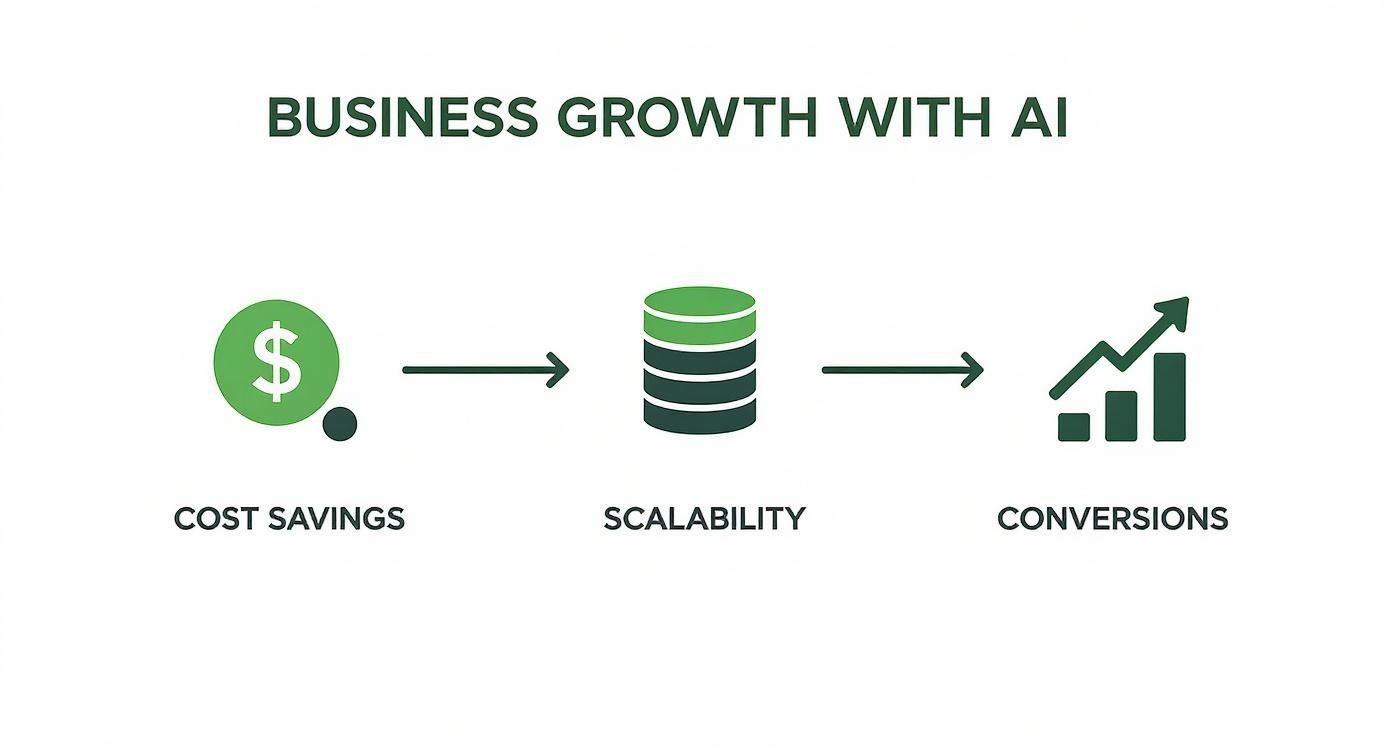
As you can see, optimizing each step in how you create images has a direct, measurable impact on your bottom line. It turns content creation from a chore into a real strategic advantage.
Stage 2: Choosing Your AI Platform
Once you have your foundational image, it's time to pick the right tool for the job. Not all AI image generators are the same, especially when you need them for commercial product photography. For e-commerce, you want a platform built specifically for creating realistic, on-brand scenes.
Here are the key features to look for that give you the control you need:
Model Libraries: Access to a diverse range of virtual models is essential for realistically showcasing apparel and accessories.
Scene Templates: Pre-built environments, like studio setups or lifestyle backdrops, that you can quickly customize.
Brand Consistency Tools: The ability to save specific styles and settings to make sure every visual feels like it belongs to your brand.
High-Resolution Exports: Your final images need to be crisp and clean enough for product pages, digital ads, and social media.
Platforms like Look Atlas were designed with these exact e-commerce needs in mind. They go way beyond generic AI art to deliver visuals that are actually ready for business.
Stage 3: Mastering the Creative Prompt
This is where your vision truly comes to life. A text prompt is your instruction manual for the AI, telling it precisely what kind of scene to build around your product. Writing good prompts is a skill, but it's one you can pick up quickly. A simple formula is often the best place to start:
[Style] + [Setting] + [Product Placement] + [Lighting] + [Details]
For instance, a prompt for a handbag might sound like this: "Minimalist studio photo of a leather handbag placed on a white marble block, with soft, diffused morning light and a shadow casting to the left." The more specific you are, the closer the AI will get to what's in your head.
Think of your prompt as the creative brief you'd give a human photographer. Be clear, be descriptive, and don't be afraid to play around with different words to see what the AI comes up with.
Stage 4: Refining and Curating Your Results
The final stage is all about tweaking and choosing the best shots. Your first attempt might be good, but it's rarely perfect. The real workflow involves generating a batch of images, seeing what you get, and then adjusting your prompt to fine-tune the details. Maybe you need to change the lighting, swap an object in the background, or try a different camera angle.
Once you have a collection of images you love, the last step is curation. Pick the absolute best visuals for each marketing channel you use. The image that's perfect for a detailed product page might not be the one that stops someone from scrolling on Instagram. For more expert advice on post-production and preparing images for your storefront, check out our guide on ecommerce photo editing. This deliberate approach ensures every single visual asset is working as hard as possible to drive sales.
Real Brands Winning with AI Product Images
It's one thing to talk about how this technology works, but the real test is seeing it in action. Across the e-commerce world, smart brands are already using AI-generated product images to tackle everyday business challenges—whether that’s launching new products faster or connecting with entirely new customer groups.
These aren't just tech demos; they're practical solutions. AI gives brands the power to stop just showing a product and start selling a vision. A simple, clean shot can be spun into a compelling story that actually resonates with people.
From Simple Bottle to Spa Day Getaway
Imagine a skincare brand about to drop a new luxury face serum. The standard product photo is fine—it's clean, professional, but ultimately a little sterile. It’s just a bottle on a white background.
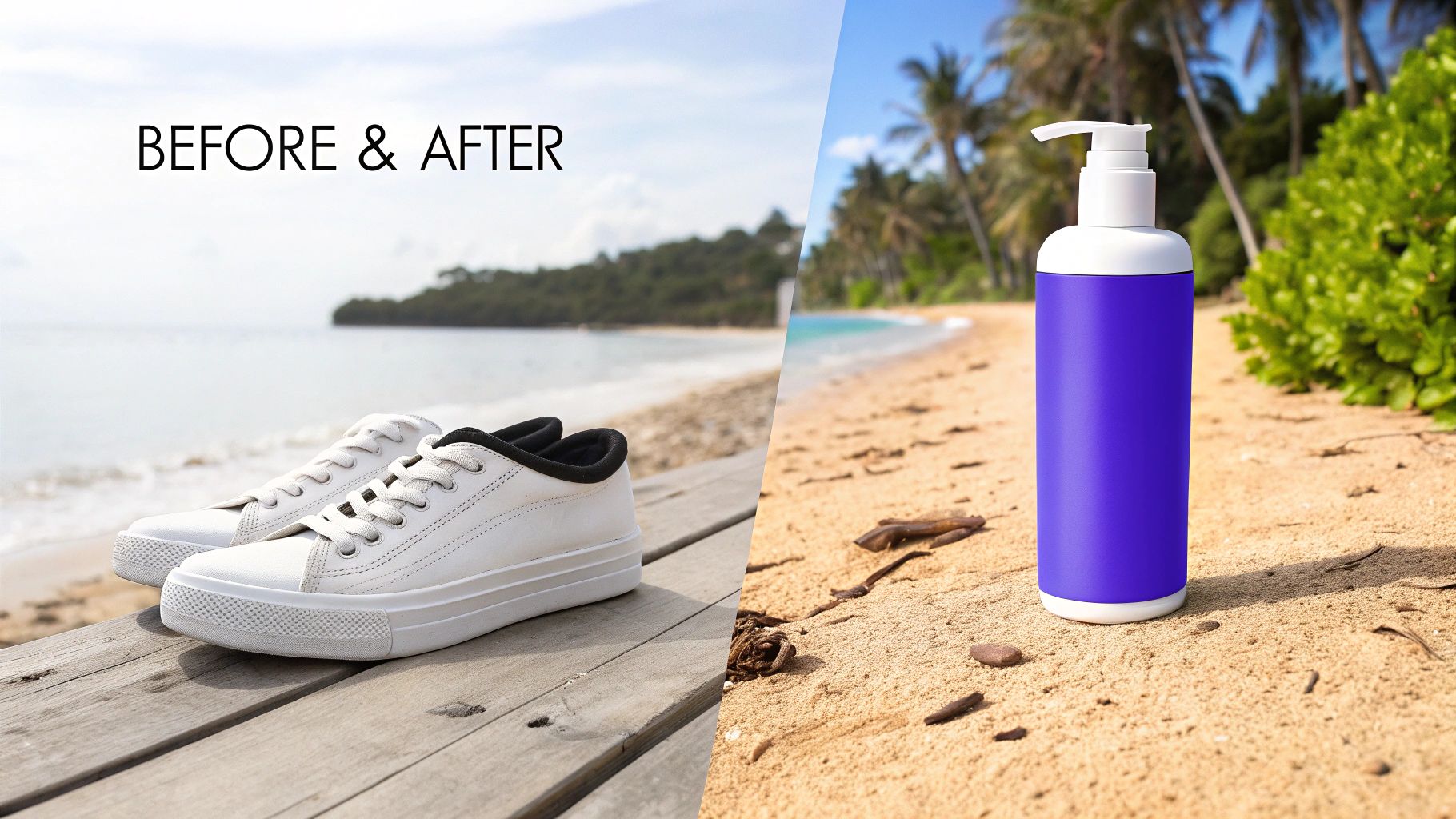
Before: A crisp, but lonely, product photo.
The Goal: Show customers that this serum is a premium, relaxing experience worth the price.
After: With AI, that same bottle is now sitting in a peaceful, high-end spa. It's placed on a marble tray next to a plush towel and a delicate orchid, all bathed in soft, calming light.
Suddenly, the image isn't just selling a serum; it's selling a feeling—a moment of tranquil self-care. This is the kind of aspirational marketing that, until now, was only possible for brands with massive photoshoot budgets.
Staging a Sofa for Every Interior Style
Now think about a direct-to-consumer furniture company. Their challenge is different: how do you show that one sofa can look amazing in a dozen different homes? A traditional photoshoot might give you one or two looks, but that's it. You're immediately limiting who the sofa appeals to.
AI imagery unlocks endless creative possibilities, allowing a single product to be showcased in countless environments. The only limit is imagination, not budget or logistics.
Using AI, the brand can generate an entire gallery from a single original photo:
The sofa is placed in a modern minimalist apartment with polished concrete floors.
Next, it’s in a cozy, rustic cabin, complete with a roaring fireplace.
Then, it appears in a vibrant, bohemian living room overflowing with plants and color.
This strategy lets the company speak directly to different customer segments with visuals made just for them. Shoppers can actually see the piece in a space that looks like their own, which makes the decision to buy so much easier.
The Power of High-Quality Visuals
What makes these examples work is that the final images look completely real. When done right, AI-generated visuals are practically impossible to tell apart from professional photography, which is why this tech is catching on so fast.
In fact, a recent report found that 71% of consumers cannot distinguish AI-generated product photos from real ones. You can dig into the full report on how AI is changing visual merchandising over at Stylitics. This level of quality is everything. It builds the trust needed to turn a curious browser into a confident buyer.
Here is the rewritten section, designed to sound human-written, natural, and expert-led.
Navigating the Legal and Ethical Side of AI Imagery
Jumping into AI-generated product images is more than just a creative move—it's a business decision with real responsibilities. While the tech throws open the doors to incredible visual possibilities, using it wisely means thinking through a few key things to protect your brand and keep your customers' trust. The aim here is to use these powerful tools with confidence and integrity.
The foundation of successfully using AI visuals is brand consistency. Your product photos are your brand's handshake, and every image the AI creates needs to feel like it came from you. If your visuals are all over the place, you'll just end up confusing customers and watering down your brand.
Keeping Your Brand Identity Intact
So, how do you make sure every image feels like yours? You need a clear playbook for your AI workflow. This isn't about stifling creativity; it's about channeling it.
Nail Down Your Style: Create a simple "style guide" with keywords that capture your brand's vibe. Think "warm and rustic," "clean and minimalist," or "vibrant and energetic." These become your go-to terms for prompts.
Lock in Your Color Palette: Give the AI your exact brand colors. This ensures every background and prop it generates feels right at home with your visual language.
Set Some Ground Rules: Decide on your favorite camera angles, lighting setups, and how you like products placed in a shot. This creates a cohesive, professional look across your entire catalog.
A structured approach like this means that whether you're making one image or a thousand, each one strengthens your brand's presence.
Building Trust by Being Upfront
Beyond looks, we get to the heart of the matter: ethics. The big word here is transparency. We've reached a point where 71% of shoppers can't tell the difference between a real photo and an AI-generated one, but honesty is still the best policy. People just don't like feeling tricked.
In fact, being straightforward actually builds a ton of goodwill. A huge 59% of shoppers say they want a clear label when an image is made with AI, seeing it as a mark of a brand's integrity.
“It makes the brand feel more honest.” - Survey Participant
This doesn't mean you need a giant, ugly banner. A simple, discreet note like "Virtual Model" or "Image generated with AI" usually does the trick. It’s a small gesture that reassures customers, dials down skepticism, and shows your brand is both trustworthy and modern. Pro tip: pairing this with a clear, no-hassle return policy can erase any lingering doubts a customer might have.
Getting a Handle on Copyright and Commercial Use
Finally, you have to get familiar with the legal side of AI-generated product images, especially when it comes to copyright. This is a new frontier, legally speaking, but the guiding principle is pretty simple: the platform's terms of service are your rulebook.
Most commercial AI image tools, including Look Atlas, are designed for exactly this kind of work. They usually give you, the user, full commercial rights to whatever you create. That means you're free to use the images on your product pages, in ads, on social media—wherever. Still, you should always read the terms and conditions of any tool you use. A quick five-minute check can confirm your ownership rights and save you from major legal headaches as you start creating visuals at scale.
Common Questions We Hear About AI Images
When brands first start exploring AI for their visual content, a few key questions always pop up. It's completely normal to feel a mix of excitement and hesitation. Let's walk through the big ones so you can move forward with a clear head.
The first question is almost always about the bottom line. How much does this all cost, and is it really cheaper than what we’re doing now? The financial difference is pretty stark. Think about a traditional photoshoot—you've got the photographer, studio rental, models, stylists, and post-production work. Those costs are often significant and can be unpredictable.
AI image platforms flip that model on its head. Instead of a massive one-time expense for a fixed number of photos, you’re looking at a straightforward subscription. It's a predictable monthly fee that gives you the power to generate thousands of unique visuals. This completely changes the economics of content creation, making high-quality imagery accessible and delivering a much better return on your investment.
Can AI Really Match My Brand's Vibe?
This is a big one. You've spent years curating a specific look and feel for your brand, so it's natural to wonder if a machine can truly get it right. The short answer is yes, but it needs your creative direction. Think of yourself as the director and the AI as your incredibly fast, endlessly creative production team.
You're the one who guides the AI to produce on-brand results. It's a hands-on process, and you have several levers to pull:
Style References: You can "teach" the AI your aesthetic by feeding it examples of your existing brand photos or mood boards.
Detailed Prompts: This is where your vision comes to life. Use descriptive language to spell out the exact lighting, environment, and mood you're after.
Iterative Feedback: Don't expect the first shot to be perfect. You'll generate a few options, see what works, and then tweak your prompts to dial in the details until it's just right.
This back-and-forth ensures the final images aren't just generic stock photos, but visuals that feel like they genuinely belong to your brand.
The point isn't to replace your creative vision. It’s to give you a powerful new tool to execute that vision at an incredible scale. You always have the final say on the look.
Are These Images Okay to Use Commercially?
Finally, we get to the legal stuff. It’s a crucial question: can you legally use these images to sell your products? For the most part, yes, you absolutely can. While the legal landscape around AI is still taking shape, the established commercial tools are built from the ground up for business use.
Reputable platforms, including Look Atlas, give you full commercial rights and ownership of the images you generate. That means you're clear to use them on your website, in ad campaigns, on social media—wherever you need them. That said, it’s always a good practice to review the terms of service of any tool you’re considering. A quick scan will confirm your rights and give you the peace of mind to create without looking over your shoulder.
Ready to create stunning, on-brand visuals in minutes? With Look Atlas, you can generate thousands of ultra-realistic product photos that drive sales and cut costs. Start your AI photoshoot today.
