
Ecommerce photo editing is how you take a raw product image and turn it into something that actually sells. It's more than just a quick touch-up; it’s about transforming a basic photo into a reliable, conversion-focused asset. The process involves dialing in the colors, getting rid of distracting backgrounds, and sharpening all the little details to show your product exactly as it is.
How Quality Photos Drive Ecommerce Sales
We all know the old saying: "good photos sell more." But let's dig a bit deeper. What does that actually mean for your business? Professional ecommerce photo editing directly taps into customer psychology and, ultimately, your bottom line. Think about it—in an online store, your photos are the only real thing a customer can connect with. They're your digital handshake, your 24/7 salesperson, and the fastest way to build trust.
When someone lands on your product page, they’re making split-second decisions. Do the colors look right? Can I see the texture of the material? Does this look like a legitimate company? High-quality, consistently edited images answer all those questions with a confident "yes," smoothing the path to a sale. This isn't just a hunch; data shows that a whopping 75% of online shoppers lean heavily on product photos to make a buying decision. You can find more stats on how visuals impact shoppers at Pixelphant.com.
Building Trust and Managing Expectations
In ecommerce, inconsistency is the enemy of trust. If a customer is looking at three photos of the same blue t-shirt and each one is a slightly different shade, doubt immediately creeps in. Which one is the real color? A disciplined editing workflow makes sure every single image in your catalog—from the main shot to the zoom details—shares the same standards for color, lighting, and style.
Getting this consistency right achieves a few critical things for your business:
It builds brand credibility. A uniform look makes your brand feel polished, professional, and trustworthy.
It manages customer expectations. When colors are true-to-life and details are clear, the customer gets exactly what they thought they were buying.
It makes shopping easier. Buyers can focus on the product's features instead of trying to figure out why one photo looks different from the next.
The real goal of photo editing is to close the gap between seeing a product online and holding it in your hands. Nail that, and you don’t just get a sale—you earn a customer's confidence.
The Financial Impact of Great Visuals
The payoff for being meticulous with your photo editing shows up right on your balance sheet. The most obvious win is a drop in return rates. A jaw-dropping 22% of product returns happen simply because the item looks different in person than it did online. Every single one of those returns eats into your profits through shipping, restocking, and lost revenue. Investing in accurate photo editing is a direct defense of your profit margins.
Strong visuals also give your conversion rates a serious boost. Clear, appealing images get people to click "add to cart" and stop them from bouncing off your page. Of course, all of this starts with getting great photos in the first place. For a full breakdown on that, check out our guide on how to take professional product photos.
Ultimately, you have to stop seeing photo editing as a cost. It’s an investment in customer satisfaction and brand integrity—and that’s what really drives growth.
The link between a well-edited photo and a healthy business is direct and measurable. Here's a quick look at how investing in your product visuals translates into tangible business results.
Key Business Impacts of Professional Photo Editing
Business Goal | Impact of Quality Photo Editing | Example Metric |
|---|---|---|
Increase Sales | High-quality, detailed images build confidence and encourage purchases. | Conversion Rate Lift |
Reduce Returns | Accurate color and detail ensure the product meets customer expectations. | Lower Return Rate (%) |
Build Brand Trust | Consistent, professional visuals establish credibility and reliability. | Customer Lifetime Value (CLV) |
Improve Ad Performance | Crisp, eye-catching images lead to higher click-through rates. | Click-Through Rate (CTR) |
As you can see, the effort you put into your images ripples across the entire business, from marketing effectiveness to customer loyalty.
Laying the Groundwork: Your Core Editing Workflow
Alright, let's get our hands dirty. The secret to consistently great ecommerce photos isn't some magic filter; it's a solid, repeatable workflow. This is the system that ensures every single image hits your quality standard, whether you're editing one photo or a thousand. Winging it leads to inconsistent results, wasted time, and a product catalog that just looks messy.
Believe it or not, this process starts way before you even think about opening Photoshop. The most critical first step is simply getting organized. A single product shoot can easily spit out hundreds of images. If you dive straight into editing that chaotic pile, you're setting yourself up for a massive headache.
First thing's first: culling. This is where you play the role of a ruthless editor, going through all your raw shots and picking only the absolute best. You’re hunting for images that are technically perfect—tack-sharp focus, great lighting, and correct exposure. Anything blurry, poorly lit, or just plain uninspiring gets tossed. No mercy.
Setting Up for Success with Smart Organization
Once you’ve cherry-picked your best shots, it's time to impose some order. A logical folder structure is a lifesaver. I always recommend a main project folder with dedicated subfolders for your RAWs, your in-progress PSDs or edit files, and your final web-ready exports.
This isn't just about being neat. It creates a predictable system that anyone on your team can jump into and understand, which is a lifesaver as you scale. It’s also your safety net for version control, ensuring you can always find the original files if you need to backtrack.
This whole process is about building a visual experience that guides the customer from first glance to final purchase.
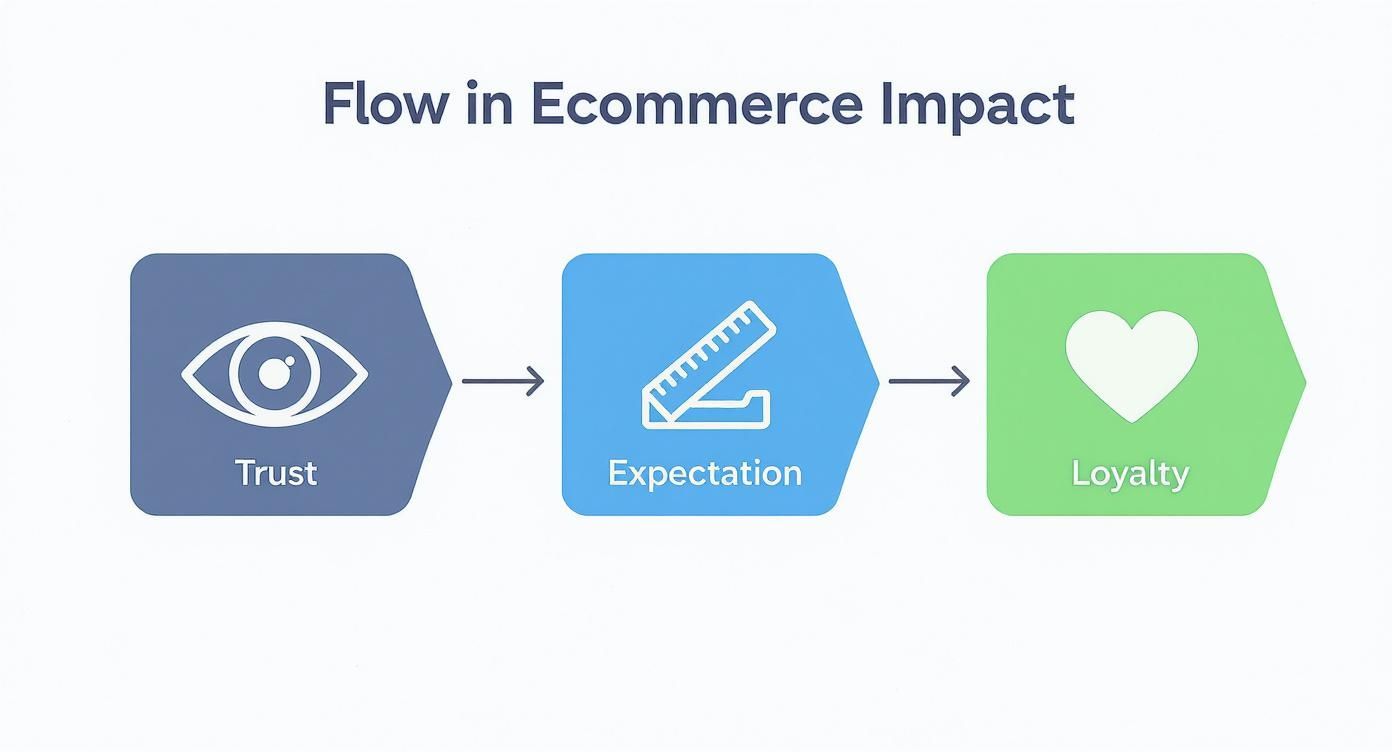
As you can see, a polished workflow directly builds trust, sets the right expectations, and ultimately, earns you a loyal customer.
Mastering Background Removal
With your files neatly sorted, the first real editing task is usually background removal. A clean, consistent background—almost always pure white (#FFFFFF)—is the undisputed king for product-on-white shots. It strips away all distractions, making your product the star of the show.
You've got a few ways to tackle this, and the right choice depends on the product:
The Pen Tool: For anything with hard, clean edges—think smartphones, books, or boxes—nothing beats the precision of Photoshop's Pen Tool. You’re creating a crisp vector path for a flawless cutout every time.
AI-Powered Tools: When you're dealing with tricky subjects like a model's wispy hair or the fuzzy edge of a sweater, modern AI tools are game-changers. They can generate a surprisingly accurate selection in seconds, saving you a ton of meticulous work.
Layer Masks: Here’s the pro tip: no matter how you make your selection, always use a non-destructive layer mask. Never permanently delete the background. This gives you the freedom to go back and refine the edges later without having to start over from square one.
A perfect cutout is simply non-negotiable. Even a few stray pixels or a jagged edge can make a product look cheap and instantly damage a shopper's trust.
Nailing Perfect Color Correction
Color accuracy is where your editing skills directly impact your bottom line. If a customer sees a vibrant cherry-red handbag online but receives one that’s more of a dull maroon, you're practically begging for a return. The mission here is simple: make the product on the screen look exactly like the product in real life.
This comes down to a few key adjustments. First, lock in the white balance. If your photos have a subtle blue or yellow cast, use the white balance tools to neutralize it. Your whites should be pure white, and your grays should be perfectly neutral.
Next up are exposure and contrast. You want the image to be bright and punchy, but not so blown-out that you lose detail in the highlights or shadows. The sweet spot is a balanced image that feels natural and inviting. Finally, you’ll fine-tune the hue, saturation, and luminance of specific colors to get that perfect match with the physical item. This is where having the actual product sitting on your desk for reference becomes invaluable.
The Finishing Touches: Retouching and Shadows
The last lap in your core workflow involves retouching and creating shadows. Retouching is all about zapping minor distractions—a tiny speck of dust, a scuff mark on a shoe, or a stray thread on a shirt. Tools like the Spot Healing Brush or Clone Stamp are your best friends here.
The golden rule is subtlety. You're presenting the best version of the product, not a fake one. Over-the-top retouching looks artificial and erodes trust. For example, dealing with a nasty glare on a watch face or a piece of jewelry is a common headache. We've actually got some great techniques in our guide on how to remove light glare from a photo.
Finally, adding a natural-looking shadow is just as crucial as removing the original background. A product just floating in a white void looks flat and disconnected. A soft, realistic drop shadow anchors the item, giving it a sense of weight and place.
This shadow needs to be gentle and consistent with a believable light source. Stay away from those harsh, dark, obviously computer-generated blobs. A soft, diffused shadow that makes the product feel tangible is the professional standard. By building and sticking to this workflow, you guarantee every product image is polished, professional, and primed to convert.
Editing Lifestyle and On-Model Photos
While your clean, white-background shots are the workhorses of your product catalog, it's the lifestyle and on-model photos that truly sell the dream. These are the images that build an emotional connection, helping a customer picture your product in their own world. But this style of ecommerce photo editing is a whole different ballgame—it requires a much more delicate and thoughtful touch than your standard studio shot.
The goal here isn't just to display a product; it’s to craft a feeling. Think about the cozy vibe of a throw blanket draped over a chic sofa or the energetic feel of a model crushing a workout in your activewear. The edit has to amplify that story, which means moving past basic cleanup and into the realm of mood, atmosphere, and visual storytelling.
Keeping It Real with On-Model Edits
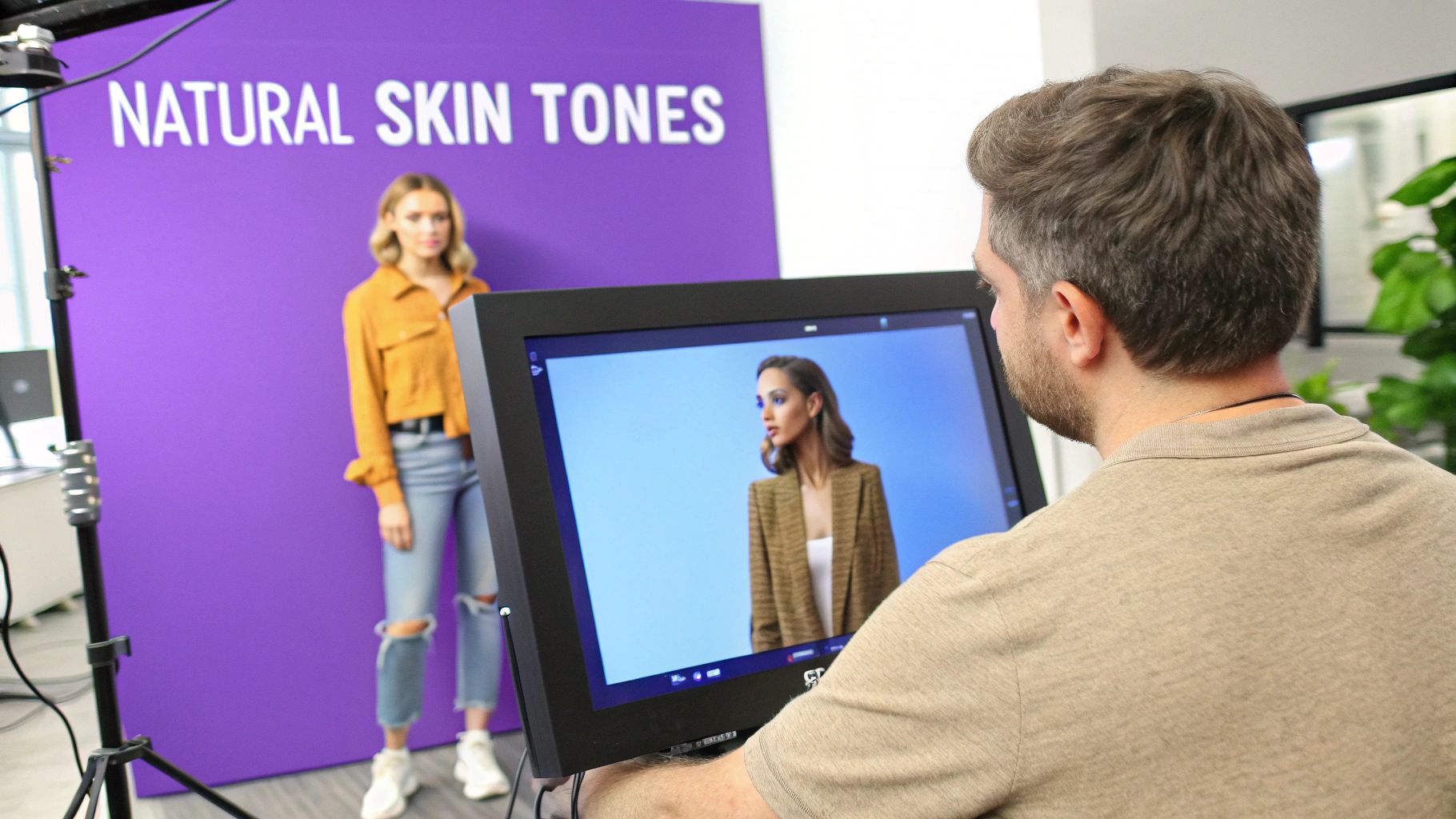
The moment you put a person in the frame, the stakes are higher. The real challenge is making both the model and the product look amazing without looking fake. Heavy-handed, obvious retouching is the fastest way to lose a customer's trust.
Your first job is to get a natural and consistent skin tone. Fight the urge to smooth skin until it looks like plastic. Instead, focus on gently removing temporary blemishes and evening out any distracting blotches of redness. You want the skin's texture to still be visible and feel human.
At the same time, the product needs attention. Look closely at how the fabric folds and drapes on the model. You can use subtle dodging and burning to enhance these textures, giving a sweater or a pair of pants a more tangible, three-dimensional quality. The trick is to make the product pop without making the person wearing it look inauthentic.
Using Color to Set the Mood
In lifestyle shots, color is your most powerful tool for creating a specific mood. This is where color grading comes in, and it's so much more than basic color correction. You’re intentionally shifting the entire color palette of the photo to create an emotional response that clicks with your brand.
Imagine two completely different scenarios:
A Cozy Home Decor Brand: You'd lean into warm, golden hues and soften the shadows. This creates an inviting, comfortable atmosphere that makes someone want to curl up with your products.
A High-Energy Activewear Line: Here, you'd go for a crisp, high-contrast look with vibrant, punchy colors. This communicates power, performance, and excitement.
The edit must always serve the brand’s story. If the mood feels off, it sends a mixed message and weakens the connection you’re trying to build.
The best lifestyle edits make the product the hero of the scene without being obnoxious about it. It should feel like an authentic, slice-of-life moment where your product just happens to look incredible.
The Art of the Selective Cleanup
Lifestyle photos are often shot in real-world environments, which means you'll have to deal with real-world distractions. A stray power outlet, a scuff mark on the floor, or a random object in the background can easily pull the eye away from what you’re selling.
The real art here is knowing what to remove and what to leave in. Your goal is to simplify the scene just enough so the viewer's eye goes straight to the product. Tools like Adobe Photoshop's Content-Aware Fill or the classic Clone Stamp are perfect for seamlessly erasing these little imperfections.
For instance, if you've got a great shot of a backpack on a park bench but there's a bright piece of trash on the ground nearby, get rid of it. That one small fix cleans up the entire frame and subtly reinforces a feeling of quality. Just don’t go overboard—the environment still needs to feel believable, just a bit tidier.
Balancing the Product and the Scene
At the end of the day, editing on-model and lifestyle photos is a constant balancing act. You need a compelling scene, the right mood, and a great-looking model, but the product always has to be the star of the show.
This often comes down to subtle visual cues that guide the viewer's gaze. A slight vignette can darken the edges of the photo, naturally drawing the eye toward the brighter center. You could also apply a tiny bit of extra sharpness or saturation only to the product itself, helping it stand out just a little more from its surroundings.
A great rule of thumb is to always pull up your edited lifestyle shot next to your main product-on-white image. Do the colors match? Is the texture right? Make sure the product looks consistent across all your photos. This is how you build a cohesive brand experience instead of just a collection of pretty—but potentially misleading—pictures.
How to Automate and Scale Your Editing
Editing product photos one by one just isn't going to cut it as you grow. The sheer repetition of removing backgrounds, tweaking colors, and resizing hundreds of images is a fast track to burnout. To really scale your photo editing, you have to work smarter, and that means building a solid system for automation.
This isn't about trading quality for speed. It's about letting technology do the heavy lifting on tedious, predictable tasks. That way, you can save your creative energy for the images that really move the needle—your hero shots, campaign visuals, and homepage banners. The sweet spot is a hybrid workflow that blends your manual precision with automated efficiency.
Building Your Batch Processing Engine
The first and easiest step into automation is batch processing. This is exactly what tools like Adobe Lightroom and Photoshop were built for. In Photoshop, for instance, you can record a series of edits into an "Action." Think of it like recording a macro: you can capture steps like resizing, applying a subtle sharpening filter, and exporting to a web-ready JPEG.
Once that Action is recorded, you can unleash it on a folder with hundreds of images and let it run. It's a game-changer.
Think about the little things you do to every single photo. Those are your prime candidates for automation.
Consistent Cropping & Resizing: Nail the exact dimensions your e-commerce platform requires every time.
Applying Basic Adjustments: Give an entire photoshoot a consistent bump in exposure or contrast.
Adding Watermarks: Automatically drop your logo in the same corner of every photo to protect your work.
Exporting for Web: Save everything with the right file format, quality settings, and naming convention, all at once.
Sure, setting up these actions takes a bit of time upfront, but the payoff is huge. A task that used to eat up hours of mind-numbing clicking can now be done in the time it takes you to grab a coffee.
Integrating AI for the Heavy Lifting
While batch actions are fantastic for rule-based tasks, AI-powered tools have unlocked a whole new level of automation for the more complex stuff. These tools aren't a gimmick anymore; they’re essential for any brand that needs to produce a high volume of quality images.
The most obvious and impactful use case is instant background removal. AI services can analyze a photo and deliver a clean, precise cutout in seconds. That’s a job that could easily take a skilled editor several minutes using the Pen Tool. For catalogs with thousands of products, the time savings are massive.
Automation isn't about replacing your skills; it's about amplifying them. Let AI handle the 80% of repetitive work so you can apply your expert touch to the critical 20% that actually drives sales.
It doesn't stop at backgrounds, either. AI is getting incredibly good at intelligent image enhancement. We're talking automatic color correction, realistic shadow creation, and even upscaling lower-resolution images to make them sharper. If you're curious about that last one, we have a whole guide on how to use Photoshop's AI to upscale images.
Creating a Hybrid Scaling Workflow
The real magic happens when you combine these methods into a seamless process that gives you both speed and quality. This is what a modern, scalable e-commerce photo editing workflow actually looks like in practice.
Initial AI Pass: First, run your whole batch of approved photos through an AI tool for background removal and maybe some basic enhancements. This knocks out the most time-consuming step right off the bat.
Batch Processing in Lightroom: Next, import those AI-edited images into Lightroom. Here, you can apply consistent color grades and exposure adjustments across the entire collection to give your catalog a cohesive look and feel.
Manual Retouching for Hero Shots: Now, for your most important images—the homepage banners, the ad creative—pull them into Photoshop for some hands-on fine-tuning. This is where you do your detailed retouching, perfect the shadows, and make sure every pixel is flawless.
Final Automated Export: Finally, use a Photoshop Action or a Lightroom export preset to save all your images—both the batch-processed and the manually retouched ones—to the exact specs you need for your website and marketing channels.
This hybrid approach truly gives you the best of both worlds. You get the speed and cost-effectiveness of automation for the bulk of your catalog, but you never lose creative control over the key photos that define your brand.
Optimizing Images for Ecommerce Platforms
This is where all your hard work pays off—or falls flat. After you've nailed the editing, the final hurdle is optimizing those images for the web. This step is non-negotiable for any serious ecommerce brand.
Why? Because a massive, unoptimized image can grind your site to a halt. We've all been there: you click on a product, and the page just hangs. Most people won't wait. They'll just leave. A slow site doesn't just frustrate customers; it actively torpedoes your search rankings and kills your conversion rate. The goal here is to find that sweet spot between stunning visual quality and lightning-fast loading speed.

Choosing the Right File Format
The file format you save your image in has a huge impact on both its quality and its size. There’s no single "best" format; it really depends on what the image is and how you'll use it.
Here’s a practical breakdown of the formats you'll actually use:
JPEG (or JPG): This is the workhorse for most of your product photography. Think on-model shots, lifestyle scenes, or any image with a rich range of colors and tones. JPEGs compress beautifully, letting you shrink the file size without a noticeable drop in quality. A word of caution: don't overdo the compression, or you'll start to see blocky, pixelated artifacts.
PNG: Reach for a PNG when you absolutely need a transparent background. It's the perfect choice for those clean, "floating" product shots on a white background, or for your company logo. The catch is that PNG files are typically much larger than JPEGs, so use them only when transparency is a must.
WebP: Developed by Google, WebP is the new kid on the block and a game-changer for performance. It can handle transparency like a PNG but offers far better compression than a JPEG, often making files 25-35% smaller with no visual downgrade. With near-universal support across modern browsers, it's a fantastic option if page speed is your top priority.
Meeting Platform-Specific Requirements
Every single platform—from Shopify to Amazon to Instagram—has its own playbook for images. They dictate everything from dimensions to file sizes. If you ignore their rules, you risk your images being automatically squashed, poorly cropped, or just plain rejected.
Getting this right from the start saves a massive amount of time you'd otherwise spend re-editing and re-uploading. To help, I've put together a quick cheat sheet for the major platforms.
Pro Tip: Bookmark this page or screenshot this table. Having these specs on hand during your export process is a lifesaver. It’s a small detail that makes a huge difference in how professional your store looks.
Here’s a quick-reference guide to the specific image specifications for leading online marketplaces and platforms. Following these ensures your products look their best everywhere you sell.
Image Requirements for Major Ecommerce Platforms
Platform | Recommended Dimensions (pixels) | Max File Size | File Format | Key Notes |
|---|---|---|---|---|
Shopify | 2048 x 2048 (for square images) | Under 20 MB | JPEG, PNG, WebP | Square images display best. Shopify automatically creates smaller versions. |
Amazon | At least 1600 on the longest side | Under 10 MB | JPEG, TIFF, GIF | The long side must be at least 1000 pixels to enable the zoom feature. |
1080 x 1080 (Square), 1080 x 1350 (Portrait) | Under 30 MB | JPEG, PNG | Portrait (4:5 ratio) takes up the most screen space in the feed. |
Ultimately, this final optimization step is what separates an amateur-looking store from a polished, professional ecommerce business that people trust and buy from.
Frequently Asked Questions About Ecommerce Photo Editing
As you start dialing in your ecommerce photo editing workflow, you're bound to run into a few common questions. It’s easy to get tangled up in the details of cost, software choices, and quality control. Let's break down some of the most frequent sticking points with straightforward advice to help you move forward with confidence.
What Should Ecommerce Photo Editing Actually Cost?
This is a big one, and the honest answer is: it depends. The price for editing can swing dramatically based on the complexity of the job.
Simple background removal, for example, can be surprisingly affordable. If you're outsourcing in bulk, you can often find services that charge between $0.25 and $1.50 per image. This is the bread and butter for creating a clean, consistent product catalog on a tight budget.
On the other hand, high-end retouching for a big campaign hero shot is a completely different ballgame. This is where an artist meticulously handles advanced color grading, enhances textures, and even creates complex composites. Here, costs can range from $5 to well over $50 per image. The key is to see this not as a cost, but as an investment. Top-tier editing directly boosts conversion rates and can even lower your return rate.
What’s the Best Software for Editing Product Photos?
There really isn't a single "best" tool for everyone. The right software for you hinges on your team's expertise, your budget, and the sheer volume of photos you're dealing with.
For Total Creative Control: Adobe Photoshop is still the undisputed king. For detailed retouching, it's unmatched.
For High-Volume Workflows: Adobe Lightroom is an absolute lifesaver. It’s built for organizing massive shoots and applying consistent adjustments across hundreds of photos at once. Personally, I use both—Lightroom for the initial culling and global edits, then Photoshop for the pixel-perfect finishing touches.
For Speed and Automation: AI-driven tools like Remove.bg are fantastic for one-click background removal, saving a ton of time.
Ultimately, the best choice is the one that slots seamlessly into your existing workflow and helps you achieve your goals efficiently.
How Do I Make Sure My Product Colors Are Accurate?
Getting your colors right is arguably the most critical part of ecommerce editing. It's your first line of defense against costly returns from disappointed customers. The good news is, it starts with a simple step during the photoshoot.
The most reliable way to nail color accuracy is to use a color checker card, like an X-Rite ColorChecker. Just take one photo with the card visible in the same lighting as your product. This shot becomes your ground truth—an objective reference for what the colors actually look like.
Once you’re in your editing software, you use that reference shot to set your white balance. This one click instantly removes any weird color cast from your lights. It's also vital that you're working on a calibrated monitor; otherwise, you're just guessing. Finally, always export your images in the sRGB color space. It's the standard for the web, ensuring what you see is what your customers see, no matter what browser or device they're on.
What Are the Most Common Editing Mistakes to Avoid?
I see a few of the same missteps pop up over and over again. They're easy to make but can seriously cheapen the look of your products.
The most common culprit is over-sharpening. It’s tempting to crank that slider up, but it quickly leads to crunchy, unnatural-looking edges that scream "amateur."
Inaccurate color is another huge one, directly leading to customer frustration and returns. Right behind that is inconsistency—when photos of the same product look slightly different in color or brightness, it erodes trust and makes your whole site feel less professional.
Lastly, don't trip at the finish line by uploading massive, unoptimized files. Heavy images will absolutely kill your page load speed, which hurts both user experience and your SEO rankings. The goal is always a clean, natural, and accurate photo that loads in a flash.
Ready to skip the tedious editing and generate stunning, on-model product photos in minutes? Look Atlas uses AI to create ultra-realistic lifestyle images and videos that are proven to boost sales. Transform your product visuals today at https://www.lookatlas.com.
