Think of an ecommerce photo retouching service as the final, critical step that turns your raw product photos into polished, money-making assets for your online store. This isn't just a "nice-to-have" anymore; it's a core business tool. It's the process of refining everything from color accuracy and background consistency to removing tiny, distracting flaws, making sure every product looks absolutely perfect.
Why Product Images Are Your Most Valuable Sales Tool
In ecommerce, your product photos do all the talking. They're your digital storefront, your best salesperson, and your brand ambassador, all rolled into one. Since customers can't physically touch or inspect your products, the images have to do the heavy lifting of showing quality, building trust, and convincing someone to buy.
Imagine walking into a high-end boutique. Everything is perfectly lit, clean, and beautifully arranged. Now, imagine the opposite: a cluttered, poorly lit shop. That’s the difference between professionally retouched images and raw, unedited photos on your website. The first inspires confidence; the second makes customers question what you're selling.
A professional retouching service is the solution. It’s not just about "photoshopping" a picture. It's a strategic effort to make every image compelling, accurate, and consistent across your entire store. That polish has a direct, measurable impact on your bottom line.
From Good Photos to Great Sales
It all starts with a solid photoshoot. Getting the lighting and composition right is a crucial first step, and you can learn more in our guide on how to take professional product photos. But even the best camera work needs a final touch to meet the high expectations of today's online shoppers.
This is where expert editing takes good photos and turns them into your most powerful sales assets. The work goes way beyond applying a simple filter; it’s about dialing in the details that influence a buyer’s decision.
Building Customer Trust: Clean, consistent, professional images send a clear signal: this is a brand you can trust. Photos with flaws or inconsistencies can make a business look amateur, which erodes a shopper's confidence.
Boosting Conversion Rates: The connection between image quality and sales is undeniable. High-quality product images can dramatically increase conversion rates because they give customers the clarity and visual appeal they need to click "Add to Cart."
Reducing Costly Returns: Mismatched colors are a top reason for returns. If the sweater that looked bright red on your site shows up as a dull maroon, you're getting it back. Accurate color correction ensures what customers see is what they get, which cuts down on returns and keeps them happy.
“When a potential customer can't pick up, feel, or try on your products, high-quality images become your most powerful sales tool.”
Ultimately, investing in expert photo retouching is an investment in your brand's reputation and your profitability. It bridges the gap between the online and in-person shopping experience, creating a polished, reliable, and irresistible visual journey for every visitor.
What Are the Core Photo Retouching Techniques?
Think of a professional photo retouching service as the final, critical step in your product's journey to the customer. It’s not about changing the product itself, but about making sure the photo tells the truth—beautifully and consistently. A great photo starts in the studio, but it becomes a powerful sales tool in post-production.
Let's break down the essential techniques that turn a good product shot into a high-converting image asset. Each one solves a specific problem that every online retailer faces, from creating a clean, unified brand presence to drastically cutting down on returns.
Creating a Clean Stage with Background Removal
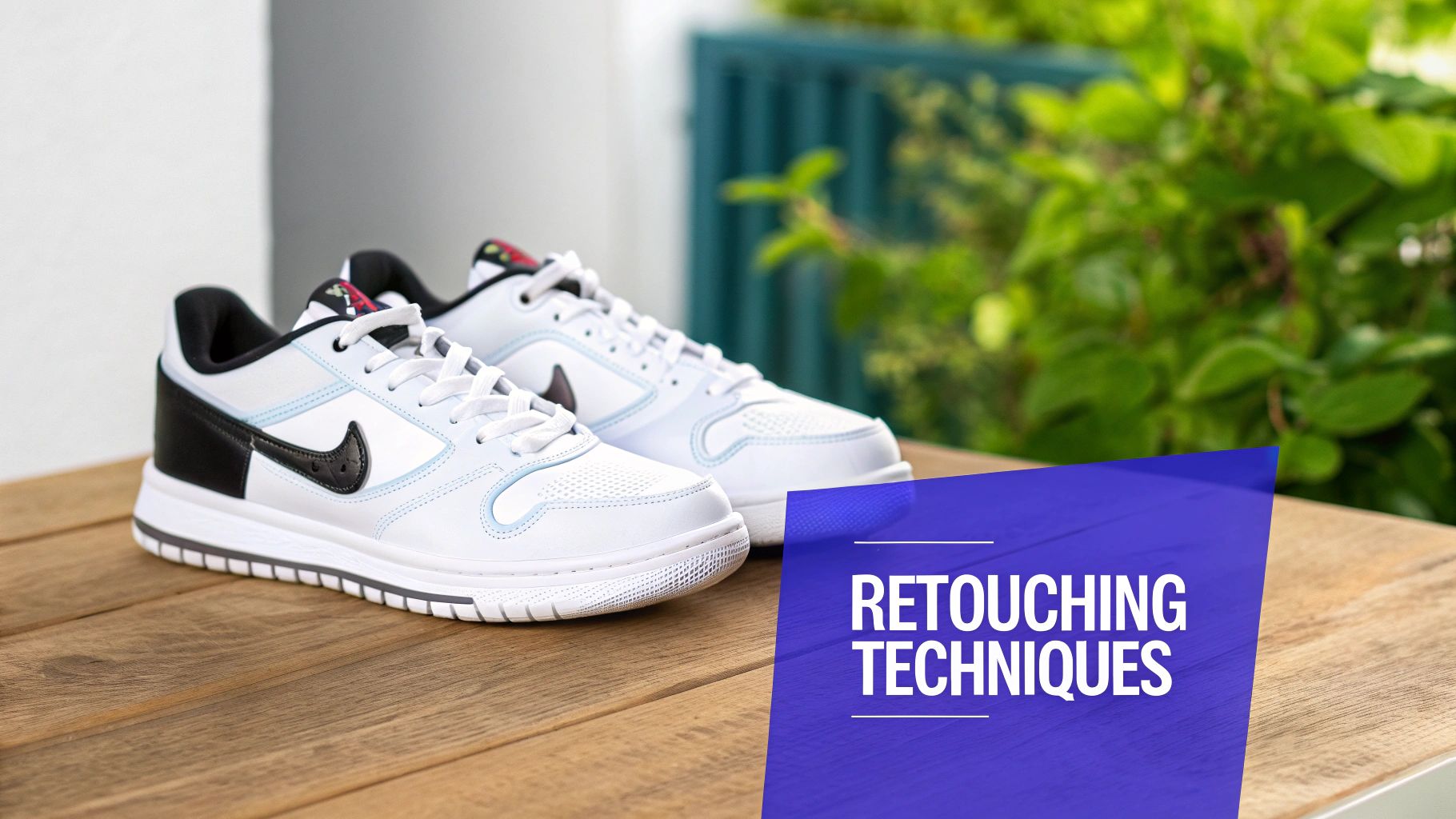
Background removal is the bread and butter of ecommerce editing. It’s the process of carefully cutting the product out from its original background, leaving you with a clean, isolated image. Why is this so important? Because it eliminates every possible distraction, forcing the customer's eye to focus on one thing: your product.
Imagine your website's category page as a storefront window. If every product has a slightly different background—some grey, some beige, some with studio props visible—the entire display looks messy and unprofessional. By placing every single product on a pure white or transparent background, you create a seamless, high-end shopping experience that builds trust and makes your whole catalog look incredibly sharp.
Background removal, often done with a hand-drawn clipping path, is the digital equivalent of placing your product on a perfectly clean, well-lit stage. It makes your product the undeniable star of the show.
This consistency isn't just a "nice-to-have"; it's a requirement for major marketplaces like Amazon and the foundation of a polished brand identity.
Ensuring Accuracy with Color Correction
If there's one edit that directly impacts your bottom line, it's color correction. This is the painstaking process of adjusting the hues, saturation, and tones in a photo to make them a perfect match for the physical product. This goes way beyond applying a simple filter—it's about technical accuracy.
Customer returns are a massive headache for online stores, with some estimates showing that 30% of all products bought online get sent back. A huge reason for this is a gap between what the customer sees online and what they get in the box. In fact, 22% of consumers return an item simply because it "looked different" from the photo.
An expert ecommerce photo retouching service closes that gap. They ensure the cherry red of that jacket on your site is the exact same cherry red that your customer unboxes, leading to happier customers and fewer returns.
Adding Dimension with Shadows and Reflections
After you’ve removed the background, a product can sometimes look like it's floating awkwardly in a white void. It feels flat and disconnected from reality. Adding a realistic shadow or a subtle reflection is what grounds the product, giving it weight, depth, and a sense of being real.
This small detail has a surprisingly large impact on a customer’s perception of quality. There are a few common approaches:
Natural Shadow: This mimics the soft, diffused shadow a product would cast in a real-life lighting setup. It feels organic and authentic.
Drop Shadow: A slightly more graphic shadow that sits directly beneath the product, helping it pop off the page.
Reflection Shadow: This creates a faint mirror image on the surface, perfect for glossy products like watches, sunglasses, or electronics to communicate a premium, polished finish.
The type of shadow you choose can subtly reinforce your brand's overall vibe—from earthy and natural to sleek and modern.
Perfecting Apparel with the Ghost Mannequin Effect
How do you show the true shape and fit of a shirt or dress without a distracting model or a clunky mannequin? The answer is the ghost mannequin effect (also called the invisible mannequin). It’s a bit of post-production magic that has become the gold standard for fashion ecommerce.
The process is clever. Editors composite multiple photos of the same garment—one on a mannequin to get the shape, and other shots showing the inside of the collar or cuffs. They then digitally erase the mannequin itself and stitch the images together, creating a hollow, 3D version of the clothing.
The final image shows customers exactly how the garment drapes and fits, as if an invisible person were wearing it. This is invaluable for helping shoppers visualize the item on themselves, giving them the confidence they need to click "Add to Cart." New tools are even simplifying these kinds of complex edits, which you can learn more about in our guide on using Photoshop AI for image enhancements.
Matching Retouching Services to Your Product Catalog
Not every product needs every type of edit. The key is to match the right service to the right product to get the most bang for your buck. This table breaks down which services are most essential for common product categories.
Product Category | Essential Retouching Service | Primary Business Goal |
|---|---|---|
Apparel & Fashion | Ghost Mannequin & Color Correction | Show accurate fit and color; reduce returns. |
Furniture & Home Goods | Background Removal & Shadow Creation | Create a clean, consistent catalog look. |
Jewelry & Watches | High-End Retouching & Reflection Creation | Emphasize intricate details and premium materials. |
Electronics & Gadgets | Color Correction & Screen Replacement | Ensure product accuracy and a polished look. |
Footwear & Handbags | Background Removal & Texture Enhancement | Highlight material quality and remove imperfections. |
Cosmetics | Color Matching & Blemish Removal | Display true-to-life shades and textures. |
Using this as a starting point, you can build a retouching strategy that directly supports your sales goals, whether that’s reducing returns for your clothing line or highlighting the luxury finish of your watches.
Measuring the Real ROI of Your Image Investment
Great product photos do more than just look nice—they make you money. Think of an ecommerce photo retouching service not as a creative expense, but as a hard-nosed business tool that directly boosts your most important numbers. It’s an investment with a very real, very measurable return.
Let's move past the fuzzy idea of "quality" and connect the dots between specific edits and the bottom-line results they drive. Every dollar you spend on polishing your images should come back to you through more sales, fewer headaches, and a brand that people trust and return to.
How Editing Drives Key Business Metrics
Professional photo editing isn't just about making things pretty; it's about solving specific business problems. Each adjustment is engineered to influence customer behavior in a way that benefits your store.
When your images are sharp, accurate, and consistent across your entire catalog, you see predictable changes in how customers shop.
Higher Conversion Rates: Amazing, detailed photos give hesitant shoppers the final push they need to click "buy." When a customer can zoom in and see every stitch and texture, their confidence soars, and so do your conversion rates.
Lower Return Rates: "The color looked different online." It's one of the biggest reasons for returns. Perfect color correction means what they see is what they get, which can slash your return rates by as much as 25% and save a fortune in reverse logistics.
Better Ad Performance: In a paid ad, your image is everything. A clean, striking photo is the difference between a scroll-past and a click. Better images mean higher click-through rates (CTR) on Google Shopping, Instagram, and Facebook, making every dollar you spend on ads work harder.
By directly answering the visual questions customers have, professional retouching systematically increases sales while cutting the costs that come from unhappy buyers.
Calculating Your Potential Return on Investment
So, how does this translate into actual dollars? Let's run a few simple numbers. Don't think of retouching as a cost, but as an engine for growth.
Imagine you sell a product for $100. If your store currently converts at 2%, and better images bump that to just 2.5%, the impact is huge. Out of every 10,000 visitors, you've just made an extra 50 sales—that's $5,000 in new revenue from a single change.
Now, let's look at returns. If that same $100 item has a 20% return rate, and true-to-life images bring it down to 15%, you're saving real money on return shipping, restocking fees, and customer service time. Across thousands of orders, those savings go straight to your profit margin.
A Simple ROI Framework
Want to sketch this out for your own business? It's easier than you think.
Estimate New Revenue: (Your Monthly Traffic) x (Expected Conversion Lift %) x (Average Order Value) = Additional Revenue
Estimate Cost Savings: (Monthly Orders) x (Return Rate Reduction %) x (Average Cost Per Return) = Savings
Calculate ROI: (Additional Revenue + Savings - Retouching Cost) / (Retouching Cost) x 100 = Your ROI %
This simple math shows that using an ecommerce photo retouching service isn't an expense—it’s a revenue-generating activity. The upfront investment is almost always dwarfed by the long-term gains from more sales and fewer costly problems.
How to Choose the Right Retouching Partner
Picking a photo retouching partner is a bigger deal than you might think. This isn't just about farming out some editing work; you're essentially hiring an extension of your creative team. The right choice directly impacts your brand's consistency, how quickly you can get products live, and, ultimately, your sales.
It's a decision more and more brands are facing. The global market for photo retouching is booming—it's expected to hit nearly $5 billion by 2025, thanks to the non-stop growth of online retail. You can get more details on this trend from Data Insights Market research. All that growth means you have plenty of options, but it also makes it crucial to have a smart way to vet them.
Freelancers vs. Agencies vs. Tech Platforms
First, you need to decide what kind of partner works for you. Each model has its pros and cons, and the best fit really depends on your image volume, budget, and how fast you need to grow.
Freelancers: Perfect for brands with smaller, more manageable volumes or those needing a highly artistic touch. A freelancer offers a personal connection, but they can easily become a bottleneck during your busy season and might not have the systems to handle thousands of images efficiently.
Traditional Agencies: These guys have more horsepower than a solo freelancer and usually have some project management baked in. On the flip side, they can be pricier and often get bogged down in manual, email-based workflows that make communication and revisions a real drag.
Tech-Enabled Platforms: This is the sweet spot for growing brands. Services like Look Atlas blend human skill with smart software to give you the best of both worlds. They’re built for scalability and speed, using automated workflows, AI-assisted quality checks, and centralized dashboards to deliver both quality and efficiency.
Key Criteria for Evaluating a Retouching Service
Once you know the type of partner you're looking for, it's time to dig in. Don't get fixated on the per-image price tag. A cheap service that delivers inconsistent work or needs constant hand-holding will cost you way more in time and lost sales down the road.
Your evaluation needs to be built on a few core pillars. These are the things that separate a decent vendor from a true partner who can help you scale.
A partnership should be measured by its total value, not just the per-image cost. Factor in your management time, turnaround speed, workflow efficiency, and the peace of mind that comes with consistent quality.
Focus your questions on these areas, and you'll get a very clear picture of what it's really like to work with them.
Your Essential Vendor Checklist
Use these questions as your guide when you're talking to potential partners. Their answers will tell you everything you need to know about their capabilities, their reliability, and whether they can keep up with a fast-moving ecommerce brand.
Onboarding and Communication: How will you learn our brand's specific style guide? Do you have a structured onboarding, or am I on my own? A great partner will have a clear process for absorbing your aesthetic from day one.
Turnaround Time (TAT): What’s your standard delivery time for 100 images? What about 1,000? How do you handle rush orders, and what does that process look like? Predictable speed is everything when you're trying to get new products live.
Quality Control and Revisions: Tell me about your quality assurance (QA) process. How do you handle revisions if an image isn't quite right? A partner with a solid, multi-step QA process and a simple revision system will save you a world of frustration.
Technology and Workflow: Do you have a web platform for uploads and tracking? Can your system integrate with our tools through an API? Modern, tech-forward workflows get you out of the messy world of email attachments and confusing spreadsheets.
Scalability and Capacity: How do you handle huge spikes in volume, like during the holiday rush? A partner built for scale won't even blink whether you send them 50 images or 5,000.
Choosing the right ecommerce photo retouching service is a strategic move that pays off in operational sanity and brand power. If you prioritize clear communication, smart technology, and a proven QC process, you’ll find a partner that doesn’t just deliver beautiful images—they’ll help your business grow.
Building a Flawless Image Editing Workflow
Great product photos are one thing, but getting them retouched consistently and without endless back-and-forth is another beast entirely. The real value of a top-notch ecommerce photo retouching service is how neatly it fits into your day-to-day operations. A clunky, manual process just creates bottlenecks, pushing back launch dates and wasting time you could be using to actually grow your business.
Think of your image pipeline as an assembly line. If every step requires someone to manually zip files, write long-winded emails, download attachments, and re-upload everything to your site, that line isn't just slow—it's broken. The goal is to build a system that practically runs itself, delivering perfect images with almost no effort on your part.
It all boils down to clear communication and smart prep work. A well-defined system ensures your retouching partner gets your brand's look from day one, which means no more guesswork and no more painful revision cycles.
Laying the Groundwork for Success
Before you even think about sending your first batch of images, you need a blueprint. This foundational step is what separates brands that constantly struggle with consistency from those whose catalogs look polished and unified. Your most powerful tool here is a detailed visual style guide.
This guide should be the undisputed source of truth for your brand's visual identity, leaving absolutely nothing to interpretation. It needs to spell out:
Background Requirements: Be specific. Is it a pure white background? If so, provide the exact hex code (#FFFFFF). Or do you need transparent PNGs?
Shadow and Reflection Style: Define the look. Are you going for a soft, natural shadow, a crisp drop shadow, or a clean reflection? Include examples.
Cropping and Margins: Dictate the exact padding and alignment for every product. This is crucial for creating that clean, satisfying grid on your category pages.
Color Correction Standards: Give them a target to hit. Provide reference images or color swatches to make sure your product colors are always true to life.
Nailing this down upfront allows your retouching partner to operate like a true extension of your team, delivering images that hit the mark every single time without you having to micromanage.
This three-step process shows how to approach finding a partner who can align with your standards.
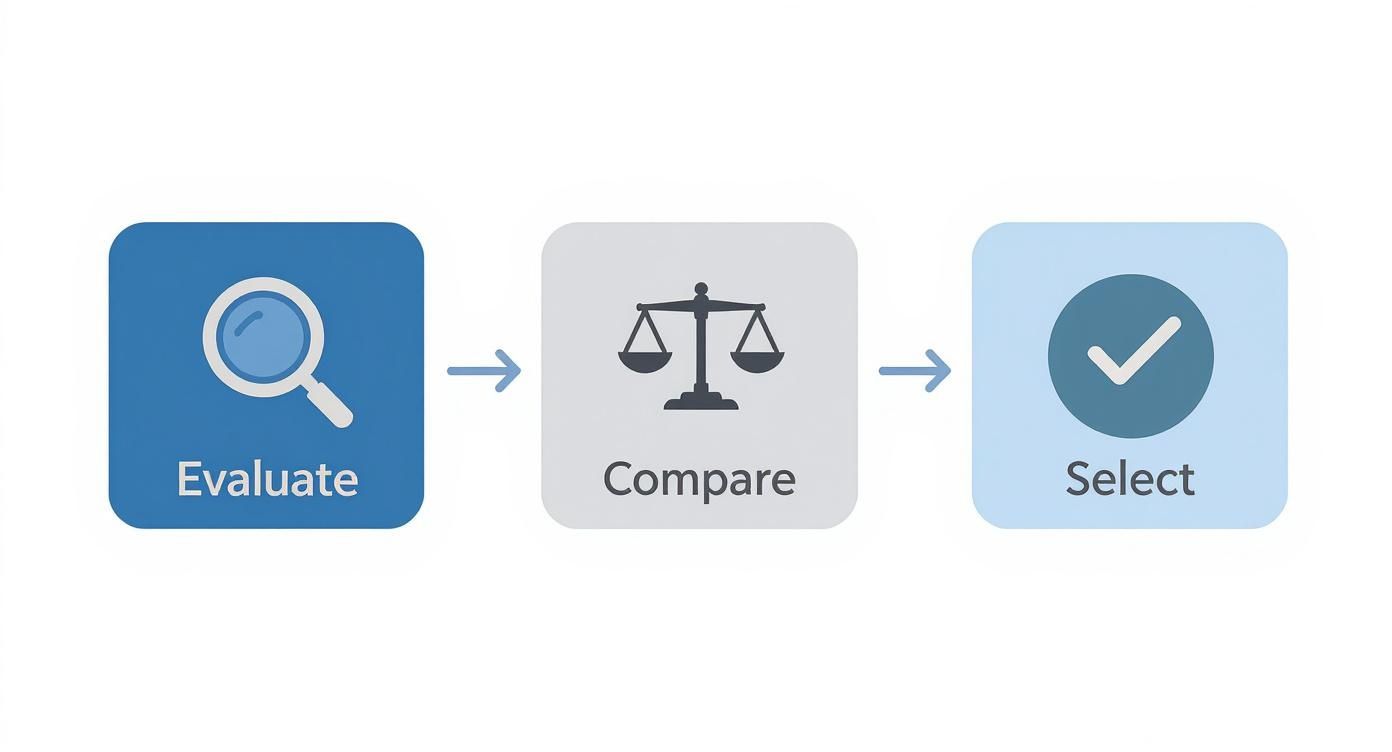
As you can see, a successful partnership starts with a deep dive into a provider's processes and capabilities long before you sign on the dotted line.
The Power of Smart File Management
Another seemingly small detail that makes a huge difference is a logical file naming system. It might feel like a minor task now, but it will save you from massive headaches as your image library balloons. A folder full of files named "IMG_5839.jpg" is a ticking time bomb.
A smart naming convention could be something like [SKU][ProductAngle][Color]_[Version].jpg. For instance, TS101_Front_Red_V1.jpg. Suddenly, your images are instantly searchable and easy to manage—for your team and your retouching service. It also makes swapping out specific images on your ecommerce platform a breeze. When you’re trying to fix tricky reflections, for example, a clear naming system makes tracking those revisions simple. You can find more practical tips in our guide on how to remove light glare from photos.
Automating Your Workflow with API Integration
Now we get to the real efficiency gains. Modern, tech-focused retouching platforms like Look Atlas offer an Application Programming Interface (API). The simplest way to think of an API is as a secure, automated bridge that lets your systems talk directly to your retouching partner’s systems. It completely cuts out the need for manual file transfers.
Instead of your team painstakingly uploading photos from your product management (PIM) system or a server, the API can push them over automatically. Once the images are retouched, the API pulls them back and drops them right into the correct product folder on your ecommerce site, ready to publish.
An automated, API-driven workflow takes your post-production from a time-sucking manual chore to a smooth, "set it and forget it" operation. We’ve seen this reduce image processing time from days or even weeks down to just a few hours.
To truly understand the impact, let's compare the old way versus the new way.
Manual vs Automated Retouching Workflow Comparison
Workflow Step | Manual Process | Automated Process (e.g., Look Atlas API) |
|---|---|---|
1. File Submission | Team member zips and uploads files to FTP or a file-sharing service. | New images in your PIM or server are automatically pushed to the API. |
2. Instructions | A detailed email or project brief is manually written and sent. | Editing rules are pre-configured in the system; no instructions needed. |
3. Job Tracking | Team members manually check status via email or a project portal. | Real-time status updates are sent directly to your system via webhooks. |
4. Image Review | A team member downloads the retouched files and reviews them one-by-one. | API can flag images for review, or they can be approved automatically. |
5. Revisions | A new email is sent with feedback and annotated images. | Revisions are requested directly through the API with specific instructions. |
6. Final Delivery | Final images are downloaded and then manually uploaded to the ecommerce platform. | Approved images are automatically pulled from the API into your CMS/PIM. |
The difference is stark. For a fast-fashion brand launching dozens of new SKUs every week, this is a total game-changer. Automation wipes out human error, enforces consistency, and radically speeds up your time-to-market. What used to take a dedicated person hours of tedious work each day now just happens in the background, freeing your team to focus on things that actually move the needle, like sales and marketing. This isn't just about saving time; it's about gaining a serious competitive edge.
What to Do Next: From Good Images to Great Ones
We've covered a lot of ground, and the big takeaway is this: professional photo retouching isn't just a "nice-to-have" for online stores. It's a core part of what makes an ecommerce brand successful today. Great images lead to more sales, build the kind of trust that creates repeat customers, and cut down on costly returns.
Now, it’s time to put that knowledge into practice. Partnering with a dedicated ecommerce photo retouching service is one of the smartest moves you can make to level up your brand. Think of it less as an expense and more as a direct investment in how customers see you and, ultimately, how much they buy.
Your 3-Step Action Plan
So, where do you start? Here’s a straightforward, three-step plan to get the ball rolling and see a real difference in your product visuals right away.
Give Your Current Photos an Honest Review: Pull up your website and take a hard, objective look at your images. Are the backgrounds a little messy or inconsistent? Do the colors on screen truly match the product in hand? Finding these problem areas is the first step to fixing them.
Map Out Your Brand's Visual Style: You don't need a hundred-page document, just a simple guide. Specify the exact background color you want (like pure white #FFFFFF), the type of shadows you prefer, and how you want every image cropped. This simple step ensures any retouching partner knows exactly what you're looking for.
Take a Service for a Test Drive: The only way to know if a service is right for you is to see their work on your products. Find a reputable company and send them a small batch of images for a trial run. It's a no-risk way to see the quality firsthand and get a feel for their process.
Following these steps moves you from just reading about retouching to actually using it to grow your business. The impact on your brand's polish and professionalism is something you—and your customers—will notice almost immediately.
Have a Few More Questions?
Even with the best plan in place, it's natural to have a few lingering questions before you commit to a photo retouching partner. Let's tackle some of the most common ones we hear from brands just like yours.
How Fast Can I Get My Images Back?
Turnaround time is a big one, and it really runs the gamut. A freelance editor might need a few days, and many traditional agencies will quote you a 48-72 hour window.
But for ecommerce, speed is everything. Modern, tech-focused services are built for this reality and can often turn around professionally edited images in 24 hours or less. Some even offer rush services when you absolutely need to get a new product live by the end of the day.
What Should I Expect to Pay for Photo Retouching?
Most services price on a per-image basis, and what you pay really depends on how much work is involved. A straightforward background removal might cost less than a dollar. Something more complex, like creating a ghost mannequin effect or performing high-end retouching on a piece of jewelry, will naturally cost more.
The trick is to think beyond the sticker price. A slightly higher per-image cost that comes with incredible quality, faster delivery, and a workflow that saves your team hours of headaches is often the smarter investment.
Don't just look at the cost per image. Think about the "total cost of ownership." This includes the time your team spends managing projects, sending feedback, and dealing with delays. A cheap service that needs constant hand-holding isn't really a bargain.
How Can I Make Sure the Edits Match Our Brand's Look?
This is where a good visual style guide becomes your best friend. A great partner won't even start until they've worked with you to nail down your brand's specific look and feel.
This guide acts as the blueprint for every single image. You'll want to lock in details like:
Backgrounds: Do you need pure white (#FFFFFF), a specific off-white, or a transparent background for compositing?
Shadows: Are you going for a subtle, natural shadow, a crisp drop shadow, or a clean reflection?
Cropping: How should products be aligned? What are the exact margins?
Color: What are the reference points for getting your product colors just right?
Once this is set, you can trust that every photo will come back looking consistent and on-brand, saving you from endless rounds of revisions.
Ready to see how flawless, professional images can transform your sales? Look Atlas uses advanced AI to create studio-quality, on-model photos and videos in minutes, not weeks. Get started today and elevate your product visuals.
