What's the best lighting for product photography? The honest answer is: it depends. The right choice hinges on what you’re selling, your budget, and the look you're going for.
If you're just starting out, you can't beat natural window light—it's free and produces beautiful, soft results. For more control and consistency, continuous LED lights are fantastic. And for the ultimate in power and sharpness, strobes (flash) are the professional standard.
Choosing the Right Light for Your Products
Finding the perfect lighting isn't about buying the most expensive gear. It’s about picking the right tool for the job. Your product’s characteristics, your budget, and your brand's overall vibe will point you toward the best solution, whether that’s free sunlight, a steady LED panel, or a high-powered strobe.
Think of it like this: natural light is like a raw, acoustic performance—gorgeous and authentic, but you're at the mercy of the elements. Continuous LEDs are the studio recording—what you see is what you get, giving you consistent, repeatable results every time. Strobes are the stadium rock concert—immensely powerful, dramatic, and able to freeze a moment with absolute precision.
The Three Core Lighting Options
Let's break down the fundamental differences between your main choices.
Natural Light: This is the beautiful, soft light that spills through a window (never direct, harsh sun). It’s incredibly flattering for lifestyle shots, apparel, and food, creating a relatable mood that customers connect with. The big catch? It’s completely unpredictable and changes with the time of day, weather, and season.
Continuous Light (LEDs): These lights stay on, which means you can see exactly how your lighting will look before you take the picture. This "what you see is what you get" approach makes them incredibly easy to learn. They're also perfect for shooting video, offering stable color and brightness that are crucial for a consistent product catalog.
Strobe Light (Flash): Strobes deliver a very short, intense burst of light. That massive power dump freezes motion, resulting in incredibly sharp, detailed images. This makes them the go-to for high-end commercial work, glossy cosmetics, and tricky reflective products like jewelry. The learning curve is steeper, but the control they offer is unmatched.
To help you decide, this decision tree lays out the path from a zero-dollar budget to a full professional setup.
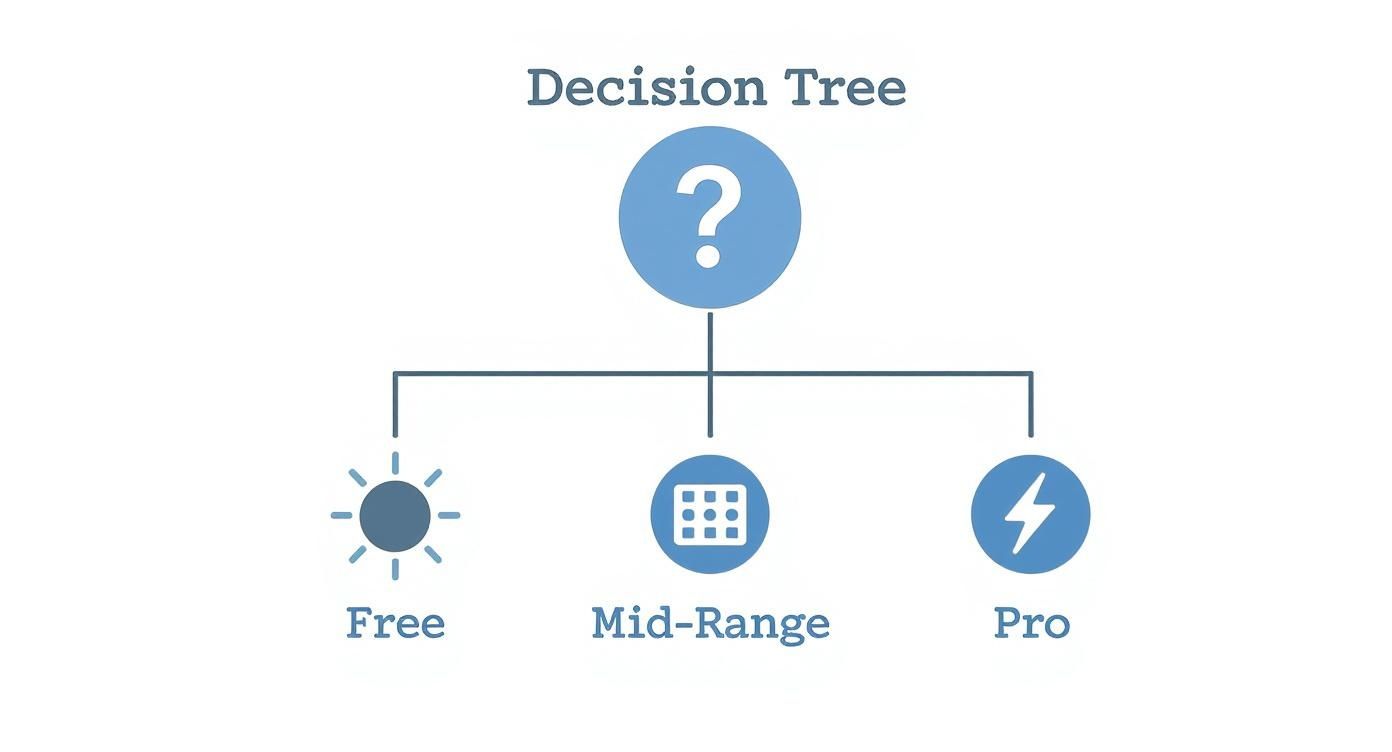
The infographic illustrates a clear progression, showing how you can start with free natural light and strategically invest in LEDs or strobes as your business and skills grow.
Natural vs Continuous vs Strobe Lighting At a Glance
Sometimes, seeing the options side-by-side makes the choice clearer. This table breaks down the three main lighting types based on the factors that matter most.
Lighting Type | Best For | Pros | Cons | Cost |
|---|---|---|---|---|
Natural Light | Lifestyle shots, food, apparel, beginners on a budget. | Free, beautiful soft quality, requires minimal gear. | Inconsistent, changes with weather/time, limited shooting hours. | $0 |
Continuous (LED) | Beginners, video + photo needs, e-commerce catalog consistency. | WYSIWYG, easy to learn, versatile for video. | Less powerful than strobes, can cause heat issues (older models). | $100 - $500+ |
Strobe (Flash) | High-end commercial, reflective items, action shots. | Extremely powerful, freezes motion for ultimate sharpness, consistent output. | Steeper learning curve, more expensive, requires modifiers. | $300 - $2,000+ |
Ultimately, there's no single "best" option—only the best option for your specific needs right now. Many photographers end up using a mix of all three depending on the project.
Mastering the Fundamentals of Light and Shadow
Before you even touch a camera or buy a single piece of gear, let’s talk about the one thing that will make or break your product photos: light. Great photography isn't about having the most expensive equipment; it’s about understanding how to shape light and shadow to make your products look their best. This is the foundation, and once you get it right, everything else falls into place.
Think of light as your primary tool. It's what carves out the shape of your product, highlights its texture, and sets the mood. Learning to control it is learning the language of photography itself.
Hard Light vs. Soft Light
Let’s start with a simple mental image. Picture yourself in a dark room with a single, bare flashlight pointed at a product. You’d get sharp, dark shadows with very crisp, defined edges. That's hard light. It’s direct, intense, and creates a ton of drama and contrast.
Now, imagine that same product sitting next to a large, north-facing window on an overcast day. The light seems to come from everywhere, wrapping gently around the object. The shadows are subtle, with soft, blurry edges that just fade away. That’s soft light. It’s much more forgiving and flattering.
For most e-commerce, soft light is your best friend. It minimizes distracting shadows, shows off product details clearly, and gives everything a clean, approachable look that helps build trust with your customers.
The Roles of Key and Fill Lights
You'll rarely get the perfect shot with just one light. Pros think about lighting as a team effort, where each light has a distinct job to do.
Key Light: This is your MVP, the main light source in your setup. It’s the brightest and does the heavy lifting, defining the product’s shape and casting the primary shadows.
Fill Light: Think of this as the key light's assistant. Its only job is to soften the dark shadows created by the key light. This brings back detail that would otherwise be lost in the darkness. A simple white foam board is often the perfect, low-cost tool for the job.
By playing with the balance between your key and fill lights, you gain total control. You can sculpt the product, add or reduce drama, and make it look exactly how you want. For a deeper dive into arranging these lights, our guide on how to take professional product photos walks you through some great starting setups.
Understanding Color Temperature
Ever noticed how some photos feel warm and inviting, while others feel cool and clinical? That’s all down to color temperature, which is measured on the Kelvin (K) scale. It's just a way of describing the actual color of the light itself.
A low Kelvin value, like 2700K, gives off a warm, orangey glow—think of a cozy incandescent lamp or the light at sunset. A high value, like 5600K, produces a cool, blueish light that’s very similar to direct midday sun.
For product photography, your goal is almost always color accuracy. You want that white shirt to look white, not yellow or blue. That's why 5000K–5600K is the industry standard. It represents neutral, clean daylight and ensures your product colors are true to life.
Your Guide to Essential Lighting Equipment
Once you get a handle on how light and shadow work together, picking the right gear becomes a whole lot easier. The world of lighting equipment can feel like a maze at first, but it really comes down to two main types of artificial lights—strobes and continuous sources—and the tools you use to shape them, called modifiers.
Think of it this way: the light itself is your engine, but the modifier is the steering wheel. You absolutely need both to get where you want to go. The right setup gives you the power to create the perfect lighting conditions whenever you need them, so you're not at the mercy of the weather. That kind of control is the real secret to a consistent, professional-looking product catalog.
Strobes and Continuous Lights
Your first big choice is between strobes and continuous lights. They both light up your product, sure, but they operate in completely different ways, and each has its own feel.
Strobes, which you might also hear called flashes or monolights, fire an incredibly powerful but very brief burst of light. That massive power is their biggest advantage—it freezes motion completely, giving you exceptionally sharp, crisp images. This is why they’re the gold standard for high-end commercial work, especially when shooting glossy or reflective products. The only catch? You can’t see what the light is doing until you actually press the shutter, which takes a bit of practice to get used to.
Continuous lights, on the other hand, stay on the whole time. Today, these are most often LED panels. Their "what-you-see-is-what-you-get" nature is fantastic for anyone just starting out, as you can see the light and shadows change in real-time as you make adjustments. Their ease of use and ability to pull double-duty for video has made them incredibly popular.
The global studio lighting market was valued at USD 18.4 billion and is projected to hit nearly USD 27.9 billion by 2030. Continuous LED lighting makes up 55% of that market, largely because it's so energy-efficient and provides consistent color—both crucial for modern photo and video. You can explore more data on lighting market trends on deepmarketinsights.com.
Must-Have Light Modifiers
A bare light bulb on its own is harsh and unflattering. Modifiers are the essential accessories you attach to your light source to soften, shape, and direct its output. To be blunt, you can't get a professional look without them.
Here are the workhorses you'll run into most often:
Softboxes: These are basically enclosed boxes with a white diffusion panel stretched across the front. They create a gorgeous, soft, and directional light that looks a lot like light coming through a big window. They're incredibly versatile and a staple for just about any type of product.
Umbrellas: Simple, affordable, and easy to use. A "shoot-through" umbrella is made of translucent material that diffuses the light for a soft, wide spread. A "bounce" umbrella has a reflective interior that bounces the light back, creating a slightly more focused beam. They're a fantastic starting point for beginners.
Reflectors: Don't confuse these with bounce umbrellas. A reflector isn't a light source at all; it's usually just a simple white, silver, or gold surface (even a piece of white foam board works). Its job is to catch the light from your main source and bounce it back into the shadows, brightening them up and bringing out more detail in your product.
Putting your money into a good set of modifiers is every bit as important as buying the light itself. For more ideas on building out your visual toolkit, check out the Look Atlas blog for some creative inspiration.
Getting Practical: Lighting Setups for Any Product
Alright, enough with the theory. The real learning happens when you start plugging in lights and moving things around. Let's walk through three tried-and-true lighting "recipes" that you can set up and start shooting with today.
Think of these as your foundational blueprints. Once you get a feel for how they work, you can start tweaking them to nail your brand's specific aesthetic. We'll start with a dead-simple one-light setup for small items, move to a classic two-light arrangement for apparel, and then tackle a special technique for those notoriously tricky reflective products.
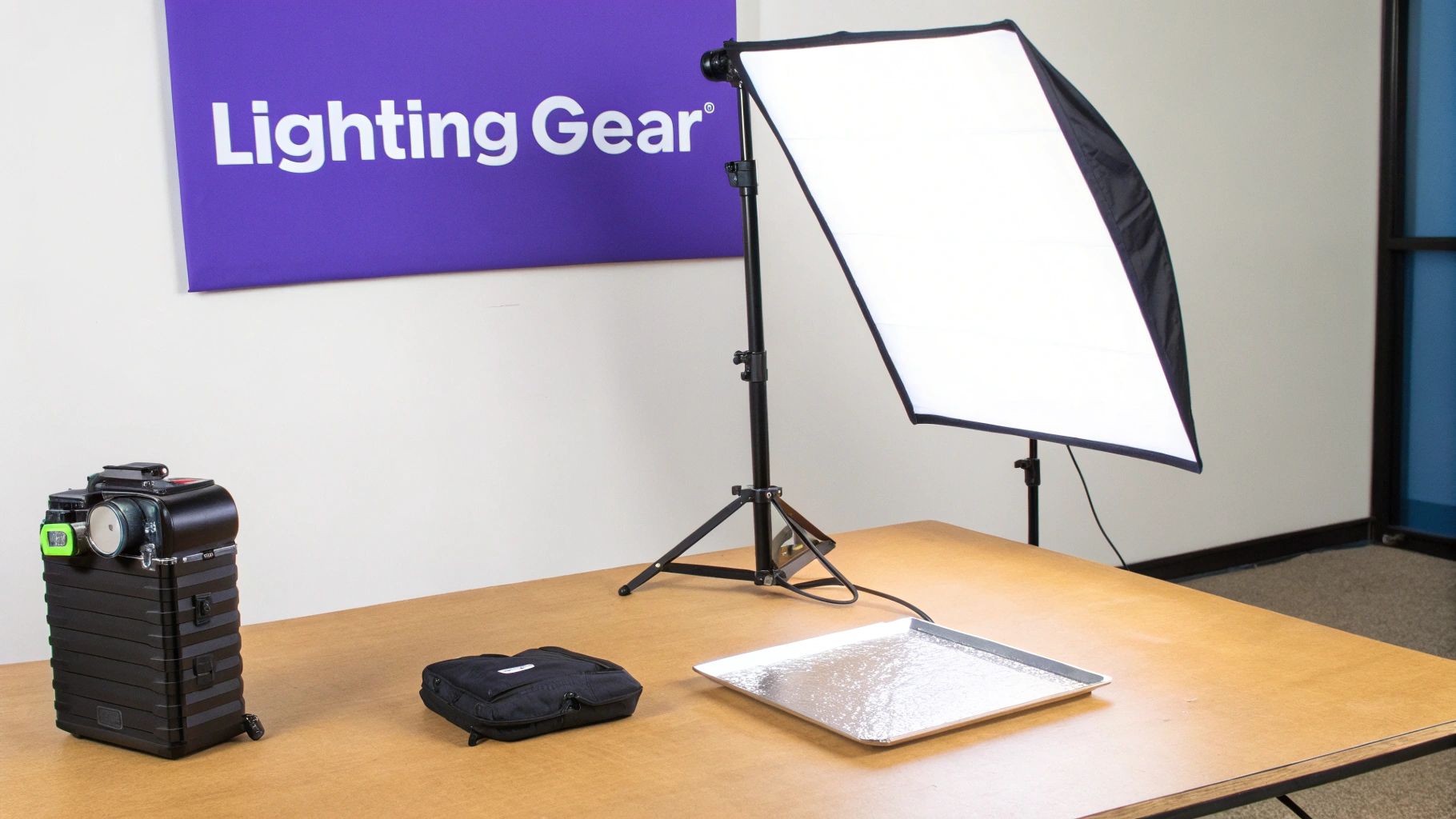
The Go-To One-Light Setup for Small Products
This is the bread and butter of e-commerce photography. If you're shooting jewelry, cosmetics, watches, or other small goods, this setup is your best friend. It’s clean, efficient, and delivers bright, professional-looking images with minimal fuss. The whole point is to create soft, flattering light that brings out the details without creating ugly, distracting shadows.
For this, your main light (the key light) does all the heavy lifting. Then, a simple reflector card bounces some of that light back into the shadows, filling them in just enough to look natural.
What You'll Need:
One light (a strobe or continuous LED will work fine)
One large softbox (remember, the bigger it is, the softer your light will be)
One white foam board or a 5-in-1 reflector
A stable table and a clean backdrop, like white seamless paper
Setting It Up, Step-by-Step:
Set your product on your backdrop.
Position your key light and softbox at roughly a 45-degree angle to the product, on either the left or right side.
Now, take your white reflector and place it on the opposite side. Angle it so it catches the light from your softbox and bounces it back onto the shadowy side of your product.
Scoot the reflector closer or farther away, and play with the angle until the shadows look soft and you can still see the details within them.
This simple setup is a workhorse for a reason. You're essentially sculpting the product with just one light and a piece of foam board. It’s amazing how much control this gives you to create dimension and achieve that high-end commercial look.
The Two-Light Setup for Apparel
When you're shooting clothing on a mannequin or as a flat lay, a single light source can struggle. It often fails to show off the fabric's texture, the garment's shape, and how it fits. Moving to a two-light setup gives you complete control, making sure the entire piece is evenly lit while still having a sense of depth.
We'll use two lights with equal power to get that clean, nearly shadowless look that's perfect for product catalogs where consistency from one item to the next is absolutely critical.
What You'll Need:
Two identical lights (strobes or continuous LEDs)
Two large softboxes or shoot-through umbrellas
A mannequin or a clear surface for your flat lay
A clean, simple background that won't distract the eye
Setting It Up, Step-by-Step:
Place your mannequin or arrange your flat lay in the center of the background.
Put one light with its modifier at a 45-degree angle on the left.
Do the exact same thing on the other side: place the second light and modifier at a 45-degree angle on the right.
Make sure both lights are at the same height and distance from the product. This creates a clamshell of light that cancels out most of the shadows, beautifully illuminating the entire garment.
Tackling Tricky Reflective Products
Photographing anything shiny—glassware, polished metal, glossy plastics—can feel like a battle. You're constantly fighting glare and reflections of everything in your room, including yourself. But here's the secret: you don't want to eliminate reflections. You want to control what's being reflected.
This setup uses a giant sheet of diffusion to create one massive, soft light source. This big, beautiful light then wraps around your product, producing smooth, clean highlights instead of those sharp, ugly hotspots.
What You'll Need:
One or two lights
A large diffusion panel (or even a roll of translucent diffusion paper from an art store)
Black and white foam boards to shape the reflections
Setting It Up, Step-by-Step:
Place your reflective product on your shooting surface.
Position your light so it's firing through the large diffusion panel. You've essentially just created a wall of soft light.
Bring your product close to this diffusion wall. You'll see it reflected in the surface as a clean, bright highlight.
Now for the magic. Use black foam boards on the sides (just out of the camera's view) to create dark reflections. These black lines will define the edges of your product, giving it shape and contrast so it doesn't look like a flat, white blob.
How to Create a Consistent Visual Brand
Great lighting will absolutely help you sell one product. But what sells your entire brand is visual consistency. When every single photo across your online store has a cohesive, professional feel, it tells customers you’re the real deal—it builds trust.
The secret is to stop treating every photoshoot like a brand-new project. Instead, you need to create a simple, repeatable system. This is where a basic photography style guide comes in. It doesn't need to be a fifty-page document, just a clear set of rules for your brand's look: what background to use, the exact camera angles to hit, and, most critically, where your lights go.
Building Your Repeatable Formula
Once you land on a lighting setup that makes your products look incredible, your next job is to make it permanent. Don't just wing it or try to remember it for the next shoot. You need to create a blueprint that you can follow to the letter, every single time.
The goal? A photo you take in May should look completely indistinguishable from one you take in November.
Measure Everything: Seriously, grab a tape measure. Note the distance from your key light to the product. Write down the height of your light stands and your camera tripod.
Record Your Settings: Jot down your exact camera settings—aperture, shutter speed, ISO, and white balance in Kelvin. Think of these numbers as the recipe for your brand’s signature look.
Diagram Your Setup: You don't have to be an artist. A quick, simple sketch showing the placement of your lights, reflectors, and camera relative to the product is all you need.
By documenting your process, you turn photography from a creative guessing game into a predictable science. This formula is the secret to building a cohesive, high-quality product catalog that looks professional and builds shopper confidence.
The Final Polish in Post-Processing
Even with a perfectly dialed-in setup, a little love in post-processing is what takes your images from good to great. This is your chance to fine-tune colors and brightness, ensuring every photo perfectly matches your brand's aesthetic. Creating and using presets is a game-changer here, letting you apply consistent adjustments to entire batches of photos with just one click.
This last step ensures you maintain that all-important consistency, even when you're editing hundreds of images. For bigger catalogs, you might also need to batch-sharpen or resize images. If you're curious about new tools for this, you can learn more in our guide on how to upscale images with Photoshop AI.
The tools available to photographers are only getting better. The global photography lighting equipment market was valued at $4.3 billion in 2022 and is expected to hit $7.2 billion by 2030, largely thanks to huge leaps in LED technology. As you can see from how market growth reflects industry trends on verifiedmarketreports.com, the industry is booming. By creating a solid, repeatable process, you're setting yourself up to take full advantage of it.
Common Questions About Lighting for Product Photos
Once you start setting up your lights, the real-world questions pop up fast. This section is your quick-reference guide for those moments, with straightforward answers to the most common lighting headaches.
Think of it as the experienced advice you need, right when you need it, so you can stop troubleshooting and get back to shooting.
Do I Really Need Expensive Lights to Start?
Absolutely not. It's a common myth that you need a studio full of pricey gear. Honestly, your best starting point is a large window, which gives you incredible, soft natural light for free.
The first and best tool to add is a simple white foam board from any craft store. For a couple of dollars, you get a powerful reflector that lets you bounce light back into dark shadows, instantly making your product pop. When you’re ready for the next step, a single, affordable continuous LED panel or a speedlight with a small softbox will give you a ton more control without costing a fortune. Learning to shape light is way more important than what you spent on it.
The best light is controlled light. A window and a $2 foam board used with skill will beat a $1,000 strobe used poorly every single time. It's all about technique, not just tech.
How Do I Get Rid of Glare on Shiny Products?
Glare is the enemy of anyone shooting reflective items like jewelry, glass, or polished metal. At its core, glare is just an ugly, direct reflection of your light source. The trick is to make that reflection look good or disappear entirely.
Your secret weapon here is diffusion. By making your light source bigger and softer, you soften the reflection. The easiest way to do this is with a large softbox, but you can also bounce your light off a big white wall, ceiling, or foam board. You can also place a diffusion panel (like a translucent sheet) between the light and your product.
Angle is everything, too. Sometimes, just moving your light a few feet to the side or raising it higher is all it takes to shift that reflection out of the camera's view. For those really stubborn spots, a circular polarizing filter on your lens is a game-changer—it works like polarized sunglasses to cut through the glare.
What Color Temperature Should I Use?
Consistency is king. You want your product colors to look the same in the photos as they do in real life. Getting this right builds trust with your customers and can seriously cut down on returns.
The gold standard for this is daylight-balanced light, which sits right around 5000K to 5600K. Pretty much all modern strobes and LEDs are built to hit this neutral, white light. To lock in perfect color:
Set your camera's white balance manually to match your light's Kelvin temperature.
If you're not sure, the 'flash' or 'daylight' presets on your camera are a great starting point.
Always shoot in RAW format. It gives you maximum flexibility to adjust the white balance in editing without losing quality.
The number one rule? Never mix different types of light. Using a warm tungsten lamp from your living room next to a cool, daylight-balanced LED will create a messy cocktail of color casts that’s a nightmare to fix later. Stick to one type of light source for clean, accurate, professional-looking images.
Ready to skip the complex setups and create flawless, on-model photoshoots in minutes? Look Atlas uses AI to generate stunning, realistic product images and videos, helping you build a consistent and professional brand catalog with zero hassle. Create your first AI photoshoot today.
