You’ve probably heard the saying, "fail to plan, plan to fail." That couldn't be more true for product photography. Learning how to take incredible product photos starts way before you even think about touching your camera. The real magic happens in the planning stage.
This is where you define your visual strategy, pick out props and backdrops that actually tell your brand's story, and decide on the exact types of shots that will make your audience click "add to cart." Getting this groundwork right is what separates forgettable snapshots from professional, sales-driving images.
Laying the Groundwork for Photos That Convert

Killer product photos are never a happy accident. They’re the direct result of a game plan that aligns every single visual element with one clear goal: to attract and convert customers. Honestly, this strategic phase is more critical than the gear you use. It’s the compass for your entire shoot.
And it's a big deal. The commercial photography market, which is where product photography lives, was valued at around US$5.1 billion in 2025 and is expected to hit US$6.4 billion by 2035. A huge driver of that growth is e-commerce, where product photos are everything. In fact, e-commerce imagery makes up nearly 45% of the entire commercial photography market.
Your Simple Creative Brief
No need for a 20-page document here. A simple creative brief is your roadmap. It ensures every shot is consistent, whether you're a one-person shop shooting in your apartment or a brand coordinating with a full team.
Your brief just needs to answer a few core questions:
What's the main message? Are we screaming luxury, whispering durability, or talking about affordability?
Who are we talking to? A photo that resonates with a Gen Z shopper will look totally different from one aimed at a baby boomer.
What's the vibe? Think in adjectives. Is it minimalist and clean, vibrant and bold, or rustic and earthy?
Where will these live? An Instagram story has different needs than a main product image on your website.
A solid plan is your best defense against inconsistent, off-brand photos. It forces you to get strategic about every prop, background, and angle before the pressure of the shoot begins.
The Art of Product Styling
Styling isn't just about making things look pretty; it's about telling a story. The backdrops and props you choose need to support the product, not steal the show. Every single item in the frame should earn its place.
Backdrops and Surfaces The background sets the entire mood. For clean marketplace listings (think Amazon or eBay), a simple white sweep is your best friend. It’s distraction-free. For lifestyle shots that tell a story, think about materials that match your brand’s feel:
Rustic Wood: Perfect for anything handmade, natural, or artisanal.
Marble or Slate: Instantly communicates a sense of luxury and high-end quality.
Linen or Textured Fabric: Adds a soft, organic, and cozy vibe.
Choosing Purposeful Props Props are there to provide context or show scale. Before adding something, ask yourself: "Does this help the customer understand the product better?" A strategically placed coffee cup next to a planner instantly shows its size. A sprig of lavender next to a bottle of face oil suggests its natural ingredients and calming scent.
You're trying to create an environment where your product looks like it belongs. Ultimately, getting these visual cues right is a huge factor when you want to increase ecommerce sales.
To make this even easier, here's a quick checklist you can run through before every shoot.
Your Pre-Shoot Planning Checklist
This simple table is your pre-flight check. Running through these points ensures you've covered all your bases, from the big-picture brand message down to the tiny details that make a photo pop.
Planning Element | Key Action | Impact on Final Photo |
|---|---|---|
Brand Vibe | Define 3-5 keywords (e.g., "minimal," "bold," "natural"). | Ensures every shot feels consistent and "on-brand." |
Target Audience | Picture your ideal customer. What do they like? | Helps you style shots that will resonate emotionally with buyers. |
Shot List | List every specific photo you need (e.g., front, back, detail, lifestyle). | Guarantees you don't miss any critical shots and keeps you efficient. |
Prop Selection | Gather props that add context or show scale without distracting. | Makes the product's use case and size instantly clear. |
Background Choice | Select surfaces that match your brand's aesthetic (wood, marble, etc.). | Sets the mood and helps the product stand out. |
Having this checklist handy can be a lifesaver, especially when you're juggling multiple products. It turns a potentially chaotic process into a smooth, repeatable workflow.
On-Model Shots vs. Flat Lays
Deciding how to show your product is a major strategic choice. The two most common approaches, on-model photos and flat lays, both have powerful advantages.
On-Model Photos: These are non-negotiable for apparel, jewelry, and most accessories. They immediately answer the customer's biggest questions: "How will it fit?" and "How big is it, really?" Seeing a product on an actual person builds an instant emotional connection and helps shoppers imagine it in their own lives.
Flat Lays: Shooting from directly overhead is fantastic for showing off all the pieces in a set, the intricate details of a garment, or the contents of a bag. Flat lays feel clean, organized, and give you a great canvas for creative compositions with props and text.
The smartest brands use a mix of both. They might lead with a crisp, clean flat lay as the primary product image and then follow up with on-model lifestyle shots to tell a story and seal the deal.
Choosing Your Gear and Camera Settings
Let's get one of the biggest myths out of the way right now: you do not need a multi-thousand-dollar camera to create product photos that actually sell. It's a common misconception. While fancy gear gives you more creative control, the best camera is genuinely the one you already have—especially once you know how to use it.
Knowing your way around a few key settings will do more for your photos than any expensive lens ever could. Whether you’re shooting with the latest iPhone or a dedicated camera, the fundamentals of capturing a great image don't change. It all comes down to controlling light, focus, and clarity.
The Real Must-Have Gear for Product Shots
Before you even think about the camera, there are a couple of small investments that will give you a massive, immediate boost in quality. These aren't fancy—they're all about stability and control, two things that are absolutely non-negotiable for sharp, professional-looking images.
A Sturdy Tripod: This is your number one priority. Seriously. A tripod eliminates camera shake, guaranteeing your images are tack-sharp. It also lets you lock in your composition, which is a lifesaver for keeping your angles consistent across an entire product line.
A Remote Shutter or Timer: Even when your camera is on a tripod, the simple act of pressing the shutter button can cause a tiny vibration and soften your image. A cheap remote shutter or just using your camera's built-in two-second timer completely solves this.
Getting these two things will instantly elevate your work. They force a more deliberate, methodical approach, which is the secret sauce behind almost all great product photography.
From Smartphone to DSLR: What Really Matters
People love to debate smartphones versus DSLRs, but they're often missing the point. Both are incredibly powerful tools. A modern smartphone is more than capable of producing stunning e-commerce photos, particularly when you give it good light to work with.
The real difference is that a DSLR or mirrorless camera gives you direct, manual control over the settings we're about to cover. If you're just starting out, learn the ropes with your phone. The moment you feel like the phone is holding you back is the right time to think about upgrading. When you're ready to take that next step, you can explore what makes for the best camera for product photography.
Your goal isn't to buy a fancy camera; it's to get out of "auto" mode. Understanding aperture, ISO, and shutter speed is what separates a quick snapshot from a professional product photo.
The Exposure Triangle, Simplified
These three settings are the pillars of photography. They all work together to control the brightness and clarity of your photo. Once you understand how they balance each other, you're in complete control.
1. Aperture (or f-stop)
Aperture controls how much of your photo is in focus, a concept photographers call depth of field. You'll see it written as an "f-number," like f/2.8 or f/11.
A low f-number (like f/2.8) gives you a shallow depth of field. Your product will be sharp, but the background will melt away into a beautiful blur. This is perfect for lifestyle shots where you want the product to be the undeniable hero.
A high f-number (like f/11) gives you a deep depth of field. This keeps almost everything in the frame, from front to back, sharp and detailed. This is your go-to setting for classic product-on-white photos, where customers need to see every last detail.
For most standard product shots, an aperture between f/8 and f/11 is the sweet spot for maximum sharpness.
2. ISO
Think of ISO as your camera's sensitivity to light. A low ISO number, like 100 or 200, means low sensitivity. The result is a super clean, crisp image with zero graininess (what photographers call "noise"). As you crank up the ISO, the camera gets more sensitive to light, but at the cost of introducing that ugly digital grain.
Since you'll have your camera locked down on a tripod and will be controlling your lighting, there’s no reason to raise the ISO. Keep it at its lowest native setting—usually ISO 100—for the cleanest possible images.
3. Shutter Speed
This one is simple: it's how long your camera's shutter stays open to let light hit the sensor. A fast shutter speed (like 1/1000s) freezes action, while a slow one (like 1/30s) can introduce motion blur.
For product photography, your subject isn't moving and your camera is on a tripod, so motion blur isn't a concern. This turns shutter speed into your main brightness dial. If your photo is a bit too dark after setting your aperture and ISO, just use a slower shutter speed to let in more light. It's one of the biggest advantages of not hand-holding your camera.
Mastering Light to Make Your Products Shine
Light is, without a doubt, the single most powerful tool in your photography arsenal. It's the magic ingredient that turns a flat, boring object into a three-dimensional product that has texture, depth, and genuine appeal. Honestly, learning how to take great product photos is really about learning how to shape and control light, whether you're working with a big, sunny window or a full studio rig.
Good lighting does so much more than just make your product visible. It defines its form, highlights its texture, and sets the entire mood for the shot. It’s what separates a product that looks cheap from one that feels premium and desirable. The best part? You don’t need a thousand-dollar lighting kit to get professional results.
Using Natural Window Light
Your most accessible—and often most beautiful—light source is totally free: a window. Natural light is soft, diffused, and incredibly flattering for almost anything you put in front of it. The trick is to avoid direct, harsh sunlight, which creates distracting shadows and can blow out the highlights on your product, losing all that important detail.
Instead, look for a north or east-facing window. They tend to provide the most consistent, gentle light throughout the day. Set up your product near the window but just out of the direct sunbeams. This indirect light will wrap around your product beautifully, revealing its details without any harshness.
You can easily take this a step further and manipulate the light:
Diffuse it: If the light still feels a bit too strong, just hang a thin, white sheet or even a big piece of parchment paper over the window. This instantly turns your window into a giant softbox, scattering the light for a softer, more polished look.
Reflect it: Grab a cheap white foam board or a piece of poster board and place it on the side of your product opposite the window. This bounces light back into the shadows, filling them in and revealing more detail. This one simple trick is a complete game-changer.
Light is your paintbrush. A reflector is how you guide that paint into the darker corners of your canvas, ensuring the entire product is seen clearly and attractively.
Building a Budget Studio Setup
When natural light isn't reliable—maybe you shoot at night or live somewhere that's always gray—building your own lighting setup is the way to go. You can put together a really effective, budget-friendly studio with just a few items from a hardware or office supply store.
The goal here is to recreate that soft, directional quality of good window light. A common and highly effective setup is the two-light approach. Just place one light on either side of your product, positioned at roughly a 45-degree angle. This helps cancel out competing shadows and lights up the product nice and evenly.
For this kind of setup, all you need is:
Two simple lamps: Inexpensive clamp lights or basic desk lamps work great.
Daylight-balanced bulbs: Look for LED bulbs with a color temperature around 5000K-5500K. This mimics natural daylight and stops your photos from getting a weird yellow or blue tint.
Diffusion material: Never point a bare bulb at your product. Soften that light by clipping a white sheet, parchment paper, or even a thin t-shirt a few inches in front of each lamp.
This DIY method gives you total control and consistency. It means you can get the same high-quality results for every single shoot, no matter what time it is. To dive even deeper into crafting the perfect scene, check out our complete guide to the best lighting for product photography.
Understanding the Three-Point Lighting System
When you're ready to level up, the classic three-point lighting system used by pros offers the ultimate control. It uses three separate lights to sculpt your product perfectly, and each light has a very specific job. It might sound technical, but the concept is actually pretty simple.
First, it helps to understand the "exposure triangle"—the relationship between your camera's Aperture, Shutter Speed, and ISO. Your lighting directly impacts how you need to adjust these settings for a perfectly exposed photo.
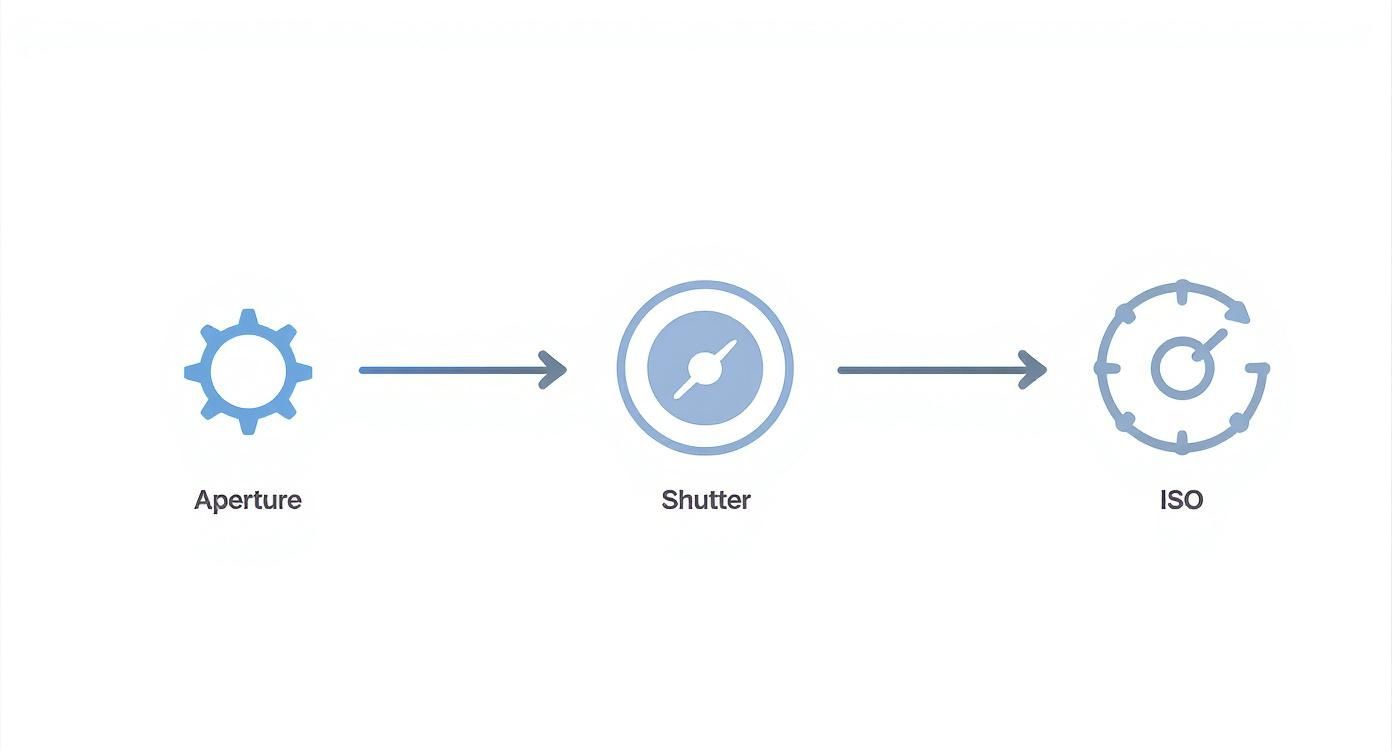
Knowing how these three work together is key to adapting to any lighting situation you create.
Now, let's break down the roles of the three lights in a classic setup:
Key Light: This is your main, brightest light source. It's usually placed at a 45-degree angle to the product and does the heavy lifting, establishing the overall look and creating the main shadows.
Fill Light: Placed on the opposite side of the key light, the fill light is much less intense. Its only job is to "fill in" the dark shadows created by the key light, softening them up so you can see more detail.
Backlight (or Rim Light): This one goes behind the product, pointing either toward it or toward the camera. It creates a subtle, bright outline around the edges. This "rim" of light is what separates your product from the background, giving it that professional pop.
Whether you're starting with a single window and a reflector or going all-in with a three-light rig, the principles are exactly the same. Your job is to shape the light to define your product, control the shadows to reveal important details, and create an image that makes customers stop scrolling.
Using Composition to Guide the Customer's Eye

Perfect lighting and a sharp focus get you in the game, but they don't guarantee a win. A technically perfect shot can still fall flat if the composition—how you arrange everything in the frame—is just an afterthought. This is where you graduate from simply documenting a product to actively shaping a customer's perception and creating real desire.
Think of great composition as the invisible hand guiding the viewer's eye. It tells them where to look first, what to notice next, and how to feel about what they're seeing. It’s what turns a basic picture into a persuasive sales tool. Without that thoughtful arrangement, even the best products can look lost or unappealing.
Moving Beyond the Center Shot
Placing your product dead center in every photo is easy, but it’s rarely exciting. To create images that actually stop someone mid-scroll, you need to lean on a few classic compositional techniques that have been around forever because they just work. The easiest one to start with is the Rule of Thirds.
Picture your frame divided by a tic-tac-toe grid. The Rule of Thirds suggests placing your product or its most important features along those lines, or even better, at the points where they intersect. It’s a simple shift away from the center that creates a much more dynamic and professional-looking image.
This small change has a huge psychological effect. Instead of just staring at the middle, the viewer's eye is encouraged to travel around the frame, making the image far more engaging. For instance, in a lifestyle shot, you might place your product on the bottom-right intersection and a complementary prop near the top-left one to create a nice visual balance.
The Power of Negative Space
Sometimes, what you don't show is just as important as what you do. Negative space—the empty, uncluttered area around your product—is one of the most powerful tools in your compositional toolkit. It gives your subject room to breathe and makes it the undeniable hero of the shot.
A frame cluttered with props or a busy background just creates noise that distracts from your product. In contrast, a generous use of negative space can signal sophistication, minimalism, and even luxury. It focuses the viewer’s attention right where you want it.
Think of negative space as a spotlight. By keeping the surrounding area clean, you're shining a bright, focused light directly on what matters most: your product.
Telling a Story With Camera Angles
The angle you shoot from completely changes the narrative of your photo. Playing with different perspectives is a simple yet incredibly effective way to build a varied and interesting product gallery.
Here are a few essential angles and the vibe each one creates:
Eye-Level Shot: This is your most direct and relatable angle. It shows the product as we’d naturally see it, creating a straightforward and personal connection.
High Angle (or 45-Degree): Looking slightly down at the product is a classic for a reason. It gives a clear view of the top and front, showing off its dimensions and details beautifully.
Top-Down (or Flat Lay): Shooting straight down from above is perfect for showing all the pieces of a kit, the layout of a planner, or the unique cut of a piece of clothing. It's clean, organized, and allows for really graphic, interesting arrangements.
Never underestimate how critical these visual choices are. A whopping 75% of online shoppers point to product photos as a major factor in their buying decisions. And since 65% of people are visual learners, a well-composed photo communicates more effectively than any block of text ever could. This is a big reason why content with compelling visuals gets 94% more views. You can dive deeper into the data on how images impact online retail over at Image Retouching Lab.
Polishing Your Photos With Smart Editing
https://www.youtube.com/embed/jvK716kMr80
The photoshoot might be over, but the real magic happens in the edit. Post-processing is where you elevate a good, clean shot into a great, brand-aligned asset that’s ready to convert. This isn’t about slapping on heavy-handed filters or making the product look like something it’s not.
Instead, think of smart editing as a process of refinement. It’s all about ensuring every image in your catalog is crisp, color-accurate, and consistent. That’s how you build a trustworthy and professional shopping experience for your customers.
A dialed-in editing workflow will save you countless hours and guarantee a cohesive look across your entire brand, from your website to your social media feed.
Starting With Foundational Adjustments
Before you get into the finer details, every photo needs to pass a few basic checks. These foundational edits are quick, but they make a massive difference in the final quality. Think of it as cleaning up the canvas before you start painting.
Your first moves in any editing software should always be to crop and straighten. A crooked horizon or too much distracting empty space immediately makes a photo feel amateur. Use the gridlines in your editing tool to get every product perfectly level.
Next, it’s time to tackle the core exposure settings:
Brightness: Gently lift the overall brightness to give the product a clean, well-lit feel.
Contrast: A touch of contrast makes the edges pop and gives the image a sense of depth.
Highlights & Shadows: I usually lower the highlights just a bit to bring back detail in the brightest areas, then lift the shadows to reveal information in the darker parts of the product.
These simple tweaks create a solid, professional base you can build on for every single image.
Achieving True-to-Life Color Accuracy
In e-commerce, color is everything. A customer's biggest fear is ordering something that looks completely different in person. Your most important job here is to nail the white balance so the colors are a perfect match to the real-world item.
Most editing programs have a "white balance selector" or an "eyedropper" tool. Find a spot in your image that you know is pure white or a neutral gray and click on it. This simple action tells the software what "true white" looks like in your photo, and it will instantly correct any weird color casts—like that yellow tint from indoor lighting or a cool blue hue from an overcast day.
When your colors are accurate, you build trust and reduce returns. The goal of color correction isn't to make the photo look "better" through filters; it's to make it look real.
Getting this right ensures that a green shirt actually looks like the right shade of green, and a neutral beige doesn't show up with a pinkish tint.
The Art of Subtle Retouching
Once your crop and colors are locked in, it’s time for a little cleanup. Retouching in product photography is about removing distractions, not altering the product itself. You’re just looking for tiny imperfections that pull the viewer’s eye away from what you’re selling.
This usually means grabbing a spot healing brush or a clone stamp tool to fix things like:
Dust and specks on the product or background
Minor scuffs or scratches that aren’t part of the product’s intended design
Distracting reflections or harsh glare on shiny surfaces
Remember, less is always more. You’re just tidying up the scene, not digitally changing the item. Keep it honest and focused on presenting the product in its best possible light.
The demand for these clean visuals has fueled a massive industry. In 2025, the global photography platform market—which includes editing tools and cloud storage—hit an estimated value of $18.4 billion. This boom is largely driven by e-commerce brands, which showed a 33% increase in using these platforms to perfect their imagery. You can find more insights about these trends in these photography platform marketing statistics on amraandelma.com.
Creating Consistency With Presets
Editing every single photo from scratch is a massive time-waster. The secret to an efficient and consistent workflow is using presets. A preset is simply a saved recipe of your editing adjustments—your specific brightness, contrast, and color settings, all bundled together.
Once you’ve perfected the edit on one photo from a shoot, just save those settings as a custom preset. Now, you can apply that exact same look to all the other photos from that session with a single click. This is how you guarantee a uniform style, reinforcing your brand’s visual identity and making your product grid look polished and professional.
Exporting Images for the Web
The last hurdle is exporting your finished photos so they’re optimized for your website. If your image files are massive, they’ll bog down your site’s loading speed, which can hurt your search rankings and send potential customers running.
Stick to these best practices when you’re ready to export:
File Format: Always save your images as JPEGs (.jpg). It gives you the best balance between high image quality and a small file size.
Image Size: Resize your images to fit your e-commerce platform’s guidelines. A good rule of thumb is around 2000 pixels on the longest side.
Quality Setting: When exporting, set the JPEG quality to about 80-90%. This slashes the file size without any noticeable drop in visual quality.
Getting this final step right ensures your beautifully shot and edited photos look sharp on every device and load in a flash for every visitor.
Answering Your Biggest Product Photography Questions
Even with a great plan, jumping into product photography can feel like you're staring up a steep hill. A few common questions always seem to surface, from what camera to use to how to handle those annoyingly shiny products. Let's tackle them head-on so you can shoot with confidence.
These are the typical hurdles everyone faces at the beginning, but with a little inside knowledge, they're easy to clear. Getting these right from the start will save you a ton of headaches down the road.
Do I Really Need a Fancy DSLR? Or Is My Phone Fine?
This is easily the most common question I hear, and the answer is usually a relief: your smartphone is more than enough to get started. The cameras in modern phones are shockingly powerful, especially when you give them what they really need—good light and a steady tripod. The image quality you can get is absolutely good enough for professional-looking website and social media shots.
So, why do pros use DSLRs or mirrorless cameras? It's not always about a massive leap in raw image quality. It’s about direct, manual control. A dedicated camera gives you the ability to precisely adjust settings like aperture to control the depth of field (that blurry background effect), which is something most phones still struggle to replicate authentically.
My Advice: Start with your phone. Seriously. Focus on mastering your lighting and composition first. You should only think about upgrading to a dedicated camera when you find the phone is physically holding back your creative ideas.
How Do I Stop Glare on Shiny Products?
Shooting jewelry, glassware, or anything with a glossy finish can quickly turn into a frustrating funhouse of reflections. The secret isn't trying to kill all reflections, but to control what gets reflected. The goal is to see a clean, soft, white surface in the reflection, not your camera, your face, or the messy corner of the room.
Here's a tried-and-true method that works every time:
Build a light tent: Grab some white foam core boards from an art supply store and create a three-walled box around your product. You can even add a "ceiling." This surrounds your item with neutral white surfaces, giving it a clean reflection. Just leave a small opening for your camera lens to poke through.
Try a polarizing filter: If you're using a DSLR, a circular polarizer is your best friend. It works just like polarized sunglasses, cutting down on reflected glare and making colors pop.
Change your angle: Shooting a reflective surface dead-on is a guaranteed way to capture your own reflection. Even a slight shift in your camera angle can make an unwanted reflection disappear entirely.
Does Every Single Photo Need a White Background?
A crisp, pure white background is the undisputed king for your main product listing photos, especially on marketplaces like Amazon where it's often a requirement. But a full product gallery needs to do more than just show what an item looks like—it needs to tell a story.
Think of it this way: always start with your "product-on-white" shots. These are your foundational, no-nonsense images that communicate the facts. But after that, you absolutely need lifestyle photos that show the product in a real-world context. A candle sitting on a beautifully styled coffee table or a necklace actually being worn helps a customer connect emotionally. They start to picture it in their own life.
By mixing both styles, you get the best of both worlds: the clean, informational clarity of a studio shot and the aspirational, relatable vibe of a lifestyle scene.
How Many Photos Should I Take for Each Product?
You want to hit that sweet spot between providing enough information and not overwhelming your customer. A good target to aim for is five to eight photos per product. This gives you enough runway to show off every important angle and feature.
A winning photo lineup usually includes:
The Hero Shot: Your primary image. A crystal-clear, perfectly lit front view on a white background.
Angle Shots: Don't leave them guessing. Show the product from the side, the back, and a three-quarter view.
A Detail Shot: Get in close. Highlight the texture of the fabric, the quality of a stitch, or a unique feature.
A Scale Shot: Show the product next to a universally understood object (like a coin or a coffee mug) to give an instant sense of its size.
Lifestyle/In-Context Shots: Include one or two photos showing the product being used or enjoyed in its natural habitat.
This kind of variety answers questions before they're even asked, which builds the trust and confidence needed to click "add to cart."
Tired of the time and expense of traditional photoshoots? Look Atlas uses AI to generate stunning, on-model photography and short videos in minutes, not weeks. Transform your basic product shots into a full catalog of ready-to-publish assets and see why brands report up to 2x more sales. Create your first images today at https://www.lookatlas.com.
