Think of brand photography guidelines as the North Star for your brand's entire visual world. They're the playbook that gets your photographers, designers, and marketing team all on the same page. This ensures every single image, whether it's on your homepage or in an Instagram story, is telling the same story, with the same voice.
This isn't just about making things look pretty; it's about building a visual identity that people instantly recognize and trust.
Why Your Brand Needs Photography Guidelines
Imagine having a conversation with someone whose personality and tone of voice changed every time you spoke. You'd quickly get confused, and you probably wouldn't trust them very much. Inconsistent photography does the exact same thing to your brand—it makes it feel unreliable and amateurish.
This is where solid photography guidelines become your most valuable player. They don't exist to stifle creativity; they exist to focus it. By defining the visual rules of the game, you give your creative team the framework they need to build a powerful and memorable identity, turning random photoshoots into a cohesive library of brand assets.
The Financial Impact of Visual Consistency
Getting your visuals in sync has a real, measurable impact on your business. Studies have shown that brands with a consistent visual presentation see a 10–20% increase in revenue. The problem? While most companies have brand guidelines, only about 25–30% of them actually enforce them consistently. You can dive deeper into branding statistics to see just how much this stuff matters.
That gap is where opportunity lies. Committing to your guidelines is what separates a professional, memorable brand from one that just blends into the noise.
Your brand photography guidelines are your visual voice. They create a predictable and memorable experience that makes your brand stand out in a crowded market, building the kind of trust that converts viewers into customers.
Key Benefits of Clear Guidelines
Putting these standards in place delivers some huge advantages that ripple across all your marketing efforts.
Creates Instant Recognition: When all your photos share a consistent style, color palette, and mood, customers start to recognize your brand in a split second, even without your logo in sight.
Builds Unwavering Trust: A cohesive look sends a powerful message: you're professional, you're reliable, and you care about the details. That builds the confidence people need before they buy.
Ensures Quality Control: Guidelines set the bar for technical quality. No more blurry, poorly lit, or awkwardly cropped photos slipping through the cracks.
Streamlines Creative Workflow: When photographers and designers have a clear roadmap, the guesswork disappears. This means less back-and-forth, fewer revisions, and a much faster, more efficient creative process.
Defining Your Visual Identity to Anchor Your Guidelines
Before you can even think about writing down rules for brand photography, you have to know what you want your brand to feel like. This is all about translating your brand's personality—its soul, really—into a visual language everyone can understand. This identity is the foundation. Every single rule, from what kind of lighting to use to the clothes a model wears, will be built on top of it.
This goes way beyond just your logo and brand colors. You need to dig deep and figure out the core feeling your images should give people. Is your brand energetic and a little bit cheeky? Or is it more calm, sophisticated, and minimalist? Nailing this down is the first, most crucial step toward creating photos that are both consistent and genuinely you.
This whole process is about building a cohesive look that pays off in big ways.
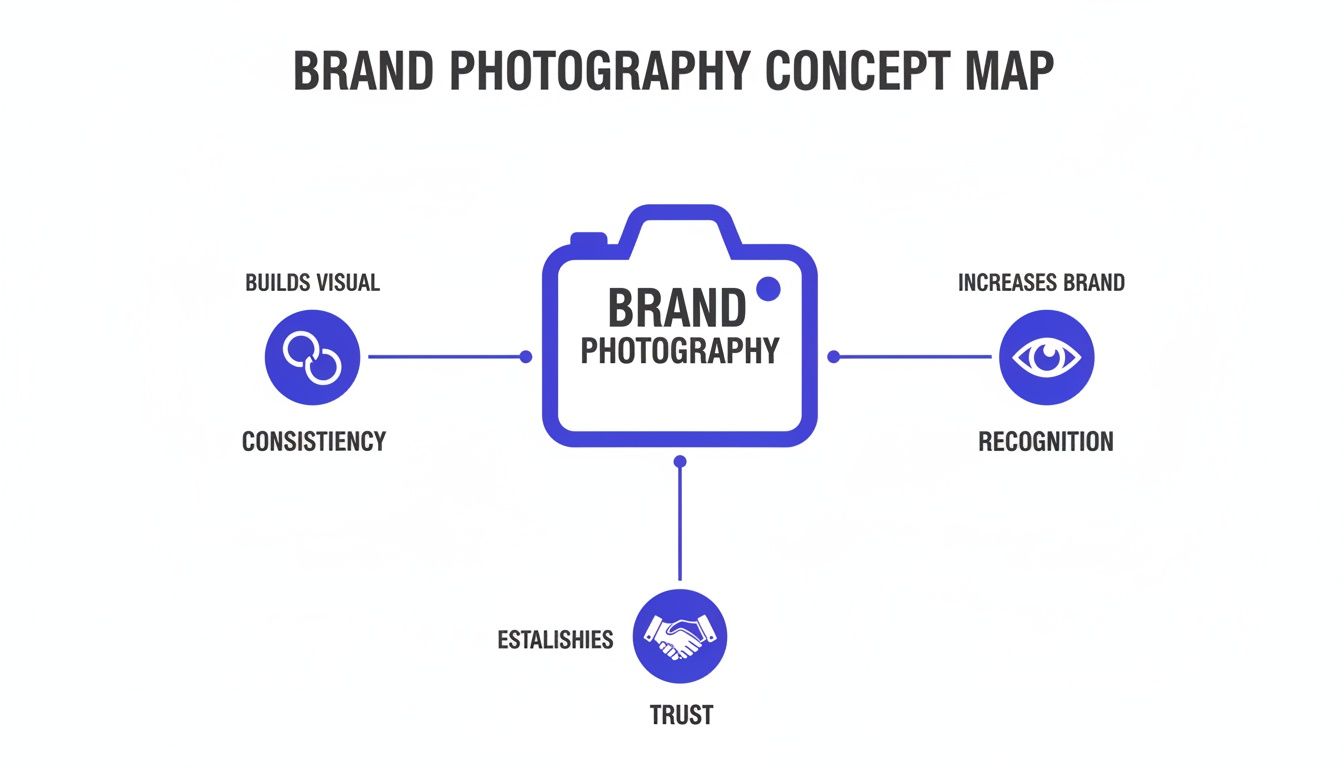
As you can see, when your photos all look and feel like they come from the same place, you build brand recognition and trust—two of the most valuable assets you can have.
Translating Brand Attributes into Photographic Styles
So, how do you turn an abstract idea like "energetic" or "sophisticated" into actual instructions for a photographer? The best way is to start with analogies. If your brand were a season, what would it be? A vibrant, sun-drenched summer immediately brings to mind bright, high-energy photos with punchy, saturated colors. A cozy, crisp autumn, on the other hand, suggests warm, soft lighting and a more muted, earthy color palette.
This simple exercise makes vague concepts concrete. A "summer" brand would probably look great in direct, midday sun that creates bold shadows and high contrast. An "autumn" brand would feel more at home in the soft, golden-hour light of early morning or late afternoon. See? These creative choices directly inform the technical guidelines you'll set later.
To help you get started, this table shows how you can connect your brand's personality traits to specific photographic elements.
Brand Attribute | Photographic Mood & Tone | Lighting Style | Color Palette | Composition Example |
|---|---|---|---|---|
Playful & Energetic | Fun, vibrant, dynamic | Bright, hard light, high contrast | Bold primary and secondary colors | Off-center subjects, dynamic angles |
Sophisticated & Minimal | Calm, elegant, clean | Soft, diffused, natural light | Muted neutrals, monochromatic | Symmetrical, lots of negative space |
Rugged & Authentic | Gritty, honest, textured | Natural, directional light | Earth tones, desaturated colors | Close-ups on textures, leading lines |
Trustworthy & Professional | Stable, clear, reassuring | Clean, even, studio lighting | Cool blues, grays, clean whites | Centered subjects, rule of thirds |
Once you've done this exercise for your brand, you'll have a much clearer picture of what your photography should look like. To make sure this visual identity stays consistent everywhere, it's a good idea to align these rules with your overall social media branding guidelines. This ensures your brand looks and feels the same, no matter where your audience finds you.
Establishing Your Photographic Color Palette
Your brand's color palette is more than just the hex codes in your logo. For photography, it’s about the dominant tones that should show up in every single shot. This influences everything from the color of the shirts people wear and the props on a table to the backgrounds you choose and the way photos are color-graded in editing.
This photographic palette should feel related to your primary brand colors, but it doesn't have to be a direct copy. For example, a brand with a navy blue and white logo might want its photos to feature a palette of soft grays, cool blues, and natural wood tones. This creates a serene and professional atmosphere that complements the logo without being too literal.
A photographic color palette isn't just about what colors to include; it's also about what colors to avoid. Specifying that loud neons or distracting patterns are off-brand is just as important as defining your preferred tones.
This defined palette is a huge help for any photographer or editor working with you. It gives them clear direction on how to style a scene and edit the final images so they feel uniquely part of your brand. It’s the real secret to a beautiful, cohesive look across your website and social media.
Defining Core Composition Styles
Composition is simply how you arrange things in the photo to guide the viewer's eye and create a specific feeling. Your guidelines should spell out a few go-to compositional techniques to make sure there’s a consistent visual structure across all your images.
You don’t need to be an art historian to figure this out. Just start with a few classic, effective styles that match your brand’s personality.
Rule of Thirds: This is a classic for a reason. Placing your main subject off-center makes the image feel more dynamic and natural. It’s a great, versatile choice for brands that want to come across as approachable and modern.
Symmetrical Framing: Centering the subject creates a sense of stability, order, and even formality. This style is perfect for brands that want to communicate tradition, strength, or precision.
Leading Lines: Look for natural lines in the environment—a road, a fence, the edge of a building—and use them to draw the viewer’s eye toward your subject. This adds a sense of depth and story to an image.
Negative Space: This is all about what you don't put in the frame. Intentionally leaving empty space around your subject creates a feeling of calm, sophistication, and focus. It’s ideal for minimalist brands that want their products to shine without any clutter.
By picking just two or three of these as your core styles, you give your creative team a clear framework to work within. It allows for plenty of creative freedom while still guaranteeing every photo has a signature look that is unmistakably yours. This deliberate approach is what separates random snapshots from powerful brand assets.
Getting the Technical Details Right
Once you've nailed down the creative vision, it's time to get into the nitty-gritty. This is where we build the technical guardrails for your brand photography, moving from the artistic "what" to the practical "how." Think of this as the digital blueprint that prevents pixelated uploads, awkward crops, and a chaotic mess of a photo library.
These technical rules aren't here to stifle creativity. Just the opposite—they eliminate guesswork and guarantee a professional standard across the board. By setting these specs upfront, you free up your photographers and designers to focus on what they do best: creating amazing images.
Mastering Resolution and Aspect Ratios
The first technical hurdle is making sure every single image is sharp, clear, and perfectly sized for its final destination. A photo that looks incredible on a huge desktop monitor can turn into a blurry mess in a printed brochure, and a wide website banner just won't work for an Instagram Story.
Image Resolution
Resolution is all about the clarity and detail packed into a photo. The more pixels, the sharper the image, and the larger you can print it without it looking grainy. Your guidelines need to be crystal clear on the minimum resolution for different uses.
For Web & Digital: 72 DPI (dots per inch) is the standard here. I always recommend specifying minimum pixel dimensions, like 2000 pixels on the longest side. This gives you enough wiggle room for cropping and ensures everything looks crisp on any screen.
For Print: Print demands much more detail. You absolutely must require 300 DPI to avoid a pixelated final product in magazines, flyers, or trade show displays.
Aspect Ratios
The aspect ratio is simply the relationship between an image's width and its height. Defining these ratios ahead of time ensures your photos are framed correctly for all your key platforms, preventing important details from getting cut off.
1:1 (Square): The classic. Perfect for Instagram grid posts and profile pictures.
4:5 (Vertical): My go-to for Instagram feed posts. It takes up more valuable screen real estate.
9:16 (Vertical): This is the non-negotiable standard for Instagram Stories, Reels, and TikTok.
16:9 (Horizontal): The go-to for website banners, YouTube thumbnails, and email headers.
File Formats and Naming Conventions
Consistency doesn't stop at how an image looks; it's also about how it’s saved and organized. Setting up clear rules for file types and naming conventions is a simple move that will save you and your team countless hours down the line.
First, choose the right tool for the job:
JPG (JPEG): This is the workhorse for most online photography. It hits that sweet spot between good quality and small file size, making it perfect for your website, social media, and emails.
PNG: Reach for this format anytime you need a transparent background. Think logos or product shots that need to be layered over different colored backdrops.
TIFF: This is your high-quality, uncompressed powerhouse. It's best for archiving your most important shots or for professional printing where every last detail matters.
A logical file naming system is your best defense against a chaotic asset library. It turns a messy folder of images into a searchable, organized database where anyone can find what they need in seconds.
I've found a simple, scalable naming convention works best. A great template to start with is: BrandName_CampaignOrProject_Subject_YYYY-MM-DD_##.jpg
So, an actual file name would look like this: LookAtlas_SummerSale_ModelA_2024-07-15_001.jpg
Anyone on your team can instantly see who the photo is for, what campaign it was for, what’s in it, when it was taken, and its sequence number. No more guessing games.
Post-Production and Retouching Rules
The final piece of the technical puzzle is post-production. How an image is edited is just as crucial as how it was shot. Your guidelines need to lay out exactly what is and isn't okay.
Start with color. Every photo must be color-corrected to align with your brand's specific photographic palette. Be specific: should the final images have warm or cool tones? High or low contrast? Vibrant or muted saturation? This ensures every image feels like part of the same cohesive family, no matter who shot it.
Next, you need to define your philosophy on retouching. This is all about maintaining authenticity. Get really clear on the rules:
What's Okay: Removing temporary things like a pimple or a stray hair, cleaning up distracting background elements, and subtly evening out skin tone.
What's Not Okay: Fundamentally altering a person's features, removing permanent characteristics like scars or moles, or creating an overly airbrushed, unrealistic look.
By setting these technical standards, you're building a system that guarantees quality from the ground up. If you're looking to really master the technical side of shooting, especially for products, you can dive deeper into how to take professional product photos to build on these guidelines.
How to Build Your Master Shot List
Think of your brand guidelines as the creative blueprint. Your shot list? That's the on-the-ground playbook for the actual photoshoot. A fantastic session never happens by accident; it’s the direct result of serious, thoughtful planning. A master shot list is your guarantee that you walk away with every single image you need, killing any guesswork on shoot day and making sure your investment pays off.
This list is what turns a potentially chaotic day into a smooth, focused, and efficient process. It walks your photographer through every angle, composition, and scene you've envisioned. The result is a treasure trove of assets ready for your website, social media, ads, and email campaigns. Without one, you're just hoping for the best—and you might end the day with beautiful photos that are completely wrong for your strategic goals.
Core Categories for a Comprehensive Shot List
To build a shot list that actually works, start by breaking down your needs into a few key categories. This simple structure forces you to think through every possible use case, so you don't end up with glaring content gaps a few weeks down the line. A truly versatile list covers everything from crisp product shots to dynamic, story-driven lifestyle scenes.
Your main categories should look something like this:
Product Photography: These are your clean, focused, money-making shots. They’re essential for e-commerce and showcase your product with absolute clarity.
Lifestyle & In-Context Shots: This is where the story happens. These photos show your product being used in the real world, by real people (or at least, people who look like your target audience).
Team & Culture Photos: These images put a human face on your brand. Think headshots, behind-the-scenes moments, and shots of your workspace that give a feel for your company's personality.
Organizing your list this way helps you map out your day, allocate the right amount of time to each setup, and end up with a balanced mix of visuals for every marketing channel.
Planning Your Product Photography Shots
For any e-commerce brand, top-notch product photography is completely non-negotiable. These images are often the very last thing a customer sees before they decide to click "buy." It's no surprise that compelling visuals are a huge driver of purchase decisions, with roughly 75% of online shoppers relying on product photos to make up their minds. In fact, professional imagery can boost conversions by up to 250% in some cases. You can dig deeper into how powerful imagery impacts sales by checking out these photography industry statistics.
Your product shot list needs to be incredibly specific. Get granular.
Essential Product Shots Checklist
The Hero Shot: A perfectly lit, front-and-center image of your product on a clean, neutral background (usually white, gray, or a core brand color).
Multiple Angles: You need to show it all. Capture the product from the front, back, sides, top, and a three-quarter view to really show its form and depth.
Detailed Close-Ups: Get in close. Zoom in on unique features, interesting textures, high-quality materials, or small branding details like a logo or custom stitching.
Scale Shot: Give people a real sense of size. Place the product next to a common object, like a phone or a coffee mug, so there are no surprises when it arrives.
Packaging Shot: If your packaging is part of the unboxing experience, it deserves its own moment. Photograph it beautifully, both by itself and alongside the product.
Crafting Lifestyle and In-Context Scenes
Lifestyle shots are where you breathe life into your brand’s story. These images forge an emotional connection with your audience by showing them exactly how your product fits into their world. The goal isn't just to show the product; it's to sell the experience and the feeling it delivers.
When you're planning these scenes, start thinking like a film director. Every single element—the location, the model, the props, the action—has to work together to reinforce your brand's core message.
Don't just show what your product is; show who it's for and why it matters to them. An authentic lifestyle photo makes your brand feel both relatable and aspirational.
For a skincare brand, this might look like a model with glowing skin in a bright, serene bathroom. For a company that sells durable outdoor gear, you’d want to show the product getting put through its paces on a rugged hiking trail. Your lifestyle shot list should read like a scene description, outlining the mood, the specific actions for the model, and the key product features you want to highlight. This approach ensures every lifestyle photo you take is a powerful piece of visual storytelling.
Guidelines for People, Props, and Locations
Think of every element in your photos—the people, the props, the location—as a character in your brand's story. These choices say just as much about who you are as your product does. When you get them right, you build an authentic, aspirational world that your audience can’t wait to join.
This is where your guidelines graduate from technical specs to directing the very soul of your images. By defining the right people, styling, and environments, you make sure every single shot reinforces your brand narrative, making it feel relatable, trustworthy, and real.
Selecting Models Who Reflect Your Audience
Let's be honest, the days of using generic, one-size-fits-all models are long gone. People want to see themselves in the brands they support. Your guidelines need to steer the casting process toward finding individuals who genuinely feel like your target customer.
This goes way beyond simple demographics; it's about capturing a personality and a set of values. If your brand is all about energy and adventure, look for models with dynamic, expressive personalities. If you’re more calm and sophisticated, you’ll want individuals with a natural poise and grace. This is how you forge a believable connection.
Authenticity isn't a buzzword anymore—it's the key to building trust. The goal is to make your audience feel like they're a part of your brand's story, not just a customer looking in.
The data backs this up. Market surveys show that nearly 90% of consumers demand transparency and authenticity from brands. This means inclusive casting across race, age, body type, and ability is non-negotiable. Brands that get this right see better engagement and stronger ad performance, period.
Defining Wardrobe and Prop Guidelines
The items surrounding your product aren't just there to fill space; they're the supporting cast. Your guidelines should lay out simple, clear rules for wardrobe and props to ensure they enhance the story, not distract from it.
For wardrobe, get specific on both styles and color palettes. A tech startup might call for "modern business casual in solid, muted colors, no competing logos," while a wellness brand would lean into "neutral-toned activewear made from natural fabrics." Always tie these decisions back to your core brand attributes.
Props need that same strategic eye. They should feel like they belong in the scene and subtly reinforce what your brand stands for.
For a sustainable brand: Think live plants, recycled glass, and natural wood textures to visually communicate your eco-friendly mission.
For a luxury brand: Use props with clean lines and high-quality materials like marble or brass to create a minimalist, premium feel.
For a playful brand: Go for brightly colored, whimsical objects that inject a dose of fun and energy into the shot.
Choosing Locations That Tell a Story
Finally, the location is the stage where your entire brand story unfolds. It sets the context and instantly communicates a mood. A sterile studio, a cozy living room, and a rugged mountaintop each tell a wildly different tale.
Your guidelines should outline the types of environments that align with your brand. A financial services firm might specify clean, modern office spaces with plenty of natural light. An outdoor apparel company, on the other hand, would list locations like dense forests, rocky coastlines, and wide-open fields. For shots centered on the product itself, it's also crucial to understand how different product photography backdrops can shape the final image.
By defining these environmental parameters, you ensure every photo is grounded in a world that feels distinctly and consistently yours.
Putting Your Photography Guidelines into Practice
So you’ve created a brilliant set of brand photography guidelines. That's a huge step, but the document itself is only half the battle. If it just gathers digital dust in a forgotten folder, it’s not doing its job. The real magic happens when you weave these guidelines into the very fabric of your creative workflow, turning them from a static document into an active tool that guides every single shoot.
The first move is simple: get it in front of people. Your guidelines need to be easily accessible to everyone involved in creating visuals for your brand. This means your internal marketing team, freelance photographers, agency partners—everyone. Don't just fire off an email and hope for the best. Set up a central, easy-to-find spot for it, like a page on your company intranet or a shared cloud folder that acts as the one and only source of truth.
Establishing a Clear Workflow
To really lock in that consistency, you need a repeatable process for every photoshoot. Think of this workflow as a series of quality control checkpoints, guiding a project from a rough idea to a finished, on-brand image. When everyone knows the steps, there’s no guesswork. You empower your team to do great work, efficiently and confidently.
A solid workflow usually looks something like this:
The Creative Brief: Kick off every project with a brief that explicitly references the guidelines. It should detail the shoot's goals, lay out the shot list, and include a mood board.
Pre-Production Alignment: Before a single photo is taken, the photographer or agency needs to confirm they've reviewed and understand the guidelines—from wardrobe and props to location specs.
Review and Feedback: Once the first shots come in, review them against the guidelines. Does the composition feel right? Is the lighting on point? Does the overall tone match your brand?
Final Approval and Delivery: Before accepting the final images, do one last check. Are the technical specs correct? Is the file naming right? Does the retouching align with your rules? For a deeper look at this final stage, our guide to ecommerce photo editing is a great resource.
Digital Asset Management as a Core Practice
Once you have a library of beautiful, on-brand photos, how you organize them is just as important. This is where a Digital Asset Management (DAM) system becomes your best friend. A DAM isn't just a place to dump files; it’s a smart system for making your photos findable and usable. You should be able to tag images with keywords like the campaign name, product, usage rights, and even model names.
A well-managed asset library transforms a chaotic folder of photos into a powerful, searchable database. It’s the difference between finding the perfect image in seconds versus hours.
When you have a strong DAM strategy in place, you drastically reduce the chances of an off-brand image slipping through the cracks. It becomes effortless for anyone on your team to find exactly what they need, when they need it. This level of organization is crucial, especially when you need to meet the strict image requirements of platforms like Amazon. Mastering the Amazon Brand Guidelines is a lot easier when your assets are in perfect order.
A Few Common Questions
Even with the best guidelines in the world, some questions always pop up when the rubber meets the road. I get these all the time, so let's tackle a few of the most common ones to clear up any lingering confusion.
How Often Should We Update Our Guidelines?
Think of your brand photography guidelines as a living document, not something you carve into a stone tablet and forget about. A good rule of thumb is to give them a thorough review at least annually. This keeps your look fresh and ensures you're keeping up with any new platform specs or design trends without straying from your core identity.
That said, you'll need to update them immediately if your brand makes a major move. This includes things like a complete rebrand, launching a game-changing new product line, or shifting your focus to a whole new customer base. When your brand's story changes, your photos have to change right along with it.
Can Small Businesses Create Guidelines Without a Big Budget?
Yes, one hundred percent. Great brand photography guidelines are about clarity and consistency, not how much money you throw at them. I've seen startups with a sharp, well-defined visual strategy look miles more professional than huge companies with a sloppy, all-over-the-place approach.
It's all about focusing on what you can control. Start with the basics:
Mood and Tone: Nail down the exact feeling you want your images to give off. Is it high-energy and fun? Calm and reassuring? Sleek and sophisticated?
Color Palette: Decide on a specific color scheme for your backgrounds, props, and even wardrobe choices. Keep it tight.
Composition Rules: You don't need to be a photo pro. Just pick one or two simple composition styles, like the rule of thirds, and stick to them.
You can get a stunningly cohesive look with just a smartphone, as long as you're disciplined about your lighting, backdrops, and editing. Consistency costs nothing, but it's worth everything.
How Do We Ensure External Partners Follow Our Guidelines?
Getting freelancers, photographers, or agencies to actually stick to your guidelines comes down to two things: a rock-solid brief and clear communication. Just emailing the document and hoping for the best is a recipe for disaster. You have to bake it into your process from day one.
The single most effective way to ensure compliance is to make the guidelines a non-negotiable part of the collaboration from the very beginning. Ambiguity is the enemy of brand consistency.
Always hand over the full guidelines before any contracts are signed or work begins. I even recommend referencing the document in your contracts, making it a required part of the final delivery. For each project, pull together a specific visual brief with "do this" and "don't do this" examples. It leaves zero room for guessing and sets your partners up to nail it the first time.
Ready to create stunning, on-brand model photography without the cost and complexity of traditional photoshoots? Look Atlas uses AI to generate ultra-realistic product photoshoots in minutes. Explore how Look Atlas can transform your product visuals today.
