
Merchandise Photography: Approve the Decorated Sample Before the Shoot
Merchandise photography begins when the artwork has become a physical object. A logo file, supplier mockup, or print preview cannot show how ink sits on black cotton, how thread closes a small gap, where a transfer lands across sizes, or whether the pin backing in the parcel matches the listing.
Approve the decorated sample first. Then photograph the decisions that made it releasable: the blank and variant, the decoration method, the finished placement, and the actual pack-out.
Approve three physical states, not one mockup
Every merchandise item combines at least three states. The blank supplies shape, color, material, and size. The decoration turns artwork into ink, thread, enamel, engraving, or another physical finish. The pack-out defines what the buyer actually receives, including backing cards, inserts, closures, and bundled pieces.
A photograph can match the artwork and still misrepresent the item if the blank is wrong. It can show the correct shirt and still hide a weak print edge. It can capture both accurately and still imply that a display prop is included. Release each state separately before styling them together.
Release surface | Approval question |
|---|---|
Blank and variant | Is this the sellable color, size, material, shape, and construction? |
Decoration | Does the finished print, stitch, enamel, engraving, or transfer match the approved sample? |
Placement | Are scale, orientation, distance from seams, and position correct on this variant? |
Pack-out | Is every included piece, backing, insert, closure, and package shown truthfully? |
Rights record | Is the exact artwork version cleared for this product, territory, and release? |
The release card keeps the blank, decoration, placement, pack-out, and artwork approval visible before styling.
Keep this sample-release card with the approved object. Use the product-page images guide later to decide how released assets answer buyer questions. Use the product photography workflow guide to track SKUs through intake, capture, master approval, and distribution.
The decoration method decides what the camera must reveal
Photograph the failure mode of the production method, not only the beauty view.
Direct-to-garment printing can change with garment color, underbase, ink interaction, and the printed surface. Printful's DTG guidance notes that screen and print color can differ and recommends checking product-specific file requirements. A straight-on frame may show the design. Add raking light and a close view when the buyer or production team also needs to understand edge, density, or fabric interaction.
Embroidery replaces pixels with thread and digitized stitch decisions. Printful's graphics and embroidery guidance describes how thread tightening and negative spaces can change the result. Photograph the face at a readable scale, then use an oblique detail to show stitch direction, height, edge behavior, and fabric pull without exaggerating them.
For enamel pins, patches, mugs, or engraved goods, choose the equivalent physical risk. Show enamel fill and metal edges, patch border and backing, glaze and printed boundary, or engraved depth and contrast. Do not copy apparel lighting automatically onto a reflective hard good.
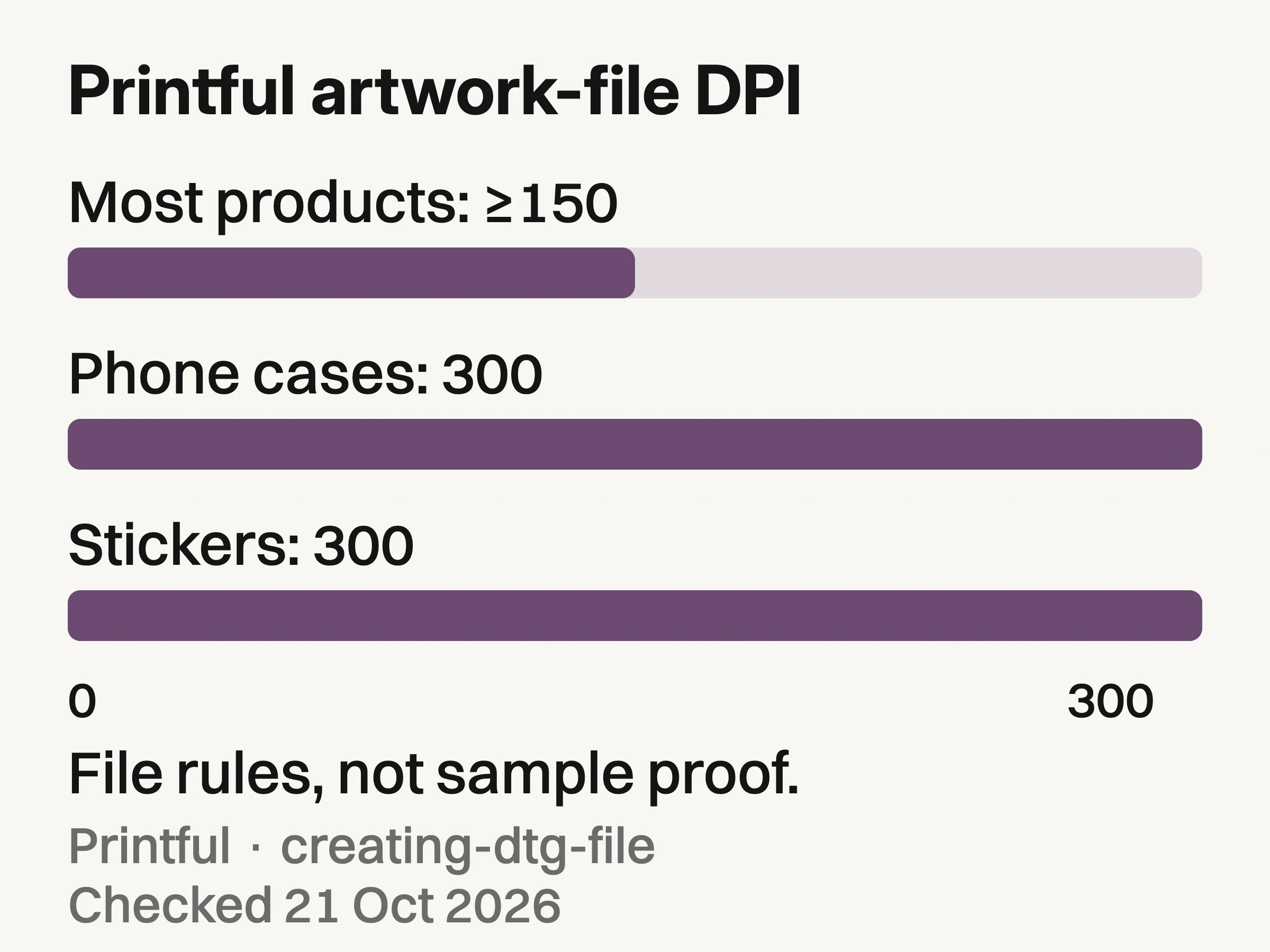
Sourced quantitative chart: Printful states at least 150 DPI for most products and 300 DPI for phone cases and stickers. Artwork-file guidance only, not product-photo dimensions or proof of a finished sample. Checked October 21, 2026 (Karachi).
The chart plots Printful's published print-file requirements: at least 150 DPI for most products and 300 DPI for phone cases and stickers. These are artwork-file inputs, not camera settings or product-photo pixel dimensions, and they do not certify a finished sample. Printful separately recommends inspecting a physical sample. Check the selected product's current file guidelines and the approved sample before release.
Make a reproduction plate before building the campaign set
A reproduction plate is a compact set made for approval, not persuasion. Capture it under neutral, repeatable conditions before props, talent, or a launch concept complicate the item.
Use four views:
Square-on identity: the complete decorated item, with the exact variant and no ambiguous included props.
Raking-light surface: a controlled angle that reveals ink, thread, enamel, glaze, or engraving behavior.
Measured placement: the decoration shown against a seam, edge, grid, or ruler in the same plane.
Reverse and pack-out: backing, closure, interior, label, insert, or included pieces that complete the sold item.
The plate does not need to be beautiful enough for a campaign. It needs to let a merchandiser compare the finished object with the approved sample and supplier record. Keep one untouched capture set. Retouch may remove capture dust or correct the neutral background, but it should not rebuild a stitch, sharpen a weak print edge into existence, move artwork, or hide a production defect.
Name the sample, supplier, production method, artwork version, variant, and approval date in the asset record. If a later batch changes, the team can identify whether the difference came from photography or manufacturing.
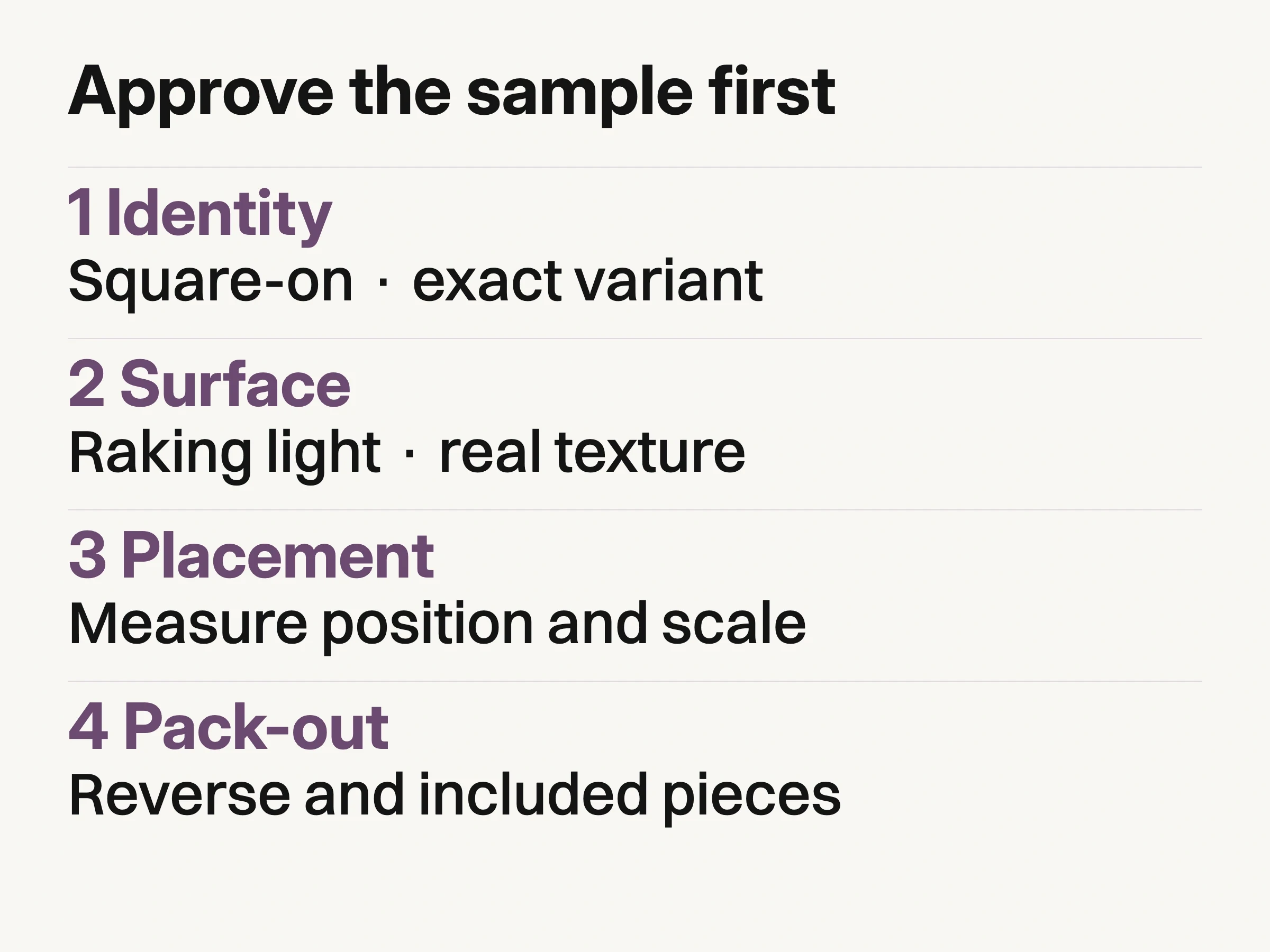
Look Atlas reproduction plate: approve the physical item before art direction begins.
Clear artwork and pack-out before props arrive
Merchandise often carries artwork, logos, characters, or collaborations that belong to someone. Photography approval is not permission to manufacture or advertise that work. Keep a rights record beside the sample with the exact artwork version, owner or licensor, approved product, territory, channels, term, and any required credit or trademark treatment.
The U.S. Copyright Office's permission guidance says only the current copyright owner of the exact material can grant permission for its use. That is not a substitute for legal review, and rules vary by jurisdiction. It is a practical reason to stop a shoot when the production team cannot connect the decorated sample to the documented approval.
Pack-out needs the same discipline. Photograph what ships, not the nicest arrangement available on set. A pin backing card, spare fastener, mug box, care insert, sticker, or multi-item bundle should be included only when it belongs to the sellable unit.
If a prop is not included, keep it secondary and make the distinction clear in the listing.
Hand the vendor record to photography without translating it into mood
The merchandise handoff should preserve production facts before it adds visual direction. Attach the approved sample photographs, blank SKU and variant, decoration method, artwork version, placement reference, supplier job or batch reference, known tolerances, pack-out list, and rights record. Then add the campaign brief.
For print-on-demand and multi-vendor programs, “use the approved logo” is insufficient. Identify the approved physical result for each shirt, cap, mug, or pin.
When a physical sample is unavailable, label the work as preproduction. A supplier mockup may guide composition, but it cannot become evidence that color, stitch, finish, placement, or pack-out passed. Do not photograph or generate around that uncertainty until the release owner accepts the limitation.
Use the product photography shot list to brief each view.
Create launch imagery only after reproduction approval
Once the reproduction plate passes, studio, lifestyle, campaign, and product-on-model scenes can expand the launch library. The creative brief may change background, talent, crop, and mood. It should not silently change the blank, decoration method, artwork placement, finish, or pack-out.
If the team still needs to choose a production partner for those contextual frames, use the lifestyle product photography services guide. That provider decision begins after the physical merchandise master is approved.
Look Atlas is useful in this extension lane. Start with approved product imagery, direct the desired ecommerce context, and compare every proposed output with the released merchandise master. Hidden construction remains unknown, and a generated frame does not retroactively approve an unresolved sample.
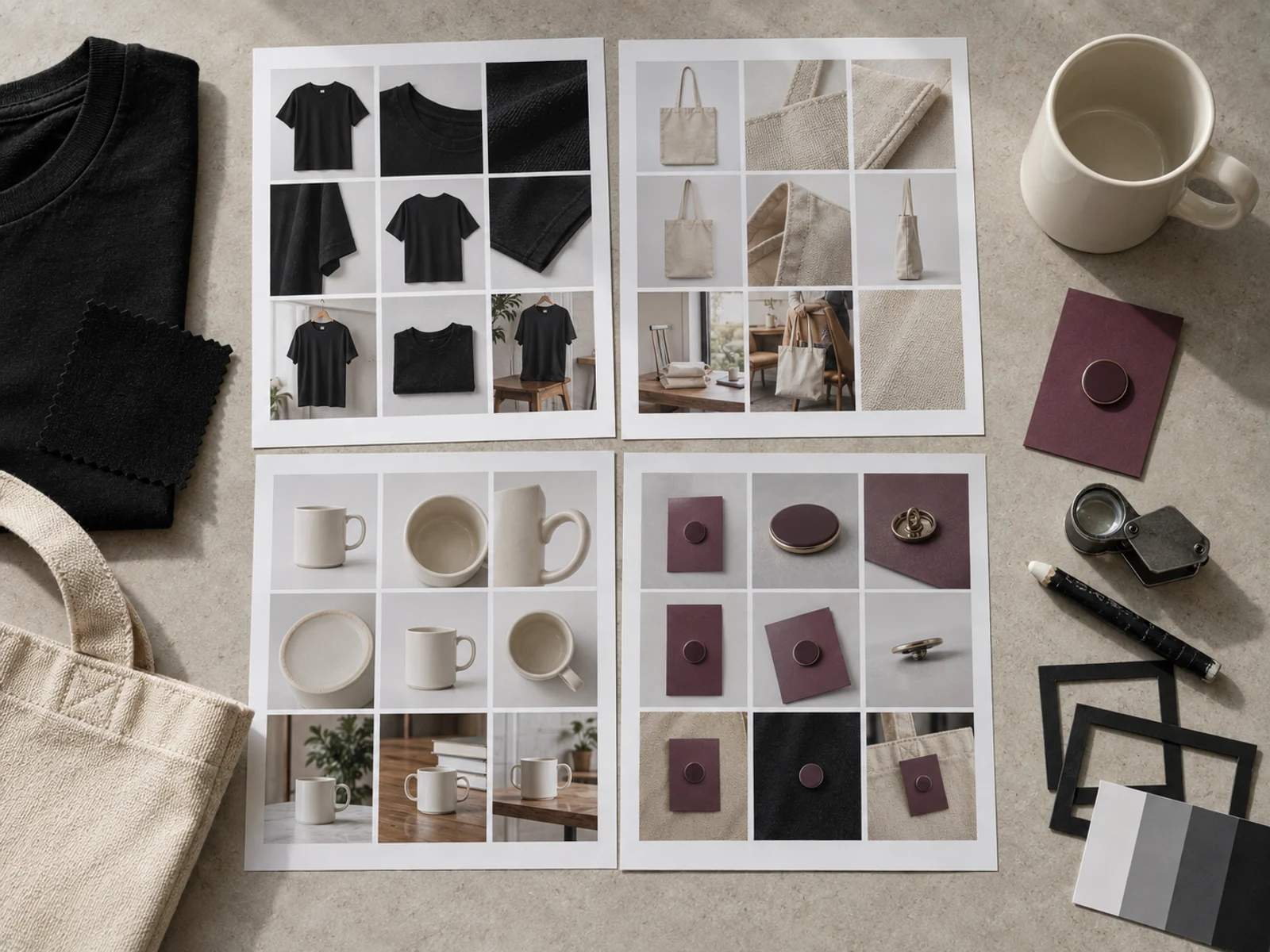
Conceptual illustration: a fictional merchandise review scene, not a real SKU, customer asset, or proof of product fidelity.
The conceptual review scene above shows a useful comparison habit: keep the reproduction plate beside the campaign selects. Review the artwork boundary, surface response, placement, and included pieces before discussing which frame feels most exciting.
Set approval deadlines backward from the first asset handoff
Merchandise is often tied to a launch, tour date, creator drop, event, or preorder window. Build the approval schedule backward from the first asset handoff, not only from the public date.
Set four dated locks: decorated sample received, reproduction plate approved, campaign derivatives approved, and channel files handed off. Name the owner of each lock and the consequence of missing it. If the physical sample fails after the campaign set is booked, the answer is not to retouch the merchandise into compliance.
Before booking the campaign set, give the photographer the approved reproduction plate and its matching artwork permission, pack-out, and supplier records. Put the four approval deadlines and their owners in the brief. If the sample changes, reopen its approval before commissioning more launch imagery.
