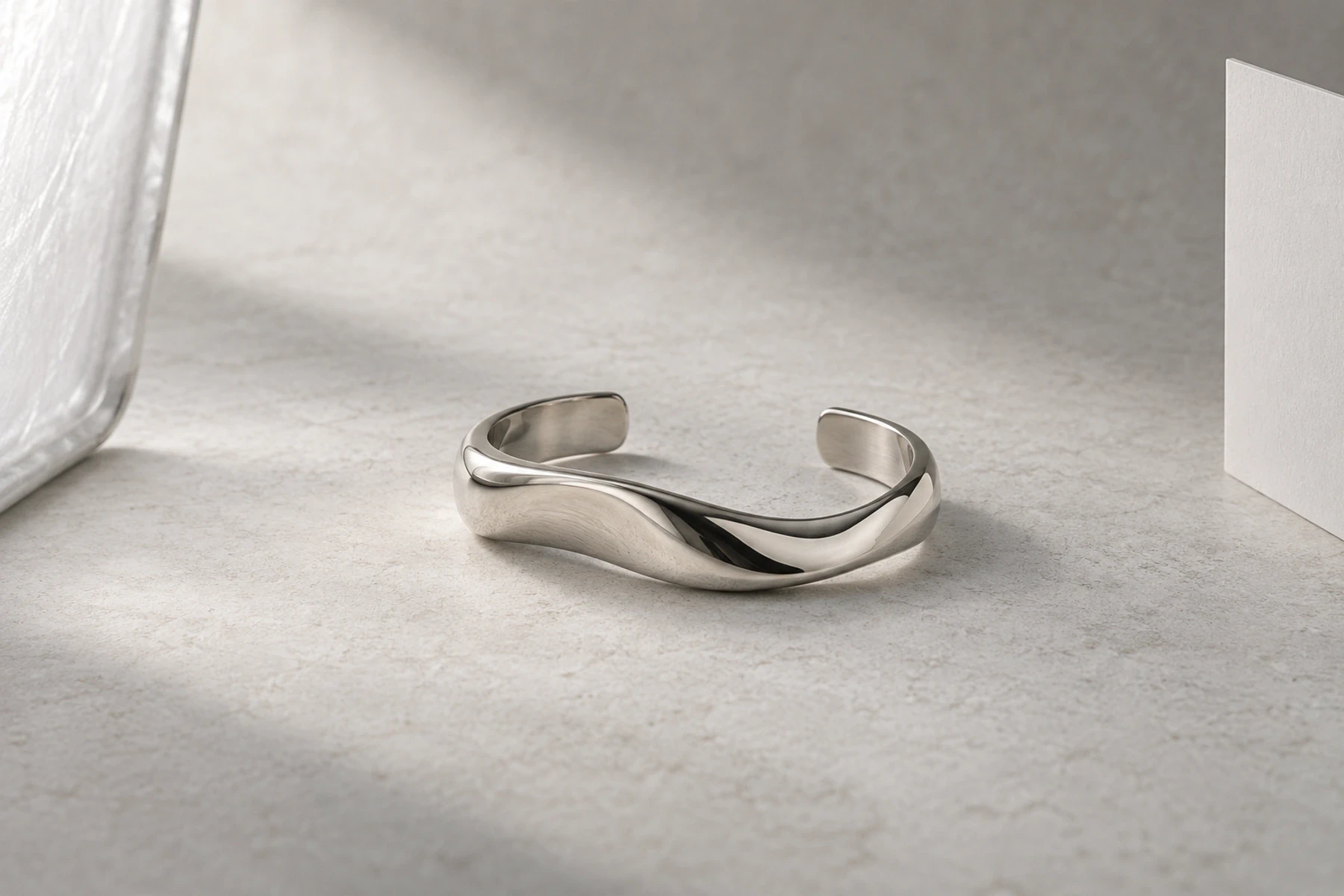
Jewelry photography set up: place the camera before the lights
A usable jewelry photography set up starts with a stable table, a plain sweep, a supported camera or phone, and one controllable light source. Place the piece and establish a sharp composition first. Then check that there is enough space around the lens to move a card or diffusion panel without rebuilding the shot.
That last check is easy to miss. A camera can focus on a ring while sitting so close that the lens blocks the light or leaves no room to adjust a reflection. The number in a lens specification does not tell you how much usable space remains in front of it.
Give the piece a fixed place on the table
Choose a rigid surface that does not move when you touch the camera controls. Curve plain paper into a sweep behind the jewelry and support the camera independently, on a tripod or a secure phone mount. Start beside indirect window light or a diffused continuous source; keep competing room light out of the setup.
The GIA jewelry photography guide recommends stabilization and cleaning before capture. Remove visible dust and fingerprints using a method appropriate for the piece. Do not use a display or adhesive that risks its finish simply to hold an angle.
Mark the position of the support or the paper beside the piece, rather than putting a mark on the jewelry. This is the set's origin. Decide which face must be visible before arranging the camera: a ring's setting, a pendant's front or the complete curve of a cuff. A different view may need a separate setup.
Leave space beside that origin for a white card and diffusion panel. The diagram shows two different measurements: the camera's sensor-to-subject distance and the actual gap between the front of the lens and the piece. Only the second describes the physical space you can work in.
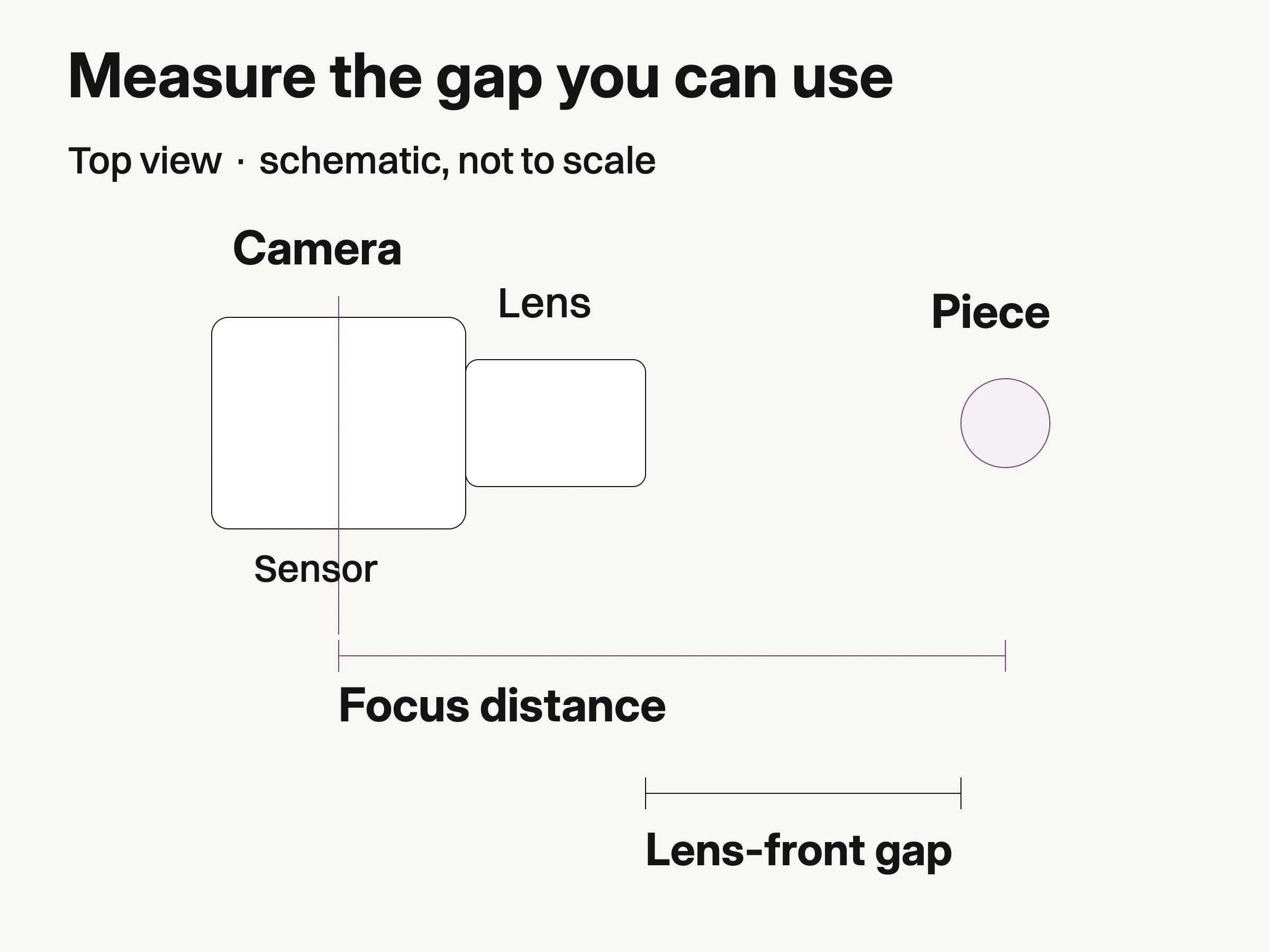
Schematic, not to scale: focus distance starts at the sensor plane; lens-front clearance is measured on the assembled setup.
If an enclosure is already doing this job, use the jewelry photo box guide for its openings and reflection cards. The open-table method here is useful when the camera or modifier needs freedom to move.
Read the near-focus number from the right starting point
Minimum focusing distance is measured from the subject to the camera's sensor plane, according to Canon's lens specification guide. It is not measured from the front glass, the hood or the edge of the tripod.
Canon publishes different limits for three macro-capable RF lenses: 17 cm for the RF35mm F1.8, 35 cm for the RF85mm F2, and 26 cm for the RF100mm F2.8 L. Their maximum magnifications are 0.5×, 0.5× and 1.4× respectively. These are model-specific specifications, not recommended shooting distances.
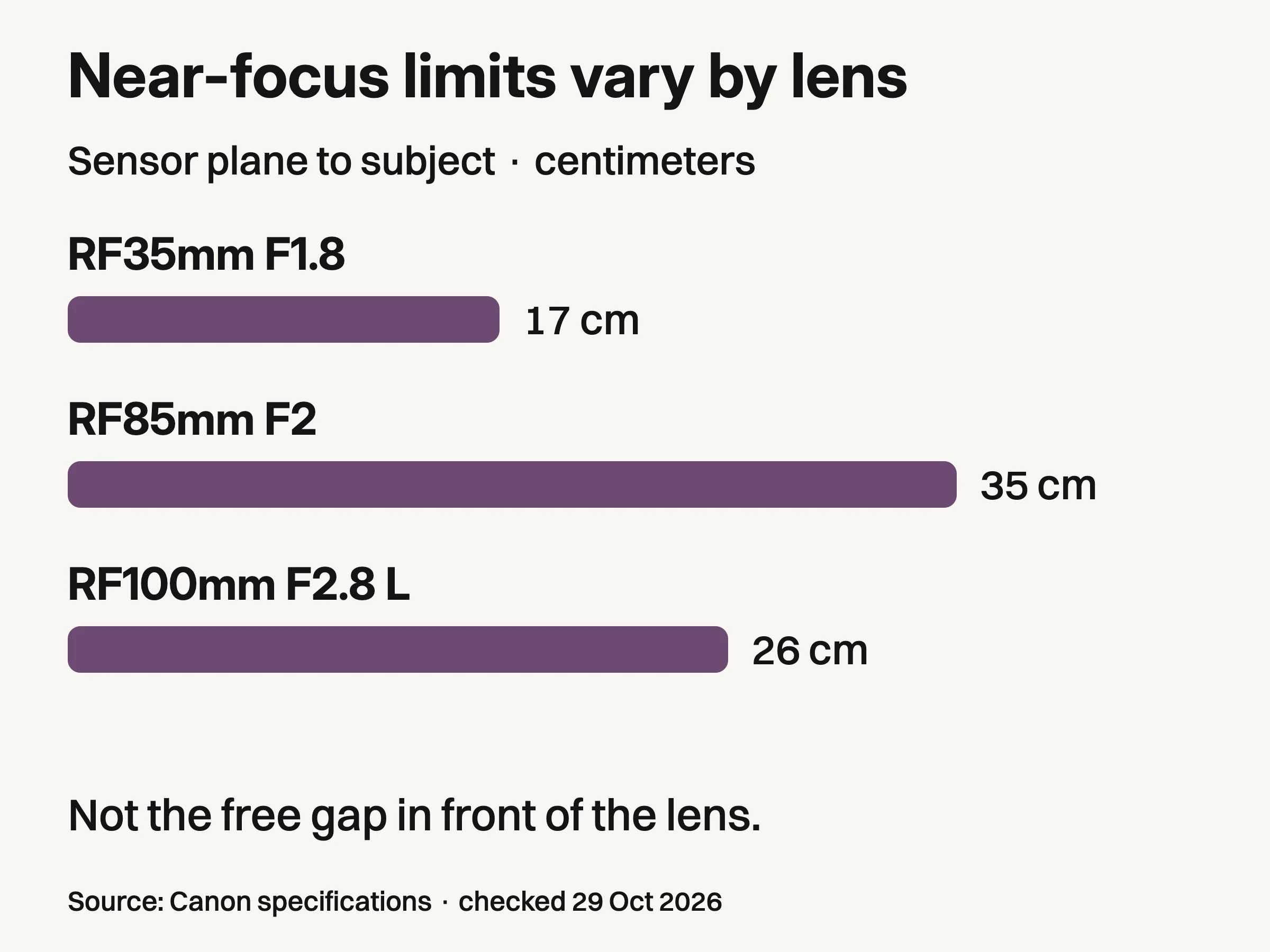
Source: Canon specifications, checked October29, 2026. Sensor-plane minimum focus:17,35 and26cm; maximum magnification:0.5×,0.5× and1.4× respectively. Not measured lens-front clearance, a physical test or a lens ranking.
The chart is useful because it prevents a false shortcut: neither the word “macro” nor the focal length gives you a universal camera position. The 100mm example focuses closer to the sensor than the 85mm example, but that does not establish which leaves more space in front of its lens.
Do not subtract a published lens length to manufacture a working-clearance figure. The camera body, mounting geometry, focus position and any hood also matter. Measure the actual free gap on the assembled kit after it is focused and framed. You do not have to work at the minimum distance at all.
Sources: Canon's RF35mm, RF85mm and RF100mm specifications. No physical lens comparison was performed for this article.
Find a camera position that survives a real adjustment
Use the actual piece for this sequence. A coin or spare ring can establish rough framing, but it cannot certify the height, depth or reflections of the item you will photograph.
Begin farther away than you expect to need. Select the lens or phone camera mode you intend to use. Frame the chosen view, focus on a recognizable detail and inspect the capture at full resolution. If moving closer prevents focus, move back rather than repeatedly tapping the same blurred area.
Separate focus from size in the frame. If the piece is sharp but too small, inspect how much useful detail remains after the intended crop. Choose a different suitable lens or capture mode if needed. More digital zoom does not recover detail that was never captured. A phone may switch cameras during close capture, so record the mode actually used and recheck the framing after any switch.
Measure the available gap. With focus and composition established, measure from the frontmost part of the fitted lens or hood to the nearest part of the piece. Record those endpoints in the setup note. This is your observed clearance, not the manufacturer's minimum-focus number.
Try the adjustment you need to make. Move the intended card or diffuser into position while watching the image. Can you shape the reflection without touching the camera, shading the piece with the lens or hiding the required view? If not, change the camera arrangement before refining the light.
No fixed gap guarantees success. A flat pendant, a raised setting and a curved cuff occupy different spaces; the size and angle of the modifier matter too. If a longer-distance composition leaves too little detail after cropping, the limitation may be the capture equipment rather than the tabletop.
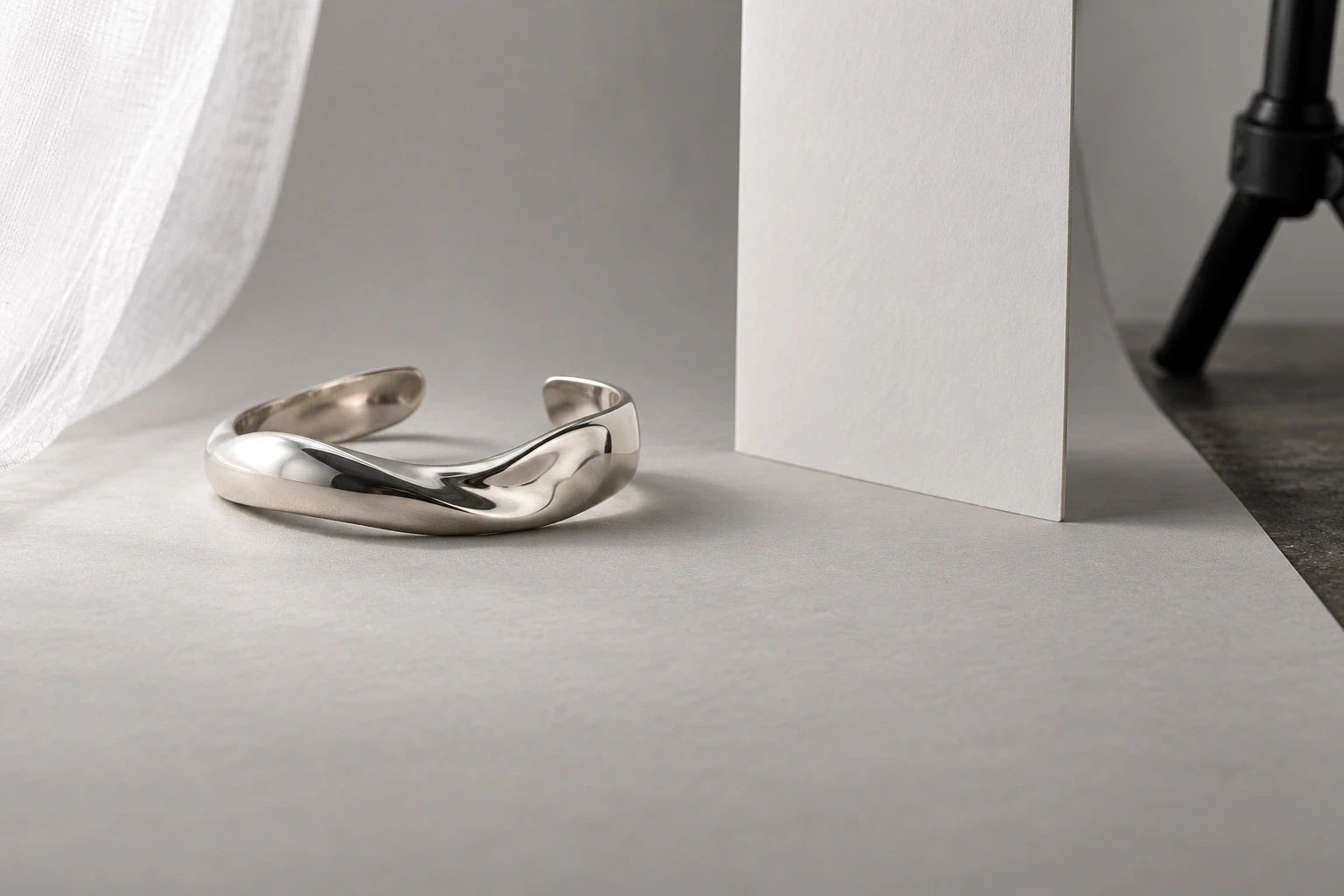
Conceptual illustration: a fictional cuff with open tabletop access. This is a separate generated scene, not the hero piece or a measured setup.
For a ring, also inspect the front prongs and rear band separately. One sharp point does not mean the entire object is sharp. First reconsider the viewing angle and the depth the photograph must show. If that still exceeds what the capture can resolve, use an appropriate focus-stacking workflow or specialist help, rather than describing a blurred detail as an artistic choice.
Reset the variable that actually failed
Once the composition works, save a reference frame and note the piece origin, camera support position, camera height, lens or phone mode, focused detail, and measured lens-front gap. Add one wider photograph of the arrangement. These are repeatability notes for your own kit, not universal settings.
When a replacement piece or a bumped tripod changes the result, diagnose the symptom before moving everything. The following is Look Atlas's proposed reset method, not a report of a tested physical shoot.
What changed in the capture | What to reset first |
|---|---|
The whole piece will not come into focus after moving closer | Move the camera back into its usable focus range, then restore the required framing. |
One detail is sharp but a raised setting or rear edge is soft | Recheck viewing angle, focus placement and required depth before changing light. |
The piece is sharp but occupies too little of the final crop | Reconsider lens or capture mode and the required output detail; do not solve it by moving inside the focus limit. |
A dark patch appears after fitting the lens hood or moving a card | Check actual lens-front access and the reflected surroundings while keeping the accepted composition fixed. |
The view or apparent size changed after replacing the piece | Restore the product origin, orientation and camera position before comparing lighting. |
Look Atlas proposed diagnosis method. Observe the actual capture before changing the whole set.
Keep reflection adjustment brief at this stage. GIA describes diffusion as useful for soft gradients on polished metal and recommends avoiding mixed light colors. Those are starting controls, not a reason to make every surface uniformly white. If the camera station is stable but the reflection remains wrong, the lights for jewelry photography guide addresses the source and modifier.
Keep the calibrated capture beside later creative work
A repeatable tabletop station gives you a dependable place to make factual product photographs. It does not turn a single front view into evidence of an unseen clasp, hidden setting or exact worn fit. Add the views the actual product requires; the broader jewelry professional photography guide covers that production context.
Those photographs can also become inputs for Look Atlas jewelry imagery, which creates generated product visuals for studio, lifestyle and campaign contexts. Keep the physical capture as the reference. A generated scene does not prove that the original setup had adequate focus, clearance or faithful scale.
Before clearing the table, move the camera away and restore it from your notes once. If you cannot recover the required view and focus, add the missing position or mode information while the piece is still available. The useful setup is the one you can actually put back.
