If you're going to fix cart abandonment, you have to know why your customers are leaving in the first place. You can't just throw solutions at the wall and hope something sticks. You have to get into the data, diagnose the specific friction points in your buying journey, and move past guesswork to find the real reasons people bail.
Pinpointing the Real Reasons Shoppers Leave
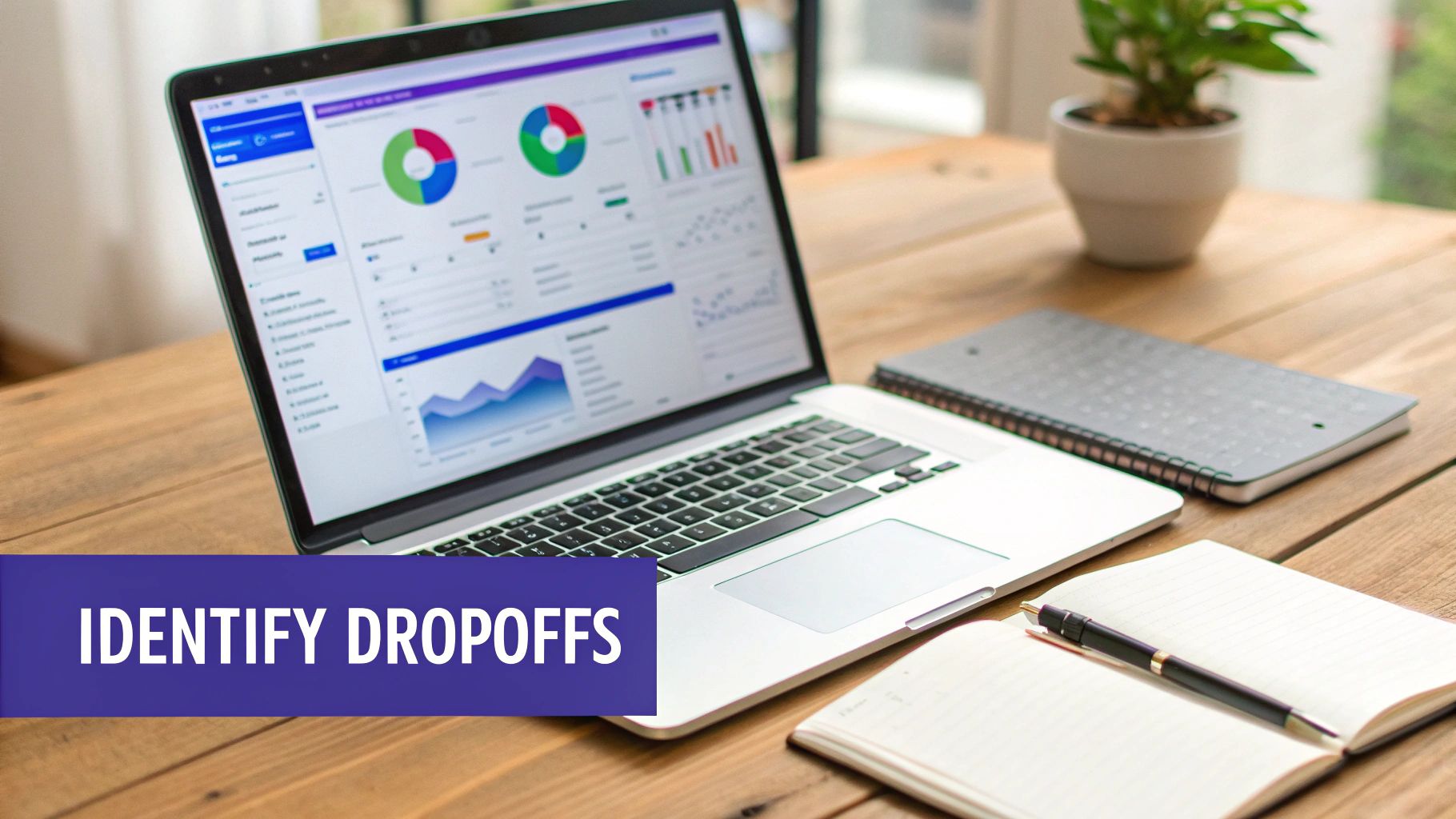
Think of your sales funnel like a leaky bucket. Before you can patch it, you have to find the holes. Slapping fixes on your checkout without a proper diagnosis is just burning money and time. Our mission here is to figure out precisely where and why shoppers are dropping off.
It all starts with a deep dive into your quantitative data. Your analytics platform is ground zero for mapping out the customer journey, from the moment they land on a product page to the final "thank you" screen.
Start with Your Analytics Funnel
First thing’s first: build a checkout funnel visualization in your analytics tool. Something like Google Analytics is perfect for this. This map will show you, clear as day, the drop-off rate at each specific stage.
Product Page to Cart: If you see a big drop here, it could be anything from uninspired product descriptions and poor photos to confusing pricing.
Cart to Checkout: When users add items but never actually start the checkout process, the culprit is often a hidden or confusing "Proceed to Checkout" button or sticker shock from an early cost estimate.
Shipping and Payment Steps: This is the big one. Most abandonment happens right here. High drop-off rates almost always point to unexpected shipping costs, a frustrating lack of payment options, or a clunky, demanding form-filling experience.
This data gives you the "what" and the "where." You might discover that a whopping 70% of your drop-offs are happening on the shipping page. Boom. Now you have a clear, focused area to investigate.
Knowing where users abandon their journey is only half the battle. To truly understand how to reduce cart abandonment, you must uncover the human behavior and psychology driving those clicks away from the purchase button.
Uncover the "Why" with Qualitative Insights
Once you’ve identified the problem spots in your data, it’s time to understand the human experience behind those numbers. This is where qualitative tools are worth their weight in gold, giving you the context that raw data just can't provide.
Heatmaps and Session Recordings I'm a huge fan of tools like Hotjar or Crazy Egg. They show you exactly how real people interact with your pages. Heatmaps reveal where people are clicking, how far they're scrolling, and where they linger, instantly highlighting confusing elements or dead links.
But session recordings are the real game-changer. You get to watch anonymous user sessions as if you're looking right over their shoulder. You might see someone repeatedly trying to click on a non-clickable image, or watch them rage-quit after a form field keeps clearing itself. It’s incredibly illuminating.
On-Page Surveys and Feedback Forms Honestly, the most direct way to find out why people are leaving is to just ask them. An exit-intent survey is a small, unobtrusive pop-up that appears when a user’s mouse moves like they're about to leave the checkout page.
Keep it simple. A multiple-choice question like, "What stopped you from completing your purchase today?" works wonders.
Common options you can use:
Unexpected shipping costs
Just browsing or comparing prices
Technical issues with the site
Concerned about security
Checkout process was too long
This direct feedback is pure gold. It takes your data-driven hypothesis—"I think shipping costs are the problem"—and turns it into a confirmed issue you can solve with confidence. To get even deeper into the customer mindset, you can explore strategies rooted in behavioral science to prevent cart abandonment.
Designing a Frictionless Checkout Experience
Once a customer hits that "buy now" button, your single most important job is to get out of their way. The checkout is the final hurdle between a customer’s intent and your conversion, and every bit of friction you introduce—every extra click, every confusing field—pushes a potential sale closer to the edge. A seamless checkout isn’t a luxury; it’s the bedrock of a healthy e-commerce business.
The goal is to make paying so intuitive that the customer glides through without a second thought. This means ruthlessly stripping away anything that doesn't absolutely need to be there to complete the transaction.
Remove the Account Creation Barrier
I’m going to say this plainly: forcing customers to create an account before they can give you money is like putting a locked door in front of the cash register. It’s a completely unnecessary barrier, and it's one of the quickest wins you can implement.
This single misstep is a major source of friction, causing 24% of shoppers to abandon their carts. Think about that. You could be losing nearly a quarter of your potential sales over something you can fix in an afternoon.
You can always prompt them to save their details or create an account after the purchase is complete. The pressure is off, the transaction is done, and they'll be far more receptive. To dig deeper into the data, check out these cart abandonment findings and see just how much small tweaks matter.
Guide Customers with a Visual Progress Bar
Anxiety is a conversion killer. If a customer doesn’t know how many steps are left in the checkout, frustration builds and they're more likely to bail. The perfect antidote is a simple visual progress bar.
This small UI element works wonders by managing expectations. It clearly shows the customer where they are—maybe "Shipping," then "Delivery," then "Payment"—and just how close they are to the finish line. This transparency reduces uncertainty and gives them the confidence to keep going.
By making the path to purchase visible and predictable, you empower the customer. They feel in control of the process, not trapped in an endless loop of forms, which is critical for maintaining their momentum.
Adding a progress indicator is a straightforward technical change with a massive psychological payoff. It signals a thoughtful, user-friendly experience and keeps people moving forward.
Minimize Effort with Autofill and One-Click Payments
Every character a customer has to type manually is a micro-frustration. Your checkout form should be a masterclass in efficiency, designed to slash effort at every turn. This is where modern payment tech becomes your best friend.
Leverage tools that make your buyer's life easier:
Address Autofill: Integrate with a service like the Google Places API to automatically complete addresses as the user types. This doesn't just save time; it cuts down on costly shipping errors from typos.
One-Click Payments: Offering accelerated checkouts like Apple Pay, Google Pay, or PayPal One Touch is non-negotiable today. These methods let customers bypass manual form entry entirely, using securely stored info to complete a purchase in seconds.
Smart Form Fields: Make sure your forms are truly mobile-friendly. Use a single "Full Name" field instead of separate first and last names. Automatically trigger the numeric keypad for phone numbers and credit card fields.
Each of these optimizations shaves precious seconds and mental energy off the process.
Here's a quick look at some of the most effective optimizations you can make.
High-Impact Checkout Optimizations
Optimization Tactic | Impact on Abandonment | Implementation Tip |
|---|---|---|
Guest Checkout Option | Reduces abandonment by up to 24%. | Add a "Checkout as Guest" button that's just as prominent as the "Login" option. |
Visual Progress Bar | Decreases user anxiety and frustration. | Use clear, simple labels like "Shipping > Payment > Confirm" to manage expectations. |
Digital Wallet Integration | Dramatically speeds up checkout time. | Enable Apple Pay, Google Pay, and PayPal to allow one-click payment convenience. |
Address Autofill API | Reduces typos and data entry time. | Integrate Google Places API to suggest and complete addresses as users type. |
Single-Page Checkout | Consolidates all steps onto one screen. | Test a single-page layout against a multi-step process to see what works for your audience. |
Ultimately, making the transaction feel swift and secure creates a frictionless path to purchase. It not only encourages completion but also leaves the customer feeling great about their decision to buy from you.
Get Rid of Sticker Shock at Checkout
We've all been there. You find the perfect item, you’ve already pictured it in your home, and you head to checkout, ready to buy. Then, bam—you get hit with a shipping fee that feels completely out of left field.
That moment of sticker shock is the single biggest conversion killer in e-commerce, hands down. It’s an instant deal-breaker that erodes trust and sends your would-be customer clicking away.
In fact, research consistently shows that unexpected costs like shipping and taxes are to blame for 48% of all abandoned carts. That's nearly half of your potential sales walking out the door over a last-minute surprise. If you want a deeper dive, check out this breakdown of cart abandonment statistics.
The fix isn't about giving everything away for free. It’s about being radically transparent with your costs from the moment a customer starts shopping.
Be Upfront with Every Single Cost
The golden rule is simple: no surprises. A customer should never have to guess what their final total will be until they’re on the payment screen. The sooner you can show them the full picture—including taxes and shipping—the more trust you build.
This means you need to find ways to communicate these costs long before the final step. Waiting until the end feels like a bait-and-switch, but being upfront respects your customer’s time and wallet.
A customer who understands the total cost early on is far more likely to follow through with the purchase. Transparency turns a major friction point into a sign of trustworthiness, which is a powerful way to keep people in the checkout flow.
This proactive communication can take a few different forms, all designed to manage expectations and keep the customer moving forward with confidence.
Implement a Shipping Calculator on the Cart Page
One of the most effective tools I've seen is a simple shipping calculator placed directly on the cart page. Instead of forcing someone to enter their full address just to see shipping options, you let them get an estimate right away.
All it takes is a single field for a zip code. In return, the customer gets an instant, accurate estimate, which allows them to make an informed decision without feeling trapped or tricked. This one small feature removes a massive question mark from the buying process.
For the customer: They get immediate clarity on one of the most variable costs and can quickly decide if the total price works for them.
For your business: You filter out shoppers who were never going to pay for shipping anyway and build serious trust with those who appreciate the honesty.
Imagine a clothing boutique that places a small "Estimate Shipping & Taxes" box right below the "Proceed to Checkout" button. A customer pops in their zip code, sees the $5 flat-rate shipping, and continues on, fully aware of the final cost. No surprises, no abandonment.
Use Banners and Thresholds to Your Advantage
Don't bury your shipping policies on some forgotten page in your website's footer. Your most valuable real estate is the banner at the top of the page—use it to broadcast your shipping offers loud and clear. This is a fantastic way to set expectations and can even boost your Average Order Value (AOV).
One of the most effective tactics is offering free shipping over a certain threshold.
Best Practices for Shipping Banners:
Make it dynamic. A banner that updates as a customer shops is incredibly powerful. A little message like, "You're only $15 away from free shipping!" creates a strong incentive to add one more item to the cart.
Keep it simple. A clear, concise message like "Free Shipping on All Orders Over $75" works wonders because it's instantly understood.
Make it persistent. This banner should follow the customer on every page, from the homepage to the cart, constantly reinforcing the offer and keeping it top-of-mind.
This strategy completely reframes shipping costs. It’s no longer a penalty; it's a game they can win. You're not just telling them what they have to pay; you're showing them how they can save money by shopping with you. That simple psychological shift is key to keeping customers engaged and moving toward checkout.
Building Trust to Encourage Purchase Confidence
A hesitant shopper is an abandoning shopper. Simple as that. When someone lands in your cart, they're right on the edge of buying, but even the slightest flicker of doubt can send them clicking away for good. Your job is to make your checkout feel as safe and dependable as their favorite brick-and-mortar store.
This isn't just about making people feel good; it's a financial necessity. Around 19% of online shoppers ditch their carts purely because they don’t trust the site with their credit card info. Think about that—nearly one in five potential customers are walking away because of a trust issue you can absolutely fix. You can dig into more of these key cart abandonment insights to see just how much trust impacts your bottom line.
Display Your Security Credentials Loud and Proud
Your customers aren't cybersecurity experts, but years of online shopping have taught them what to look for. They scan for visual cues—often called trust signals—that tell them a site is legitimate and their data is safe.
Make these signals impossible to miss, especially in the cart and during the final checkout steps:
SSL Certificate: This is table stakes. Your site absolutely must use HTTPS and show that little padlock icon in the browser's address bar. It's the most fundamental signal of a secure connection.
Security Badges: Place logos from well-known security providers like Norton or McAfee right where people are about to enter their payment details. Putting one of these next to the "Pay Now" button can give that final, critical nudge of reassurance.
Payment Logos: When you display the logos for Visa, Mastercard, PayPal, and Apple Pay, you're borrowing their hard-earned trust. A shopper sees a brand they already know and trusts, and that feeling of confidence naturally extends to your store.
Make Your Policies Crystal Clear and Easy to Find
Ambiguity is the enemy of conversion. If a shopper has to guess what happens after they click "buy," they probably won't click it at all. A confusing or hard-to-find return policy can create just as much anxiety as a missing security seal.
Your policies need to be simple, fair, and right where people can see them. Don't just stick them in the footer and hope for the best.
A great return policy does more than just handle returns—it’s a sales tool. By removing the risk of a bad purchase, you give customers the confidence they need to commit. If they know they can easily send something back, they're far more likely to buy it in the first place.
For instance, a clear link in the checkout sidebar labeled "30-Day Easy Returns" is way more effective than a tiny link buried at the bottom of the page. You should also maintain a detailed and transparent document explaining how you handle customer data, much like our own Look Atlas privacy policy.
Leverage the Power of Social Proof and Visuals
Beyond the technical stuff, trust is built on human connection. Shoppers trust other shoppers way more than they'll ever trust brand marketing copy. This is where social proof becomes one of your most valuable assets in the fight against cart abandonment.
Place customer feedback where it matters most:
Star Ratings: Show the aggregate star rating right next to each item in the cart summary.
Customer Testimonials: A short, impactful quote from a happy customer near the checkout button can be incredibly persuasive. Something like, "The quality was even better than I expected!" can dissolve last-minute doubts.
Detailed Imagery: This is huge. High-quality product photos from every angle, especially on-model shots, are critical. They eliminate guesswork about fit, texture, and scale, giving customers a concrete idea of what they’re getting and drastically reducing the perceived risk of making a mistake.
Crafting a Powerful Cart Recovery Campaign
Let's be realistic: even with a perfectly designed website, life happens. A customer’s dog starts barking, their internet connection drops, or they simply get distracted by a phone call. This is exactly where a proactive cart recovery campaign comes in—it’s your best shot at turning a near-miss into a sale.
The goal isn't to be pushy. It's about being helpful and gently reminding a customer who was this close to buying.
The good news? These shoppers are incredibly receptive. Cart abandonment emails have an impressive average open rate of 45%. Even better, a smart, three-part email sequence can recover up to 69% more orders than just sending a single reminder. A thoughtful strategy really pays off, and you can dig deeper into the data behind the effectiveness of cart recovery emails to see the impact.
Designing a Multi-Channel Recovery Sequence
A single email is a good start, but a coordinated, multi-channel approach is where the magic happens. You want to create a sequence of touchpoints across email, SMS, and even retargeting ads that gently nudge the shopper without feeling overwhelming.
Start by mapping out the timing and messaging for each channel. A great recovery workflow doesn't just scream, "Hey, you forgot this!" It reminds the shopper why they wanted the item in the first place and makes it ridiculously easy to jump back in and finish the purchase.
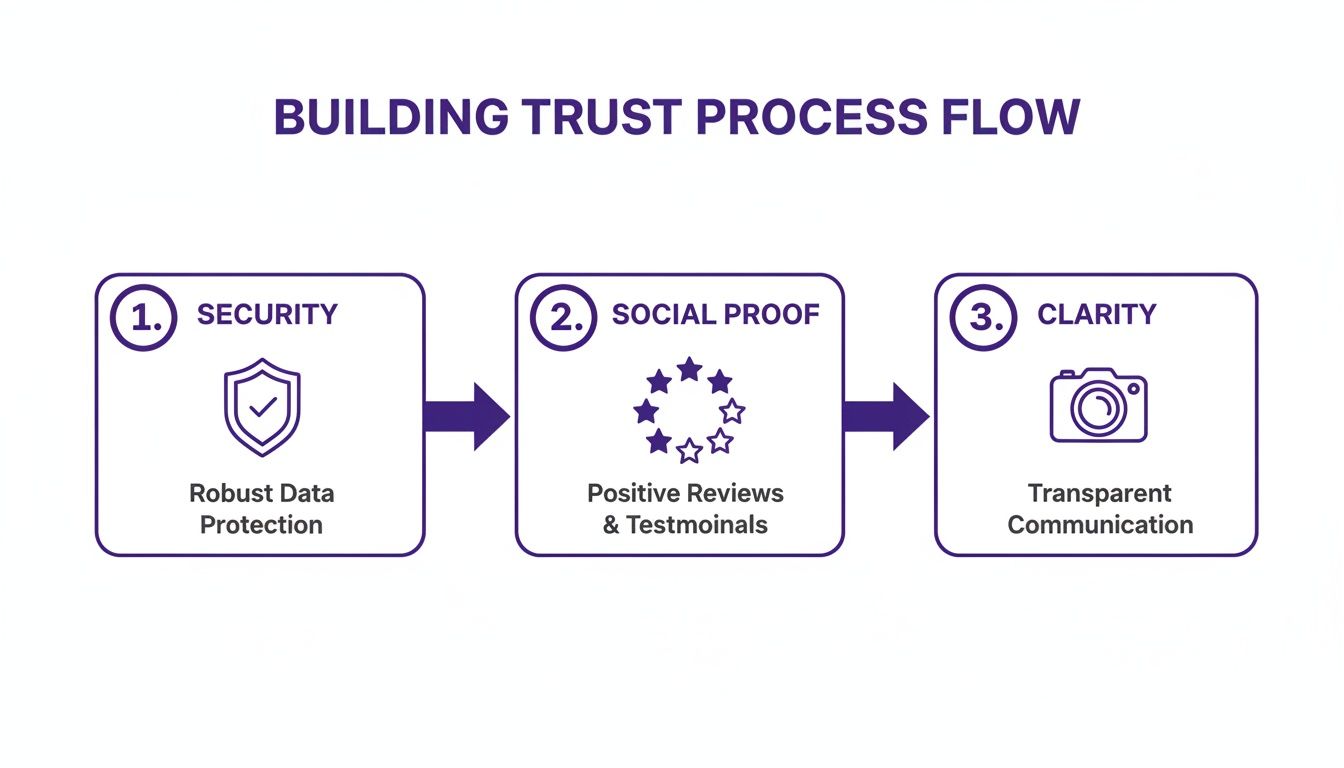
As this flow shows, every element—from a security seal to a clear return policy—is part of building the trust needed to get someone to click "Buy Now." It's about removing hesitation at every turn.
The Anatomy of a Winning Email Workflow
Your email sequence is the heart and soul of your recovery efforts. Each message should serve a specific purpose, moving from a light tap on the shoulder to a more compelling reason to come back. Think of it as a friendly conversation that unfolds over a few days.
Here’s a proven, three-part structure that just works:
Email 1 (Sent within 1 hour): The Friendly Reminder. Keep this one simple and helpful. A subject line like "Did you forget something?" or "Your cart is waiting" does the trick. The email body should show images of the products left behind with a single, unmissable button that takes them straight back to their cart.
Email 2 (Sent after 24 hours): Add Some Social Proof. Now it's time to introduce a new angle. Maybe you highlight a five-star review for an item in their cart or mention that it’s a bestseller. A subject line like "Your favorite items are selling out fast!" creates a subtle sense of urgency.
Email 3 (Sent after 48-72 hours): The Final Nudge. If they still haven’t come back, this is your last, best shot. It's the perfect time to offer a small incentive, like 10% off or free shipping. Just be careful not to train your customers to expect discounts for abandoning their carts—save this for the final email in the sequence.
Expert Tip: Your recovery emails are an extension of your brand's voice. Keep the tone helpful and personal, not demanding. The goal is to reignite the excitement the shopper felt when they first added the items to their cart.
Here’s a simple template to help you visualize how this sequence plays out over a few days.
Sample Cart Recovery Email Sequence
This table outlines a classic three-email approach, but remember to adjust the timing and tone to fit your specific audience and brand.
Timing | Subject Line Strategy | Content Focus | |
|---|---|---|---|
Email 1 | 1 Hour | Gentle & Inquisitive | "Did you forget something?" "Your cart is waiting." Simple reminder with product images and a direct link back to the cart. |
Email 2 | 24 Hours | Urgency & Social Proof | "Items in your cart are selling fast!" Highlight product popularity, scarcity, or customer reviews to create a fear of missing out. |
Email 3 | 48-72 Hours | Value-Driven Offer | "A little something to help you decide." "Complete your order with 10% off." Present a time-sensitive discount or free shipping offer. |
This structure gives you a solid foundation for winning back customers who were on the fence.
Expanding Beyond the Inbox with SMS and Retargeting
Email is a workhorse, but you can seriously boost your recovery rates by adding SMS and retargeting into the mix. Not everyone lives in their inbox, and these channels can catch their attention elsewhere.
SMS Alerts
With an almost unbelievable 98% open rate, SMS is as direct as it gets. Use it sparingly for your most urgent messages. A great use case is for the final offer in your sequence. An SMS that reads, "Still thinking it over? Use SAVE10 for 10% off your cart. Expires tonight!" can be incredibly effective. Just make sure you always include an easy opt-out.
Retargeting Ads
Set up retargeting campaigns on platforms like Facebook, Instagram, and Google. These ads can dynamically display the exact products a user left behind, following them as they browse the web and scroll through their social feeds. It’s a powerful way to keep your brand—and their desired items—top of mind.
A cohesive campaign that blends these channels meets your customers wherever they are. By making it easy and appealing to return, you can turn abandoned carts into a major source of reclaimed revenue. For those looking to go even further, our guide on how to increase ecommerce sales is packed with more proven tactics.
Common Questions About Reducing Cart Abandonment
Even after you've mapped out a solid plan, you're bound to run into some specific questions when trying to fix cart abandonment. I see the same sticking points come up time and time again. Let's get them answered so you can start making changes that actually work.
Here’s a breakdown of the questions I hear most often from ecommerce managers, with some straight-to-the-point answers to help you sharpen your strategy.
What Is a Good Cart Abandonment Rate to Aim For?
Everyone wants to know the magic number, but the truth is, a "good" rate is one that’s getting better every month. While the global average sits around 70%, chasing a universal benchmark can be a total waste of time. Your industry, where your traffic comes from, and your average order value all have a huge impact on what’s realistic for you.
My advice? Forget the global average. Benchmark where you are right now and set a goal to lower that number by 10-15%. Some top-tier sites in niche markets get their rates below 30%, but your real win is seeing your own numbers improve month-over-month. That’s how you know you’re on the right track.
The goal isn't to hit a magic number overnight. A good cart abandonment rate is a declining one. Consistent, incremental improvements are far more valuable than trying to match an industry benchmark that may not be relevant to your business.
How Soon Should I Send the First Cart Recovery Email?
You have to send that first email within one hour. Period. That first 60-minute window is when your customer's intent to buy is highest. Often, the reason they left was just a simple distraction—the dog started barking, or a meeting reminder popped up.
If you wait any longer, the drop-off in opens and clicks is dramatic. They've moved on, closed the tab, and forgotten what was so great about that product. A timely email acts as a friendly nudge, not a desperate sales pitch, pulling them right back into the purchase mindset while it's all still fresh. For more ideas on improving this process, check out these top strategies for reducing cart abandonment.
Which Change Has the Biggest Immediate Impact?
If you're looking for the one thing that will give you the biggest, fastest win, it’s this: get rid of surprise costs at checkout. Year after year, unexpected shipping fees and taxes are the #1 reason people bail. Making those costs crystal clear from the start is an absolute game-changer.
While a full checkout overhaul is a great long-term project, you can boost conversions almost immediately with a few transparency tweaks.
Quick Wins for Cost Transparency:
Sitewide Banner: A simple, unmissable banner that says something like, "Free Shipping on Orders Over $75."
Cart Page Calculator: Add a shipping calculator right on the cart page that just asks for a zip code.
Product Page Estimates: Even better, show estimated shipping right on the product page so there are zero surprises.
Should I Offer a Discount in Every Abandonment Email?
No, definitely not. Slapping a discount in that first email is a surefire way to train your customers to abandon their carts just to get a deal. You'll kill your margins and make your products feel cheap.
The smarter play is to save that discount for the second or third email in your sequence. This tiered approach lets you scoop up all the customers who just needed a simple reminder without giving away unnecessary profit.
Try a sequence like this:
Email 1 (1 Hour): A friendly, helpful reminder. No discount.
Email 2 (24 Hours): Create a little urgency or show social proof (e.g., "Don't miss out, items are selling fast!").
Email 3 (48 Hours): Now you can bring out the big guns—your compelling 10% off offer or a free shipping upgrade.
This makes the discount feel like a genuine, final incentive, not just part of the routine. Being fair and transparent in all your policies, like returns, also builds massive trust. You can see how we handle this by reviewing our straightforward Look Atlas refund policy.
Ready to turn product photos into sales machines? Look Atlas uses AI to create stunning, on-model imagery that builds trust and reduces the hesitation that leads to abandoned carts. Stop losing sales to uncertainty and start showing customers exactly what they’re getting. Get started with Look Atlas today!
