
Shopify 360 images: a spin is not a 3D model
Uploading photographs around a product does not, by itself, specify a draggable 360 view. A photo spin needs an ordered sequence and a viewer that connects a shopper's movement to those frames. Shopify's native 3D models are a different deliverable, even when both experiences let someone turn a product on screen.
That distinction belongs in the production brief before the camera comes out. Otherwise, a photographer can deliver a perfectly good set of images that the chosen storefront integration cannot use as intended.
What is actually rotating?
In a photo-sequence viewer, the browser moves through prepared views. Dragging reveals the next photograph, not a newly observed surface. Sirv's spin documentation describes numbered image sequences and separately explains multi-row spins. A horizontal ring of photographs is not the same thing as a model that can be viewed from changing elevations.
Shopify's Liquid media reference identifies images, models, videos and external videos. It does not define a separate native “360 image” media type. The spin behavior therefore needs to be specified alongside the asset, rather than inferred from a filename or an upload.
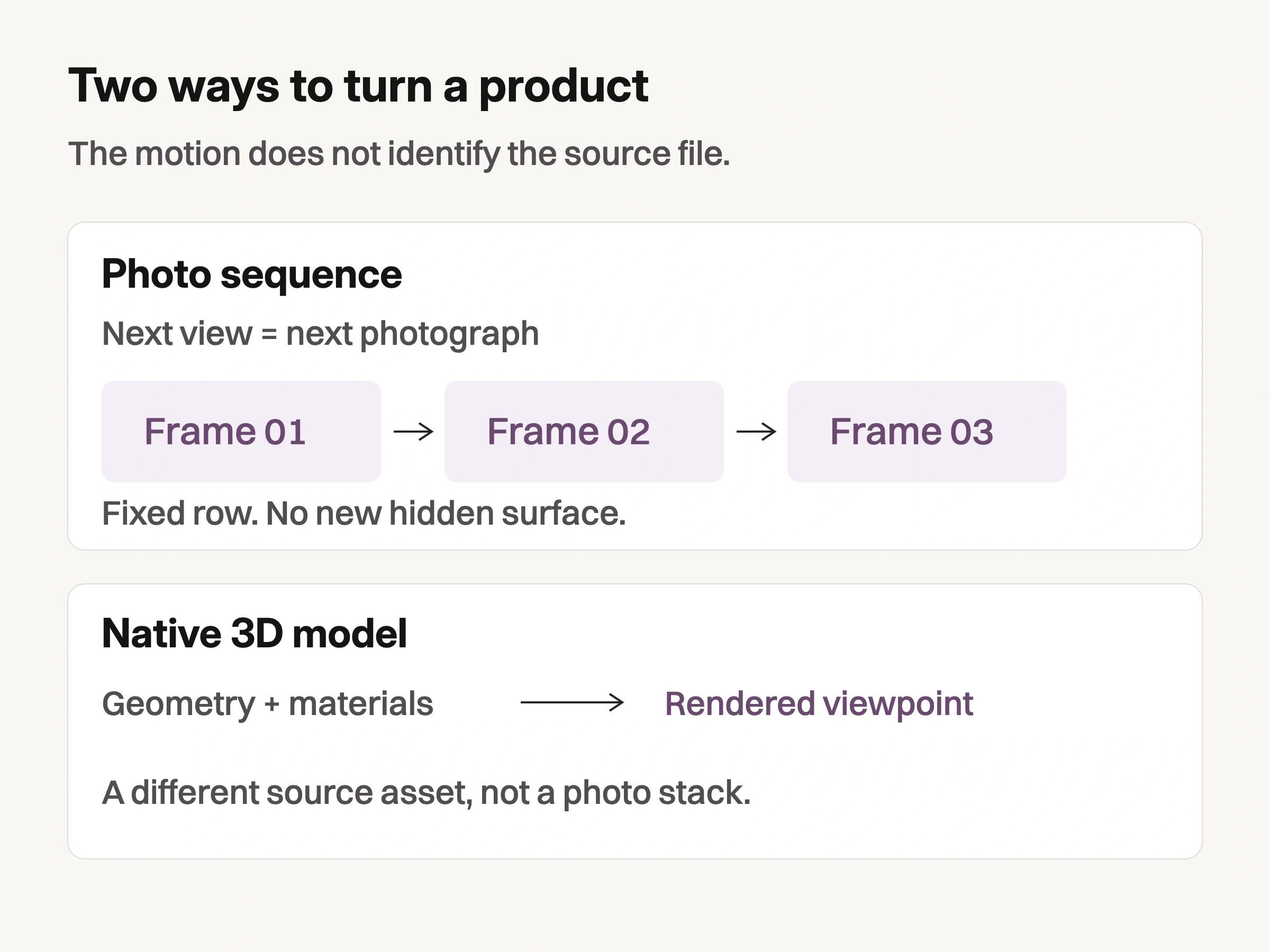
Original explanatory diagram: a single photo row supplies photographed views; a native model uses a different source representation. Neither path proves hidden product details or accuracy.
A native model uses geometry and materials rather than stepping through the photographed ring. Shopify's product-media guidance lists GLB and USDZ model files and notes that displaying models or videos requires suitable theme support. That does not mean a model is necessarily dimensionally accurate; its construction still needs checking.
A rotating video is different again. It gives viewers a timed presentation. Turning that footage into a frame-by-frame drag experience requires another implementation, not merely a different label on the video.
More frames change the step, not the orbit
Frame count describes how densely a photographed turn is sampled. It does not describe how many product questions have been answered.
Sirv identifies 24, 36 and 72 as commonly used image counts. For distinct, equally spaced frames covering one full revolution, the angular step is 360° divided by the frame count. Those counts give 15°, 10° and 5° steps. These are geometric calculations from documented counts, not Shopify requirements or results from a store we tested.
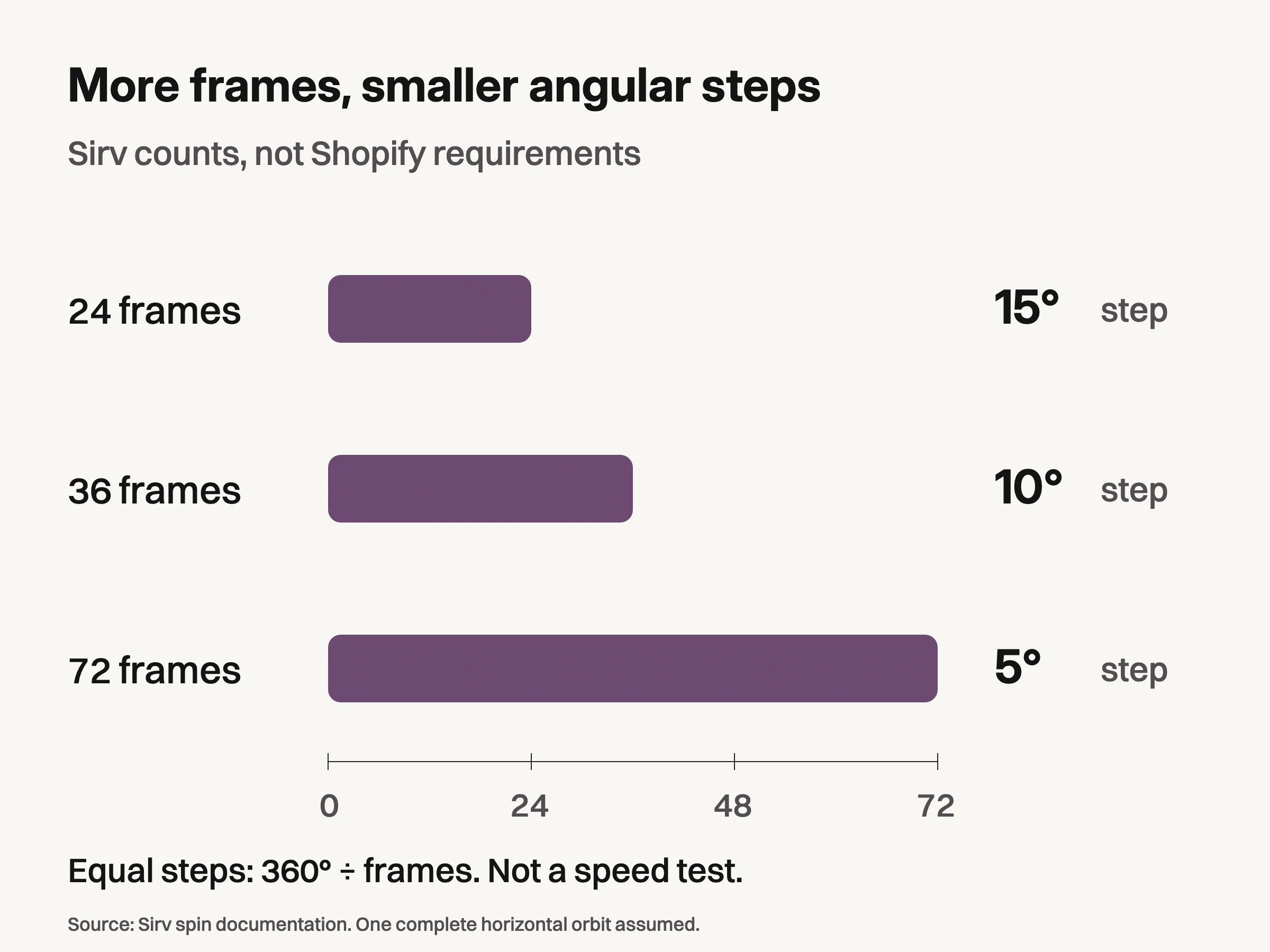
Source: Sirv spin documentation, retrieved 21 October 2026 UTC. Bars plot documented frame counts; angular labels are 360° divided by count for one equally spaced horizontal revolution. Not Shopify requirements, a speed/quality test or conversion evidence.
All three can cover the same horizontal orbit. A denser sequence does not reveal the sole beneath a shoe resting on the turntable, the inside of a closed compartment, or how a garment fits a body. Add a separate view when the missing information lies outside that orbit.
Nor does this arithmetic predict loading speed. Source dimensions, compression, requested derivatives and the viewer's loading behavior affect what reaches the browser. Vendor demonstrations cannot establish the experience on your product page. Evaluate a candidate sequence at its intended display size before commissioning every variant.
Lock the product state before photographing the orbit
For a hypothetical black loafer, define the useful rotation as a continuous view of the toe, side profile and heel at one camera height. Keep an ordinary sole photograph and an interior-detail still outside that sequence. This gives the spin a specific job without pretending it contains every relevant surface.
The capture brief should keep the camera position, framing, product support and lighting arrangement consistent while the object turns. Ask the photographer to preserve the product's position around the rotation axis. An object drifting sideways makes the viewer appear to jump even if the filenames are in order.
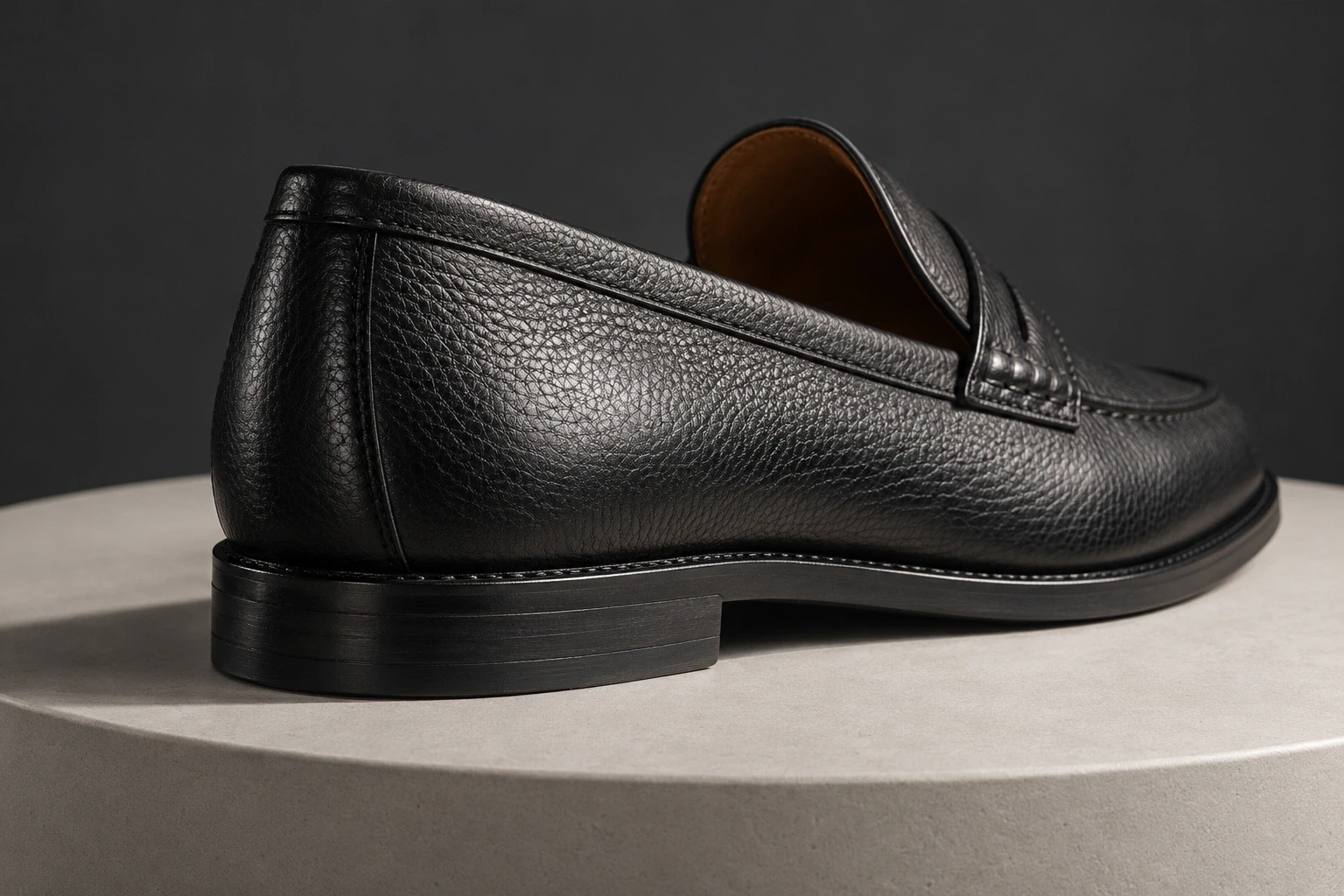
Conceptual illustration: independently generated fictional footwear, not another controlled frame of the hero. The hidden underside is not shown or reconstructed.
Review the full loop, including its join. A duplicated closing frame can pause the apparent movement; a missing view can create a larger jump. Check how the chosen viewer expects the start and end to be supplied rather than assuming every provider handles them identically.
Maintain one physical product state throughout a sequence. A tongue that collapses between frames or a strap moved midway through the shoot changes the object, not just the viewpoint. Correct that capture issue before smoothing it into an animation. Separately generated angles should not be presented as a documentary rotation of an actual SKU unless their geometry has been independently established.
Hand over a sequence and a binding rule
Choose the viewer's input contract before the final export. Magic 360 publishes a Shopify integration guide, while Spin Studio's Shopify listing describes creating spins from photo sets or models. These are documented options to investigate, not installations or theme-compatibility tests performed for this article.
For the loafer example, a useful handoff identifies the product and variant, the ordered folder, the intended initial frame, and where the ordinary stills remain available. Names such as loafer-black-01.jpg and loafer-black-02.jpg express sequence order; they do not, alone, connect that sequence to the correct Shopify variant.
Keep each variant's sequence distinct. Switching from black leather to brown suede must not leave the previous variant's spin showing. Ask the implementer whether variants share a viewer, how the mapping is maintained, and what happens when one variant has no sequence.
Shopify's adding-media instructions explain the native product Media section and the featured media item. An app's storage and presentation may be separate. Before uploading a large batch, establish which images belong in Shopify's native media, which belong in the viewer's own storage, and whether the integration adds duplicate thumbnails.
For an outsourced capture commission, use the Amazon photography service guide to frame the discussion of actual photographic deliverables, but give the provider this Shopify viewer specification separately. A marketplace image pack is not automatically a spin-ready sequence.
Deliverable | What the handoff must identify |
|---|---|
Photo spin | Ordered frames, viewer, product/variant binding and initial frame. |
Native 3D model | Model file, material/scale checks and compatible theme display. |
Video | Playback file or supported host, poster and intended sequence in time. |
Ordinary stills | The useful independent views and their accessible gallery positions. |
Look Atlas production-handoff analysis. This table is not an installed-app compatibility test.
Require the ordinary product page to survive a missing spin
A spin should add access to shape, not become the only route to understanding the product. Retain a useful opening still and the non-rotational details. The broader product page images guide addresses which questions those individual images should answer; the additional issue here is whether the interactive representation behaves correctly.
Request three demonstrations on the actual proposed theme and product configuration. First, block the viewer script and confirm useful stills, product information and purchase controls remain usable. Second, switch to a variant with no sequence and check that an unrelated spin is not retained. Third, use a narrow touch screen and keyboard navigation: the viewer should not trap page scrolling or make essential views available only through dragging.
These are proposed acceptance checks, not tests completed here. Record the theme version, viewer configuration, device and failed behavior when your implementer performs them. A successful upload or a vendor demo is not that evidence. Keep a still-image fallback available while a failed integration is corrected.
Keep campaign variation outside the factual rotation
The measured or photographed product record and the creative treatment have different jobs. Look Atlas can support a separate generated studio, lifestyle or campaign-image role from product imagery. That is not a claim that it produces a verified turntable sequence, exports a native Shopify 3D model, or reconstructs hidden surfaces.
Label and review generated contexts separately from the capture set. Do not fill an unphotographed rear view with an invented angle and then let the spin imply continuous evidence of the actual product.
Before approving a 360 commission, ask for one complete representative loop, its product/variant mapping, and the ordinary page with the viewer unavailable. That small handoff makes the actual deliverable clear before the rest of the catalog follows it.
