
AI Model Photoshoot: How to Choose the Right Workflow for Ecommerce
An AI model photoshoot is worth considering when you already have trustworthy product photos and need reusable on-model or campaign images without organizing a new physical set. It is the wrong tool when the image must prove exact fit, construction, scale, or a product detail that the source photographs do not show.
That distinction matters more than the number of images a tool can generate. A convincing face and expensive-looking set are irrelevant if the garment has gained a pocket, the print has shifted, or the jewelry appears at the wrong scale.
AI model photoshoot and virtual try-on solve different jobs
An AI model photoshoot creates brand-directed marketing assets for product pages, ads, email, and social. The brand chooses the product, cast, shot, crop, and visual direction, then selects and approves outputs under the chosen service’s current usage terms.
Virtual try-on is usually a shopper-facing visualization. The shopper supplies or selects a person and asks how one item might look on that person. Google’s current virtual try-on instructions make that job clear: the customer opens an eligible product, uploads a full-length photo, and views the garment on themselves. We would treat that as an aid to shopping, not a campaign-production workflow or proof of physical fit.
If this is the decision | Use this route |
|---|---|
We need approved campaign images for several channels and have verified usage terms | AI model photoshoot |
A shopper wants to visualize an item on their own image | Virtual try-on |
We must prove exact fit, support, transparency, scale, or hidden construction | Physical sample and physical photography |
We have weak source images or an undocumented variant | Reshoot the product source before using either AI route |
We need a clean feed image that identifies the exact item | Start with a verified product view and check the destination’s current image rules |
Use the route whose evidence level matches the image's job.
One product may use all three routes. A physical shoot can establish product truth, an AI model photoshoot can extend the campaign, and virtual try-on can sit closer to the shopper. Treating them as interchangeable creates the wrong expectations for both the creative team and the customer.
Judge the system by its controls, not its best demo
The useful commercial question is not “Can it make a beautiful image?” It is “Can our team direct, reject, repair, and reproduce the right image?” Evaluate any AI photoshoot workflow against five controls.
1. Source control. Can you provide the exact sellable variant and enough views to show the details that matter? A tool cannot preserve information it never receives.
2. Casting and art direction. Can you define who appears, what the shot contributes, the environment, and the crop without rewriting the entire brief for every frame?
3. Product review. Can the reviewer compare the output with its source at useful scale? Look for geometry, material, color, pattern placement, hardware, and branding before judging mood.
4. Repair and version history. Can a failed detail be revised without losing a good composition, and can the team return to an earlier version? A contact sheet with no decision record becomes hard to audit.
5. Delivery discipline. Can you identify the approved output, its source, intended channel, rights status, and synthetic-media metadata after download?
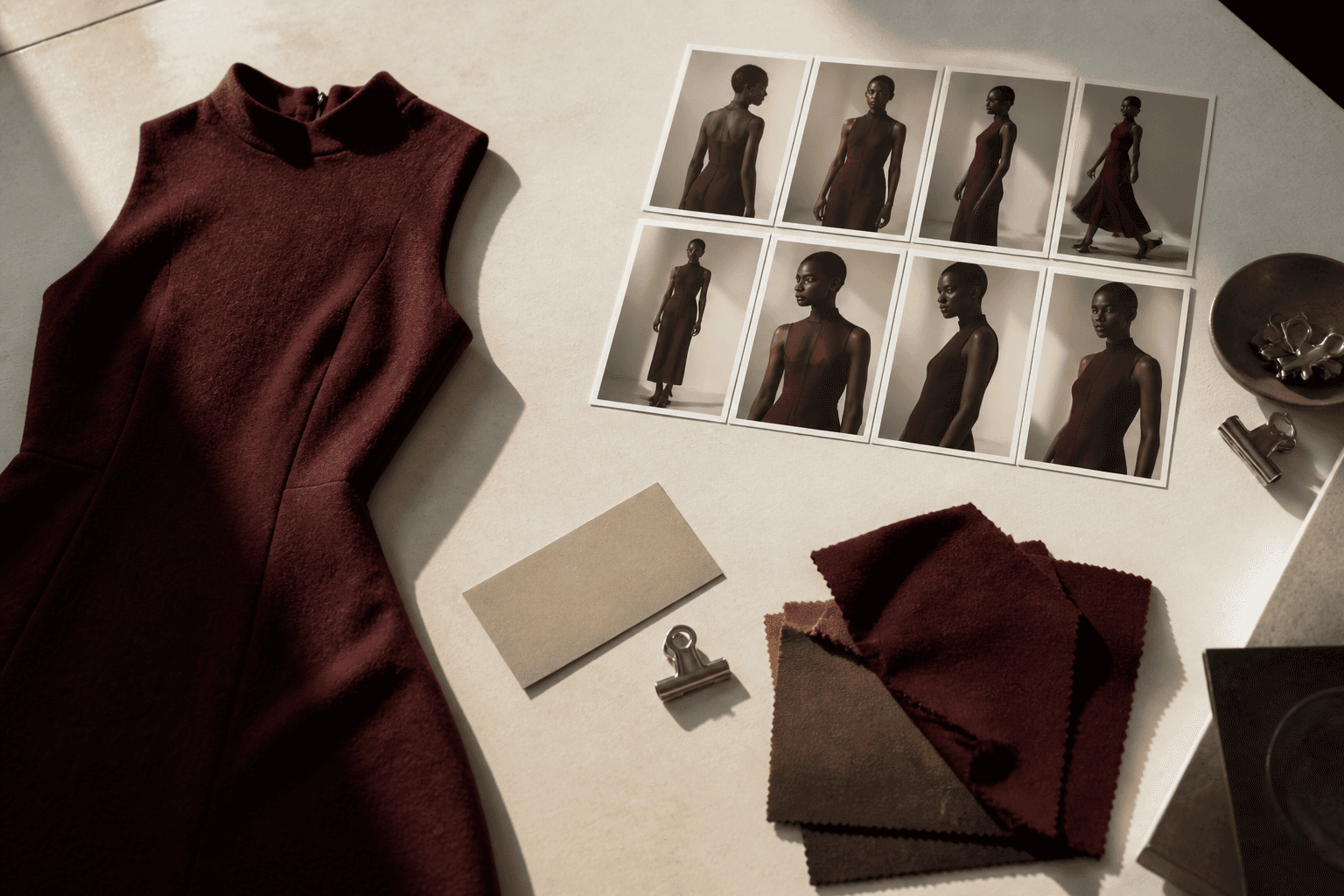
Conceptual illustration: a product source pack and contact sheet; this is not product-interface or fidelity proof.
These controls expose the difference between a novelty generator and a production tool. They also make a trial useful. Test one difficult SKU, not only the easiest plain garment. Choose something with a repeat pattern, visible fastener, distinctive hem, or scale-sensitive detail, then record every rejection in product language. For an apparel-specific vendor shortlist and procurement test, use the AI clothing model generator evaluation guide.
Bring a source pack, not one ambiguous picture
The source pack should answer what the generated image is not allowed to invent. For apparel, include the front, back, closure, hem, sleeve, neckline, and any placement print that must remain fixed. For jewelry, include straight-on and profile views plus a reliable scale reference. For packaged goods, show cap geometry, label boundaries, and verified source artwork.
Add a one-page production brief with five fields:
Asset job: main PDP alternate, email hero, paid-social concept, or campaign image.
Product invariants: the exact details that cannot change.
Cast and context: model direction, setting, season, and buyer relevance.
Frame: orientation, crop, negative space, and where copy will sit outside the image.
Rejection rules: observable defects such as “two buttons became three” or “cuff changed from ribbed to smooth.”
“Make it luxury” is not a production brief. “Full-length 4:5 frame, warm stone studio, left-side negative space, preserve the asymmetric placket and three matte-black buttons” gives both the generator and reviewer something testable.
What the current Look Atlas workflow actually lets you control
The current Look Atlas Studio is organized around a product, cast, planned shots, a visual director, and generation settings. Before generation, the review screen brings those choices together. Delivered frames then move into a review room where the user can approve a variation, edit it, request another variation, inspect version history, and download selected work.
Those are workflow facts, not a claim that every output will be accurate. The value of the structure is that it keeps direction and review attached to a shoot. Product fidelity still depends on the source pack and a human comparing the output with the sellable item.
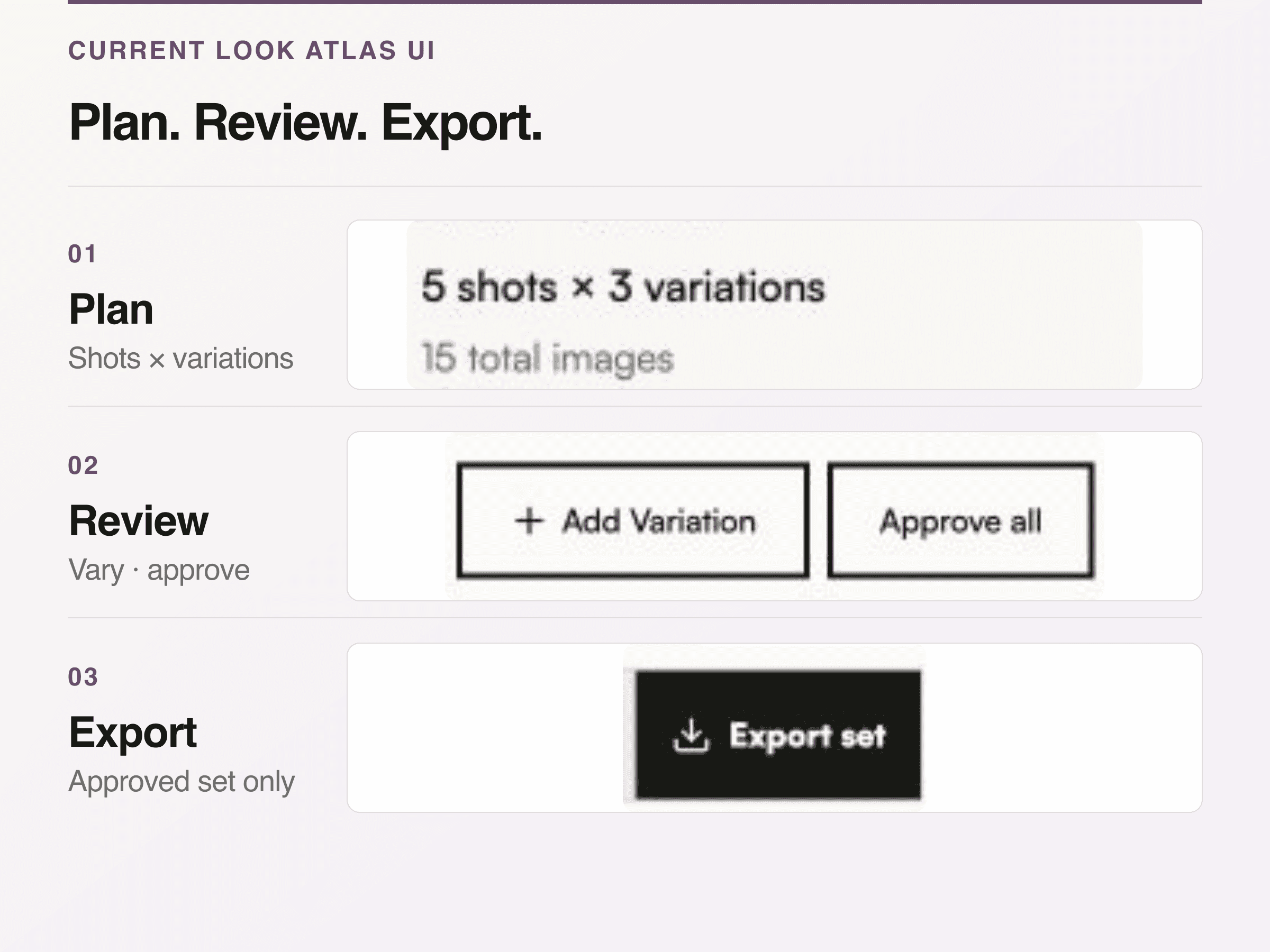
Current Look Atlas controls shown at readable scale: set shot and variation count, add or approve variations, then export the approved set. Demo data only.
For the product page and current plan details, use the Look Atlas AI fashion photography page and pricing page. Do not copy a credit allowance, resolution, turnaround, or rights term into a permanent production policy without checking it again when the policy is approved.
Demand proof on one SKU before committing a catalog
A fair test keeps the product constant and varies one decision at a time. Start with one authorized source SKU. Generate a plain on-model view before a complex set. Compare the source and output side by side at full size, then mark pass or fail for silhouette, construction, surface, color, branding, and scale.
The first-party proof below should not be a collage of unrelated “before” and “after” images. It must pair the same Look Atlas-owned product source with its matching output and annotate only observable details. If the source does not show a detail, the caption should say that the detail cannot be verified.
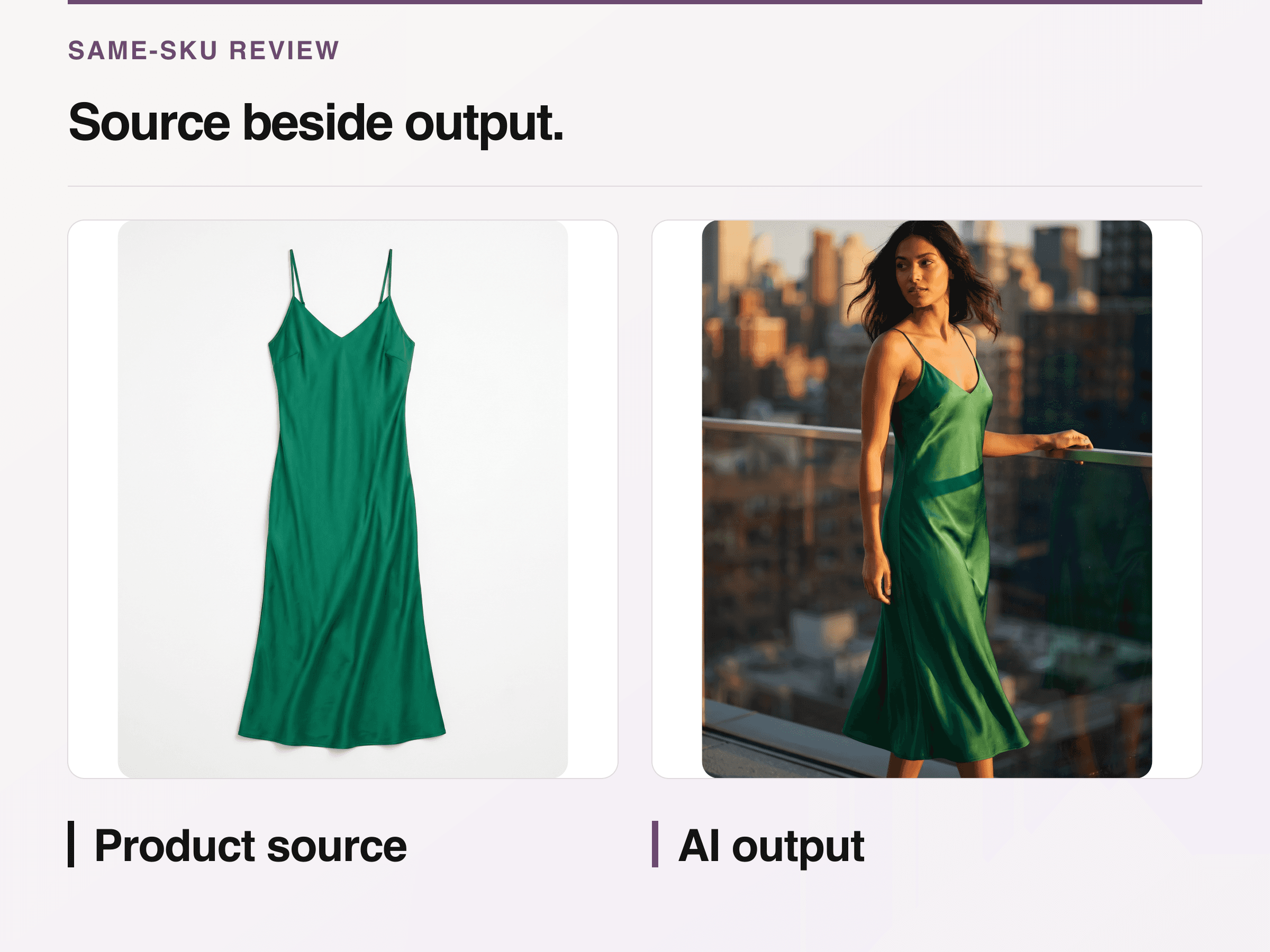
First-party same-SKU example: compare visible neckline, straps, color, and silhouette. One example is not a fidelity rate.
This single-SKU test does not establish how a platform performs across a catalog. It establishes whether your team can run the review process and whether that product category deserves a broader pilot. Move to several representative SKUs only after the first comparison has explicit acceptance criteria.
Keep physical photography where it carries the evidence
AI imagery should not be asked to certify what only the product or a measured physical setup can establish. Keep a physical capture when the buyer needs to inspect fine construction, compare an exact color under controlled lighting, understand support or transparency, see the back or interior that was absent from the source, or judge real fit on a known body.
The same caution applies to new angles. A model can generate a plausible unseen side, but plausible is not verified. Capture the missing view or omit the claim.
Google Merchant Center’s current main-image specification requires the image to represent the actual product and match submitted attributes such as color, pattern, and material. Google separately says that images created with generative AI must retain the appropriate IPTC DigitalSourceType metadata; its AI-generated content requirements also say not to strip that embedded provenance during processing. Check both pages again before feed delivery because platform rules change.
The buying rule
Choose an AI model photoshoot workflow when your source photography already establishes product truth, your team needs publishable creative variants, and the system gives you enough control to review and repair the work. Choose virtual try-on when the primary job belongs to the shopper. Choose a physical shoot when the image itself must prove fit, construction, scale, or an unseen detail.
For the broader category, read the AI product photography guide. For the operating system around sources, approvals, masters, and exports, use the product photography workflow. The next useful action is to test one difficult SKU with written rejection rules, not to generate an entire catalog and hope the polished frames are accurate.
