
AI Clothing Model Generator: How to Choose One for Ecommerce
An AI clothing model generator should earn its place in your production stack by passing the same controlled test as every other candidate. The strongest choice is not the tool with the most polished demo. It is the one that accepts the source images your team already owns, preserves the garment details customers are buying, repeats an approved visual direction across SKUs, and leaves reviewers with a clear path to reject or repair bad outputs.
Use public feature pages to build a shortlist. Use a 10-SKU audition to choose the winner.
Start with the product sources you already have
The first filter is not aesthetic. It is whether a platform's documented input route matches your catalog. A team with clean flat lays has a different starting point from one with ghost-mannequin sets or licensed on-model photography. If a vendor's best workflow assumes source material you do not have, the test begins with a hidden reshoot or cleanup project.
Inventory a representative sample before opening a trial:
flat-lay, hanger, mannequin, ghost-mannequin, and on-model coverage;
front and back views, plus close details for closures, hardware, prints, and labels;
color accuracy and consistent file naming;
rights to use every product and model image in a generative workflow;
the channels each output must serve, such as PDP alternates, email, paid social, or campaign concepts.
Do not ask a generator to recover information that the sources never show. An unseen back, hidden lining, or blurred logo may be rendered plausibly, but plausible is not verified. Capture the missing evidence or remove that angle from the brief.
If you still need to decide between AI campaign generation, shopper-facing virtual try-on, and physical photography, start with the broader AI model photoshoot workflow guide. This page begins after that route decision, when an ecommerce team is comparing vendors for on-model apparel production.
Turn the buying decision into a test brief
Write the scorecard before seeing any output. That prevents an attractive face, dramatic location, or unusually strong hero frame from hiding product changes. Six criteria are enough to make the decision operational.
Criterion | What to test |
|---|---|
Source fit | Whether the tool accepts your real flat-lay, mannequin, hanger, or on-model files without an unplanned preprocessing step |
Garment fidelity | Color, print, logo, seams, closures, hardware, silhouette, length, and drape against the approved source |
Repeatability | The same model direction, styling, crop, and background logic across unrelated SKUs |
Usable yield | Accepted outputs divided by all generated outputs, with every rejection recorded |
Operations | Batch path, export control, review handoff, version clarity, integrations, and team access |
Governance | Source permissions, model-image permissions, usage terms, provenance metadata, and an auditable approval record |
Write the scorecard before seeing outputs, then apply it to every vendor.
Price belongs in the decision, but only after usable yield is known. A cheap generation that needs repeated reruns, manual repair, or product correction can cost more per accepted asset than a higher-priced workflow. Record the current plan and terms on the day of procurement rather than freezing volatile vendor pricing into the creative standard.
Make every vendor pass the same three gates
The audition should move in order. First confirm that the vendor can ingest the source pack without distorting or discarding important views. Then inspect product truth. Only after those two gates pass should you evaluate batch production, review, and export.
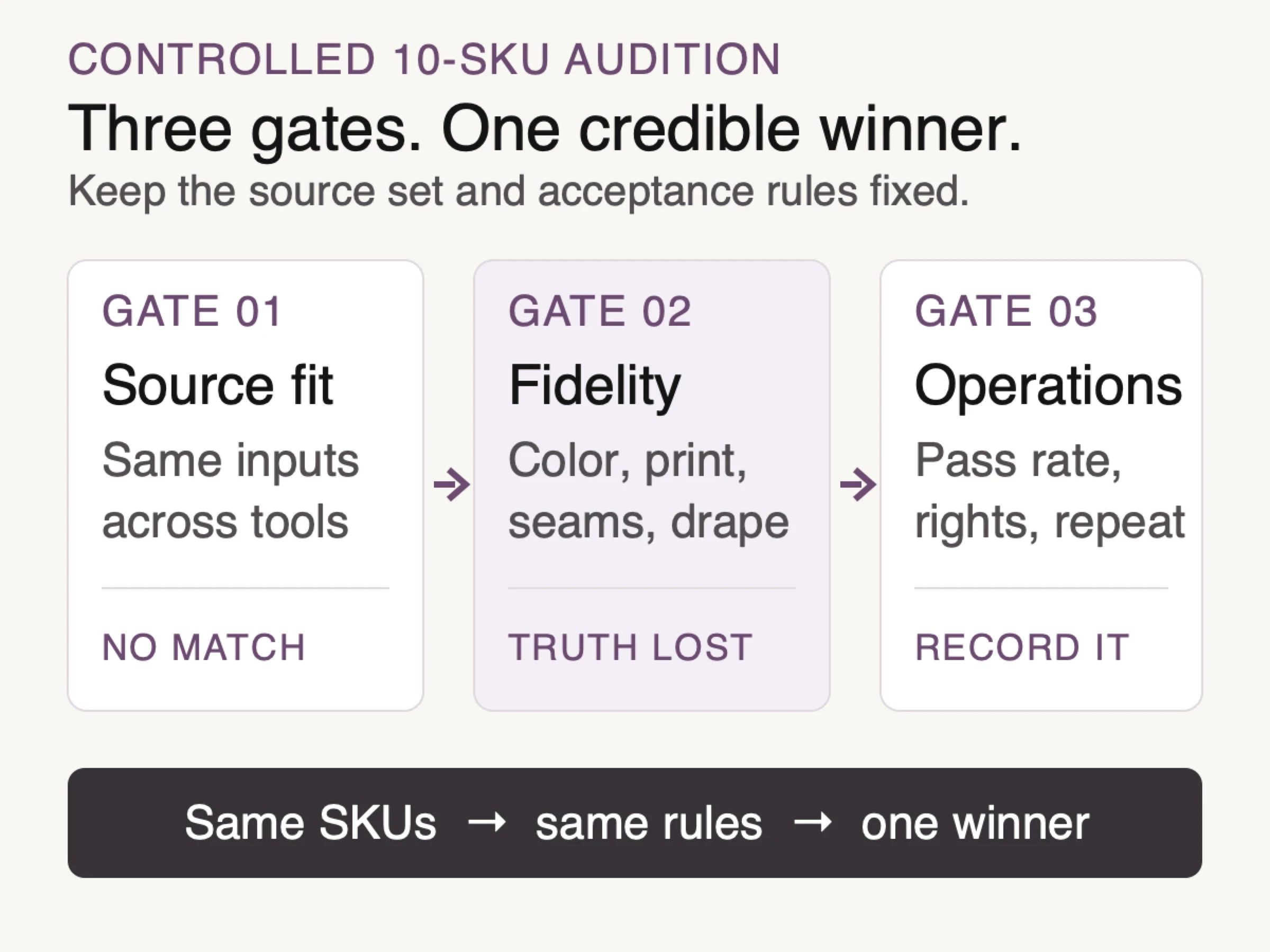
Use the same 10-SKU source set and acceptance rules at every gate.
This order matters because operational convenience cannot rescue an inaccurate garment. A fast bulk tool that changes a logo or closure simply produces rejected work faster. Conversely, one beautiful frame does not establish repeatability across a catalog.
Use the same brief, source files, aspect ratio, target channel, and acceptance rules for every candidate. Let each vendor use its native workflow rather than forcing identical prompts into systems that are built differently. The comparison should hold the commercial job constant, not pretend every interface has the same controls.
Four credible options, based on what they document now
The following shortlist is not a quality ranking. It records current official workflow descriptions and the type of evaluation each one deserves.
Look Atlas: product-led campaign range
Look Atlas starts from product imagery and lets the user direct the model and styling. Its relevant fit is a team that wants on-model, studio, lifestyle, and campaign-oriented visuals inside one product-imagery workflow. Test it on whether the same product truth survives that wider creative range, especially when moving from a restrained PDP alternate to a more directed campaign frame.
Photoroom: suite, batch, and Shopify paths
Photoroom's official AI Fashion Models guide documents one or more source images, preset or custom models, pose and background choices, brand settings, Batch, and Shopify access. Its custom-model guidance also tells users to own the uploaded model photo or have permission to use it. Evaluate it when the surrounding suite and commerce workflow matter as much as the model-generation step.
Botika: constrained fashion-specific routes
Botika documents different behavior by source. An existing on-model photo can keep the pose and body while changing the person and background. Flat-lay or mannequin sources can move through model, pose, and background selection. Botika also states that it does not support custom text-prompt generation. That constraint may suit a team that prefers structured choices; it may not suit one that needs open-ended art direction.
OnModel.ai: bulk conversion from established inputs
OnModel.ai documents preset or uploaded model photos, flat-lay, ghost-mannequin, hanger, and mannequin sources, bulk processing, and optional retouching. Evaluate it with a mixed source set and inspect whether bulk handling preserves the exact product differences that distinguish neighboring SKUs.
Public feature pages narrow the shortlist, not the winner
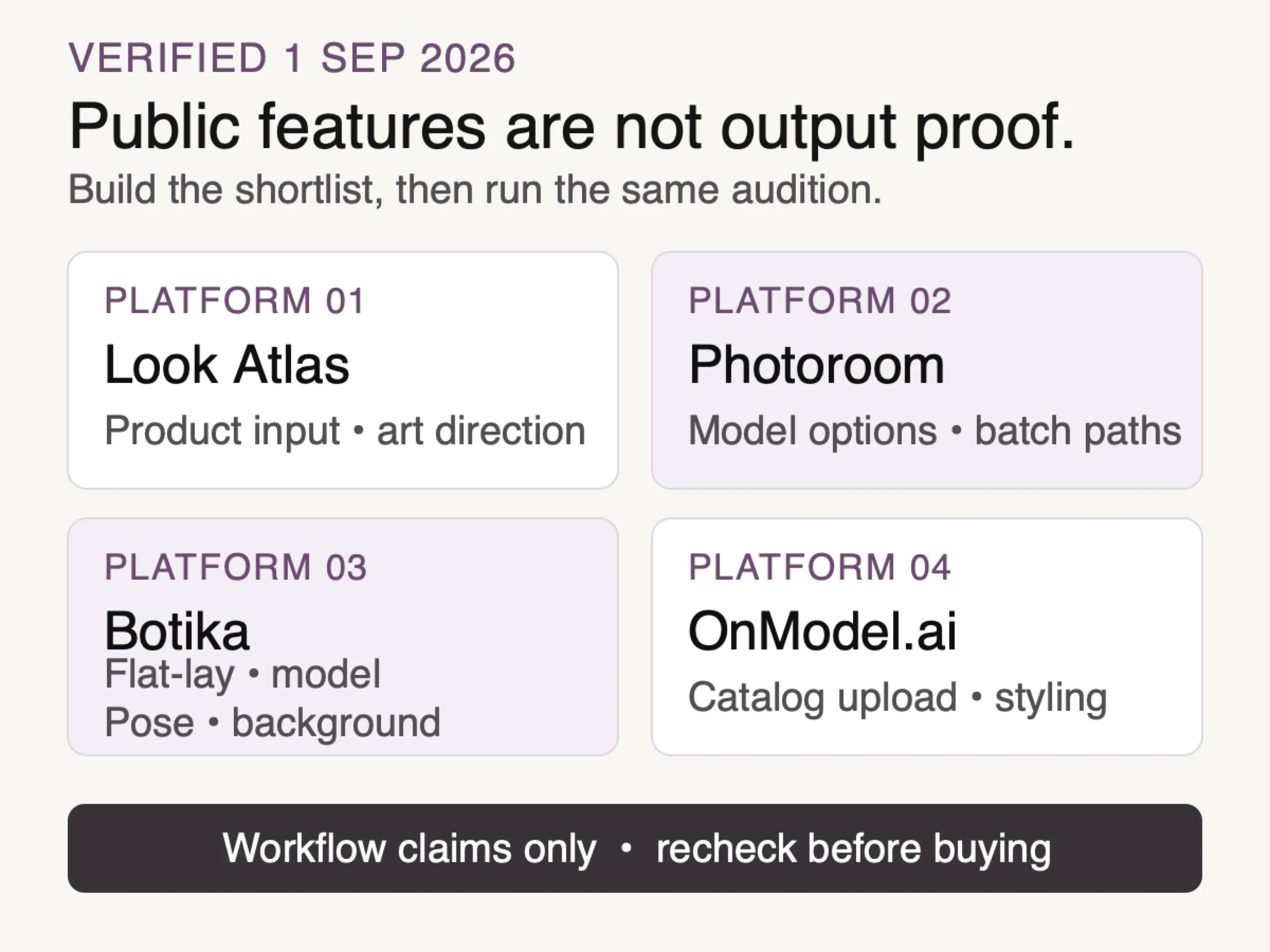
Official feature pages checked September 1, 2026. Workflow capability only; this is not an output-quality ranking.
Each description above answers a workflow question: what goes in, which controls are documented, and how work can move through the system. None answers the hardest purchasing question, which is how reliably the platform will preserve your products under your art direction.
Research on virtual try-on helps explain why a controlled review is necessary. Google researchers describe detailed garment-characteristic preservation as an active challenge. The DualFit paper calls out logos and printed text as failure-prone details, while the VTON-IQA benchmark separates garment fidelity from person-specific detail when evaluating quality. These are field-level findings, not scores for the four vendors above. They justify testing the attributes your catalog makes difficult.
Run a 10-SKU audition before buying at catalog scale
A fair audition should include one easy baseline and nine products designed to reveal different risks. Do not let the vendor or reviewer choose only plain, symmetrical garments.
Use this set:
a plain knit for baseline behavior;
a stripe or check that exposes pattern drift;
a logo or typographic print;
an asymmetrical closure;
visible buttons, zippers, buckles, or other hardware;
sheer, reflective, or textured fabric;
black-on-black seams or construction details;
a product with verified front and back sources;
a loose garment whose value depends on drape;
a strap, ruffle, tie, or edge detail that is easy to duplicate or lose.
For each SKU, ask for the smallest set that reflects the real use case. A PDP alternate might need front, three-quarter, and back views. A paid-social concept may need a tighter crop and copy-safe negative space. Keep the model direction and background family stable enough that inconsistency becomes visible.
Review at full size against the source. Mark pass, repair, or reject for color, graphic placement, seams, closures, hardware, silhouette, length, drape, crop, and model consistency. Write defects in product language: “left cuff lost two buttons” is useful; “looks off” is not.
Calculate usable yield as accepted outputs divided by all generated outputs. If 18 of 30 generated frames pass without repair, the usable yield for that test is 60 percent. That number is not an industry benchmark. It is a catalog-specific measure that lets finance compare cost per accepted asset instead of cost per click or credit.
Judge the garment before the face
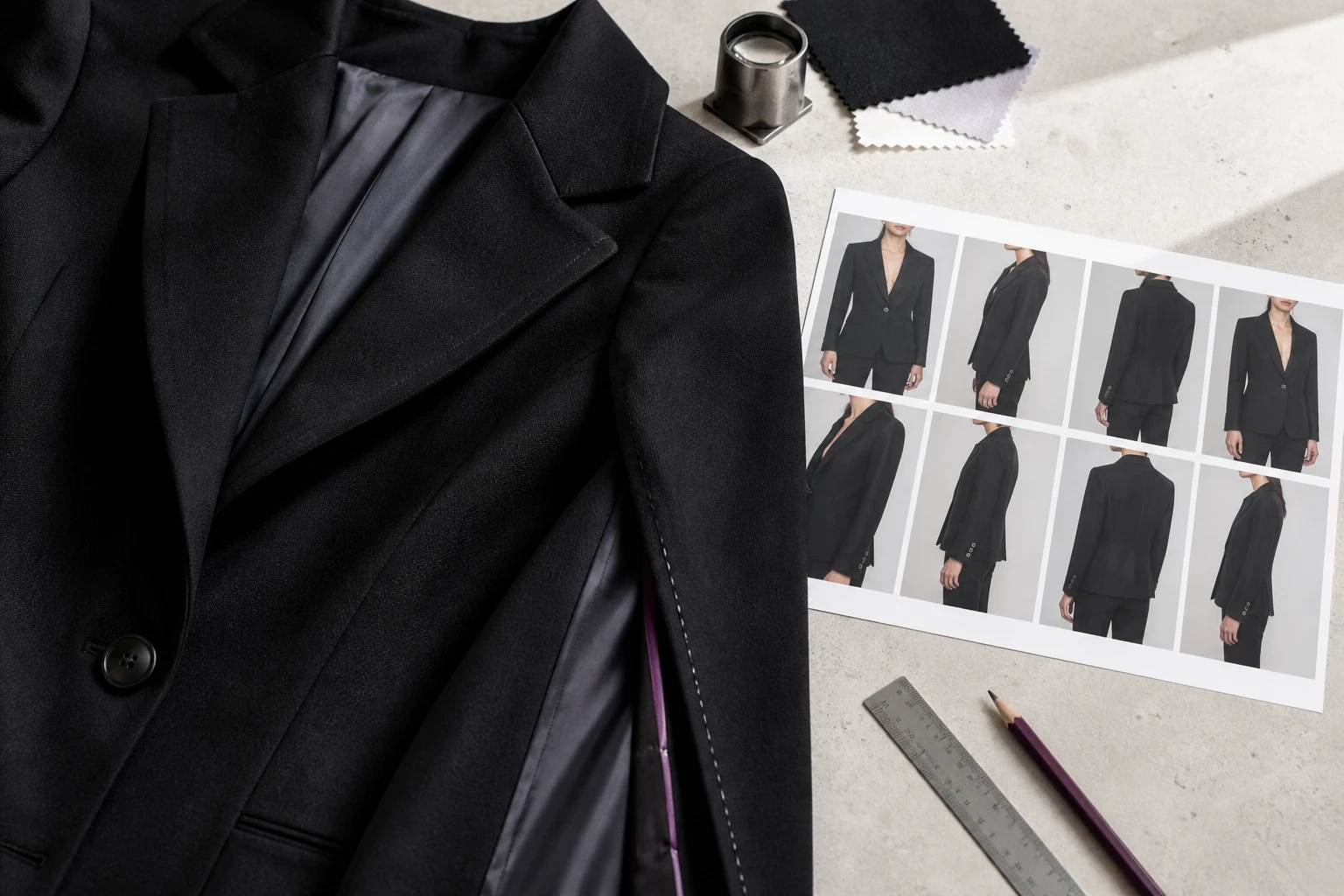
Conceptual illustration: garment-first review with a source piece and contact sheet; this is not product-interface or fidelity proof.
Creative review often begins with the model because faces command attention. Reverse the order. Hide or ignore the face on the first pass and compare the product alone. Start at the neckline, move through seams and closures, check prints and hardware, then confirm silhouette, hem, and drape. Review the model, pose, lighting, and mood only after the sellable item passes.
Keep a rejection log with the source, output, vendor, settings, defect, decision, and reviewer. Repeated failures matter more than isolated oddities. Pattern drift across several checked fabrics should change the purchasing decision or trigger a category-specific fallback.
Add governance before delivery
Confirm who owns the product and model sources, what the current vendor terms permit, and which channels will receive synthetic imagery. For a custom model photo, obtain the necessary permission before upload. Keep the approved output tied to its source and review record.
Google's current generative-content guidance recommends useful context about automation and points ecommerce teams to the IPTC DigitalSourceType value TrainedAlgorithmicMedia. Its image metadata documentation covers IPTC and C2PA context. Recheck destination rules at export.
Provenance metadata does not prove product accuracy. It answers how an image was made. The source comparison and approval record answer whether the visible garment is acceptable.
Where Look Atlas fits in the shortlist
Look Atlas is relevant when a team wants to start from product photos and direct on-model, studio, lifestyle, and campaign visuals. Run it through the same 10-SKU test as every other candidate. It should advance only if accepted outputs, review flow, and creative range fit the catalog job. For broader context, use the AI product photography guide and current AI fashion photography page.
Choose the system that fails visibly
The safest AI clothing model generator is not one that appears never to fail. It is one whose failures your team can see, describe, reject, and trace before publication. Build the shortlist from verified source compatibility and documented workflow features. Select the winner with the same difficult 10-SKU audition, not a demo reel.
The final decision should fit on one page: accepted source types, fidelity findings by product risk, usable yield, repeatability, operating fit, governance notes, current commercial terms, and the categories that still require physical photography. If the evidence is inconclusive, extend the audition. Do not turn uncertainty into a catalog rollout.
