Packshot ecommerce: on white is not the same as transparent
“Clean packshots” can mean two different deliveries: product images ready for a white listing page, or reusable cutouts a designer can place on another background. They can look identical in an approval preview and behave differently in the next layout. Specify which you need before the files arrive.
A packshot is a product-focused image that makes the item's shape, finish and packaging easy to identify, usually against a quiet background. For ecommerce, its usefulness depends on both the visible product and the file delivered around it. A white background, transparent pixels and an editable shadow are separate choices.
The background can be part of the picture or part of the page
An on-white packshot contains white pixels around the product. Those pixels remain in the file when it is placed on a plum banner or a gray product card. If the white rectangle is unwanted, the designer needs a different derivative or a properly prepared cutout.
A transparent cutout instead allows the destination background to show through designated areas. Transparency describes the image file, not the physical material: an opaque black bottle can have transparent space around it. A glass bottle can still be delivered inside an entirely opaque photograph.
This distinction is already part of professional delivery practice. Outshinery's current Studio documentation lists a transparent PNG, a layered TIF with its shadow on a separate layer, and a white-background JPG. Those are that provider's stated deliverables, not a universal package every studio includes.
Ask for the intended behavior, not just “a PNG.” PNG can carry transparency, but a PNG can also contain an opaque white background. Adobe's transparency guidance distinguishes transparent pixels from matting, which fills or blends them with a chosen background color. JPEG does not support transparency.
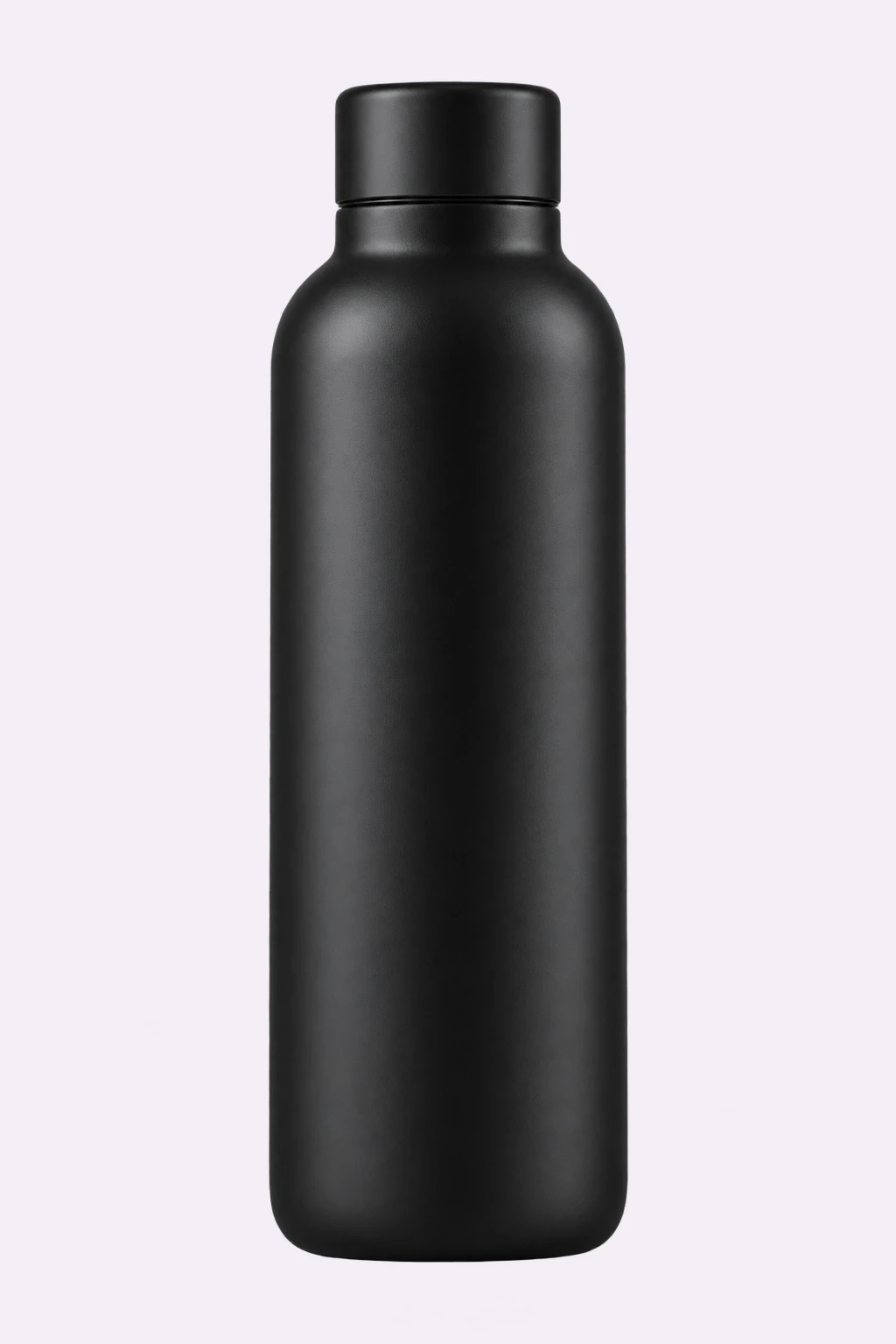
Conceptual illustration: the synthetic bottle used in the file demonstration below, displayed here on a pale background. It is separate from the hero bottle.
Two PNGs reveal why the filename is not enough
We checked that distinction using the fictional bottle illustration above. The original PNG has a genuine alpha channel, the per-pixel information that describes opacity. We rendered it directly, then drew the same source over white in a browser canvas and exported a second PNG. We did not remove a background or reconstruct a product.
Both files are 1,024 × 1,536 pixels. The original contains 1,049,394 fully transparent pixels; the white-backed export contains none. At the top-left corner, the original alpha value is zero, while the exported corner is opaque white. The illustration also contains partially transparent bottle pixels, so this is a file-behavior demonstration, not a claim that the source is a perfect commercial cutout.
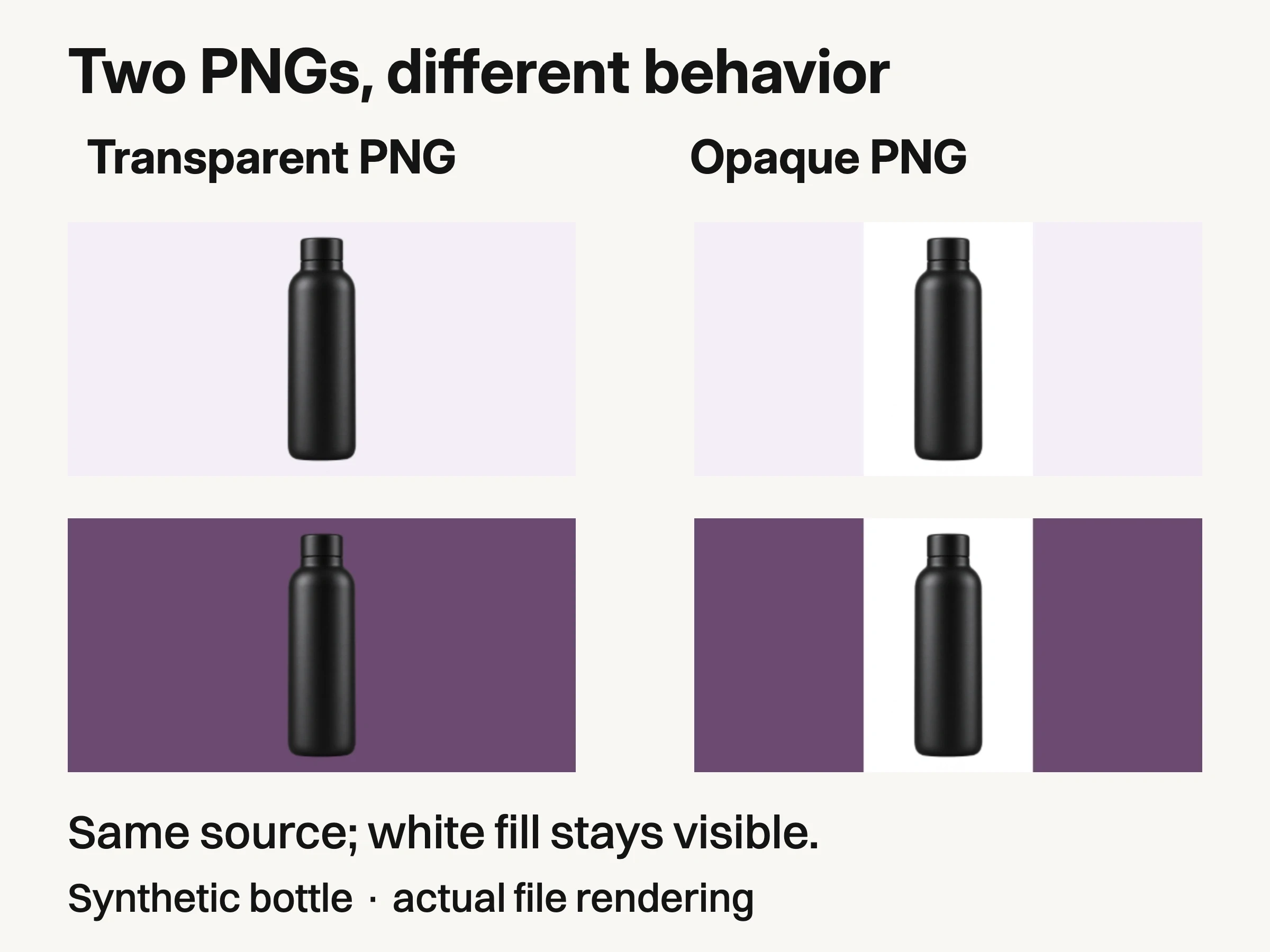
Controlled file example, October29, 2026 (Karachi): the same synthetic source as transparent PNG and white-filled PNG, shown on light and plum backgrounds. Actual alpha inspection and browser captures; no product-fidelity or background-removal test.
The captures show both files on light and plum backgrounds. The transparent areas reveal the layout underneath. The white-filled areas remain a visible rectangle. Nothing about the .png extension alone tells the recipient which result to expect.
The PNG specification describes alpha as optional transparency information. For a practical delivery check, open the exported file in an editor that displays transparency, then place it over contrasting backgrounds. Check the downloaded export, not only the layered working document or a screenshot of its checkerboard.
Inspect the perimeter at its intended display size and close enough to catch residual background, clipped edges or unexpected translucency. A pale fringe may be invisible on white and conspicuous on a darker layout. The comparison here proves background behavior only; it does not test a background-removal service, physical product accuracy or marketplace approval.
A shadow can travel with the product or remain editable
A contact shadow helps communicate that an object rests on a surface. But a shadow approved for one placement may look too dark, too long or incorrectly positioned in another. Decide whether it should be included in the final listing image, combined with the cutout, or supplied separately in the working master.
Once product, shadow and background are flattened together, the recipient cannot simply hide a shadow layer. Removing or changing it becomes another edit. A transparent PNG can include a shadow in its pixels, but that does not make the shadow independently editable.
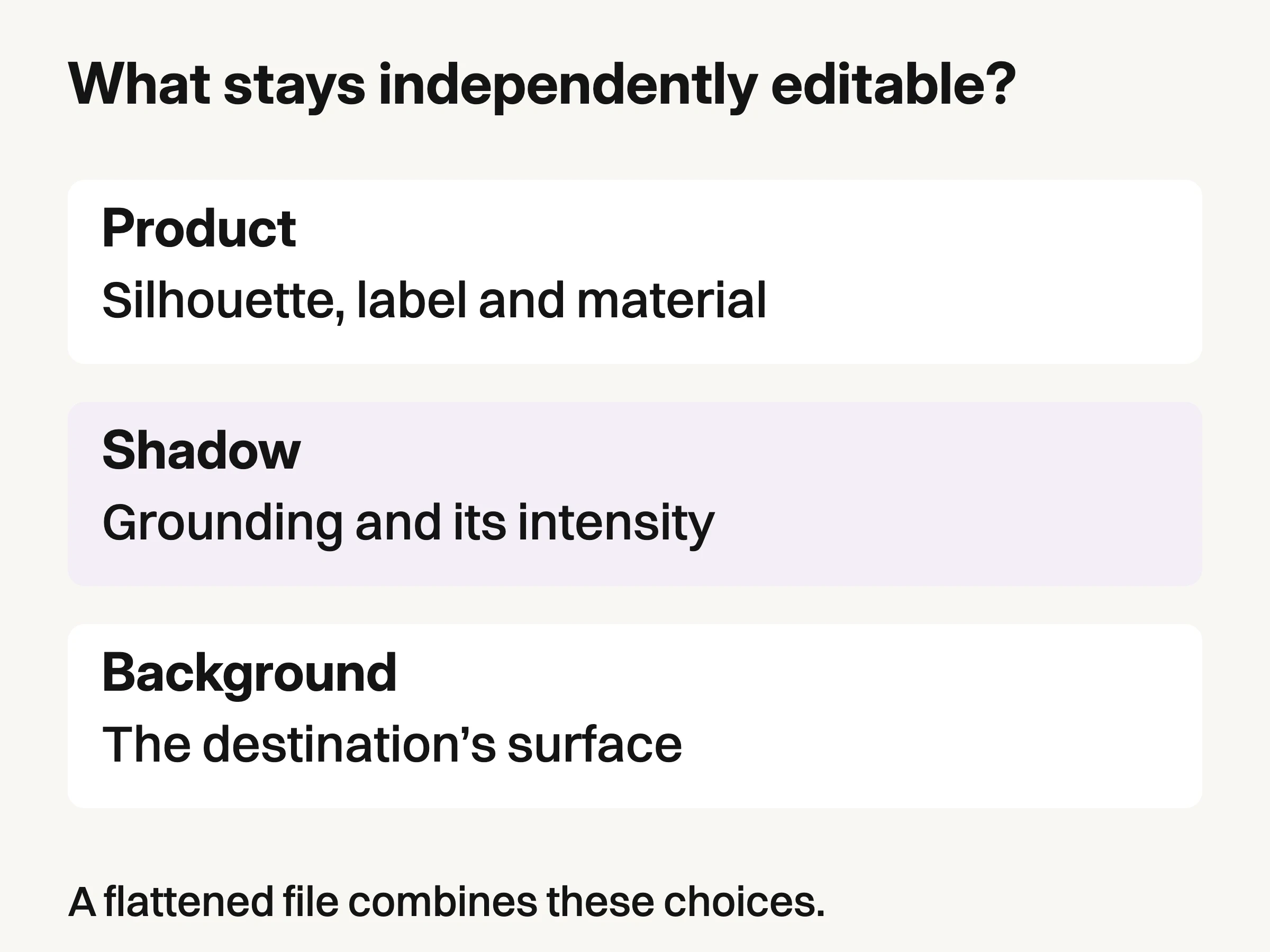
Editorial model of a requested working-file structure. It does not depict layers extracted from the bottle fixture.
For a reusable master, ask which elements remain separate and which receiving software can open them. Do not infer layers from a .tif filename: request and inspect the actual layer structure. Adobe recommends keeping a PSD working copy before export to retain layers, effects and editing capability. Agree a compatible working format with the recipient rather than treating one extension as a universal answer.
The diagram describes a requested editing structure, not layers extracted from the bottle example. That example contains no separately captured shadow. Its role is narrower: showing how transparent and opaque background pixels behave.
Specify the delivery by what the next person must do
A listing operator may need a finished image with nothing left to adjust. A designer building a seasonal layout may need a cutout and control of the shadow. Neither deliverable is inherently superior; they serve different jobs.
Recipient's next action | Delivery to specify and check |
|---|---|
Upload a finished white-background listing image | A flattened export with the agreed background, crop and shadow, meeting that destination's current requirements. |
Place the product on a colored layout | A transparency-supporting file with actual transparent background pixels; inspect it on the intended surface. |
Change the shadow without editing the product | A compatible layered working file with product and shadow separately controllable, plus an approved flattened preview. |
Build several final placements from one approved view | The reusable master and named destination exports, with the same product identity and an explicit version relationship. |
Specify actual background and layer behavior, then test a sample in the receiving workflow.
For example, a brief can request “one finished white-background listing export and one transparent cutout without a shadow; provide the shadow separately in the agreed working file.” Name the view, variant and destination too.
Use a sample delivery to confirm those decisions. The recipient should open the working file, switch the shadow off if that was promised, place the cutout on the intended background, and compare the flattened preview. If the product edge changes or the supplied software cannot expose the layers, resolve that discrepancy before accepting the remaining files.
Reusability does not replace a destination check
A reusable cutout is not automatically the final image for every channel. Google Merchant Center's image guidance separates the main product image from additional angles and lifestyle imagery. Check its current content and background rules for the submitted image; do not assume that a transparent master or a styled banner is the right upload merely because it contains the product.
A cutout retains the original product lighting. It does not automatically relight highlights or make shadows physically plausible. Brief clear or reflective materials separately; the bottle example does not establish glass or polished-metal behavior.
If the next job is a contextual scene rather than a listing export, the lifestyle product photography services guide helps frame that separate commission. Look Atlas can create generated studio, lifestyle and campaign-style imagery from product photos. Review those proposed visuals against the approved product reference. This article does not claim that Look Atlas supplies transparent exports, layered files or isolated shadow layers.
Before accepting the delivery, have its recipient upload the listing image, place the cutout or adjust the shadow. Approve the requested behavior in its destination, with the product still represented correctly.
