
Model With Jewellery Photography: Build a Worn-View Brief
Model with jewellery photography works when the body becomes a reliable scale and placement reference, not decoration around a small product. Give each frame one primary job: show where the piece sits, how it projects from the body, or how it reads in a styled scene. If one image tries to prove all three, the jewelry usually becomes too small to inspect or the model becomes too tightly cropped to provide useful context.
Start from an approved product record with dimensions, straight-on and profile views, metal and stone references, and visible construction. The worn frame can then add context without becoming the only evidence of size, color, finish, or fit.
Match the jewelry type to one worn-view check
Jewelry type | Worn-frame release check |
|---|---|
Ring | Keep the finger relaxed and the full setting visible. Check band width, setting height, orientation, and apparent size against the recorded dimensions. |
Earrings | Show the attachment point and complete silhouette. Add a profile or three-quarter view when projection, post, hoop depth, or drop matters. |
Necklace | Name the chain length, neckline, and center landmark. Check pendant drop, chain tension, clasp direction, and whether hair or fabric hides the construction. |
Bracelet or watch | Keep the wrist neutral and show the closure in a separate frame. Check case or centerpiece width, link scale, overlap, and apparent tightness. |
The release table turns each jewelry type into a specific placement, attachment, and apparent-scale check.
This is a release aid, not a posing menu. Reject an elegant hand if the ring setting tilts away. Reject polished styling if the necklace crop conceals the chain length the frame should show.
Etsy's seller guidance treats scale as a distinct image job and recommends models for wearable products, alongside detail and additional-angle photography. Google Merchant Center currently draws a similar channel boundary: it recommends showing non-clothing accessories alone in main images and on a model in additional images. The practical implication is clear. Keep the factual product image and the worn view together instead of asking the model frame to replace the product record.
Brief the body site like part of the set
Write five fields before you write the pose. First, name the anatomical landmark: collarbone center, earlobe, second knuckle, wrist crease, or another repeatable point. Second, state the pose boundary: neutral wrist, shoulders level, chin angle, hand tension, or hair position. Third, state the contact or attachment that must remain visible. Fourth, list permitted and forbidden occlusion. Fifth, attach the reference that controls scale and product identity.
For a pendant, a usable line might read: “Center the bail two finger-widths below the suprasternal notch, keep both chain shoulders visible, and do not let hair cross the chain.” For a drop earring: “Show the lobe, fastening point, and full drop in one profile frame; keep the far earring out of the silhouette.” These are production instructions. “Make it luxurious” is only an art-direction note.
Measure the piece and record the relevant body-site assumption. A 45 cm chain does not sit at the same point on every neck, and a ring can look larger on a narrower finger. On-model photography provides a human reference, not a universal fit guarantee. Keep exact dimensions in the product data and retain a measured or packshot view when size affects the purchase decision.
Choose the frame by the question
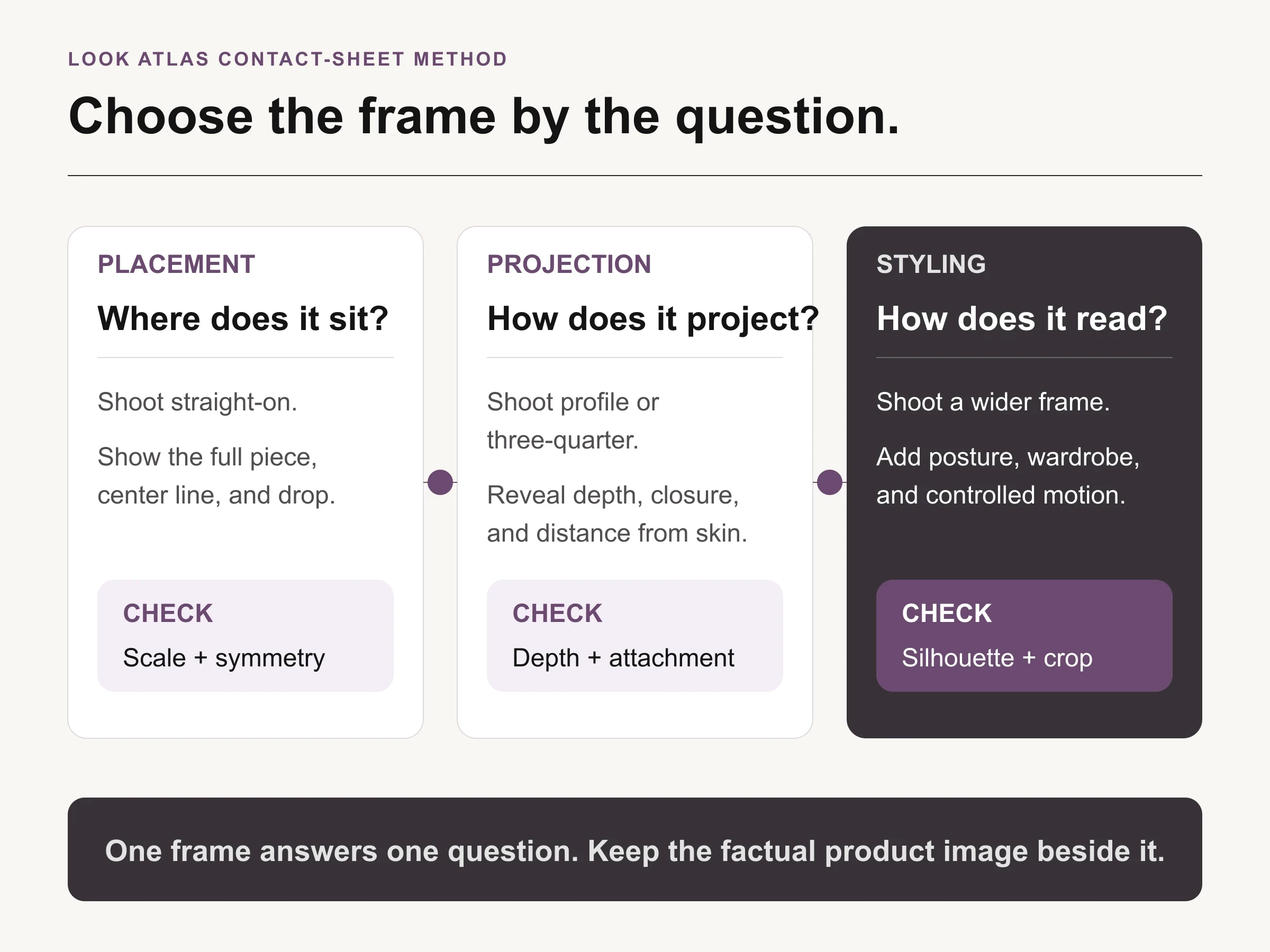
Choose the frame from the evidence job: placement, projection, or styling context.
A straight-on frame is best for placement, symmetry, drop, and pair relationship. A profile or three-quarter frame is better for projection, depth, attachment, and how a hoop or setting stands away from the body. A wider frame adds posture, wardrobe, and styling context, but it is a weaker place to inspect a clasp, prong, hallmark, or small stone.
Do not turn those views into interchangeable crops from one oversized file. The camera position, focal plane, hair, clothing, and pose should be directed for the question. If the necklace must sit on the sternum, compose around that landmark. If an earring's projection is the point, protect the edge profile and separation from hair.
Use one hero frame per question, then build the contact sheet around it. That makes rejection specific: the placement frame fails because the chain center moved, the profile frame fails because the post is hidden, or the styling frame fails because the product disappears at card width.
Protect camera geometry and material response
Set camera distance before chasing a flattering crop. Nikon's current focal-length guidance explains that focal length changes angle of view and magnification, with standard lenses offering minimal distortion and 70 to 200 mm telephoto lenses commonly used for portrait and product work. Treat those ranges as starting points, not compulsory settings. Sensor size, available space, desired crop, and working distance still matter.
For close portrait crops, avoid moving a wide lens close to the model simply to make the jewelry fill the frame. That can exaggerate whichever feature is nearest the camera and alter the relationship between ear, hand, neck, and jewelry. Step back, choose a focal length that preserves the intended perspective, lock the camera, and then adjust the crop.
Light skin and jewelry as separate surfaces inside one exposure plan. The Gemological Institute of America recommends using one color temperature, and notes that diffused light can support gemstone color and create soft tonal gradients on polished metal. It also warns that direct light can darken transparent stones or create hot spots, even though a controlled direct accent can add selected sparkle or dispersion.
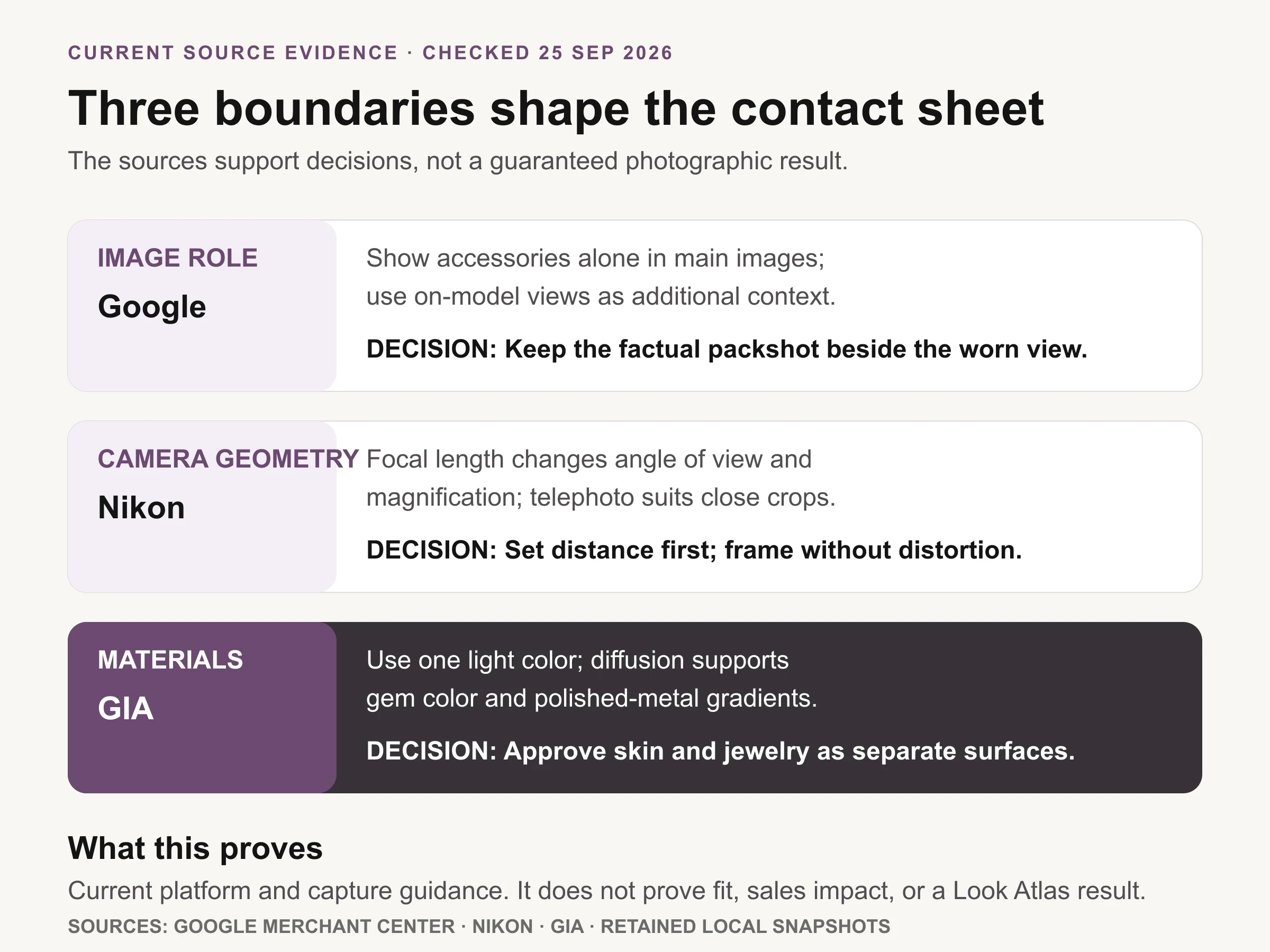
Sourced chart: Google Merchant Center, Nikon, and GIA guidance, checked September 25, 2026. These are boundaries, not universal camera settings or performance claims.
This sourced chart proves only the current platform and capture guidance. It is not a before-and-after test, a claim about conversion, or evidence that one lens or light will suit every piece.
Begin with a broad, controlled source that gives the face readable shape and the jewelry a continuous highlight. Then add a small accent only when it has a named product job. Check skin exposure, metal gradient, stone color, focus, and clipped reflections separately. If a beauty adjustment makes the stone go dark or a jewelry accent creates an unflattering skin hotspot, move the source or make a documented composite rather than approving the compromise by feel.
Keep physical and generated workflows distinct
A physical model shoot records a real person, a real piece, and a real attachment at a moment in time. It still needs a product reference, measurement record, styling brief, and retouching boundary. For commercial use, confirm the photographer's rights and the model release for the intended media, territory, and term. The U.S. Copyright Office notes that the photographer is generally the initial copyright owner unless another valid arrangement applies. This is a production checkpoint, not legal advice.
A generated on-model image has a narrower evidentiary role. It can explore styling, casting direction, crop, background, or campaign context, but it should not be presented as documentary proof of exact fit or scale without verification. Retain the source product imagery, label the generated context, and record how the asset was created. Google Merchant Center's current AI-image guidance requires preserved IPTC DigitalSourceType metadata for AI-generated product data images.
In either workflow, do not use perspective, retouching, or generation to enlarge a stone, thin a band, change a setting, conceal a clasp, or imply a different material. The U.S. Federal Trade Commission's Jewelry Guides address deceptive visual representations and apparent gemstone size. When exact size matters, pair the worn frame with dimensions and a factual product view.
Approve the product, placement, and gallery separately
The first pass is the product pass. Compare the frame with the approved source at full size. Check stone shape and color, setting, prongs, chain or links, clasp, engraving, pair count, metal finish, and any intentional asymmetry. Reject a technically attractive frame if it changes the item being sold.
The second is the body-placement pass. Check the named landmark, pose, contact point, occlusion, apparent scale, and whether the model's movement changes the image's claim. A hand can rotate a ring away from its approved orientation. Hair can make one earring look shorter. A raised shoulder can shift a necklace center enough to defeat a placement frame.
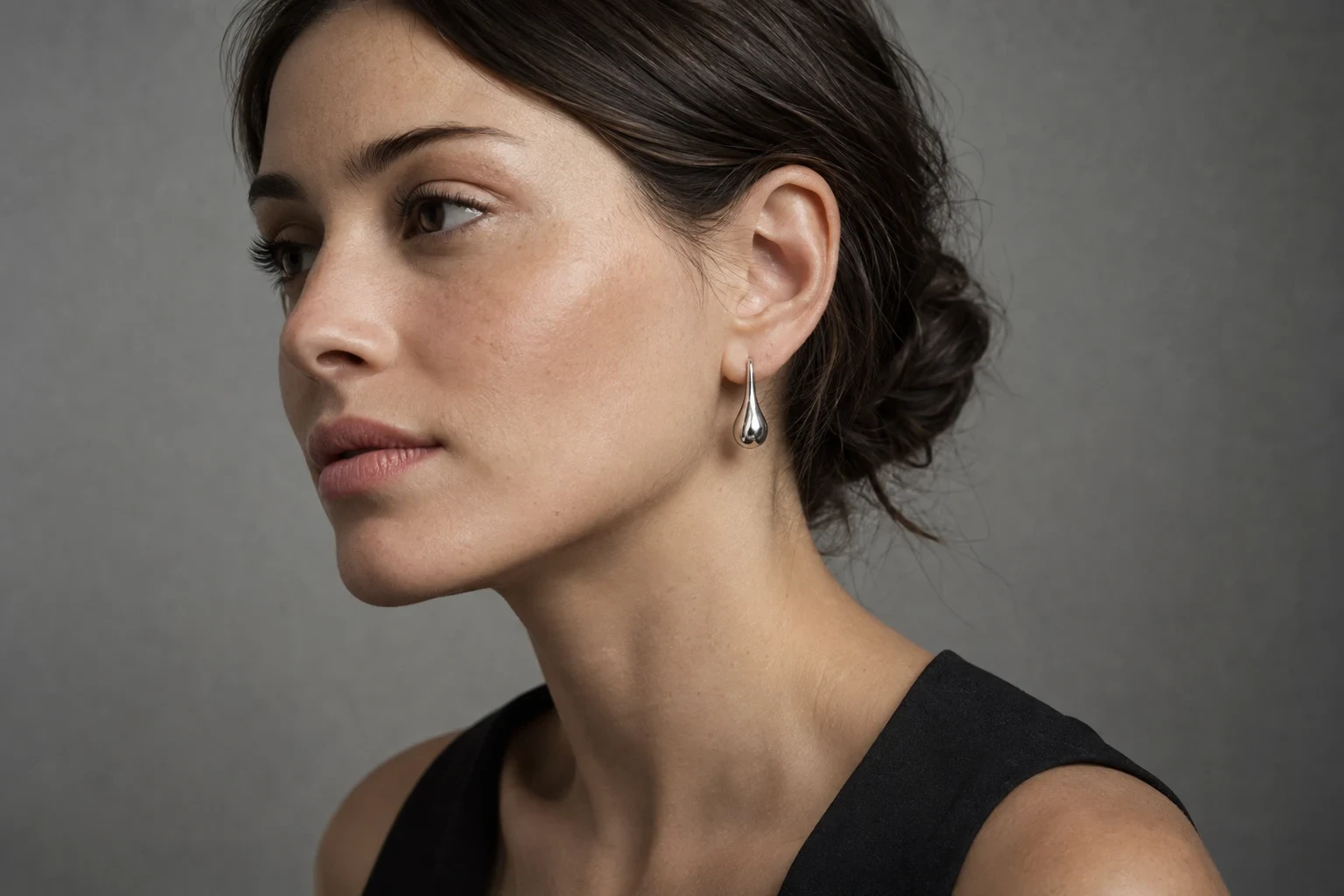
Conceptual illustration: a clean earring sightline can show the attachment and complete silhouette, but it does not prove exact fit, scale, or SKU fidelity.
The conceptual frame above demonstrates a clean earring sightline, not a controlled fit or fidelity result. Its useful idea is the separation: hair leaves the attachment and silhouette visible, while the profile gives the earring enough space to read. Apply that composition to a real SKU only after the product, dimensions, and release criteria are documented.
The third is the gallery and rights pass. View the image at product-card, product-page, and intended campaign sizes. Confirm that the jewelry remains identifiable, the factual product image is still present, the crop matches the channel role, and the required rights, release, and provenance records are attached.
Use Look Atlas after the product record is accepted
The current Look Atlas jewelry workflow presents a sequence that begins with uploaded jewelry imagery and moves into model and setting choices for rings, necklaces, and earrings. That makes it relevant after the factual source pack and worn-view brief are complete, not before.
Use the accepted packshot, profile, and measurements as the review standard. Direct one missing image job at a time, such as a necklace placement frame or an earring profile. Then run the same product, placement, and gallery passes used for a physical shoot. Reject altered stone geometry, changed attachment, invented chain detail, hidden construction, or implausible scale. Keep the factual product imagery in the gallery and label generated context honestly.
The broader professional jewelry photography guide covers capture, details, retouching, and the full image set. This page owns the narrower worn-view brief and release decision.
Build one four-SKU contact sheet before scaling
Choose one difficult ring, one earring pair, one necklace, and one bracelet or watch. For each SKU, write a single frame job, body landmark, pose boundary, contact or attachment rule, occlusion rule, product reference, and release check. Produce only the straight-on or profile frame that answers that job.
Review the four frames together at card size and full resolution. If reviewers cannot name what each image proves, the brief is still too vague. If they can identify the product, placement, and failure condition without explanation, save the contact sheet as the collection standard. Scale the method only after those four pieces survive all three approval passes.
