
Lifestyle product photos: choose the scene for the question
A lamp can look perfect in a reading corner while leaving the buyer unsure whether its base will crowd a desk or its switch is easy to reach. Lifestyle product photos become useful when the scene makes that missing relationship visible. A beautiful room alone cannot answer every practical question about the object inside it.
For an ecommerce team, the decision is more specific than “studio or lifestyle?” Choose what the viewer needs to understand, then arrange the product, surroundings and action so that understanding is possible. The same setting can support a different answer when you move the camera, reveal a reference object or show the moment of use.
A setting suggests a life; a relationship explains a product
Lifestyle product photos show an item in an environment or activity rather than isolating it against a plain background. They can suggest where it belongs, show how someone interacts with it, or make its physical presence easier to judge. Those jobs overlap, but they are not interchangeable.
Consider a hypothetical compact desk lamp. A wide photograph with an armchair, blanket and book suggests a quiet evening. It may be a good campaign image. Yet the lamp could occupy such a small part of the frame that the viewer cannot tell where its switch sits. A closer view might reveal the switch but remove the furniture that helped establish scale.
The question determines which relationship deserves the space. For “Will the base leave room for my notebook?”, show the base and usable tabletop together. For “How do I turn it on?”, show the actual control and the interaction that operates it. For “Does this suit a calm reading corner?”, the wider arrangement may be the right answer.
This is a proposed way to direct a scene, not a claim that every product requires three lifestyle images. Keep the relationship that matters visible; let the rest of the styling support it.
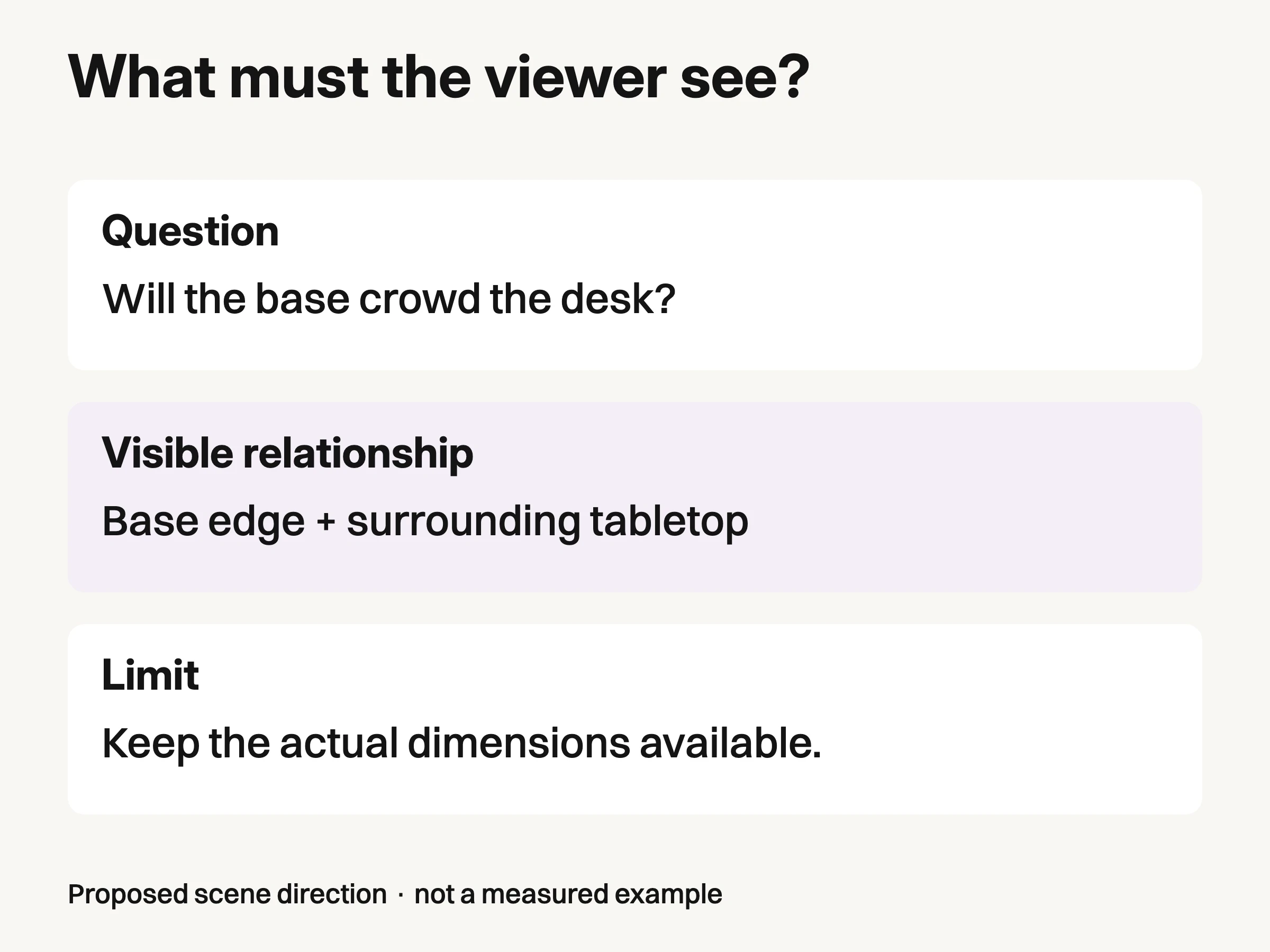
Proposed scene direction for a hypothetical lamp. A visible reference helps interpretation; actual dimensions remain necessary.
A room photograph is not automatically a scale photograph
Scale needs a reference the viewer can interpret. A lamp against a blank wall can look large or small because there is little to compare it with. A desk edge, a familiar object or a person may help, provided the relationship is truthful and remains visible in the delivered crop.
Baymard's March 2026 product-page benchmark reports that 37% of benchmarked sites do not provide in-scale images. That is a finding about the benchmarked sites, not a percentage of shoppers or an estimate of lost sales. It gives teams a reason to check whether their imagery actually communicates scale, rather than assuming any styled setting does so.
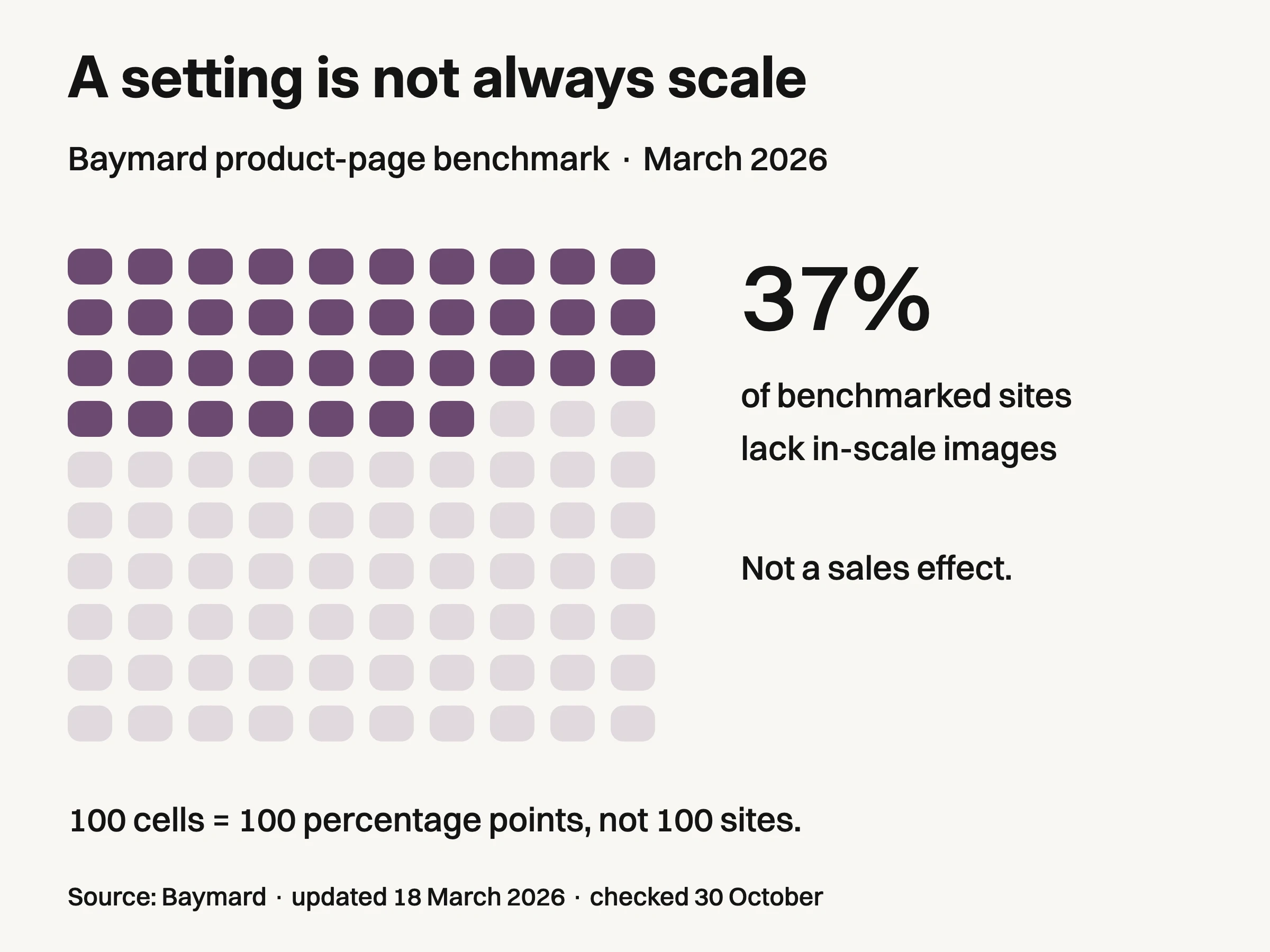
Source: Baymard product-page benchmark, updated March 18, 2026 and checked October 30, 2026. 37% of benchmarked sites lack in-scale images. Each cell is one percentage point, not an observed store. This does not measure sales impact or rate the remaining sites as excellent.
For the lamp, a book placed beside the base can offer a rough visual comparison, but books come in different sizes. It cannot settle an exact clearance question. Keep written product dimensions available, and use a clearly identified measurement when precision matters. The image helps someone interpret those facts; it does not replace them.
Camera position also changes the reading. Fujifilm’s perspective explanation explains how proximity changes apparent size. A nearby object can appear disproportionately large relative to something farther away. If the intended comparison is lamp base versus available tabletop, show their shared surface clearly rather than relying on a dramatic foreground prop. Do not resize the lamp in a composite until it “looks balanced” and then use the result as a size demonstration.
A useful review question is: what does the viewer have to assume to reach the answer? If they must guess the size of the prop, the distance between objects and the hidden edge of the desk, the scene is still asking them to do most of the work.
Show the interaction, not just the atmosphere around it
An in-use scene needs to reveal the relevant action. A person sitting beside the lamp with a book establishes a routine, but does not show how the control works. If switch access is the question, the control and the hand's relationship to it need to be visible in an actual demonstration.
Do not let the action obscure the feature. A hand covering the entire base can make the scene feel natural while hiding the switch. Changing the viewpoint or showing the moment just before contact may communicate the operation more clearly. Where a still image cannot explain a sequence, use a verified demonstration or instructions alongside it rather than pretending one frame proves the mechanism.
The limit matters too. A glowing lamp in a dark room does not establish its measured brightness, battery duration or suitability for a particular task. Exposure and surrounding light affect the picture. Those performance questions need their own supported specifications or tests.
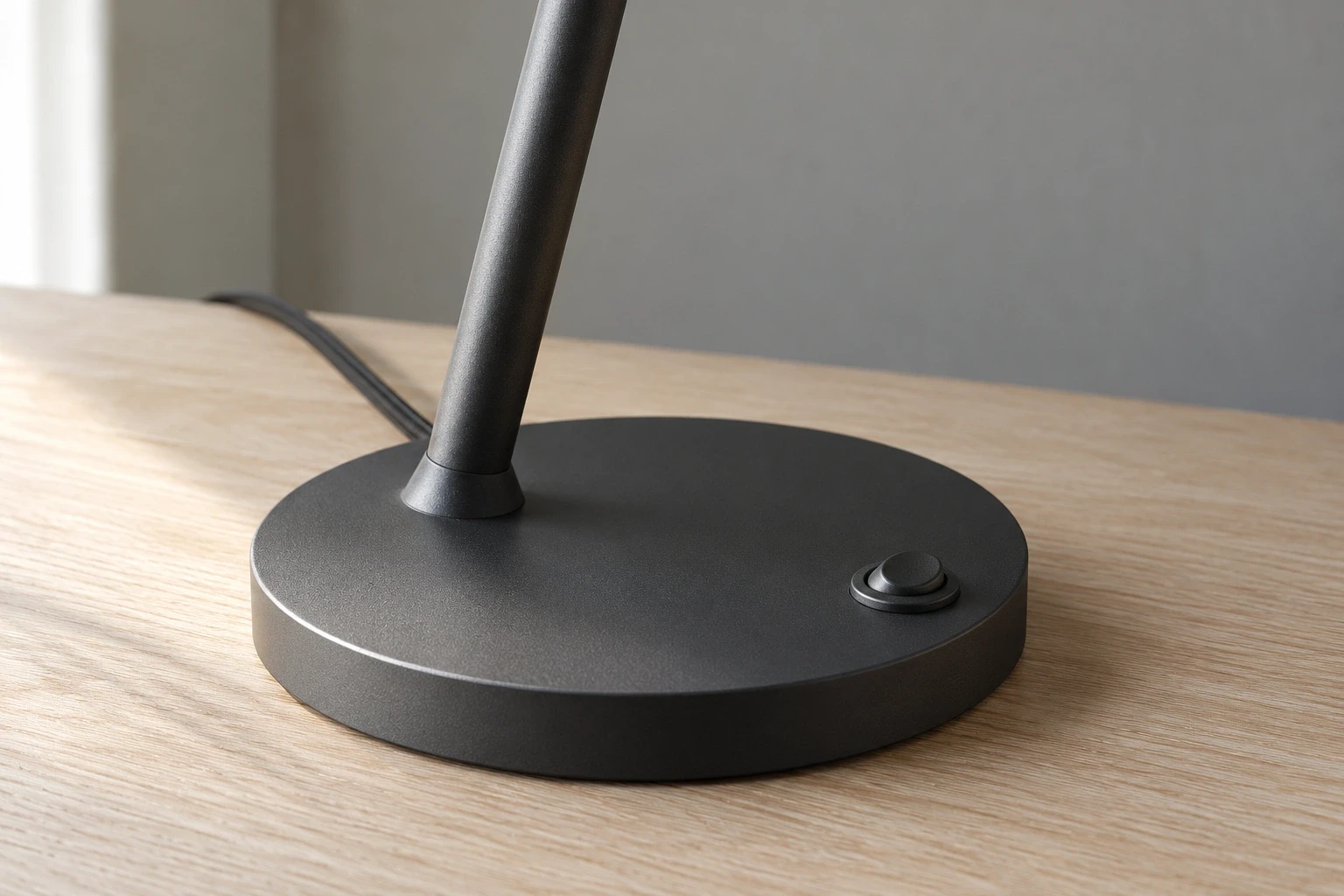
Conceptual illustration: separately generated fictional lamp detail. It is not a controlled second view of the hero, an actual operation demonstration or performance evidence.
Change the scene only when the answer survives
Once a scene answers the question, styling variations become easier to judge. You can move from a pale oak desk to a darker workspace while keeping the relevant base-to-surface relationship visible. If the new crop hides the base behind a plant, it has lost the answer even if the colors look better.
The same principle keeps props from silently changing the offer. A charging cable beside a device, a matching shade beside a lamp, or a tray beneath a bottle can look like part of a set. Confirm what is sold together. If an accessory is only styling, choose a composition and nearby explanation that make the distinction clear. Do not rely on a small disclaimer to rescue an image whose main impression is wrong.
Decide where the scene will be used before judging it
A product-page image and an advertising image may ask different things of the same scene. On a product page, the lamp image may need to explain its presence on a desk. An ad may introduce the feeling of an evening workspace. Neither task authorizes changing the lamp's shape or inventing an accessory.
Placement rules also differ. Google's current main-image guidance distinguishes the primary product image from additional views and provides a separate lifestyle-image attribute for contextual imagery. Check the requirements for the actual destination rather than assuming a photo approved for your own storefront can fill every feed field.
Use the table to repair the scene itself before requesting another location or a larger set of images.
What the scene leaves unclear | Change that helps answer it |
|---|---|
The product looks attractive, but its size is hard to judge | Reveal a truthful reference relationship and retain the product dimensions nearby. |
The setting suggests use, but the control is hidden | Move the viewpoint or interaction so the relevant feature remains visible. |
Props appear to be included with the product | Remove ambiguous props, separate the sold item clearly and explain exclusions where needed. |
A new crop removes the evidence the scene was chosen for | Reframe around that relationship before approving the derivative. |
Proposed scene repairs. Confirm the actual product facts and destination before use.
These are scene-direction suggestions, not proof that a particular layout will improve sales. The finished photograph still has to represent the actual product, including its variant, finish and included parts.
Review the delivered placement, not only the large source file. At a small display size, the cord, control or desk edge may disappear. A crop that preserves the lamp's silhouette can still lose the relationship the photograph was meant to explain. That is a content failure, even when nothing is technically cut off the product.
If the scene is for a creative test, write the question before choosing the variant. For example: does showing the control interaction help people understand how this lamp is operated? Compare scenes that differ in that intended explanation while keeping the offer and other major creative choices stable. A click difference alone does not tell you whether viewers understood the mechanism; use an appropriate comprehension check if that is the question you need answered.
Give production a relationship to preserve
A useful direction for the lamp could read: “Show the actual base on a desk with enough surrounding surface to judge its footprint. Keep the base edge visible. Use the confirmed dimensions, and do not imply the book or other styling is included.” This leaves creative room while stating what the image must explain.
For a commissioned shoot, the lifestyle product photography services guide helps separate the scene decision from the production arrangement. When approved product photos already exist, Look Atlas can create generated lifestyle and campaign-style imagery. Treat those outputs as proposed creative scenes and compare them with the product references before use. A generated hand, room or prop is not independent evidence of physical scale, fit or performance.
Take the scene you are considering and finish this sentence: “The viewer can tell ___ because ___ is visible.” If the second blank contains only a mood word, choose a more informative relationship or use the image for a purpose that genuinely calls for mood.
