
Fashion commercial photography: direct the frame around the garment
Fashion commercial photography gives clothing a persuasive setting, a person, and a point of view while still making the garment readable. The practical challenge is deciding how much visual drama a frame can carry before the clothes become incidental. A striking portrait can be a weak jacket photograph.
Start by naming what the viewer should notice about the piece, then build light, styling, action, and crop around that message. A campaign can be expressive without asking one image to explain every product detail. The method below is for directing an apparel commission, whether the final series supports a launch, lookbook, product page, or advertising placement.
Choose the garment message before the location
Choose a property the photograph can actually communicate: a coat's outline, the surface of a knit, the volume of a sleeve, or the contrast between a structured jacket and a relaxed styling choice. “Luxury” is a mood; a clearly lit lapel, deliberate proportion, and restrained environment are choices a team can work with.
Write one sentence that joins the garment to the idea. For example: “Show the coat's long line through an unhurried walking gesture against a quiet wall.” This is a hypothetical direction, not a claim about a completed shoot. It suggests casting, posture, background, and framing without prescribing a costume or a particular camera.
Use the clothing photography for ecommerce guide when choosing the mix of documentary and context images. Here, the narrower job is directing the commercial frame itself.
Build the frame at three viewing distances
Look at the proposed composition in three ways: small enough to judge its first impression, large enough to inspect the garment, and close enough to see the feature on which the image depends. This is a Look Atlas art-direction exercise, not a standardized test or a formula for sales.
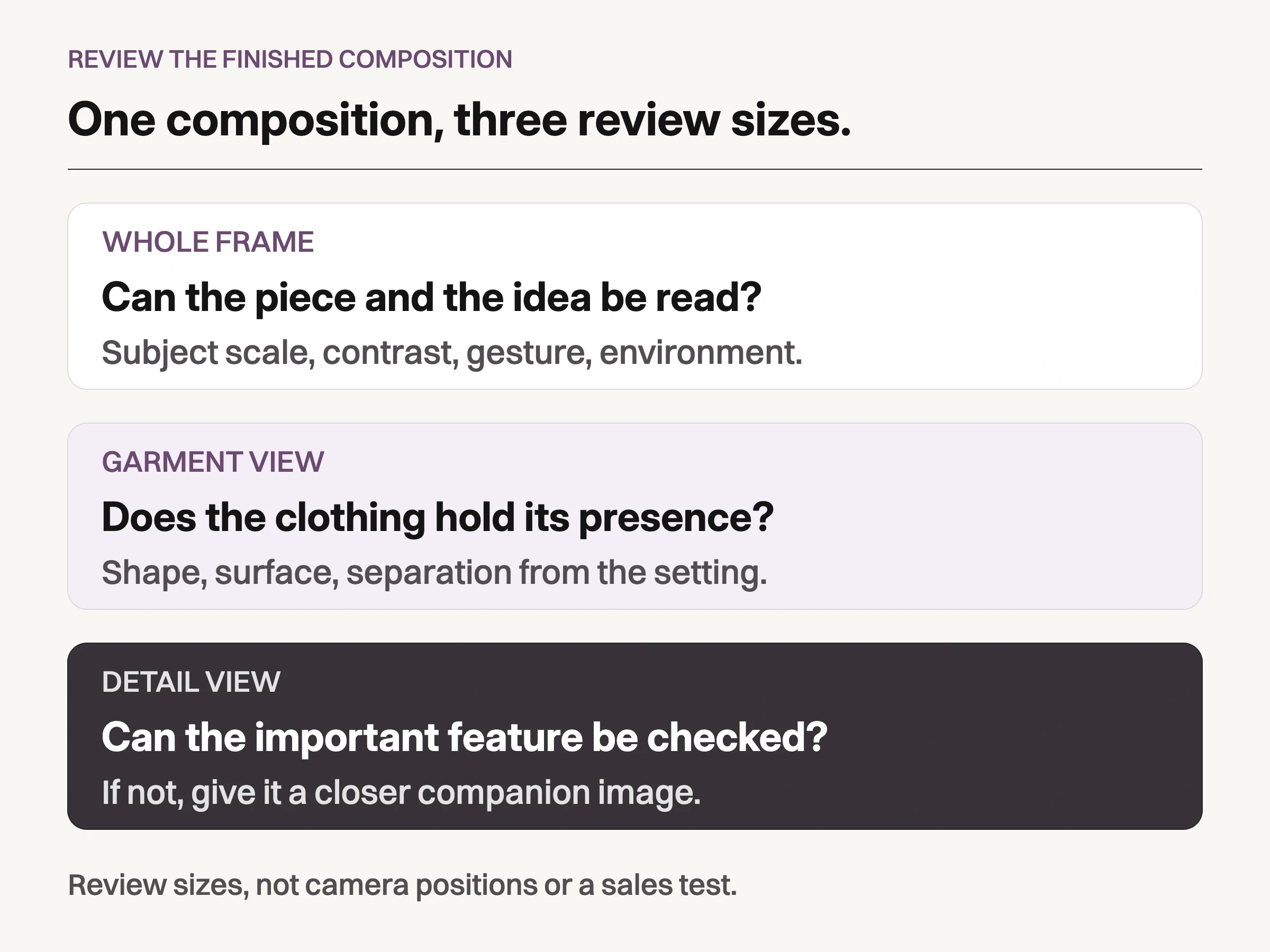
Look Atlas art-direction exercise: read the image at whole-frame, garment, and detail distances. This is not a sales test.
At the smallest view, ask what the image is about before reading any copy. A face, bright prop, or busy background may win attention while the garment disappears. Adjust contrast, subject size, or the action before adding another visual element.
At garment size, look for the intended shape and surface. At detail size, inspect the lapel, closure, print, or fabric area the concept needs. If a distant campaign frame cannot answer that detail question, commission a closer companion image. Do not solve an image-role problem by sharpening a tiny garment harder.
Light the fabric before adding drama
Judge the light on the clothing as well as on the face. A pale coat can merge into a bright wall; a black knit can lose its edge in a dark set. Change the subject-to-background relationship, the light direction, or the fill until the important shape remains readable. The mood can stay restrained without turning the garment into a silhouette.
Inspect the actual material under the chosen light. A smooth reflective surface, a heavy knit, and a translucent layer present different problems. Make a test frame with the real garment and check highlights, texture, and edges before committing to a lighting idea. Retain a neutral reference under the working setup when color matters; a dramatic grade is not a substitute for a product reference.
Adobe's fashion photography guidance notes that shallow focus can leave clothing edges out of focus and recommends checking styling during the shoot. Use that as a reason to inspect the garment, not as a universal camera preset. A beautiful face does not recover an unreadable cuff.
Opening a jacket changes what the photograph says
The retained example below shows a straightforward presentation difference. The product source depicts an olive jacket zipped at the front. The generated context shows a model wearing the jacket open over a white top. The open front creates a layered styling story, but it is a different view of the closure and front shape.
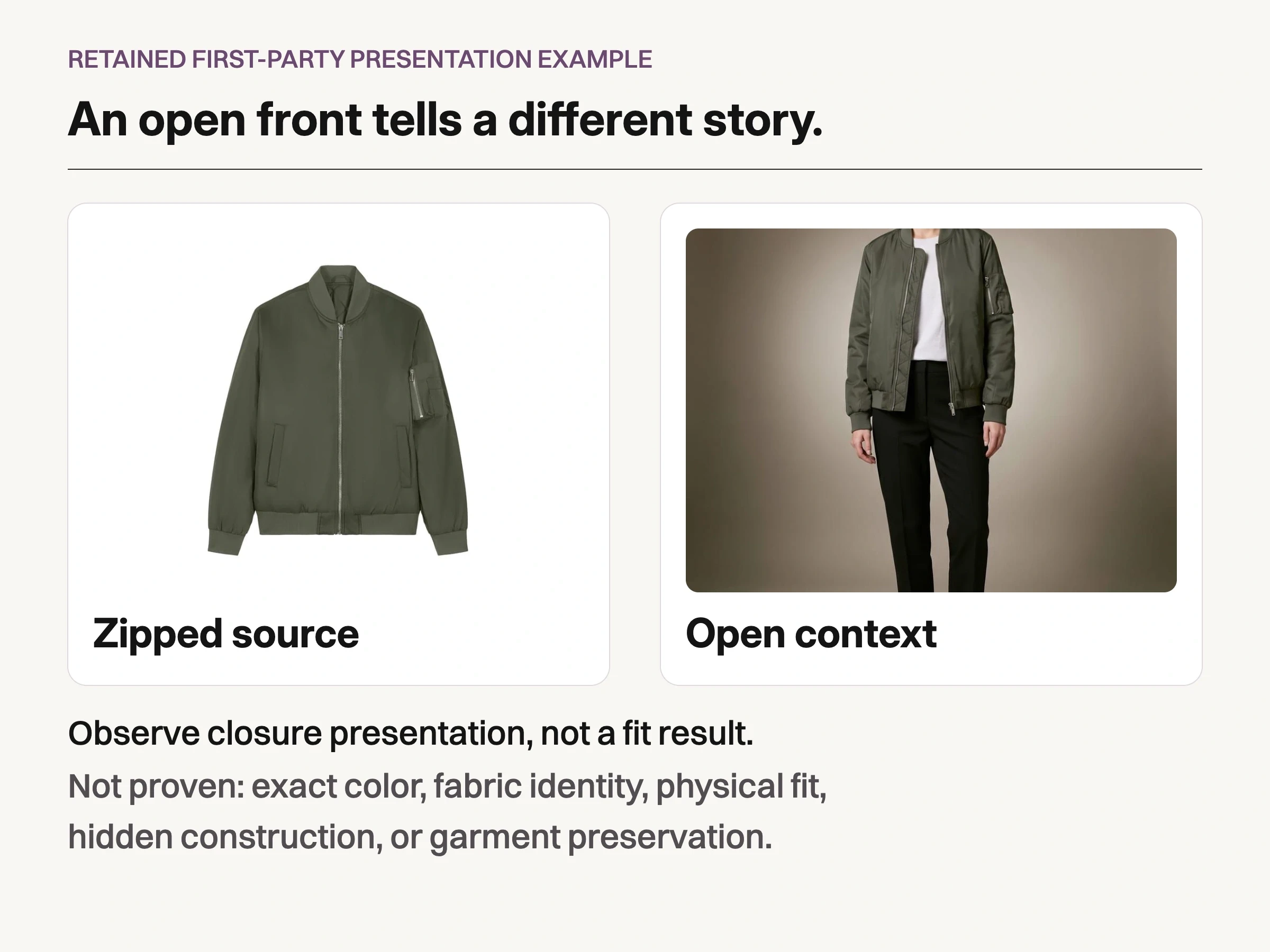
Existing first-party example: a zipped product source and a worn-open generated context show different presentation choices. This does not establish physical fit, exact color, fabric identity, hidden construction, or preservation accuracy.
These are existing Look Atlas-owned onboarding assets, not a newly run fashion shoot or a fidelity experiment. They demonstrate zipped versus open presentation only. They do not prove physical fit, fabric identity, exact color, dimensions, hidden construction, or reliable preservation across generated images.
Treat an open jacket, rolled sleeve, tucked shirt, or crossed arm as a meaningful direction choice. Each changes which garment information the viewer receives. If the closure is the reason to buy the jacket, give it a readable frame elsewhere in the series. If layering is the campaign message, decide how much of the underlying styling belongs in that frame.
Give each composition a specific commercial job
A series can distribute the work instead of making every photograph equally literal or equally atmospheric. Choose the frame's job before deciding how far the pose, crop, and environment may depart from a straightforward garment view.
Composition role | Direction and product-information trade-off |
|---|---|
Campaign lead | One clear visual idea; keep the featured piece identifiable even if some construction needs another view. |
Lookbook frame | Show the styled outfit and garment proportions; avoid a pose that hides the feature being introduced. |
Product companion | Explain silhouette, closure, or construction with a more direct view and an approved reference. |
Material detail | Give texture or finish enough of the frame; keep styling and focus from obscuring that surface. |
Placement derivative | Preserve the original message in the actual crop; a new ratio may need a new composition. |
Working image roles, not a required shot count or a claim that one frame can establish every product detail.
These are working roles, not mandatory shot counts. One photograph may serve more than one role, but only when it still answers the relevant question at the intended size. Confirm how the series will sit together before multiplying variations of its strongest image.
Work the pose through the crop, not just the camera
Direct a small action that expresses the garment message: a measured step for a long coat, a slight torso turn for a structured shoulder, or a pause with arms clear of a front detail. Give the model something understandable to do rather than a string of unrelated pose names.
Watch what the action does to the clothing. A hand in a pocket changes the front line; a turned shoulder can hide the other sleeve; a broad step can pull a hem away from its resting position. Those effects may belong in a campaign image. They should be deliberate, and the series should not imply that a temporary movement is the garment's only shape.
Try the intended vertical, square, or wide placement while the set is available. Keep needed space for copy, but do not make the model so small that the garment stops carrying the image. If a crop removes the important sleeve or interrupts the coat's line, alter the composition or make a dedicated frame. Shopify's product-media documentation notes that image display depends on the theme; inspect the actual page or placement instead of assuming the full camera frame will survive.
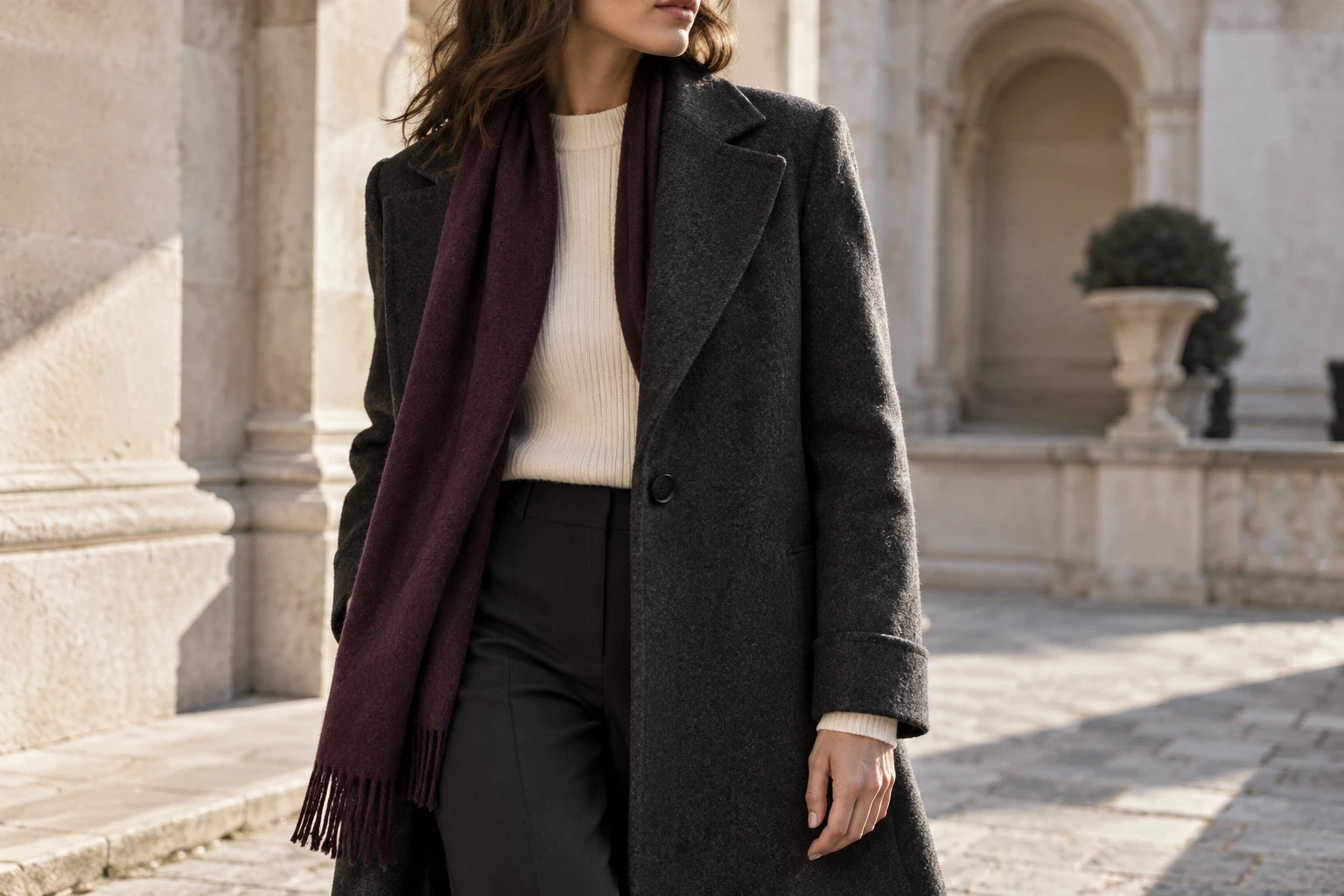
Conceptual illustration: a closer garment view gives wool texture and tailoring more of the frame. This generated outfit is unrelated to the retained olive-jacket example.
Finish the photograph without redesigning the garment
Separate an unwanted distraction from a product characteristic. Temporary lint and background scuffs are different from a seam, a textured surface, a permanent crease, or the shape of a sleeve. Agree the treatment with the garment reference beside the image. Do not smooth away the material you wanted the photograph to communicate.
Review a select both as a complete composition and at the important clothing region. Then check it beside the rest of the series: do the color treatment, subject scale, and light feel intentional together? Matching a campaign treatment should not quietly turn different product colors into the same color.
Extend the direction with on-model and campaign variants
Once the source imagery and creative direction are approved, the generated portion can have a defined job. Look Atlas creates product-on-model, studio, lifestyle, and campaign-style imagery from product photos. Its AI fashion photography workflow is relevant when exploring those additional contexts.
Keep a real source reference beside each candidate and review the same garment message, presentation, and crop. Generated drape or a plausible person does not establish physical fit, and an attractive scene does not guarantee that construction was preserved. Capture more source information or use a different composition when a required detail cannot be checked.
Select a series with different distances and a shared idea
Lay the proposed campaign lead, garment view, and detail together. They should contribute different information while looking like part of the same commission. If the lead delivers mood but the garment disappears, change it. If every select repeats the same view, make room for the missing explanation.
Return to the garment message you wrote before choosing the location. Can a viewer recognize that message in the finished placement, and can another image answer the detail it leaves out? That is a useful basis for choosing the series, without asking the photographs to promise a commercial result.
