
Fashion catalog photography: test the frame before shooting the range
A long dress can look complete in a portrait photograph and lose its hem in a square product card. The camera file has not changed; the presentation has. If that happens after a whole collection is photographed, a consistent batch can still leave shoppers unable to compare garment lengths.
Fashion catalog photography creates a repeatable set of product views across a clothing range. Start by testing the intended presentation with representative garments, then record which rules work across the collection and which need category exceptions. The worked example below follows one crop failure into a practical production decision.
Give the catalog a comparison job
Decide what the first image should let someone compare: overall length, silhouette, front construction or a styled outfit. That choice sets the framing requirement. A full-length dress needs its hem visible if the card is meant to communicate length. A close blouse view can reasonably prioritize neckline and sleeves instead.
Choose the real samples that challenge the proposed setup: a long piece, a short piece, a dark or reflective material, and anything with an unusual construction. This is established production practice, not a new test invented here. Profoto's style-guide guidance recommends recording instructions for different garment types, styling and required views. Our narrower task is to turn a visible failure into a rule the next operator can apply.
Use the clothing photography for ecommerce guide to choose the broader mix of on-model, flat-lay and detail images. For this pilot, keep the question small: does the proposed first-image treatment preserve the feature this category needs?
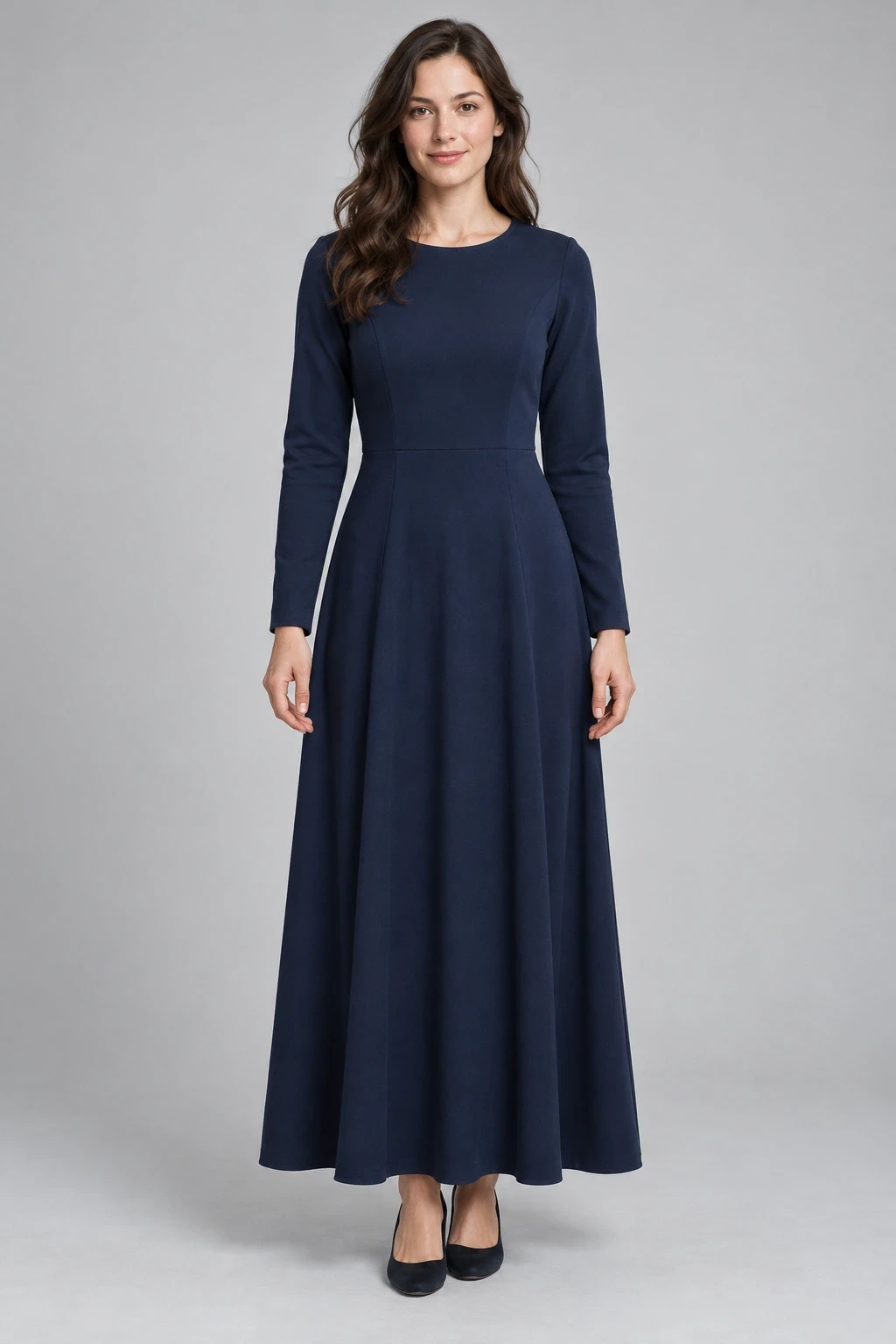
Conceptual illustration: the synthetic portrait used in the crop demonstration below. No physical garment or shoot is documented.
Follow one portrait through a square container
The navy dress illustration above is an explicitly synthetic fixture. We used the same source pixels in two browser image elements: a portrait showing the whole image and a square using centered object-fit: cover. This isolates geometric cropping. It is not a photographed product, an AI clothing-transfer result or a test of fit and fabric accuracy.
The source is 1,024 × 1,536 pixels. To fill a square without stretching it, the centered crop retains a 1,024 × 1,024 region starting 256 pixels below the top. It excludes 256 source rows at each end. In the actual browser captures below, the portrait retains the dress hem and shoes; the square cuts above them.
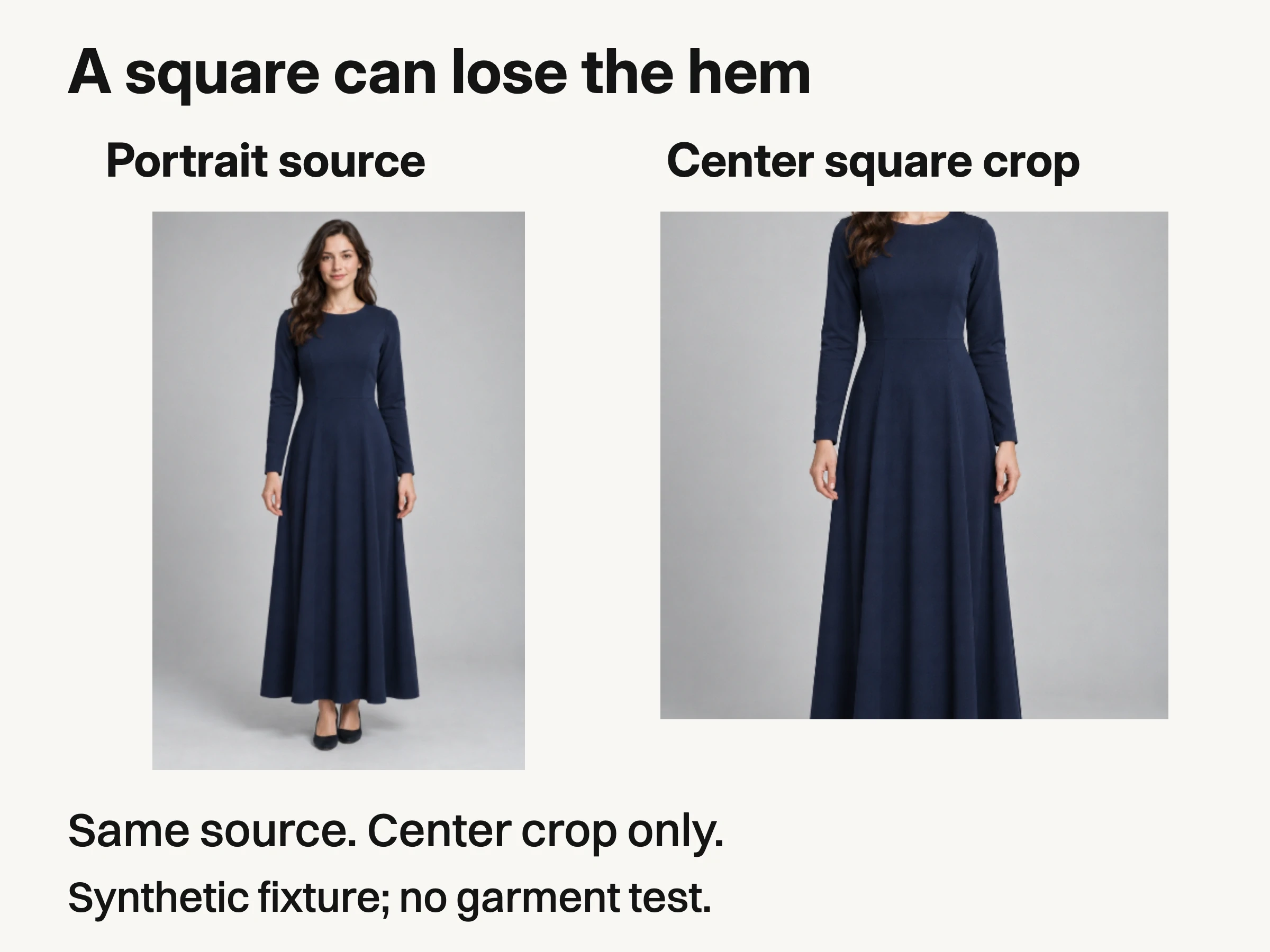
Controlled browser example, October 28, 2026: the same synthetic 1,024 × 1,536 source in a portrait and centered square cover crop. The square removes 256 source rows at each end. Geometric coverage only; no physical garment, fit or accuracy test.
This result does not show how every store theme behaves. It shows what this particular source and crop do. In your own catalog, open the pilot image in the actual product card and product page, including mobile. Record the container shape and crop setting, then inspect the feature you said must survive. A file that passes in an image viewer can fail in its destination.
For this example, the decision is straightforward: reject the square derivative as the category's full-length comparison image. A dedicated wider composition, a less aggressive crop or a layout that displays the complete portrait may solve the coverage problem. Each changes the presentation; preview the chosen remedy before applying it to the range. Moving the focal point downward might rescue the hem while losing the upper garment, so check both ends.
Separate the shared rule from the garment exception
Consistency does not require every garment to occupy identical coordinates. It requires a predictable visual system that still communicates the item. Keep the background and editing treatment coherent while allowing the framing or supporting view to answer a category-specific question.
Keep consistent | Allow and document this exception |
|---|---|
First-image role and background treatment | Full-length pieces need enough frame for the hem; tops may use a closer category reference. |
Agreed front presentation | A reversible or asymmetric piece may need another view to explain its construction. |
Readable garment edges and material | A dark knit and a reflective jacket may need different lighting adjustments. |
Naming and variant identity | Each actual colorway must remain distinguishable; matching the grade must not make colors identical. |
Retouching boundary | Remove agreed temporary distractions without erasing texture, seams or permanent garment features. |
Working category rules: document exceptions that preserve product information rather than forcing identical framing.
For the dress example, write an exception record with the category, failed image, visible problem, required feature and next action. A useful entry is: “Full-length dresses; centered square derivative hides the hem; complete garment length is required; hold this export until a replacement composition passes.” Attach the original and rejected crop so the problem is visible without recreating it.
This record is more actionable than “allow extra space.” It identifies the affected category and what cannot proceed. Add the approved replacement and reference version once it exists; do not label an untested remedy as approved.
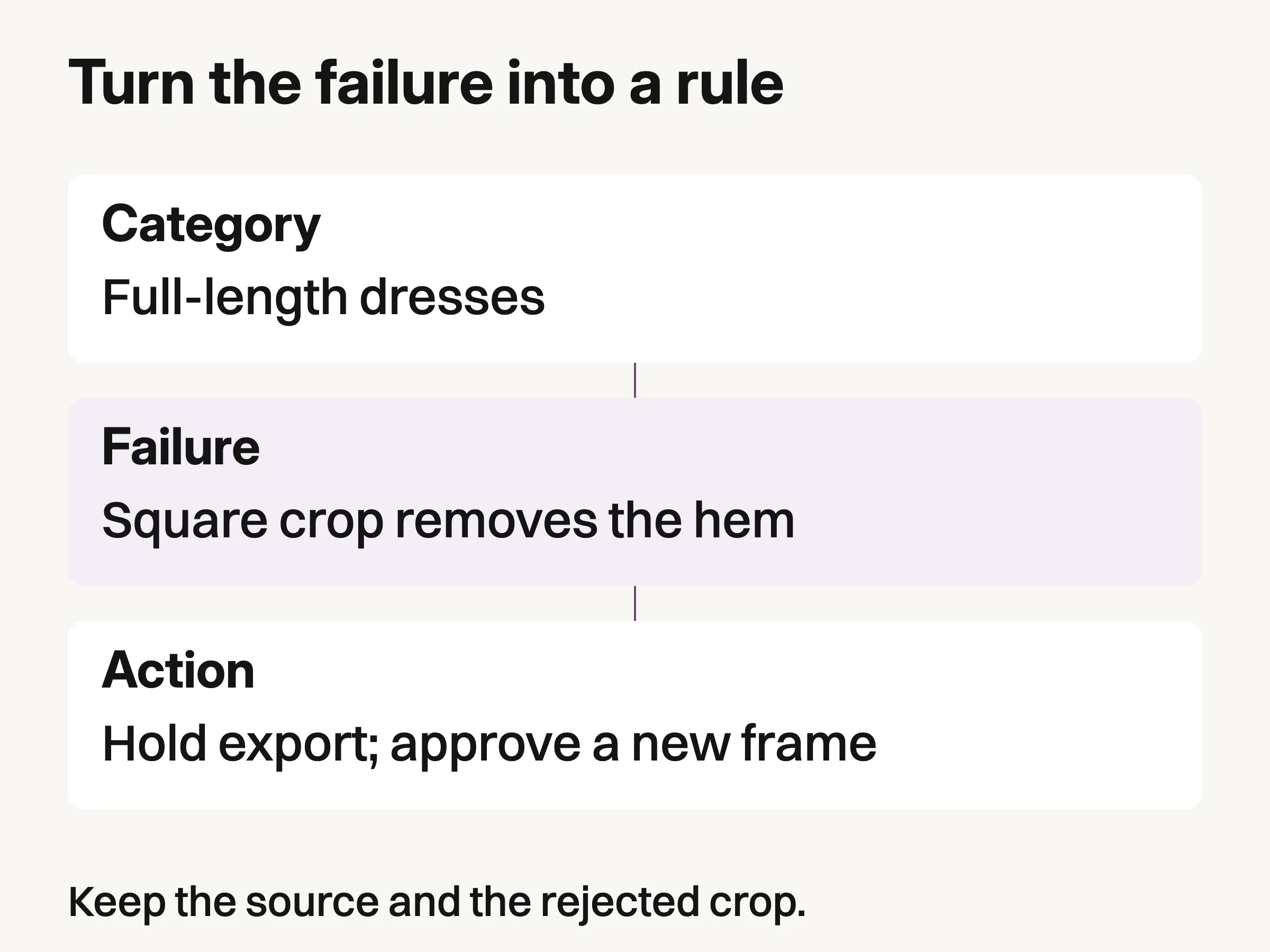
Editorial example: record the affected category, visible failure and next action. A replacement is not approved until it has been checked.
Repeat the setup, then check what actually changed
Once the pilot passes, save the category reference alongside the camera position, framing, lighting arrangement, styling choices and export treatment actually used. Record measured settings from your shoot rather than borrowing universal exposure numbers. A new operator should be able to restore the setup and recognize when a garment needs an exception.
Composition aids can help. Capture One's Overlay tool supports transparent overlays for matching a layout. An outline can mark the intended garment region while you capture tethered. It cannot establish that the garment's proportions or color are correct; compare the real sample as well.
Before continuing after a lighting change, check a fresh reference. Capture One's white-balance guidance describes photographing a gray card or chart under the subject's lighting and selecting a neutral area. That is a color-reference procedure, not a guarantee that every customer's display will match the sample.
Inspect styling between garments. A twisted sleeve, hidden fastening or tucked hem can introduce a difference the category reference never intended. Correct it during capture when possible. If a legitimate product difference needs a new view, add that view rather than retouching the item toward its neighbor.
Review neighbors and selected variants before release
Lay the first images out together in their intended order. Look for unexplained jumps in scale, background or garment position. Then inspect the exception pieces individually. A tidy grid is not sufficient if the longest dress is the only one whose hem disappears.
Check variant binding separately from visual consistency. Select each offered colorway and confirm that its assigned image represents the correct item. Shopify's current guidance distinguishes one assigned image per variant from additional images in the product media gallery. Verify the actual store's selection behavior instead of assuming that uploading several colorways associates them correctly.
Additional creative imagery can have its own job. The Look Atlas AI fashion photography workflow uses product photos for generated fashion imagery. Keep those on-model or campaign variants separate from the documentary views required to inspect an actual product, and compare any candidate with the approved garment reference. A plausible generated drape does not establish physical fit.
Finish by saving the category reference, its approved placement example and unresolved exceptions together. The next collection should inherit a usable rule and its limits. If a new garment breaks that rule, retain the failed example, decide what changes, and version the reference before repeating the batch.
