
Why Etsy Photo Size Matters More Than You Think
1. Introduction: Why Etsy Photo Size Matters for Visibility and Sales
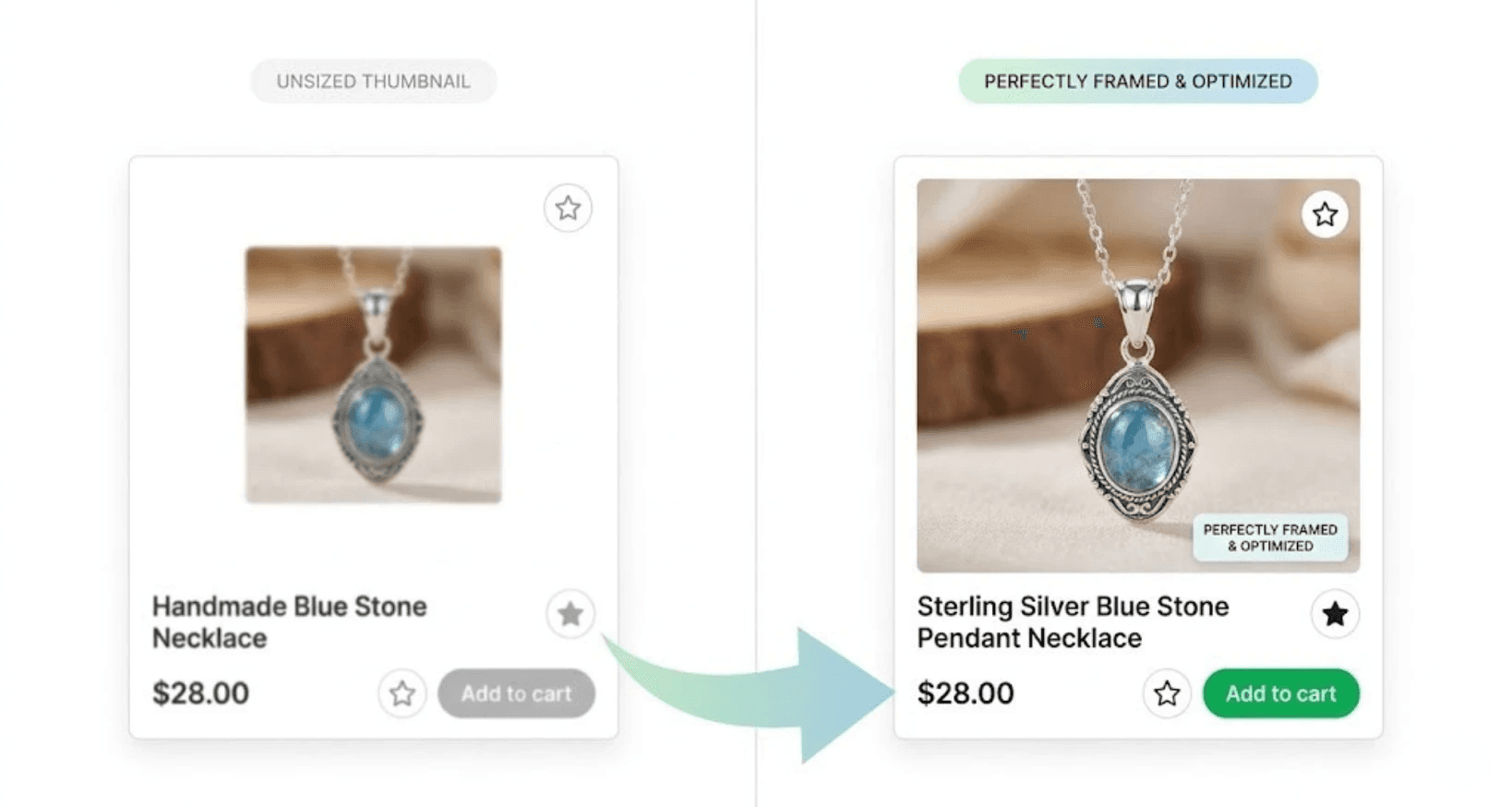
Etsy is a highly visual marketplace where product images play a critical role in attracting buyers. When shoppers browse search results, the first thing they notice is the product photo. A clear, well-formatted image can immediately capture attention and encourage users to click on a listing.
However, using the wrong Etsy photo size can cause several problems. Images may appear blurry, important parts of the product may be cropped in thumbnails, or the photo may not display properly across different devices. These issues can make listings look unprofessional and may reduce buyer trust.
Because Etsy search pages rely heavily on visual previews, poorly optimized images can lead to lower click-through rates and fewer sales.
In this guide, we’ll break down the correct Etsy photo dimensions, recommended aspect ratios, and practical optimization tips to help sellers create images that look sharp, professional, and optimized for both visibility and conversions.
2. What Size Should Etsy Photos Be?
Choosing the correct image size is essential for creating professional-looking listings and ensuring your products display properly across search results, thumbnails, and product pages.
Recommended Etsy Photo Size
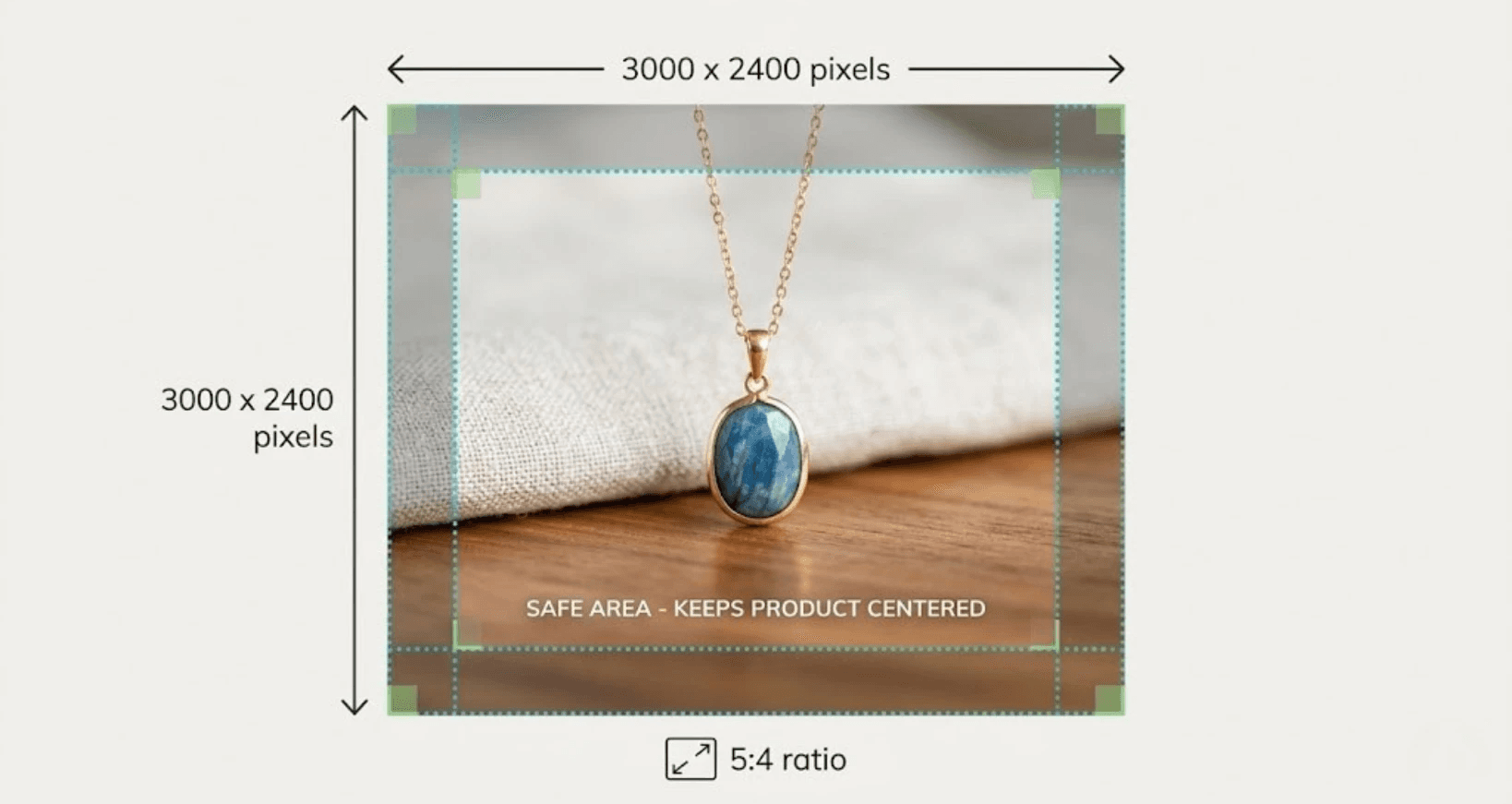
The recommended Etsy photo size is 3000 × 2400 pixels with a 4:3 aspect ratio. This size ensures that your images appear sharp on all devices while also allowing Etsy to crop thumbnails correctly in search results.
High-resolution images help buyers zoom in on product details, which can increase trust and improve the chances of a purchase.
Minimum Image Resolution
Etsy recommends that listing images be at least 2000 pixels on the shortest side. Images smaller than this may appear blurry or pixelated, especially when buyers use the zoom feature.
For best results, many professional sellers upload images between 2000–3000 pixels wide to maintain high quality without increasing file size too much.
Supported File Formats
Etsy supports several standard image formats, including:
JPEG (.jpg)
PNG (.png)
GIF (.gif)
JPEG is the most commonly used format because it balances image quality and file size, making pages load faster while still displaying clear product photos.
Maximum Number of Images per Listing
Each Etsy listing can include up to 10 images. Successful sellers often use multiple images to show:
Different product angles
Close-up detail shots
Lifestyle or usage photos
Size comparisons
Packaging or product variations
Using all available image slots helps buyers better understand the product and can significantly improve conversion rates.
By uploading properly sized, high-quality images, sellers can ensure their listings look professional, load quickly, and perform well in Etsy search results.
3. Understanding Etsy’s Image Aspect Ratio
Before uploading product photos to Etsy, it’s important to understand aspect ratio and how it affects how your images appear in search results and listing pages.
What Is an Image Aspect Ratio?
Aspect ratio refers to the proportional relationship between an image’s width and height. It’s written as two numbers separated by a colon, such as 5:4 or 4:3.
For example:
3000 × 2400 pixels = 5:4 ratio
2000 × 1600 pixels = 5:4 ratio
4000 × 3200 pixels = 5:4 ratio
Even though the dimensions change, the shape of the image remains the same because the ratio stays consistent.
Etsy’s Recommended Aspect Ratio
Etsy recommends using a 5:4 landscape aspect ratio for listing images.
This format ensures that your images display correctly in:
Search results
Category pages
Listing thumbnails
Product galleries
A common example is 3000 × 2400 pixels, which follows the 5:4 ratio and provides excellent image quality.
How Incorrect Ratios Cause Cropping
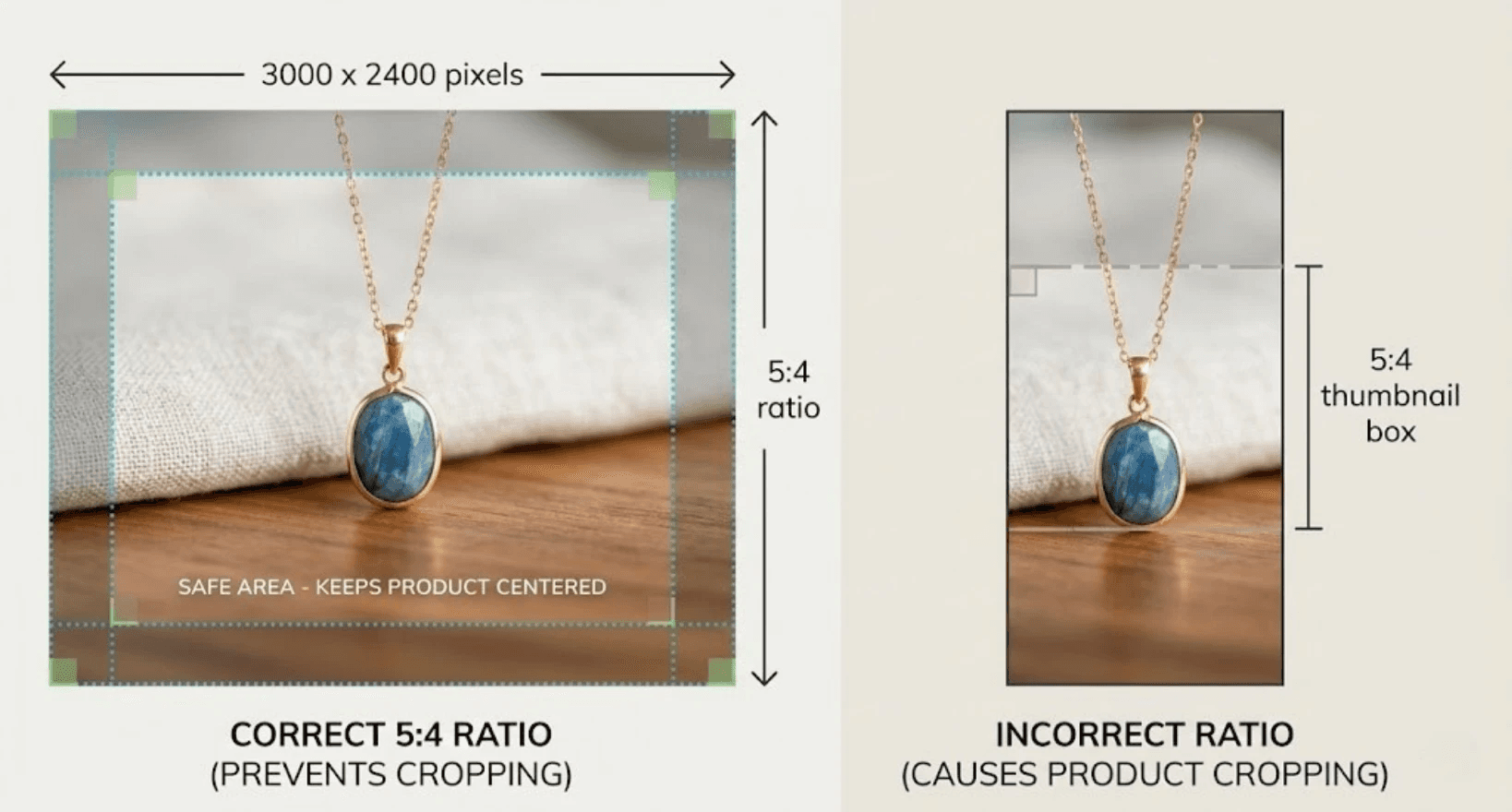
If your image does not match Etsy’s recommended ratio, the platform may automatically crop the photo to fit its layout.
This can cause problems such as:
Important parts of the product being cut off
Thumbnails that look awkward or incomplete
Reduced visual appeal in search results
For example, if you upload a square image (1:1 ratio) or a vertical image, Etsy may crop the top and bottom to fit the required display format.
Because search thumbnails are smaller, even small cropping issues can make your listing look unprofessional.
Examples of Proper Etsy Ratios
Here are a few image sizes that follow Etsy’s recommended 5:4 aspect ratio:
3000 × 2400 pixels
2500 × 2000 pixels
2000 × 1600 pixels
1500 × 1200 pixels
Using one of these sizes ensures that your images appear correctly across all Etsy layouts.
How to Resize Images Correctly
To avoid cropping issues, resize your images before uploading them to Etsy. Most photo editing tools allow you to adjust the canvas size or crop images to a specific ratio.
The general process is:
Set the aspect ratio to 5:4.
Position your product in the center of the frame.
Export the image at high resolution (2000 to 3000 pixels wide).
Upload the optimized file to your listing.
Following these steps ensures that your product remains fully visible in thumbnails and search results while maintaining a clean, professional presentation.
4. Why High-Resolution Photos Improve Etsy Performance
On Etsy, product photos are often the first and most influential factor in whether a shopper clicks on a listing. High-resolution images don’t just look better, they directly impact visibility, engagement, and conversions.
When your photos are sharp, clear, and detailed, they help buyers feel more confident about the product they are considering.
Zoom Functionality
Etsy allows customers to zoom in on listing images to inspect details more closely. This feature is especially important for products like jewelry, handmade goods, clothing, and artwork.
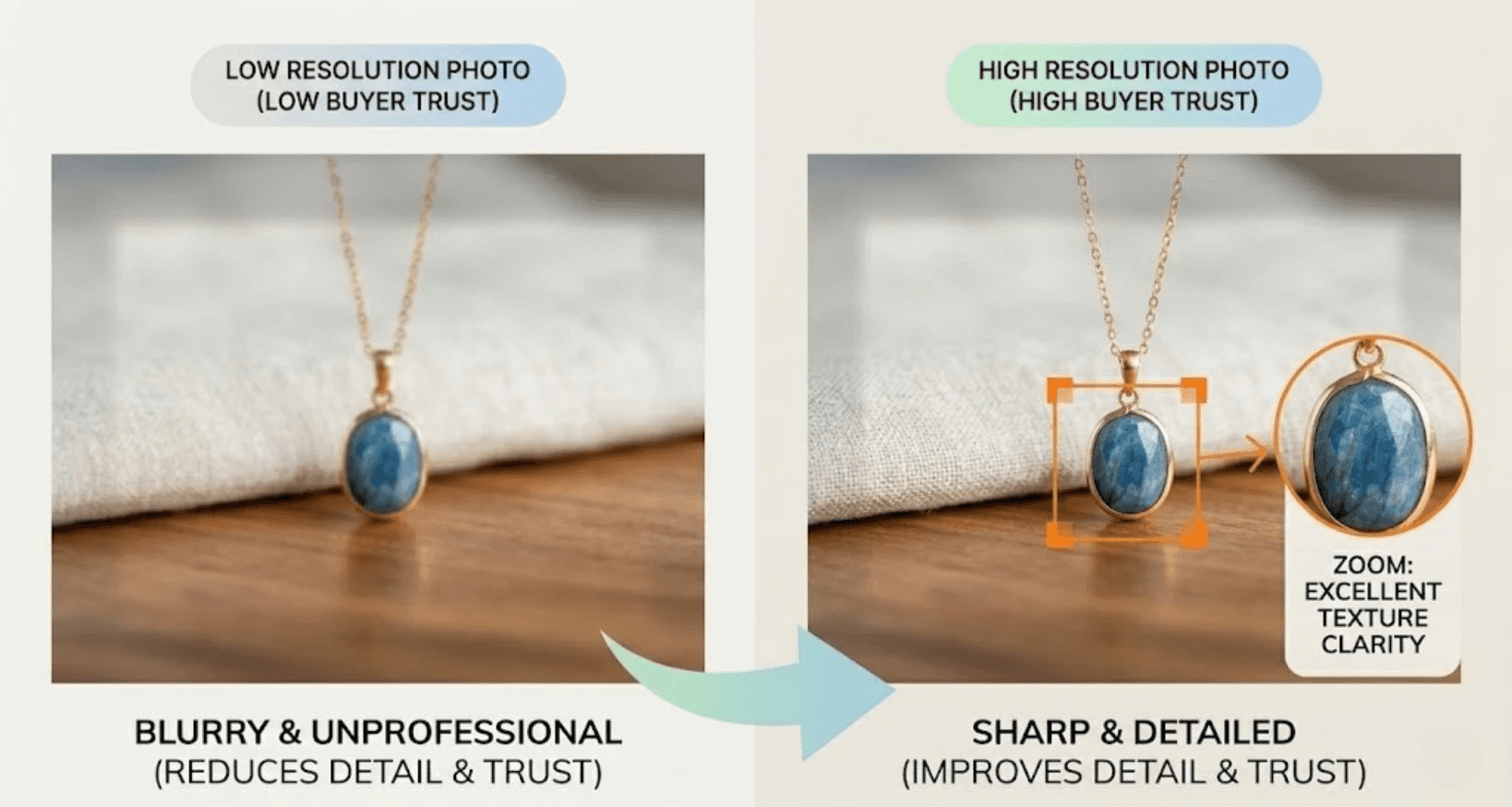
If your image resolution is too low, zooming will cause the photo to appear blurry or pixelated. That immediately reduces trust and can make the product look lower quality.
High-resolution images ensure that when buyers zoom in, they can clearly see details such as:
Fabric texture
Craftsmanship
Material quality
Finishing details
The clearer the product looks, the more confident buyers feel about making a purchase.
Perceived Product Quality
Visual presentation strongly affects how customers perceive value.
A product photographed in high resolution with sharp detail looks more premium and professionally made. Even if two products are similar, the one with clearer images will usually appear more trustworthy and higher quality.
This perception is critical on Etsy, where buyers often compare multiple listings before deciding which one to purchase.
Buyer Trust
Online shoppers cannot physically touch or examine a product. Because of this, they rely heavily on visual cues to evaluate what they are buying.
High-resolution images help communicate:
Transparency about the product
Attention to detail
Professionalism of the seller
When customers can clearly see what they’re getting, they are more likely to trust the listing and complete the purchase.
How Sharp Photos Increase Clicks
In Etsy search results, your listing competes with many other products. The thumbnail image becomes the deciding factor that influences whether someone clicks.
Sharp, high-quality images tend to:
Stand out more in crowded search pages
Look more professional at small sizes
Highlight product details even in thumbnails
This increased visual appeal can lead to higher click-through rates, which may also help improve listing performance within Etsy’s search algorithm.
In short, using high-resolution photos isn’t just about aesthetics, it’s a practical strategy for improving visibility, credibility, and sales on Etsy.
5. How Etsy Crops Images in Search Results
Etsy search results display thumbnail images for each listing, and understanding how Etsy crops these images is crucial for ensuring your product looks its best. Improperly composed images can lead to cropped details, awkward framing, or reduced visual appeal, which may lower click-through rates.
Cropping Behavior in Etsy Search
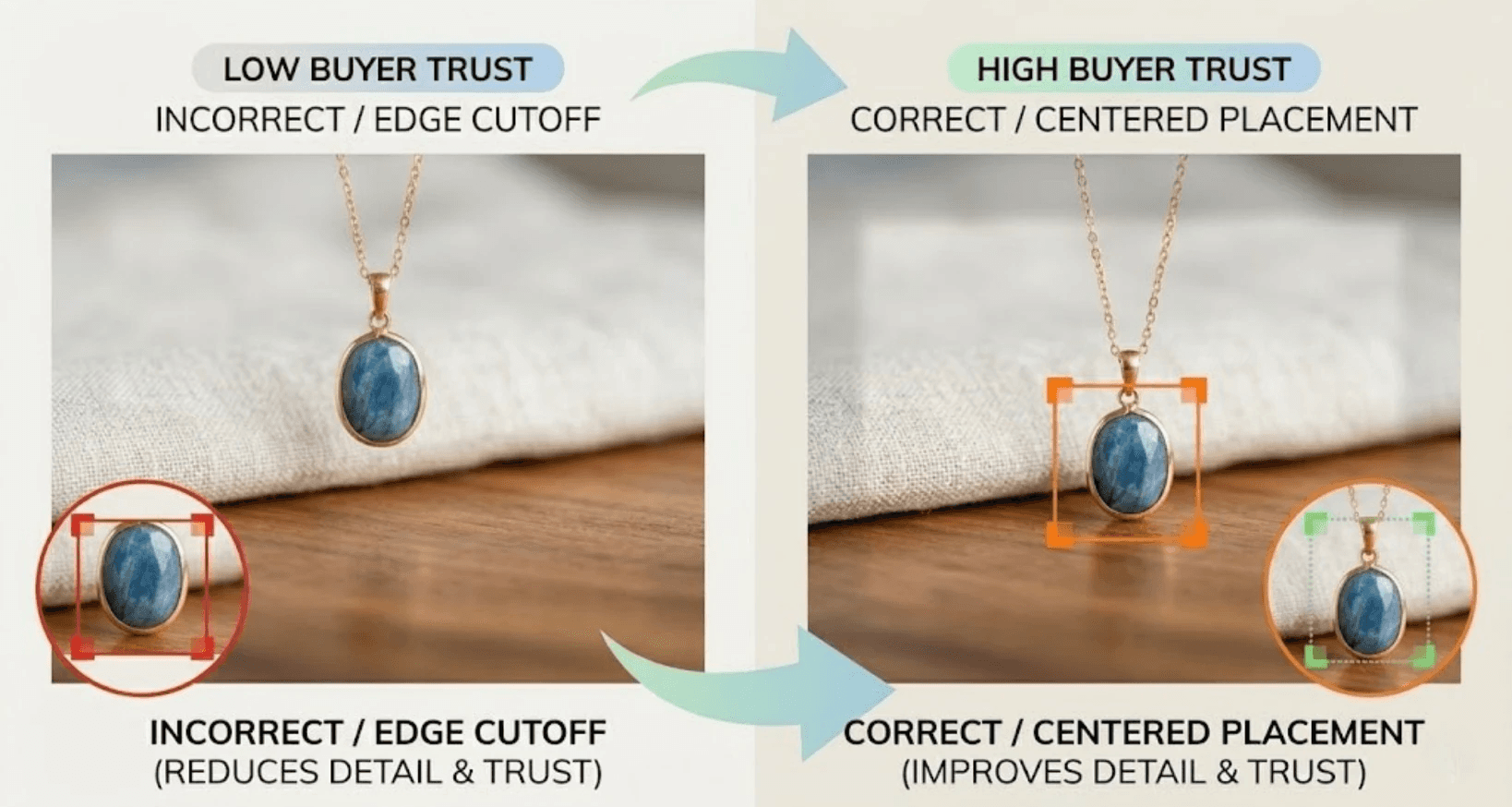
Etsy automatically crops listing images to fit the search results layout. Thumbnails are generally square or slightly rectangular, depending on the device and screen size. This means that parts of your photo near the edges may be cut off when displayed in search previews.
Importance of Centered Product Placement
To prevent important product details from being cropped, always center your product in the frame. Centering ensures that the most critical parts of your item, such as logos, intricate patterns, or focal points, remain visible in both thumbnails and larger gallery images.
Avoiding Edge Cutoffs
Avoid placing key elements near the edges of your image. Etsy’s automatic cropping can trim anything outside the central safe zone, so leave some padding around your product to account for cropping.
Designing Images for Thumbnails
When creating images for Etsy listings:
Focus on a single product per image
Keep the background clean and uncluttered
Ensure the product is centered with sufficient space around it
Use consistent lighting so your item is clearly visible
By designing images with cropping in mind, your listings will look professional across search results, categories, and device types, helping increase clicks and conversions.
6. The 10 Essential Images Every Etsy Listing Should Have
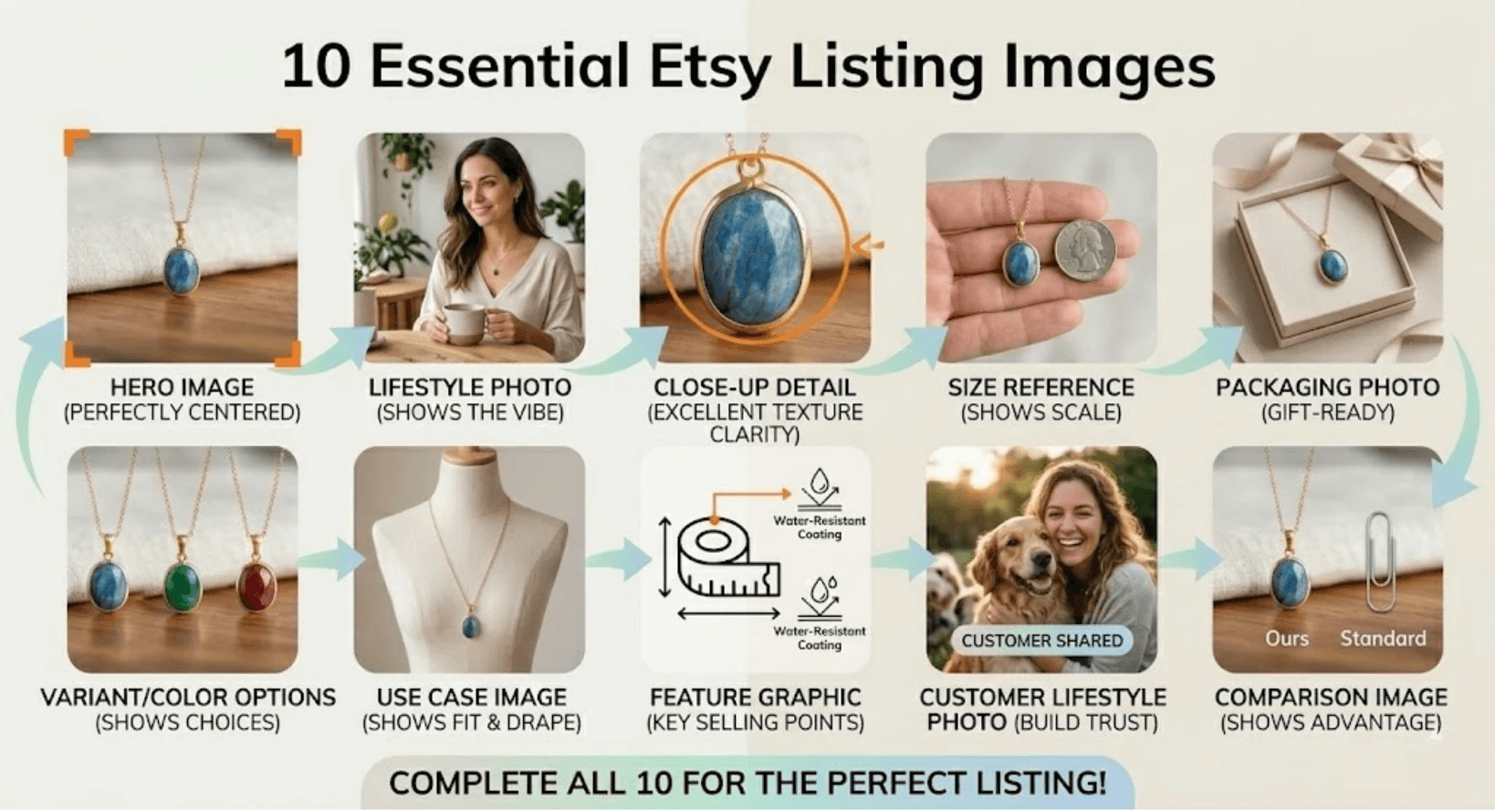
Successful Etsy listings typically include multiple images to showcase a product from every angle, provide context, and build buyer confidence. Using a variety of images helps shoppers understand the product, imagine using it, and feel confident clicking “Add to Cart.”
Here are 10 essential images every Etsy listing should include:
Hero Image – The main image that appears in search results; clear, centered, and visually appealing.
Lifestyle Photo – Shows the product in use or in a real-life setting, helping buyers visualize it in context.
Close-Up Detail Shot – Highlights textures, materials, or intricate craftsmanship.
Size Reference Image – Helps buyers understand dimensions using a scale or comparison object.
Packaging Photo – Shows how the product is delivered, important for gifts or premium items.
Variant or Color Options – Displays different colorways or styles in one image or a collage.
Use Case Image – Demonstrates practical functionality or ways to use the product.
Feature Graphic – Highlights unique features or selling points visually.
Customer Lifestyle Photo – Shows the product being enjoyed by real people (can be user-generated content).
Comparison Image – Helps differentiate product variations, sizes, or similar items.
By including these 10 image types, sellers can provide a complete visual story, reduce buyer uncertainty, and increase conversion rates on Etsy listings.
7. Optimizing Etsy Photos for Mobile Buyers
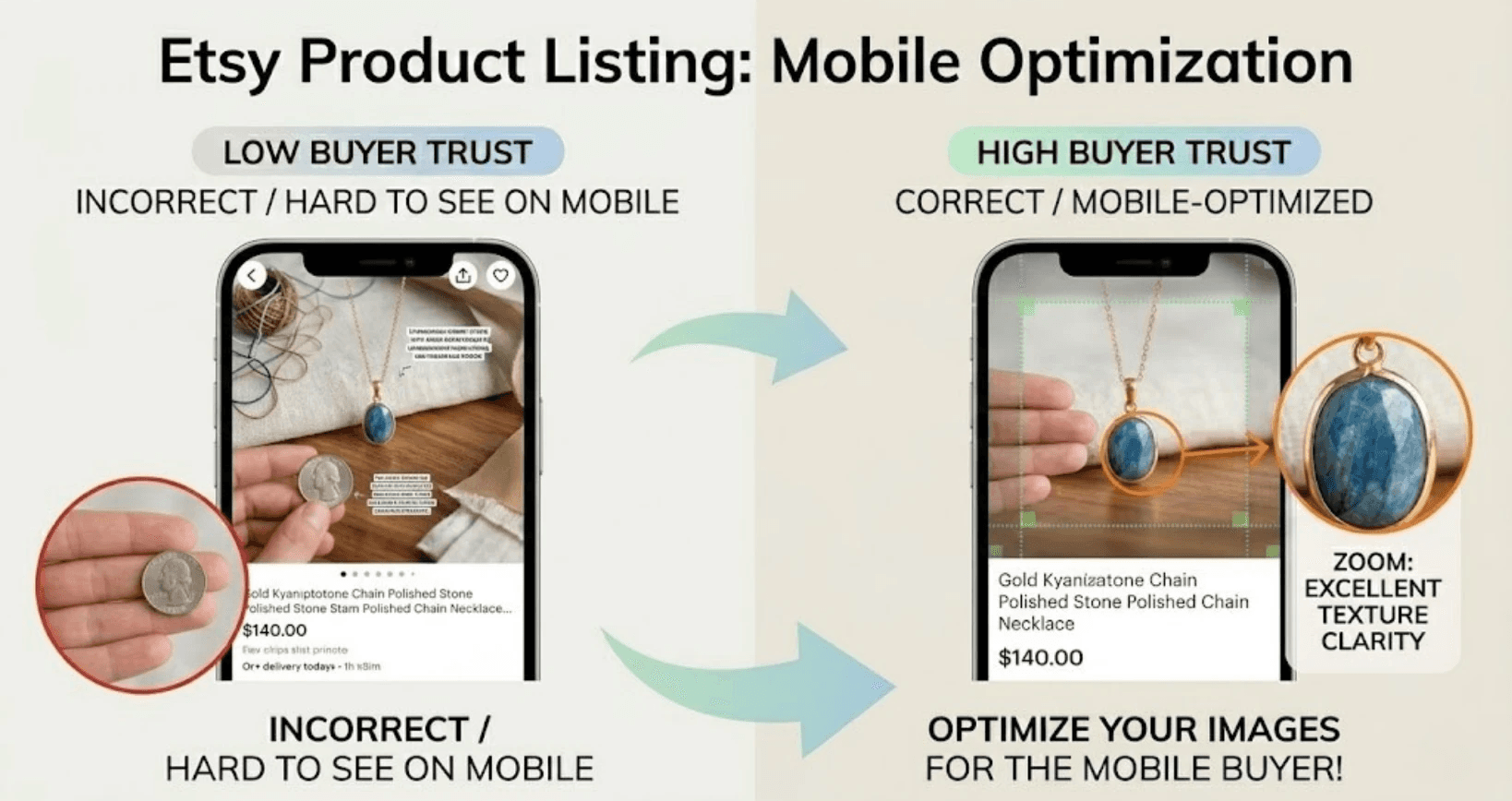
Most Etsy shoppers browse on mobile devices, making it essential that your product images are optimized for small screens. Mobile buyers rely on clear, easily viewable visuals to make quick purchase decisions, so even slight cropping or clutter can reduce clicks and conversions.
Centered Compositions
Center your product in every image to ensure it remains fully visible in thumbnails, search results, and mobile galleries. Centering prevents important details from being cropped on different screen sizes.
Clear Product Visibility
Avoid overcrowding your frame with props or distractions. On mobile, a clean, well-lit image helps the product stand out, even at smaller sizes.
Large Readable Details
Textures, patterns, logos, and labels should be visible and sharp. Mobile buyers can’t zoom as effectively on small screens, so critical details need to be immediately recognizable.
Simple Backgrounds
A neutral or uncluttered background ensures the product is the focus. Bright or busy backgrounds can distract buyers, especially on compact mobile screens.
By following these best practices, your Etsy photos will look professional, communicate product quality, and convert more mobile shoppers.
8. File Size Optimization Without Losing Quality
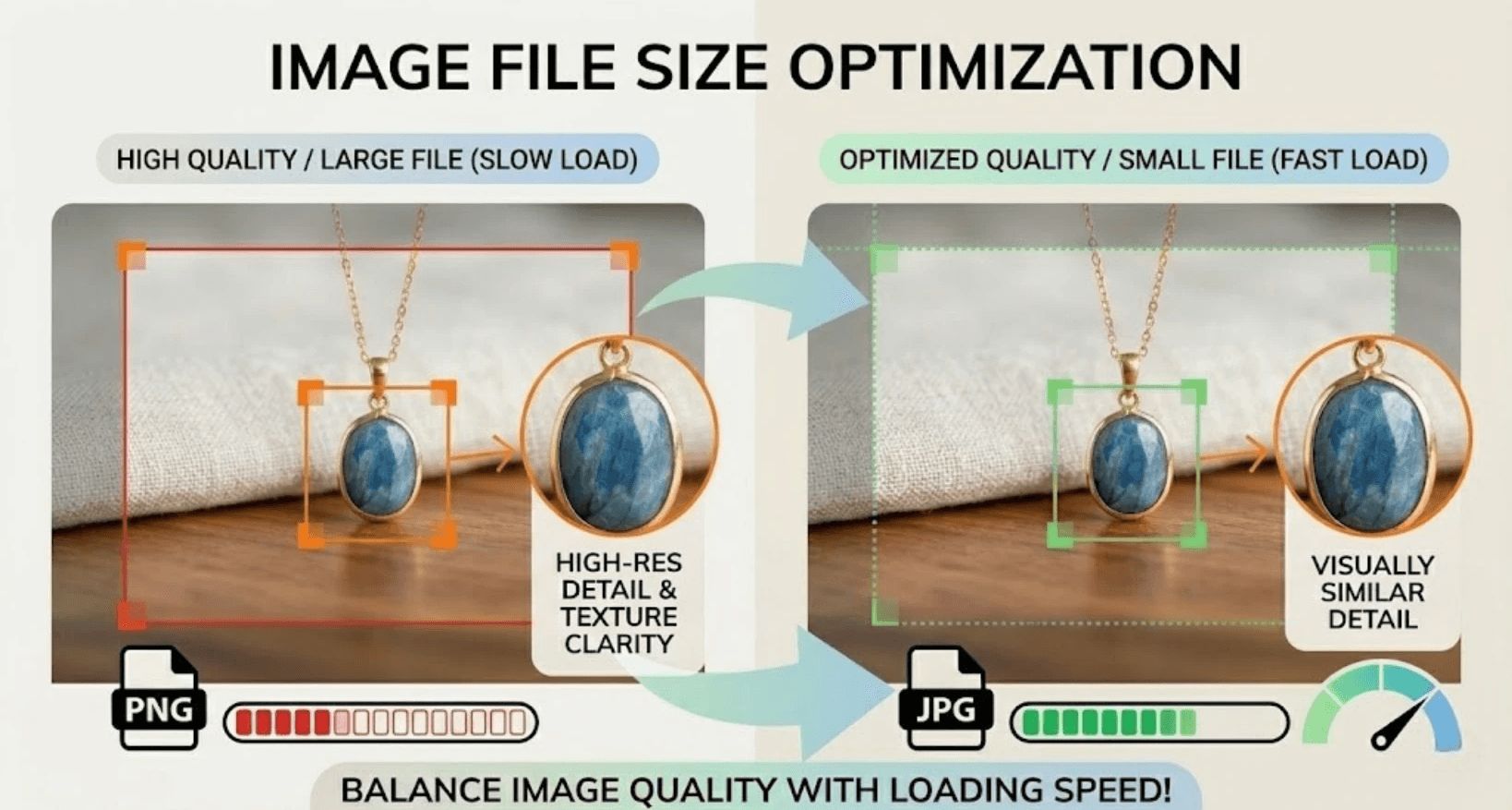
High-quality images are essential for Etsy, but large files can slow down page loading, especially on mobile devices. Slow-loading listings may frustrate shoppers and reduce conversions. Optimizing file size without compromising visual quality is key.
Compression Tools
Use image compression tools to reduce file size while maintaining clarity. Popular options include:
TinyPNG / TinyJPG – Compresses images with minimal quality loss
Photoshop “Save for Web” – Allows you to adjust quality and file size
Canva or other online editors – Offer automatic optimization
Ideal File Sizes
For Etsy, aim for images between 200 KB and 1 MB per photo. This keeps pages fast-loading while retaining sharpness for zoom and mobile viewing. Avoid uploading unnecessarily large files that slow down the user experience.
JPG vs PNG
JPG – Best for product photos; good balance of quality and smaller file size
PNG – Better for graphics, logos, or images with transparency, but larger in size
In most cases, JPG is recommended for Etsy product listings to ensure faster page load without sacrificing clarity.
Faster Loading Benefits
Optimized images:
Improve mobile and desktop performance
Reduce bounce rates from slow-loading pages
Enhance buyer experience and conversion rates
Balancing quality with speed ensures your listings are both beautiful and fast, giving shoppers a smooth browsing experience that encourages purchases.
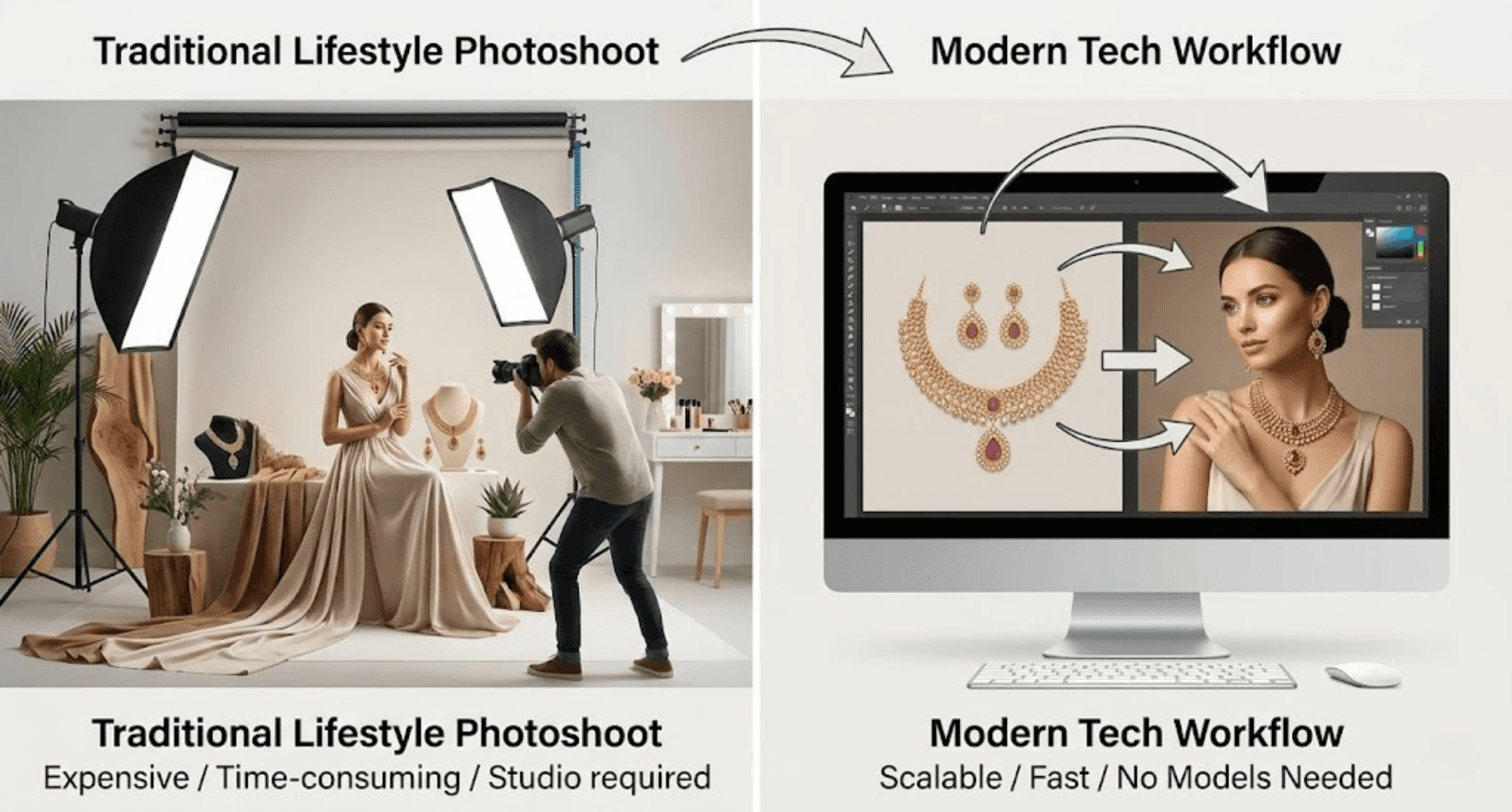
9. Creating Lifestyle Product Photos Without Expensive Photoshoots
Lifestyle product photos, showing your items in real-life settings, are highly effective on Etsy because they help buyers visualize how they’ll use the product. However, traditional lifestyle photography can be costly and time-consuming.
Challenges of Traditional Lifestyle Shoots
Hiring models – Fees vary widely depending on experience and usage rights.
Studio rental – Professional spaces for shoots can cost hundreds to thousands per day.
Photographer costs – Experienced photographers often charge by the hour or day, adding to overall expenses.
Logistics and time – Coordinating schedules, props, locations, and post-production can take weeks.
These factors make frequent lifestyle shoots difficult for small Etsy shops or brands with multiple SKUs.
Modern Alternatives
Today, many sellers are turning to digital solutions that generate lifestyle images directly from product photos. Tools allow you to:
Place flat product images into realistic settings
Control lighting, shadows, and backgrounds
Showcase multiple variations without additional photoshoots
By using these modern approaches, Etsy sellers can create compelling lifestyle visuals without the expense and complexity of traditional studio setups, making it easier to scale their listings

and maintain a professional look.
10. Tool Spotlight: Creating Model Photos from Product Images
For Etsy sellers looking to scale their visual content without constantly booking expensive photoshoots, modern AI tools like Look Atlas provide a game-changing solution.
How It Works
Modern AI transforms flat product images into photorealistic on-model photos. With it, you can:
Preserve key details such as logos, textures, and intricate patterns
Generate lifestyle visuals quickly, without hiring models or renting studios
Customize model type, pose, background, and lighting to match your brand aesthetic
Where You Can Use These Images
Modern AI outputs are ready for:
Product pages that boost buyer confidence
Etsy ads and social media campaigns
Catalogs, promotional materials, and email marketing
By converting simple product photos into realistic on-model visuals, sellers can save time, reduce costs, and maintain consistency across listings, making it easier to keep visuals fresh, professional, and conversion-focused.
Imagine having high-quality model photos for every product in your catalog without ever scheduling another photoshoot. Tools like Look Atlas make that possible.
11. Common Etsy Photo Size Mistakes Sellers Make
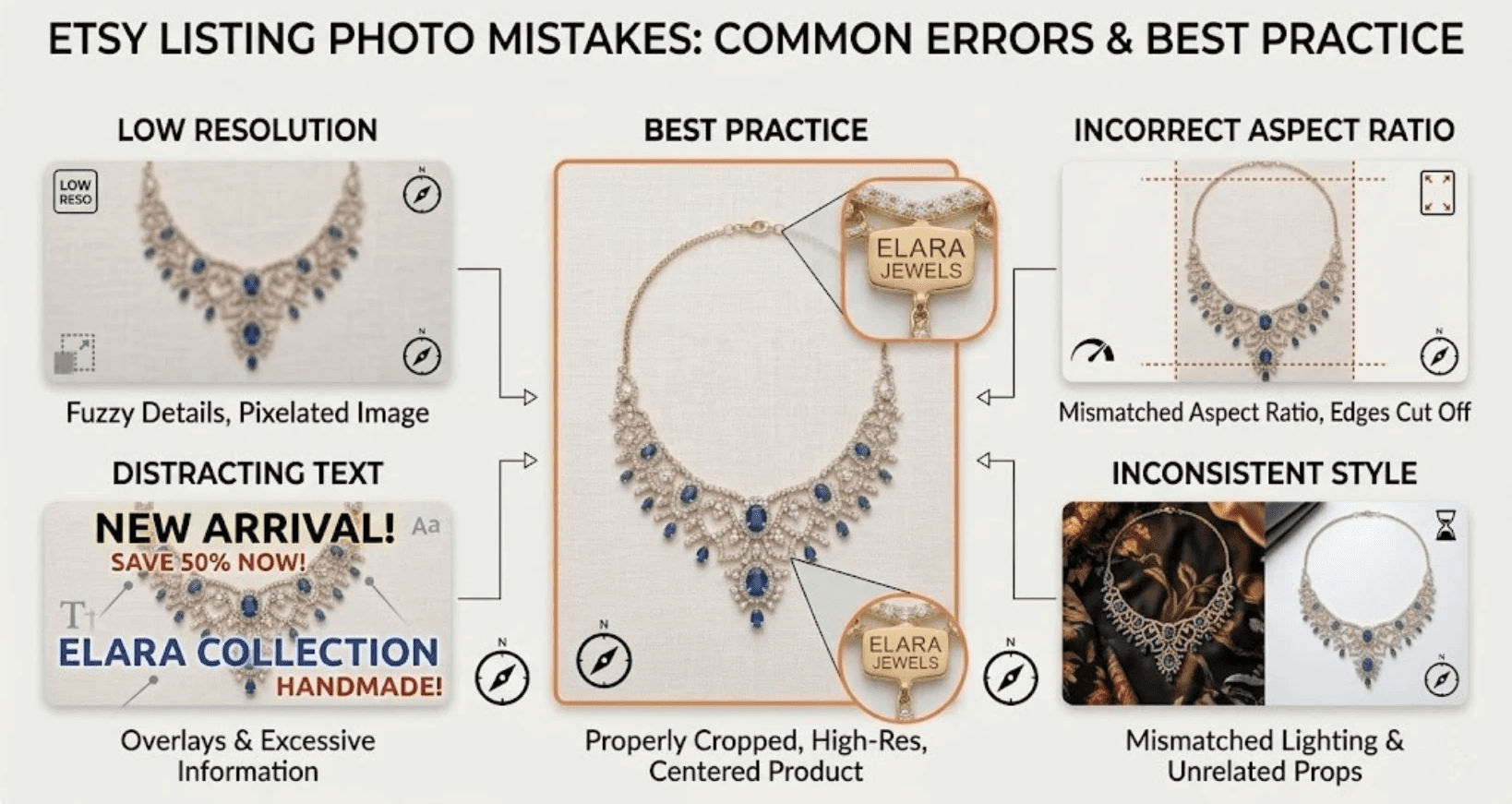
Many Etsy sellers unintentionally hurt their conversions due to image errors. Even small mistakes can make listings look unprofessional, reduce clicks, and lower sales.
Common Mistakes
Uploading Low-Resolution Photos
Causes blurry images, especially when buyers zoom in
Reduces perceived product quality and trust
Incorrect Aspect Ratios
Leads to cropping of important product details
Thumbnails may appear awkward or incomplete
Poor Cropping
Important elements near the edges get cut off
Products may look off-center or cluttered in search results
Too Much Text Overlay
Distracts from the product itself
Can make images hard to read on small mobile screens
Inconsistent Image Styles
Mixing backgrounds, lighting, or angles across images
Makes your shop look unprofessional and less cohesive
Impact on Conversions
Each of these mistakes reduces buyer confidence, making customers less likely to click on your listing or complete a purchase. Optimizing for proper resolution, aspect ratio, cropping, and consistent styling ensures your Etsy photos attract attention and drive sales.
12. SEO Tips for Etsy Product Images
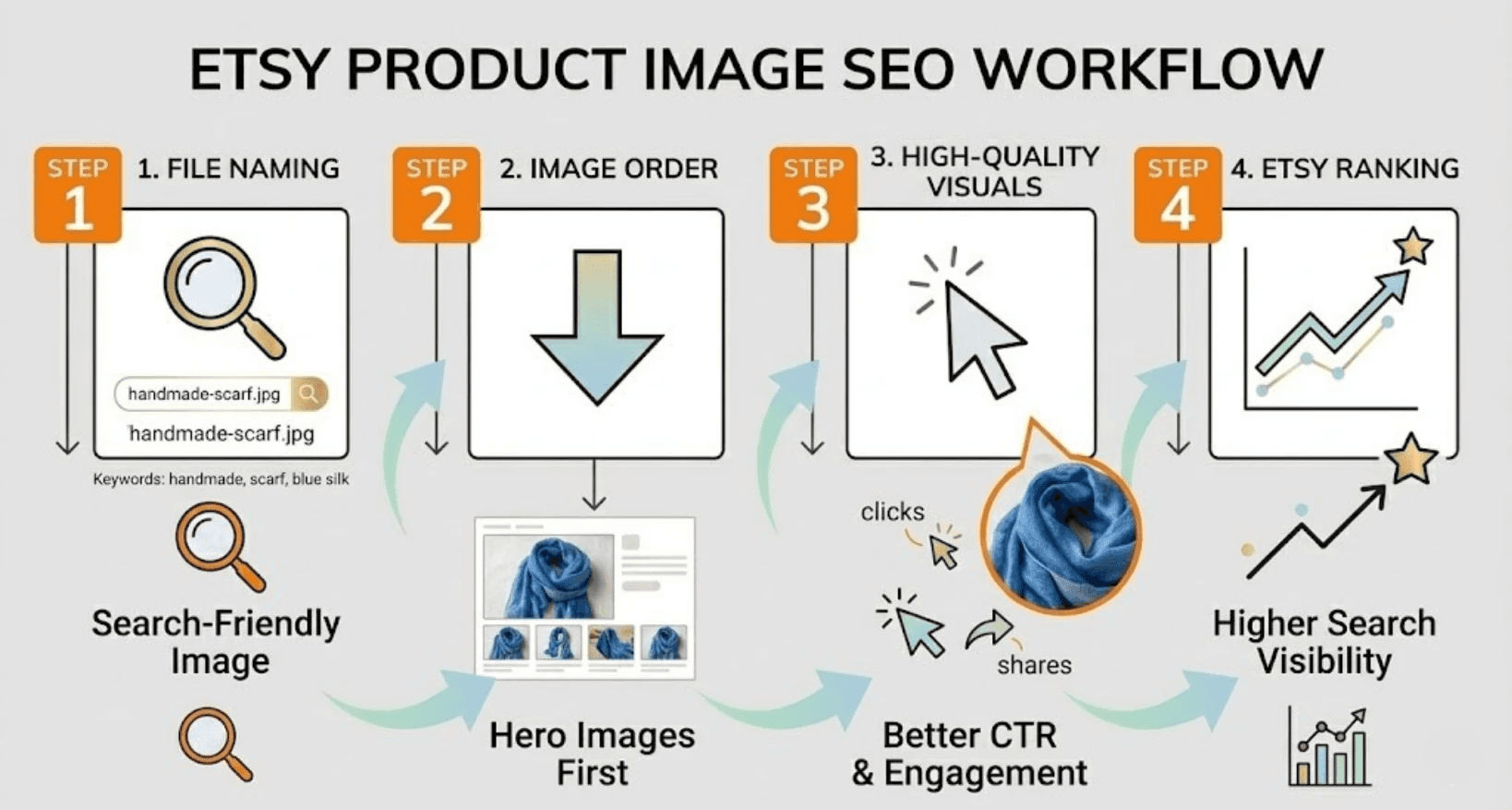
Etsy product images do more than just showcase your items, they also indirectly influence your shop’s search performance. Optimizing images for SEO can help your listings rank higher and attract more clicks.
File Naming
Use descriptive, keyword-rich filenames for each image (e.g.,
gold-diamond-hoop-earrings.jpg)Avoid generic names like
IMG_1234.jpgEtsy reads filenames for context, which can improve search relevance
Image Order
Place your hero image first, this is the thumbnail shown in search results
Follow with lifestyle, close-up, and variant images
Proper sequencing ensures buyers immediately see the most compelling visuals
Keyword Relevance
Ensure image content matches your listing keywords
For example, if your listing is “handmade ceramic mug,” your photos should clearly show a ceramic mug in use or styled appropriately
Search algorithms correlate visuals with listing text and tags
Click-Through Rate Improvement
Optimized, high-quality images increase CTR from search results
Eye-catching thumbnails and consistent style encourage shoppers to click and explore your listing
Higher engagement signals to Etsy that your listing is relevant and desirable, which can positively impact rankings
By combining proper file naming, thoughtful image order, keyword alignment, and attractive visuals, you can boost both Etsy search visibility and buyer engagement, ultimately driving more sales.
13. Final Thoughts
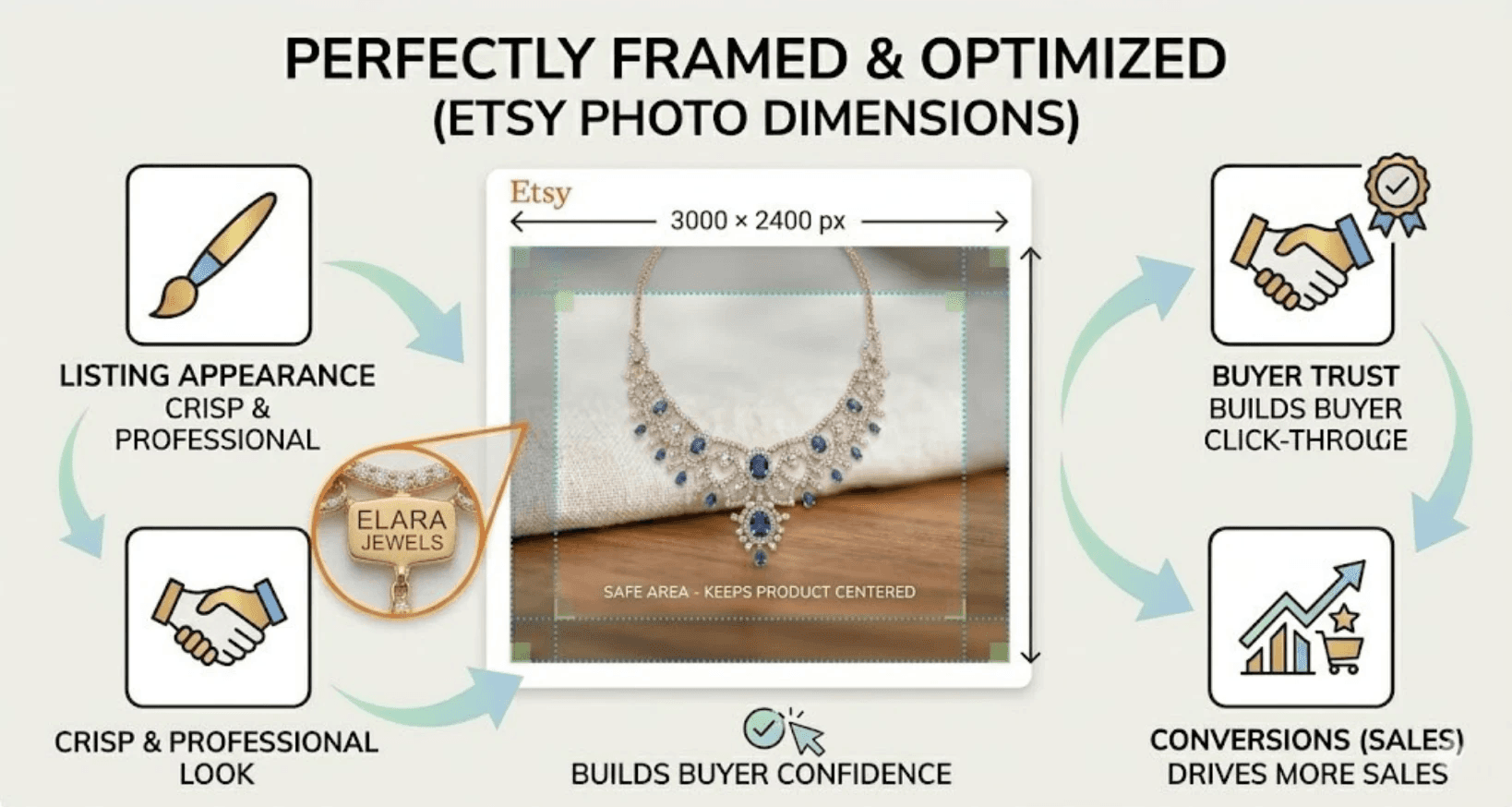
Getting your Etsy photo size right isn’t just a technical detail, it directly impacts how buyers perceive your products. Correctly sized, high-quality images improve:
Listing appearance – crisp, well-framed visuals that stand out in search results
Buyer trust – clear details build confidence in your products
Click-through rate – attractive thumbnails encourage shoppers to explore your listing
Conversions – visually compelling images increase the likelihood of purchases
For the best results, combine proper image dimensions with strong product visuals, consistent styling, and lifestyle context. Doing so ensures your Etsy listings not only look professional but also perform better in clicks and sales.
