Ecommerce Photoshoot: In-House, Studio, or Hybrid AI?
Choose an ecommerce photoshoot model by the work you cannot afford to get wrong. Use an in-house setup for repeatable catalog volume, hire a freelancer or studio when physical craft and production complexity dominate, and use a hybrid AI workflow when the factual source set is stable but the brand needs more contexts and iterations.
The cheapest quote is not necessarily the lowest-cost system. Missed variants, unclear usage rights, unusable crops, slow approvals, and reshoots often cost more than the camera day. Compare the three options against throughput, control, production complexity, and product-fidelity risk before comparing price.
In-house wins when the work is repeatable
An in-house setup suits teams that photograph new SKUs every week and can standardize the set. It gives the brand control over queue order, sample handling, naming, and reshoots. The trade-off is ownership: somebody must maintain the equipment, style the product, manage color, retouch, and enforce the same standard after the first enthusiastic month.
Choose it when:
most products can share one or two lighting recipes;
speed between sample arrival and PDP publication matters;
the team has enough recurring volume to justify dedicated time and space;
a trained owner can approve product identity and color;
campaign photography is a separate, less frequent production.
Do not choose it simply because a modern phone can make a sharp image. A dependable catalog is an operations system, not a device purchase.
A freelancer or studio wins when the set has real production depth
Bring in specialists when the assignment depends on difficult materials, models, sets, location access, advanced lighting, motion, or a tightly art-directed campaign. A good external team supplies more than a shutter press. It can provide preproduction, crew, casting, styling, equipment, capture, retouching, and delivery discipline.
This route is strongest when a failed production day would be expensive, the visual idea needs specialist craft, or the launch requires a coherent set across stills and motion. It is weaker for urgent one-off SKU additions if every update requires a new booking and handoff.
Shopify's current product-photography pricing guide identifies scope, creative direction, models, location, experience, equipment, and turnaround as cost drivers. That is why a per-image quote without a written scope is difficult to compare fairly.
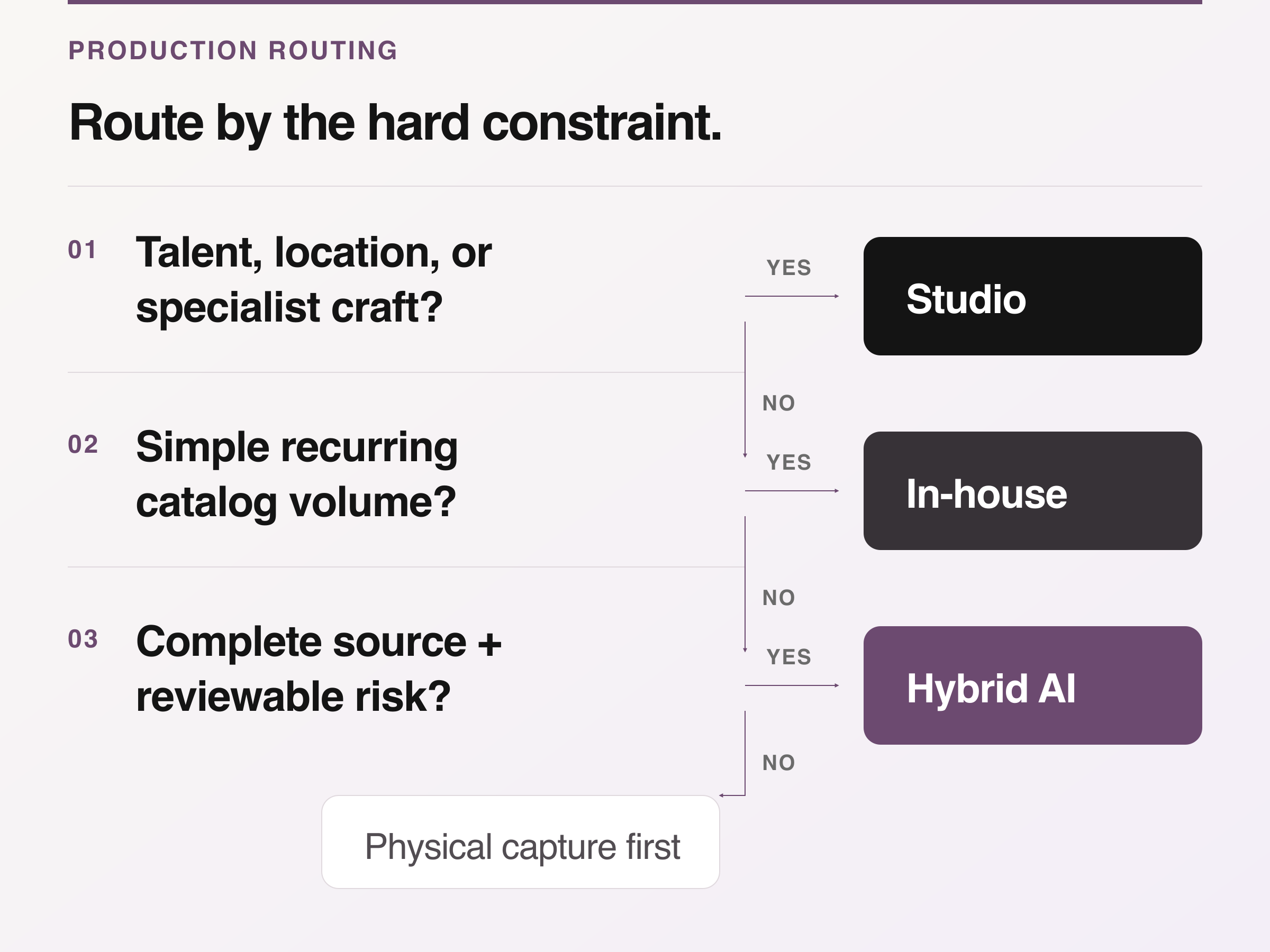
Decision aid: send specialist physical work to a studio, keep simple recurring volume in-house, use hybrid AI only with complete sources and reviewable risk, and default to physical capture otherwise.
Hybrid AI wins when a verified source can support more contexts
A hybrid workflow keeps physical capture for product truth, then uses AI for selected derivatives such as on-model, studio, lifestyle, or campaign-oriented variations. It can be a practical middle path for a small team with a clean source library and more channel demands than physical production can cover.
It is a poor fit when the source is incomplete, exact construction is hidden, the product changes shape in use, or the team has no human product-fidelity gate. Generated images should be treated as candidates that require comparison with the approved source, not automatic masters.
Use the AI model photoshoot guide to set source, rights, and rejection gates.
Price the whole production, not the camera day
Build a total production estimate from the same scope for all three options. Include preproduction, sample preparation, studio or room cost, crew, models and usage, props, capture, retouching, internal review time, file delivery, rejected outputs, and likely reshoots. For an in-house team, add equipment, storage, training, maintenance, and the opportunity cost of whoever owns the queue. For hybrid AI, add source capture, generation, review, rejected iterations, and any physical reshoot needed when the source is not sufficient.
Avoid publishing generic market-rate numbers as if they apply everywhere. Geography, category, crew, talent, licensing, and deliverable complexity change the quote. Ask each supplier to price the same brief, then calculate:
total approved-production cost ÷ number of approved, channel-ready assets
Keep "approved" in the denominator. A folder of near-duplicates and incorrect variants is not production value.
Define the timeline by approvals
The schedule should name decisions, not only dates. A workable timeline includes sample lock, shot-list lock, art-direction approval, test frame, production, first select, retouching round, product-owner QA, channel export, and final delivery. State how long the brand has to respond at each gate and what happens when the sample or brief changes.
In-house production may shorten booking time but still bottleneck at styling or retouching. A studio may complete a complex set efficiently but require more preproduction. Hybrid AI can move quickly after source approval, yet a weak source or vague prompt creates review loops. The fastest model is the one whose approval chain matches the team.
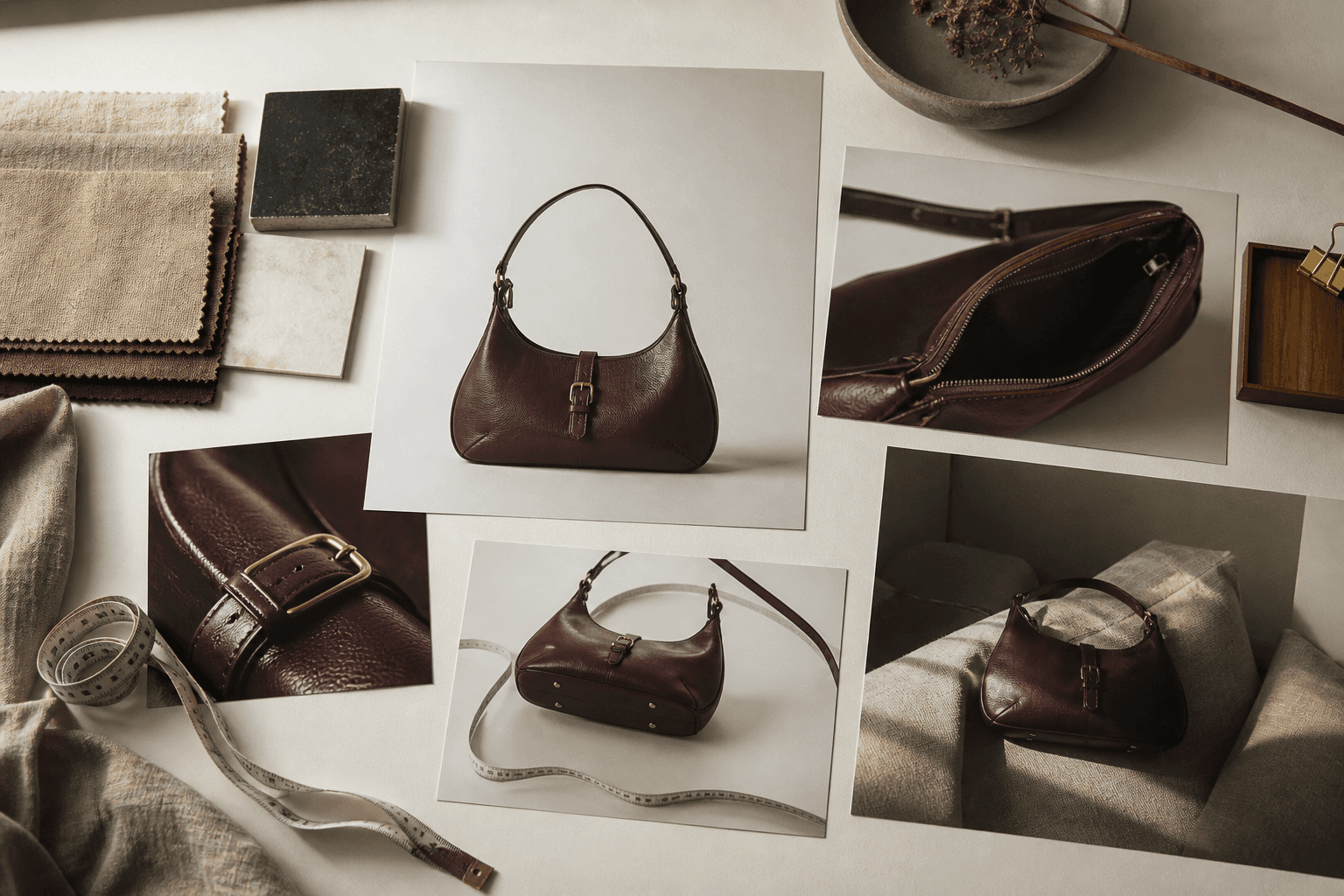
Conceptual illustration: a handbag coverage board spanning product, detail, scale, material, and lifestyle views; not a photographed client delivery.
Make deliverables testable before requesting quotes
"Twenty product photos" is not a complete deliverable. Specify the product count and variants, image roles, orientations, safe crops, background, model or hand requirements, retouching boundary, color expectation, file format, resolution, color profile, naming convention, source-file delivery, revision rounds, archive period, and destination channels.
Also specify who approves what. The creative lead can approve mood and composition; the product owner must be able to reject the wrong color, construction, hardware, or variant. The channel owner should confirm that the exports meet the final placement.
For feed images, check the latest platform rules rather than copying an old brief. Google Merchant Center's image-link specification requires the submitted image to show the correct product and match product data; promotional overlays and placeholders are not permitted for the main image.
The buyer-risk matrix exposes the expensive omissions
Use this matrix in procurement and preproduction. It deliberately focuses on failure cost rather than creative preference.
Buyer risk | Evidence required before signing |
|---|---|
The quote grows after kickoff | An itemized scope, exclusions, overage rates, revision count, cancellation terms, and reshoot responsibility. |
The product looks attractive but inaccurate | A category-relevant test frame plus a named product-fidelity approver and written retouching limits. |
The files cannot be used in every planned channel | A deliverable list with aspect ratios, safe crops, resolution, file type, color profile, and intended destinations. |
The launch misses its date | A milestone schedule with client response windows, dependencies, and a contingency for late or damaged samples. |
The brand cannot reuse the photography as expected | A written license or ownership term covering media, territories, duration, paid use, edits, and third-party delivery. |
Generated derivatives drift from the source | Side-by-side source QA, rejection criteria, and a rule that uncertain product details return to physical capture. |
Nobody can find the approved master later | A naming, version, metadata, and archive specification with one accountable owner. |
Use the matrix to expose scope, fidelity, delivery, schedule, rights, derivative, and archive risk before signing.
Discuss usage rights explicitly. In the United States, the Copyright Office says photographers generally own their work unless a valid work-for-hire arrangement or signed transfer changes that. An invoice alone does not transfer copyright. Review the Copyright Office guidance and use qualified counsel for campaigns involving talent, music, trademarks, or paid-media rights.
Interview the operator, not just the portfolio
A portfolio proves taste. The sales call should prove process. Ask the provider or internal owner to walk through a recent assignment from sample intake to final archive, then ask:
Who checks the SKU and variant on set?
How is color referenced and approved?
What is changed in retouching, and what is off limits?
Which files are included, and which cost extra?
Who owns or licenses the final work, and for which uses?
How are models, locations, props, and third-party assets cleared?
What triggers a billable reshoot?
How are generated images identified and reviewed, if AI is used?
Can the team deliver one test product through the complete workflow before the full batch?
Vague answers about "unlimited creativity" are less useful than a plain explanation of approvals, file structure, and failure handling.
A hybrid system should preserve a visible chain of truth
Look Atlas starts from uploaded product photos and creates model, studio, lifestyle, and campaign-oriented imagery. The responsible workflow begins with an approved source, records which derivative came from it, and compares the result against the source before release. The generated scene may be new. The listed product should not silently become a different item.
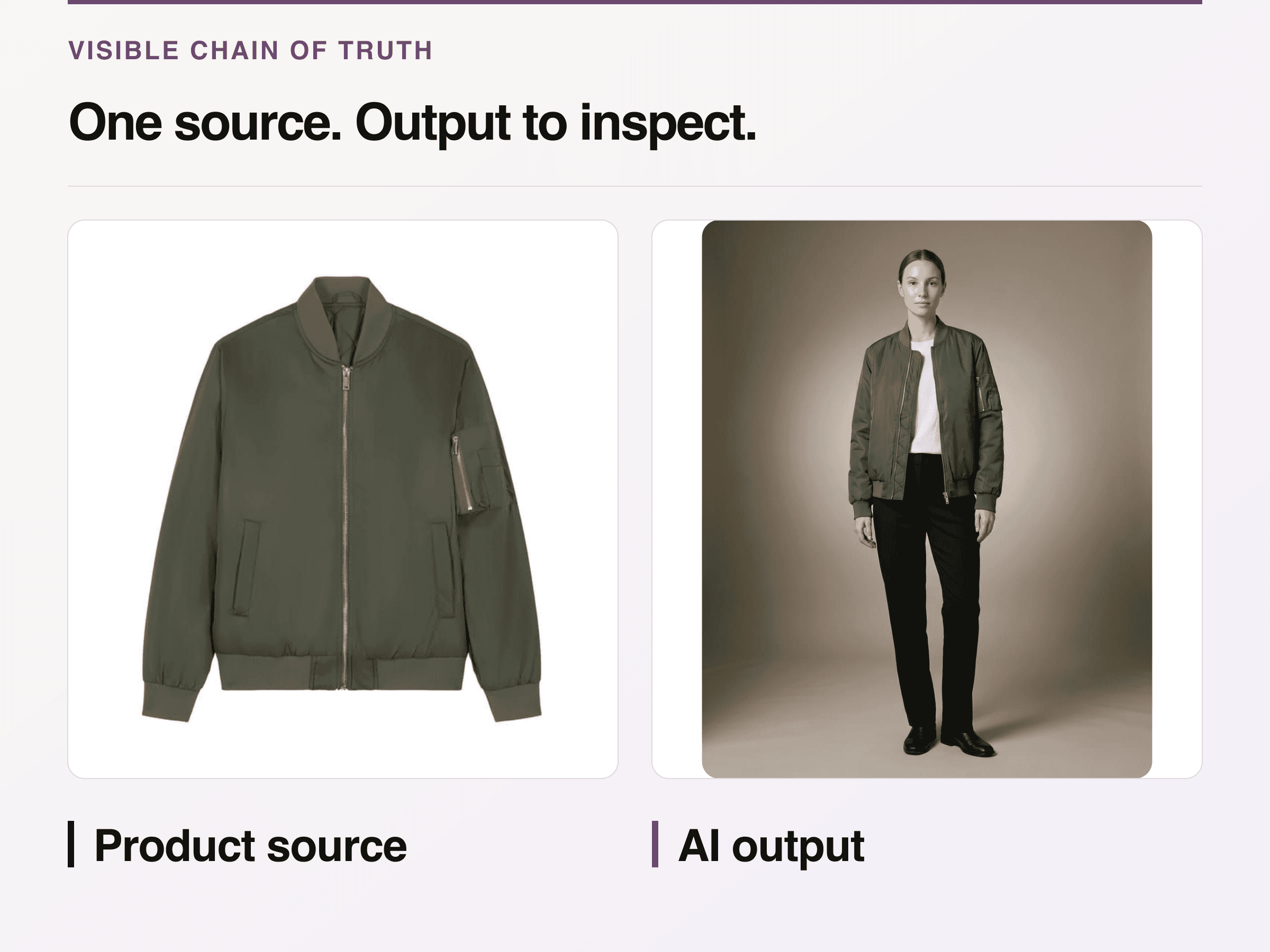
First-party same-SKU example: compare collar, zipper, pockets, and cuffs. Hidden details and catalog-wide accuracy remain unproven.
Use the hybrid model selectively. Keep factual packshots, legally sensitive details, exact scale evidence, and any unresolved construction in physical capture. Use generated derivatives where the team can inspect the output and where a new background, model, or campaign context solves a real channel need.
Keep execution in a separate production workflow
This article chooses the production model and contract. The product photography workflow should own the detailed path from intake and shot list through capture, retouching, export, and archive. Linking the two jobs prevents a buying guide from becoming another generic seven-step shoot tutorial.
Use the following decision rule:
Pick in-house when recurring catalog volume and queue control matter more than set complexity.
Pick a freelancer or studio when specialist craft, talent, location, or campaign coordination is the hard part.
Pick hybrid AI when you already have truthful source imagery and need more approved contexts without pretending the review step disappeared.
Combine them when the library needs all three kinds of work.
The next action is a one-product pilot with the complete brief, approval chain, rights language, and file delivery. Judge the result by approved assets, elapsed approval time, product fidelity, and how easily the final files enter the channels that need them.
