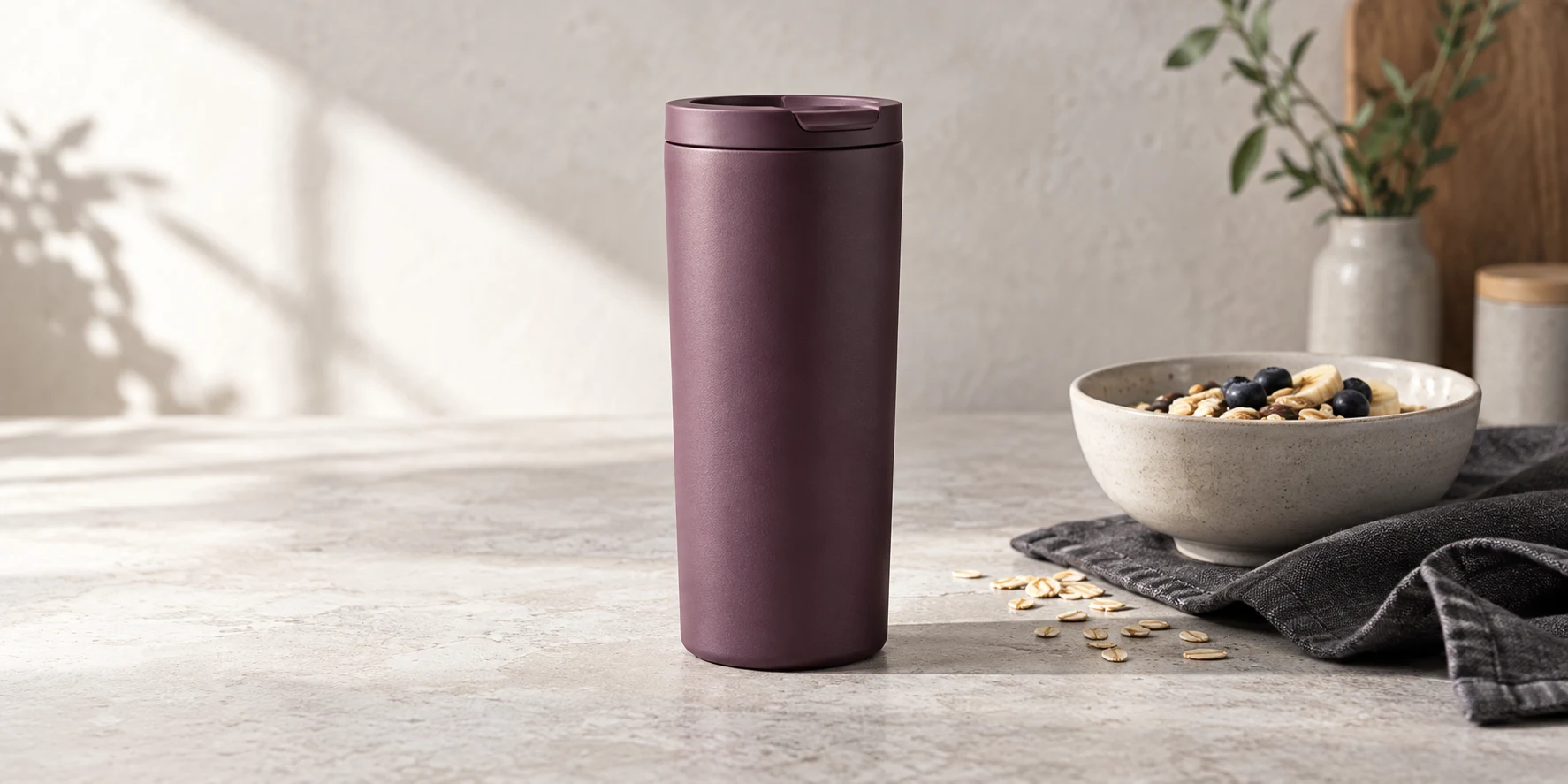
Amazon Lifestyle Images: Turn One Buyer Question Into a Scene
Amazon lifestyle images should not be miniature ads with a product dropped into a beautiful room. Their useful job is narrower: make one true use condition easier to understand after the main image has established what the product is.
Begin with the buyer's uncertainty, then build only the scene needed to resolve it. If a frame cannot be described as evidence of scale, handling, setup, environment, or a specific use step, it is probably mood without a purchasing job.
Give each scene one buyer question
Buyer uncertainty | Lifestyle scene job |
|---|---|
How large is it in ordinary use? | Place one familiar reference on the same plane without replacing the listed dimensions. |
How is it held, worn, opened, or positioned? | Show a natural body or object interaction with the relevant contact points visible. |
What space does it need? | Reveal the truthful footprint, clearance, or storage context without using a distorted wide-angle view. |
When in the task is it used? | Choose a clear before, during, or after moment and show only that phase. |
What arrives with the product? | Keep the sellable unit unmistakable and make every contextual prop visibly secondary. |
The table assigns one visible job to a scene instead of prescribing a fixed gallery count.
The table is not a list of five images every listing needs. It is a way to assign one job to each candidate scene. A lunch container may need a packed-size frame; a lamp may need a desk-footprint frame; a travel tumbler may need a grip or cup-holder frame. The product and buyer question decide the scene, not a fixed gallery recipe.
Amazon's public product-photography guidance separates lifestyle shots from scale, detail, packaging, group, and individual shots. It defines lifestyle photography as the product in action and treats scale as its own frame job. That distinction is useful because an attractive in-use image does not automatically prove size, construction, included pieces, or packaging.
Build the scene from evidence, not adjectives
A usable brief starts with a visible statement. “The tumbler can be held comfortably at breakfast” names a product, an action, and a context. “Warm, elevated morning energy” describes a mood but gives the producer no factual release condition.
Write the buyer question first. Then name the product fact already established by the source pack, the use condition the scene may add, and the visible detail that would answer the question. Finish with the things the frame must not imply. For the tumbler, those exclusions might include an unverified leakproof claim, an invented handle, an oversized body, or the idea that the bowl and linen ship with it.
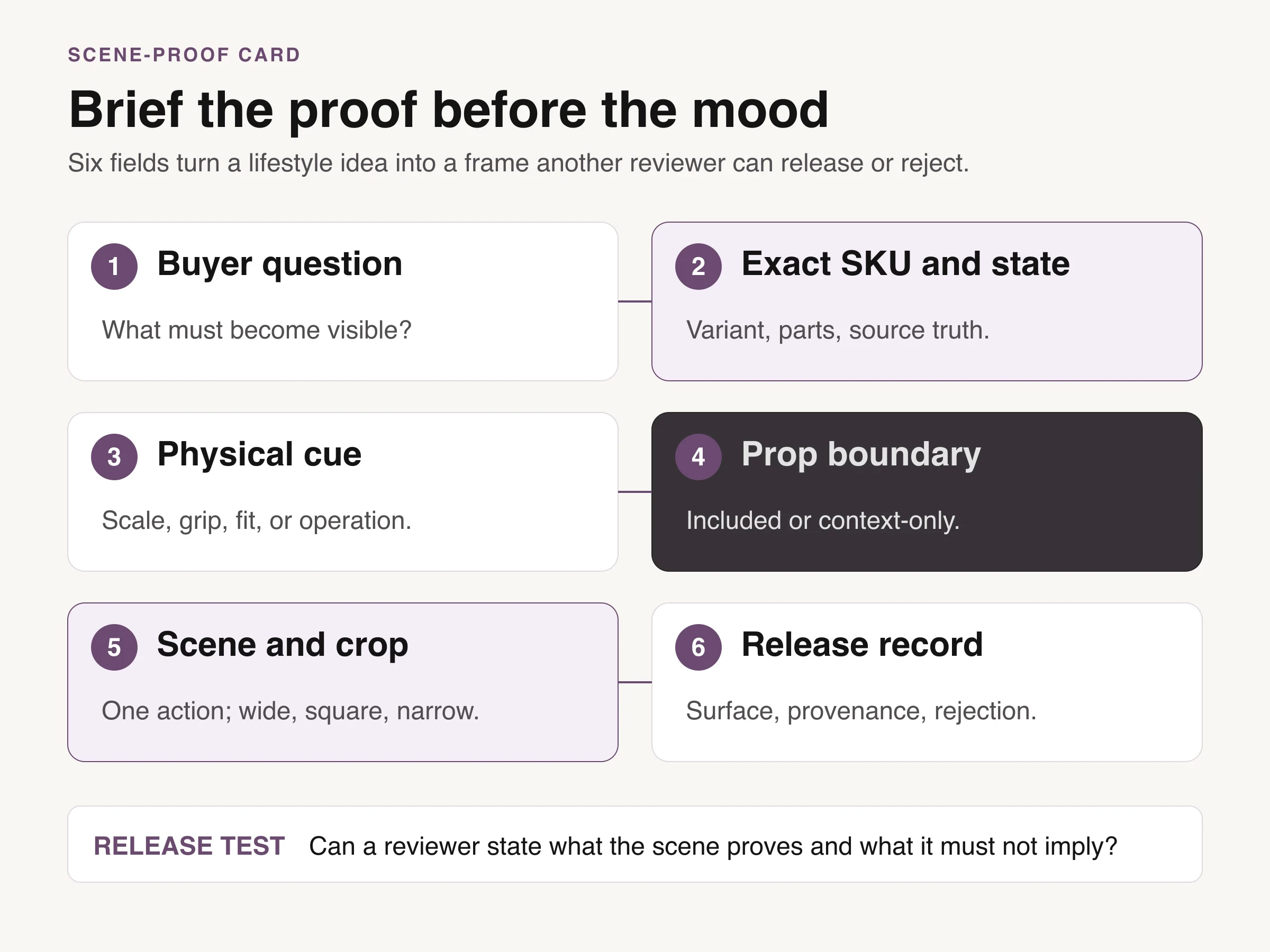
The scene-proof card connects buyer uncertainty, exact SKU state, physical cue, prop boundary, crop, and provenance.
The scene-brief stack above keeps the factual product record separate from creative permission. It also makes rejection specific. A frame can fail because the lid changed, the grip hides the action, the counter exaggerates scale, or the props read like bundle contents. “It does not feel premium” is not enough direction unless the visual brief defines what premium means in light, palette, crop, and materials.
Do not ask every frame to communicate the entire brand story. One product, one action, one environment, and one visible answer are usually stronger than a room full of symbolic props. Amazon's own creative guidance repeatedly returns to product focus, real-life context, high image quality, and honest representation.
Lock product truth before granting scene permissions
The source pack controls what the scene cannot invent. Retain a straight-on product image, useful profiles, exact dimensions, color and material references, included parts, packaging when relevant, and any construction detail that may disappear in context. A lifestyle image can add relationship and environment; it should not become the only record of the product.
Create a separate permission list for the scene. It should name the allowed environment, person or body site, action phase, surface, wardrobe, and props. Mark each prop as contextual or included. If steam, splashing water, food contact, outdoor weather, a device screen, or another product claim appears, decide whether the product record actually supports that depiction.
This is the point where physical and generated production share the same discipline. A photographer needs the correct sample, variants, talent releases, prop list, and retouching boundary. A generated workflow needs those facts plus retained source images, provenance, and a review that catches altered geometry, labels, components, or scale.
If the team needs a studio, retoucher, or production partner rather than a scene-control system, the Amazon photography service guide covers that commissioning decision. This page stops short of provider selection and focuses on the brief the provider should receive.
The Amazon surface changes the scene's job
Amazon does not treat every image surface as interchangeable. The current US Product Image Guide identifies the MAIN image as the first detail-page and search image, applies strict identity requirements, and says only a limited number of product types may use a lifestyle MAIN image. Amazon's public photography guide recommends keeping white-background product imagery and then adding colorful or ambient context.
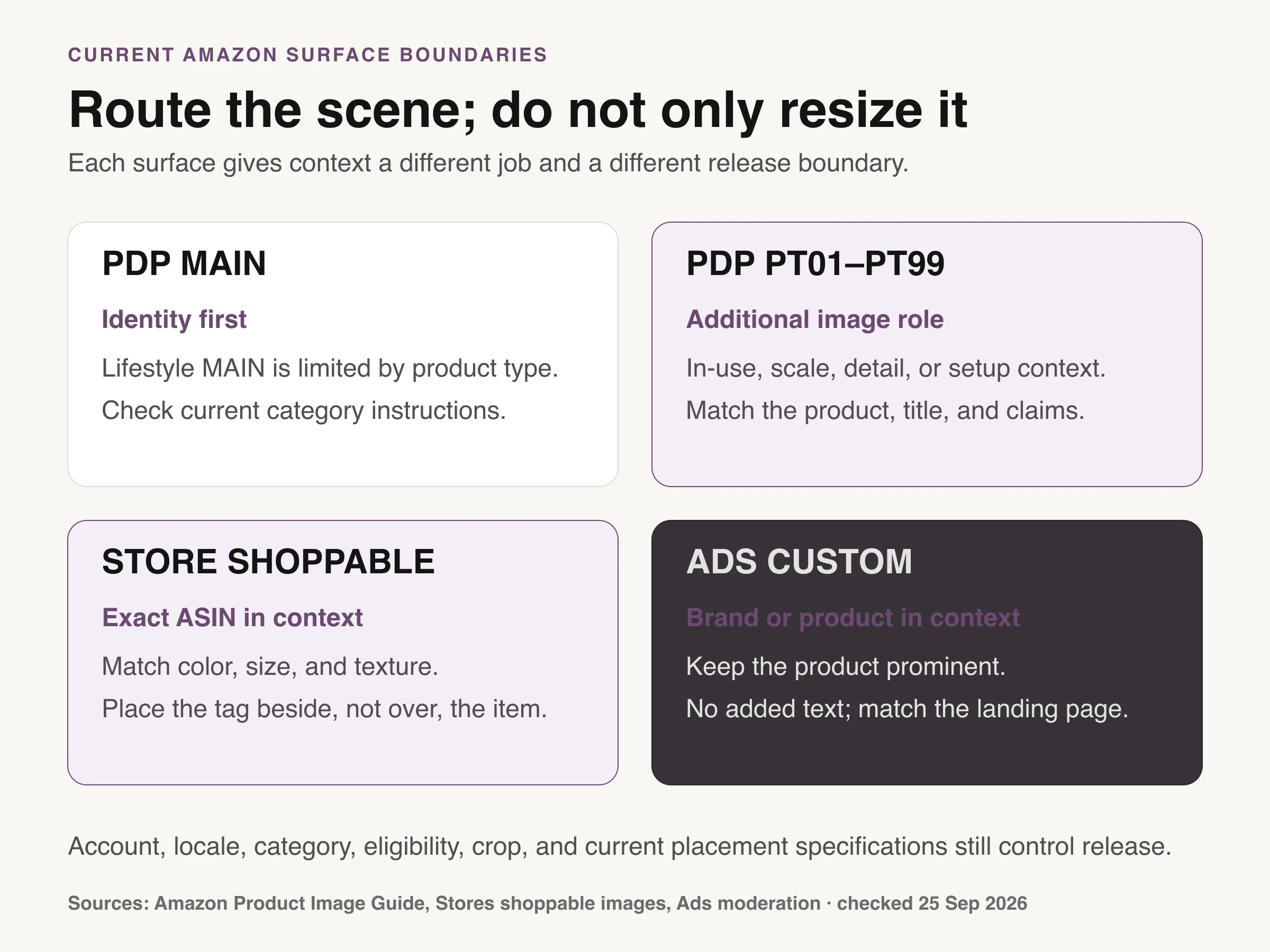
Sourced chart: Amazon Product Image Guide, Stores shoppable-image guidance, and Ads moderation guidance, checked September 25, 2026. Rules are scoped by surface and current account instructions still control.
Additional listing images, Store shoppable images, A+ Content, and Sponsored Brands custom imagery use context differently. Store guidance asks the tagged product to remain focal and match the ASIN's color, size, and texture, with the tag beside the product. A+ recommends lifestyle imagery showing products in action. Ads custom imagery shows brand or product context but must keep product focus, match the landing page, and avoid added text beyond text naturally present.
The sourced chart is a routing boundary, not a universal template. Category style guides, the seller's current account instructions, locale, eligibility, and placement specifications still control the deliverable. A scene accepted for A+ Content is not automatically the right asset for a listing slot or an ad crop.
Treat each export as a new release surface. Recheck what the frame claims after it has been cropped, downscaled, paired with listing copy, or inserted beside other gallery images. Context that felt subtle on a large artboard can become the dominant message on a phone.
Choose one moment in the action
Most use scenes fail because they show too much activity, not too little. Decide whether the buyer needs the moment before use, during use, or after use.
A before-use frame can explain setup: the parts arranged, the lid about to close, or the product positioned in its working space. A during-use frame can show grip, posture, contact, clearance, or the active relationship with another object. An after-use frame can show storage, cleanup, pack-down, or the finished result, but only when that result is supported by the product record.
Do not compress all three phases into one theatrical tableau. The hand, product, and surrounding objects will compete for attention, and the shopper may not know which relationship is factual. When a sequence is genuinely necessary, use separate images or a supported A+ module rather than faking time inside one photograph.
Camera position should protect the scene's claim. A wide lens placed close to a product can enlarge the nearest edge and shrink the environment. A high angle can make capacity look smaller; a low angle can make an object look imposing. Choose distance and perspective for honest relationship first, then refine the crop.
Generated context still needs a disclosure and fidelity check
Generation can be useful when the required asset is a context variation rather than documentary evidence. It can explore a kitchen, commute, travel, seasonal surface, or casting direction after the product record and scene permissions are fixed. It cannot verify capacity, fit, safety, compatibility, performance, or included parts on its own.
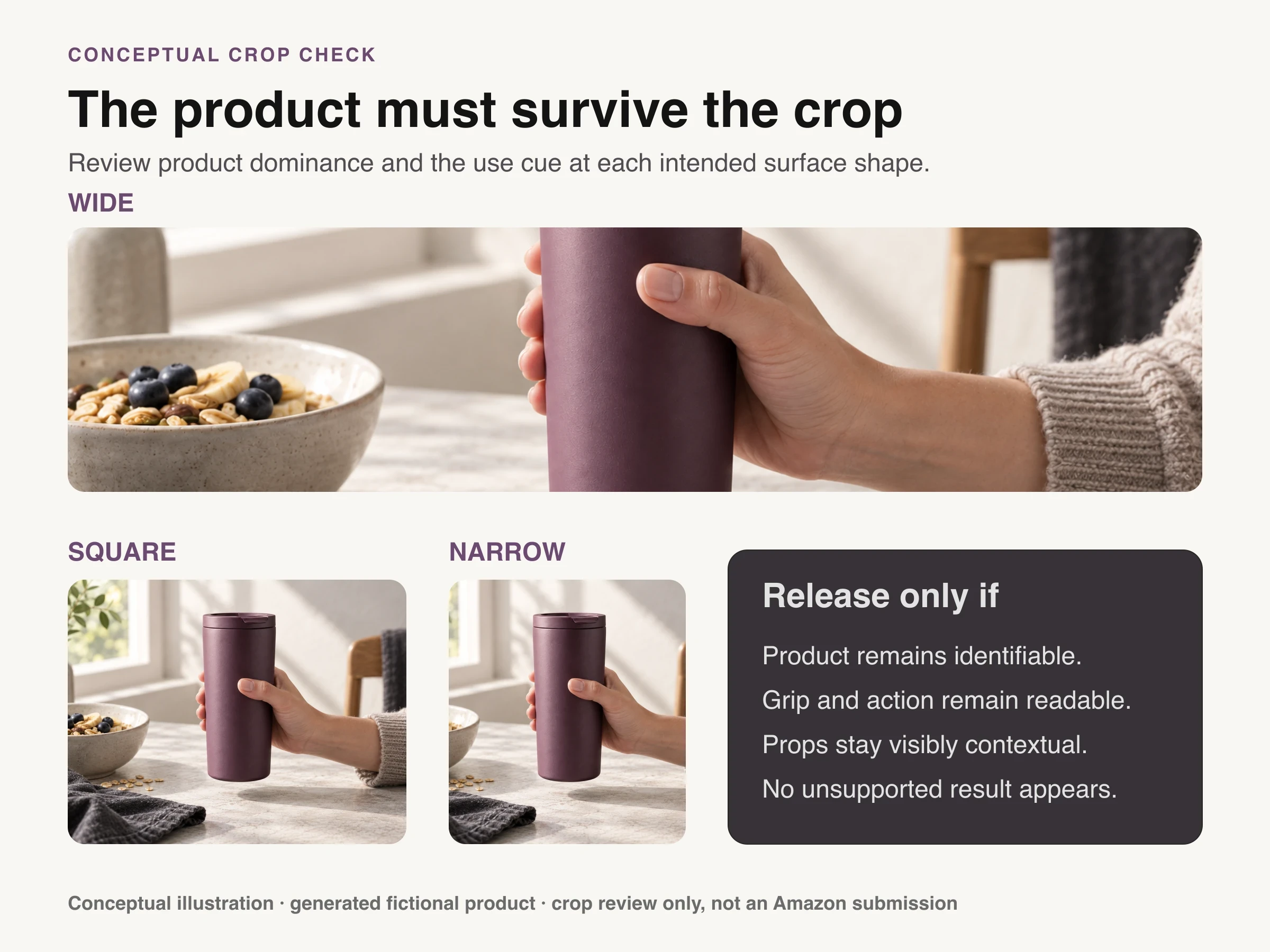
Conceptual illustration: the same fictional in-use scene is cropped three ways to inspect product dominance, action readability, prop ambiguity, and unsupported implications. It is not an Amazon submission or fidelity proof.
The conceptual illustration above shows one use moment across wide, square, and narrow crops. It proves nothing about the fictional tumbler's size, comfort, insulation, capacity, or fidelity to a sellable SKU; those need an approved record and, when necessary, physical evidence.
Amazon's current US Product Image Guide gives a specific instruction for photorealistic people who were entirely generated by AI: add the keyword contains-synthetic-performer to the dc:subject XMP field before upload. The same guide says not to use that tag for images containing only real people, including real people altered with AI tools. Requirements can vary by jurisdiction and change, so check the current account-visible instructions at release.
For either production route, compare the final frame with the source at full size. Check silhouette, proportions, color, material response, lid or closure, labels, included components, contact points, and shadows. Then review at the intended mobile width and ask whether the scene still answers its original buyer question.
Release the scene with one sentence
Approval should end with a sentence that another reviewer can test: “This additional image shows how the approved tumbler is held at breakfast; the bowl and linen are contextual props and no performance claim is implied.” That is more useful than “approved lifestyle creative” because it preserves the image's role, evidence, and exclusions.
Keep the release record beside the file: ASIN or SKU, source-pack version, buyer question, visible answer, action phase, contextual props, channel and slot, crop, rights or releases, generation provenance when applicable, and approver. Create a new surface-specific release when the image moves into A+ or advertising.
Once this record exists, Look Atlas can be used to extend accepted product imagery into generated lifestyle context. Direct one buyer question and one action phase at a time, then compare every output with the product record. Reject invented components, altered labels, unsupported use, ambiguous props, or a crop that makes the context more legible than the product.
Write the rejection before production begins
Take the product that creates the most buyer uncertainty and write three scene claims, each with its own Amazon surface and crop. For each one, finish this sentence: “Reject the image if…” The answer should name an observable failure such as the product shrinking at mobile size, an included part disappearing, a prop reading as part of the bundle, a hand hiding the interaction, or the scene implying an unsupported result.
Produce those three frames as one scene-proof sheet and release each with its one-sentence record. The result is not merely a nicer Amazon image. It is a small set of product evidence with known jobs, known limits, and channel-ready reasons to exist.
