
Aesthetic jewelry photography: keep the defining shape visible
An open cuff can look like a closed bangle in a photograph. The outline may be elegant, the background expensive-looking, and the small gap that defines the design almost invisible. For aesthetic jewelry photography, start by choosing the relationship you want the viewer to see inside the piece, then build the scene around it.
This guide uses an actual museum photograph to make that decision concrete. It is a composition exercise, not a reconstruction of the photographer's lighting or a claim that one style sells better.
1. Name the shape you cannot afford to lose
For an open cuff, the essential relationship may be the space between its ends. For a pendant, it may be the separation between a central stone and its surrounding setting. Choose one feature that distinguishes this design from a similar piece, rather than giving the brief a mood word such as “luxurious” and leaving the geometry undecided.
Write a usable direction: “Keep both cuff ends visible with background between them.” That is more specific than “make the cuff sculptural.” It tells the photographer which overlap would undermine the image while leaving room for an expressive angle.
There are two different shapes to inspect: the outer silhouette and the space enclosed by, or interrupted within, the jewelry. A strong exterior outline does not guarantee that the interior opening is legible. This distinction is especially useful when a curved object folds over itself from the camera's viewpoint.
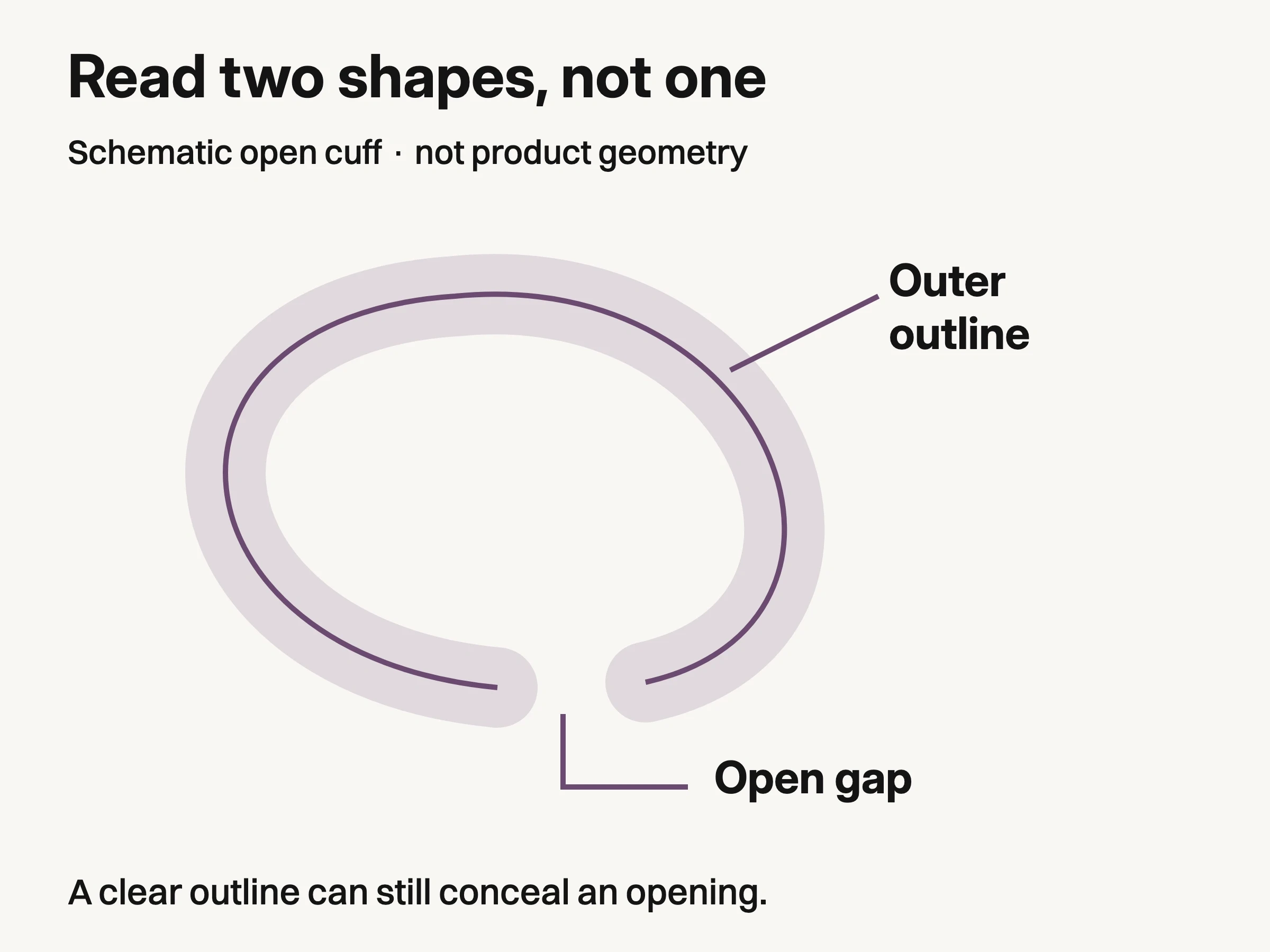
Schematic teaching illustration, not measured jewelry geometry. Check the opening separately from the outside outline.
Do this first on a plain surface with the piece supported safely. You are choosing a view, not proving that every product should have a minimalist campaign. An elaborate setting can follow once you know which part of the shape must remain readable.
2. Study what an actual photograph makes visible
The Metropolitan Museum of Art's gold bracelet, accession 25.78.42, is a useful example. In the retained photograph, the ends overlap in the upper-left region, but a narrow strip of background still separates them. Elsewhere, visible patterned areas contrast with a smoother-looking arc.
Those are observations of the image. They do not reveal the photographer's light positions, establish the object's calibrated color, or tell us how a modern cuff would look under the same conditions. The museum identifies the material as gold; we are not identifying a metal from its photographed hue.
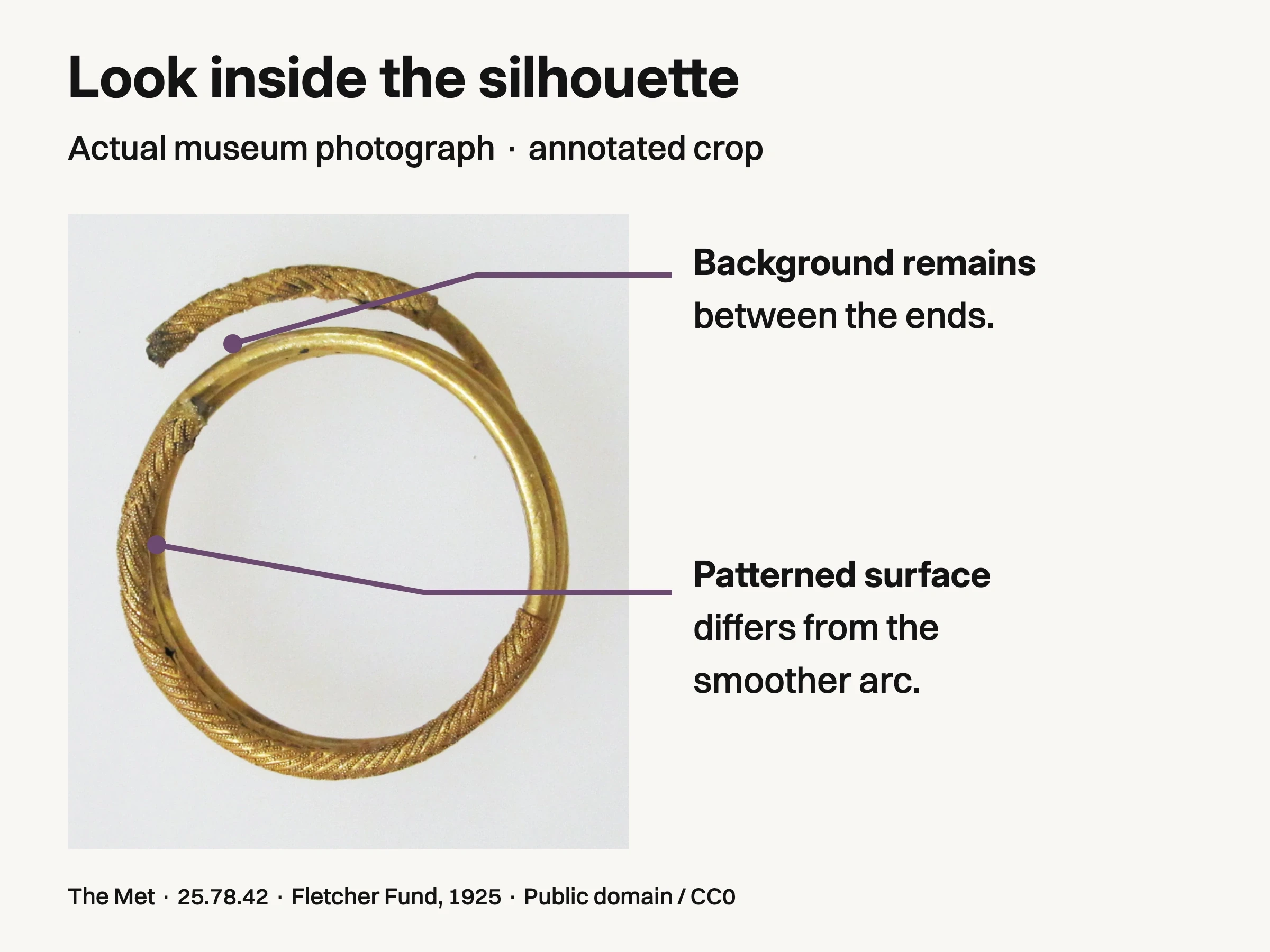
The Metropolitan Museum of Art, Bracelet, gold, 25.78.42, Fletcher Fund, 1925. Public domain / CC0. Annotated crop identifies visible regions only; original lighting, calibrated color and styling alternatives are unknown.
Look at the opening before the ornament. If you were photographing your own open cuff, the useful question would be whether the intended opening still reads from the chosen viewpoint. Then inspect the surface detail that matters to that design. A bright region can help describe a curve while leaving a nearby patterned region legible; the goal is not to erase every highlight.
The source photograph is reproduced under the Met's Open Access policy. The annotations identify visible regions, not a styling improvement. No alternative photograph was manufactured to claim a successful correction.
3. Choose orientation before changing the whole set
Keep the camera position steady while trying a small rotation of your own piece, and judge the result through the camera. The angle that looks clear from beside the table may collapse the opening in the photograph. In Nikon's jewelry photography tutorial, Jody Dole likewise describes checking composition through the camera when arranging multiple elements.
For the cuff example, stop when the ends are separately identifiable and the intended surface remains visible. If the orientation reveals the opening but hides the engraving you need to show, you have found a real trade-off. Choose the feature this image is meant to express, or make a separate detail view; do not pretend one angle preserves everything.
Use a stable support appropriate to your jewelry without forcing its shape. Check that the support does not resemble part of the product.
4. Choose the background at the opening, not just around the outside
A background can separate the outside edge while disappearing into the small gap between two ends. Inspect both places. With the cuff in position, compare a light neutral surface and a darker neutral surface using your actual piece. Select the one that keeps the opening readable without changing the surface character you need to communicate.
This is an audition, not a universal rule that silver needs dark backgrounds or gold needs cream. Nearby colors and bright surfaces can change the appearance of reflective jewelry. GIA's gem and jewelry photography guidance notes that background choice affects the appearance of metals and light-colored stones, and that diffuse light can reveal soft tonal gradients in polished metal.
Change one element at a time so you can tell what altered the image. If a new background improves the outline but produces an unwanted colored reflection, reconsider its position or material before compensating with an aggressive edit. Keep a trustworthy product reference available when evaluating color and surface detail.
What disappears in the image | A specific adjustment to try |
|---|---|
The opening between cuff ends | Rotate the piece slightly and check whether background becomes visible between the ends. |
Patterned detail becomes a bright patch | Adjust the piece or reflected environment, then compare the detail with the actual item. |
One edge merges into the surface | Audition a different background value while checking both the outer edge and interior gap. |
A support looks like part of the jewelry | Change the support or viewpoint; do not let an aesthetic arrangement imply extra product structure. |
Proposed adjustments for your own piece; outcomes depend on its geometry, surface and illumination.
These are proposed troubleshooting moves. The result depends on your piece, surface and illumination; none is a measured guarantee.
5. Add an accent that leaves the defining shape intact
Once the orientation works, introduce the visual language of the campaign: a curved paper edge, a restrained fabric fold or a contrasting surface. Keep it outside the opening you just worked to reveal. A diagonal behind a cuff may create movement, but if it runs directly through the gap it can make the two ends harder to distinguish.
The existing professional jewelry photography guide covers the broader production requirements. Here, the task is narrower: preserve the selected shape while changing the mood around it.
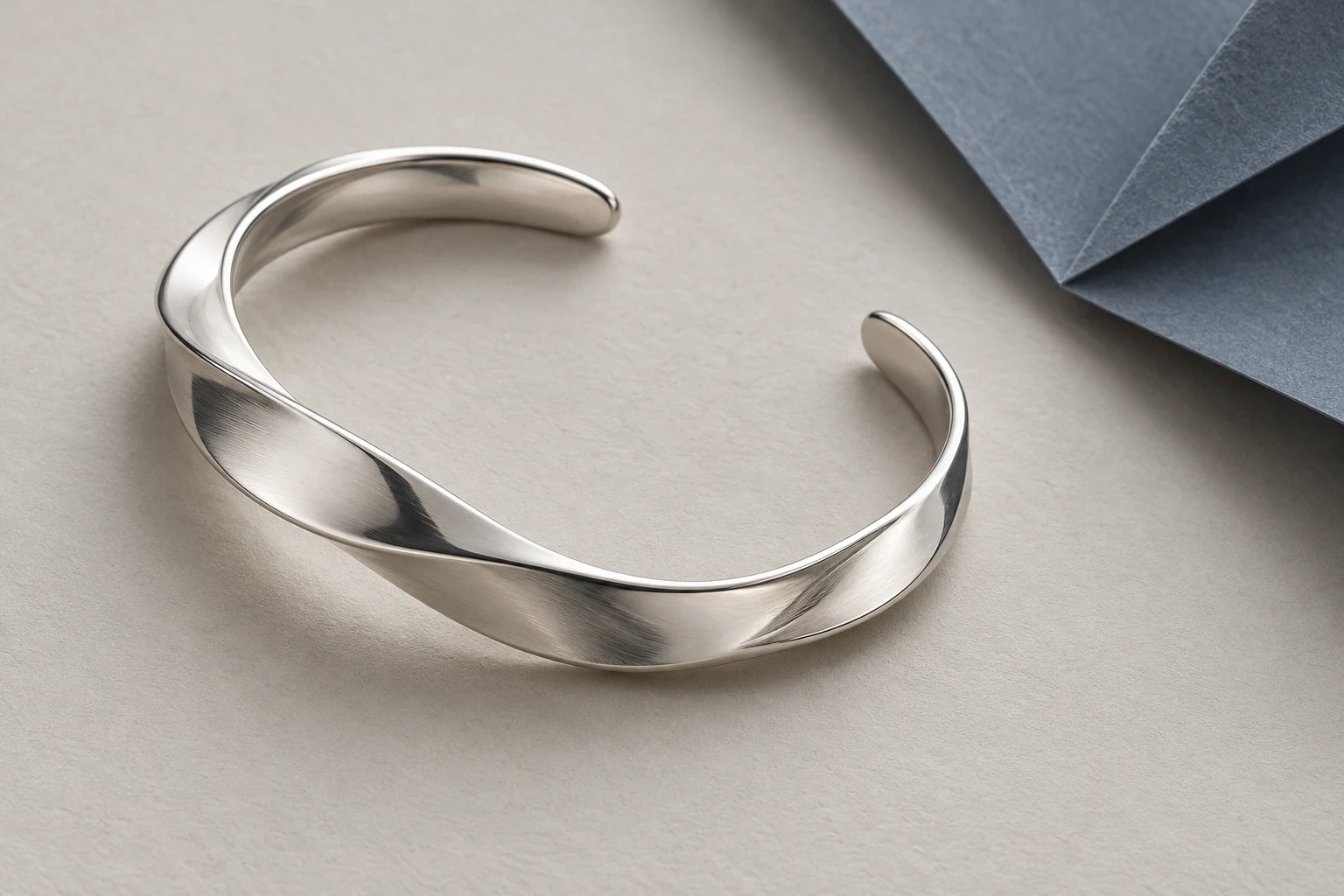
Conceptual illustration: separately generated fictional cuff and scene. It is not a controlled second view of the hero or a styling test of the museum bracelet.
A useful review is to remove the accent temporarily and compare the composition. If the design becomes easier to understand, the accent needs a different position or a quieter role. This is a creative judgment about legibility, not evidence that simpler photography always performs better.
6. Judge the image where the opening gets small
Inspect the intended crop and display size before approving the composition. A gap visible in the full-resolution file may become indistinct when the image is reduced. Check the exterior outline, the opening and the selected surface detail separately. Do not rely on zooming into a thumbnail to recover the meaning you wanted the thumbnail to carry.
If the crop removes an end of the cuff, decide whether the image is now an abstract detail rather than a complete product view. That can be an intentional campaign choice, but it should not silently replace the image customers need to understand the whole piece. Keep measured dimensions, material descriptions and other factual product information in their appropriate places; aesthetic photography cannot certify them.
For AI-assisted creative work, separate the actual jewelry references from the desired scene. Look Atlas's jewelry imagery workflow can be considered for creative scene production, with the real product references used to review the output. Check the opening, stone arrangement, surface detail and proportions against those references; a convincing mood is not confirmation of product accuracy.
Finish the brief with the relationship you chose at the start: both ends visible, background between them, and the relevant surface readable at the intended size. That gives the next person a concrete composition to make, rather than an aesthetic adjective to interpret.
