In e-commerce, your photos are your digital storefront. Putting together a smart DIY product photography setup is the quickest way to build one that converts browsers into buyers. This isn't about dropping a ton of cash on expensive gear; it's about a strategic approach to lighting, backgrounds, and styling that instantly builds trust with your customers. A small investment here can seriously cut down on returns and help justify your pricing.
Why a Great DIY Photo Setup Is Your Secret Weapon
Let's be real—shoppers can't touch or hold your product, so your photos have to do all the heavy lifting. They are often the single most important factor that convinces someone to click "add to cart." In a massive sea of online options, compelling, professional-looking images are what separate a brand that thrives from one that gets scrolled right past.
A smart DIY setup is a powerful business move for any small business or independent creator. It's about taking full control of your brand's visual identity without blowing your budget. The days when you needed a professional studio to compete are long gone. Now, with a bit of know-how and some affordable equipment, you can produce images that meet and even exceed what modern shoppers expect to see.
Building Trust and Slashing Returns
High-quality photos do way more than just show off your product—they build a crucial foundation of trust. Clear, well-lit images signal professionalism and attention to detail, which reassures customers they’re buying from a reputable seller. When a shopper can see your product from multiple angles, understand its size, and get a feel for its texture, they feel much more confident hitting that "buy" button.
This confidence directly impacts your bottom line. When your images accurately represent the product, what arrives in the mail matches the customer's expectations. That simple alignment leads to fewer returns and better reviews. It's a simple formula: clarity kills uncertainty, and uncertainty is the enemy of conversion.
The Growing Demand for Quality Visuals
As more and more shopping has moved online, visuals have become absolutely critical. The commercial photography market is expanding quickly, and e-commerce images make up a huge piece of that pie. Projections show the global commercial photography market growing from US$5.1 billion in 2025 to about US$6.4 billion by 2035, with e-commerce product photography accounting for nearly 45% of it. You can find more insights on this market growth on ElectroIQ.
This trend doesn't mean you need to hire an expensive agency. It means that mastering your own DIY product photography setup gives you a major competitive advantage. You can create a library of top-notch content that not only looks great but also works tirelessly to grow your business, turning every product listing into a powerful sales tool.
Building Your Budget Studio From Scratch
Putting together a killer DIY product photography setup isn't about dropping a ton of cash on the most expensive gear. It’s about being smart and choosing the right tools for the job. You can get absolutely stunning results on a shoestring budget, but every piece of equipment needs to earn its keep.
So, let's cut through the noise and build a practical shopping list.
Your Camera: Smartphone vs. Dedicated DSLR/Mirrorless
The first big question everyone asks is about the camera. Do you really need a big, fancy DSLR, or is the phone you already own good enough? For most sellers just starting out, the answer might surprise you.
Today's smartphone cameras are seriously impressive. They come packed with features like portrait mode, grid lines for composition, and manual exposure controls that give you more than enough power to capture clean, crisp shots for your website and social media. If you’re shooting small to medium-sized products, your phone is a fantastic place to start. The real secret is backing it up with solid lighting and a stable setup.
Of course, a dedicated DSLR or mirrorless camera gives you a level of control you just can't get from a phone. The ability to swap lenses, dial in your aperture for that perfect blurry background, and shoot in RAW format for maximum editing flexibility is a huge advantage. If you sell highly detailed products like intricate jewelry or textured apparel, investing in an entry-level mirrorless camera can be a total game-changer.
My advice? Don't rush to upgrade. Squeeze every ounce of potential out of your phone first. Only spend the money on a dedicated camera when you feel its limitations are genuinely holding you back.
Assembling Your Lighting Kit
Let’s be clear: light is everything in photography. Bad lighting will make a shot from a $5,000 camera look awful, while great lighting can make a smartphone photo look like it was shot in a high-end studio. You’ve got two main routes to go: natural or artificial.
Natural light pouring in from a window is free, and it has a beautifully soft quality that's tough to beat. For the best results, find a north or east-facing window, which provides softer, less direct light. You can easily control it by hanging a sheer white curtain to diffuse the light—bam, your window is now a massive softbox.
Pro Tip: Your window light changes a lot during the day. Spend an afternoon taking test shots every hour to find your "golden hour"—that perfect window of time when the light makes your products pop.
But as great as natural light is, it’s not always available or consistent. For repeatable, professional results any time of day, you need an artificial lighting kit. The good news is this doesn't have to break the bank.
For Beginners: Your best bet is a couple of simple clamp lights from any hardware store. Pop in some 100W-equivalent "daylight" balanced LED bulbs (look for a color temperature around 5000K-5500K) to get clean, natural-looking light. You can build a surprisingly powerful and versatile setup for under $50.
For Ambitious Sellers: The next step up is a continuous lighting kit with two softboxes. Softboxes are fabric modifiers that go over your lights to diffuse and soften the output, wrapping it around your product to kill harsh shadows. You can find solid entry-level kits online for around $100-$150.
Essential Support Gear and Modifiers
Okay, you've got your camera and lights sorted. Now for the supporting cast—the gear that brings it all together for professional, consistent images. These tools are all about controlling your light and keeping your shots steady.
First up, a tripod. This is non-negotiable. Even the steadiest hands introduce tiny movements that lead to blurry, inconsistent photos. A tripod locks your camera or phone in place, ensuring every shot is perfectly sharp and framed the exact same way—a must-have for a clean, professional-looking storefront. If you're using your phone, just make sure it comes with a phone mount.
Next, you need to master reflectors and diffusers. You don't need a fancy 5-in-1 kit to start. A simple piece of white foam board from the craft store is one of the most powerful tools in a product photographer's arsenal. Place it opposite your main light, and it will bounce soft, clean light back into the shadows, brightening up your product and revealing hidden details. This one little trick makes a huge difference.
Finally, think about your backdrop. A simple roll of seamless paper or even a large piece of curved poster board can create an "infinity sweep," giving you a clean background with no distracting corners. This makes your product the undeniable hero of the shot.
To dive deeper into the core principles of lighting and composition, check out this guide on how to take professional product photos, which builds on the gear choices we’ve talked about here.
To help you decide, here’s a quick look at how your options stack up.
Essential Gear Comparison for Your DIY Setup
Choosing the right gear is all about matching your budget to your specific needs. This table breaks down some common starting points to help you build a kit that works for you.
Gear Category | Budget-Friendly Option (Under $100) | Mid-Range Option ($100-$300) | Key Consideration |
|---|---|---|---|
Camera | Your existing smartphone | Entry-level mirrorless camera | Only upgrade when your phone's limitations genuinely hold you back. |
Lighting | Clamp lights with daylight LED bulbs | Two-point softbox lighting kit | Consistency is key. Artificial light gives you full control. |
Light Modifiers | White foam board or poster board | 5-in-1 collapsible reflector/diffuser | Controlling shadows is just as important as creating light. |
Stability | Basic tripod with a phone mount | Sturdier tripod with a horizontal arm | A tripod is non-negotiable for sharp, consistent images. |
Ultimately, the best gear is the gear you have and know how to use. Start simple, master the fundamentals, and upgrade strategically as your skills and business grow.
How to Master Light and Shadow
If there’s one secret ingredient in all photography, it’s light. Light is everything. It sets the mood, carves out the shape of your product, and tells your customer’s eye exactly where to look. Getting a handle on lighting isn't about memorizing complex theories or buying expensive gear; it’s about learning to see it, shape it, and control it.
With just a few simple techniques, you can make your products look incredible in your own DIY product photography setup.
This little diagram breaks down the core pieces of a simple, effective setup. It all boils down to the camera, the light, and the backdrop working together.
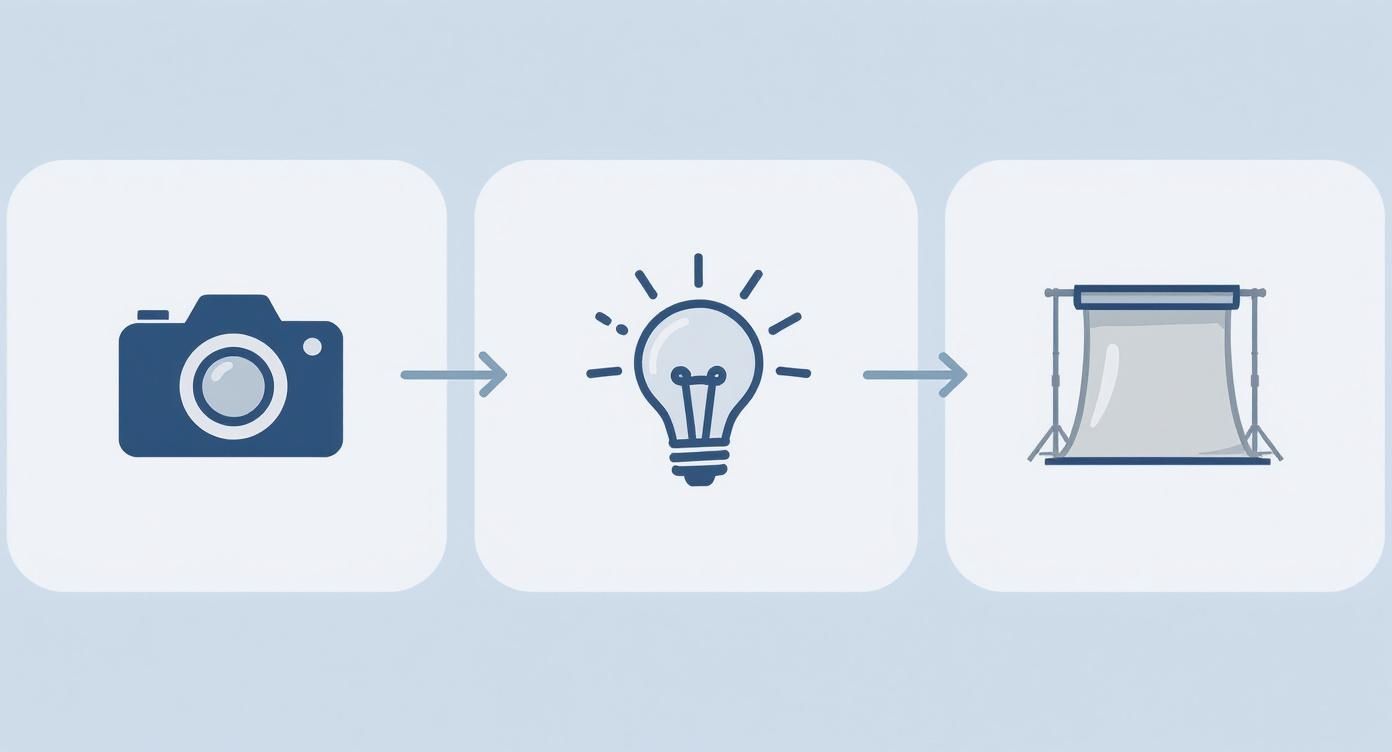
As you can see, a great shot is really just a balancing act between these three fundamental elements.
The Three Core Lights Explained
In most professional studios, you’ll hear photographers talk about three main lights: the key, the fill, and the backlight. Think of them as a team, each with a specific job to do to sculpt your product perfectly.
The Key Light: This is your main light source, the star of the show. It's the brightest and does most of the heavy lifting, establishing the overall look and casting the most prominent shadows.
The Fill Light: This one is softer and not as bright as the key light. Its only job is to "fill in" some of the dark shadows cast by the key light. It reveals more detail in the product without completely washing out the sense of shape and dimension.
The Backlight: You’ll place this light behind or just to the side of the product. It creates a subtle, crisp line of light around the edges, which is what separates the product from the background and gives it that professional, polished look.
Now, don't rush out to buy three separate lamps. Your window can be an amazing key light, and a simple piece of white foam board can be your fill. The goal is just to understand what each light does so you can replicate its effect with whatever you have on hand.
Practical Lighting Recipes for Different Products
The way you light a product should be dictated entirely by what that product is. A soft, cozy sweater and a sharp, metallic watch require completely different approaches.
Let’s walk through a couple of real-world scenarios.
Scenario 1: The Sparkling Jewelry Piece
For anything with a reflective surface—jewelry, glassware, chrome—the goal is to create sharp, defined highlights that make the item sparkle.
Light Type: You'll want to use a "hard light" source. This is a small, direct light, like an undiffused LED lamp or even a powerful flashlight. Hard light creates those crisp, dramatic shadows and bright, glinting highlights.
Placement: Position your light high and to one side, somewhere around a 45-degree angle. This angle is perfect for catching the facets of a gemstone or the curve of a metal band, creating that glint everyone loves.
Pro Tip: Grab a piece of black foam board and place it opposite your light source. Instead of filling in shadows, this "negative fill" actually absorbs light, making the shadows deeper and the highlights pop even more.
Scenario 2: The Delicious-Looking Food Item
When you're shooting food, you want to make it look fresh and appetizing by showing off its texture. Soft, directional light is your best friend here.
Light Type: You need "soft light," which comes from a large, diffused source. A big window with a sheer curtain is perfect, or you can shine a lamp through a softbox or even a white bedsheet.
Placement: Side lighting or backlighting is magical for food. Placing your light to the side or slightly behind the dish lets it rake across the surface, bringing out all the glorious textures and making the food look three-dimensional.
Pro Tip: Whatever you do, avoid lighting food straight-on from the camera's position. It’s the fastest way to make it look flat, boring, and totally unappetizing.
Understanding the quality of light—hard versus soft—is the key to unlocking different moods. Hard light creates drama and contrast, perfect for edgy or sleek products. Soft light is gentle and flattering, ideal for apparel, skincare, and food.
The Magic of Bouncing and Blocking Light
The real control in a DIY setup comes from manipulating the light after it leaves the source. This is where simple, dirt-cheap tools become your secret weapons. Often, a great setup is just a lightbox, some affordable lights, and a basic camera. You can even make reflector cards from household items like aluminum foil to bend light to your will. For a deeper dive, check out this ultimate guide to product photography from ProPhotoStudio.net.
Using a Reflector to Fill Shadows
A reflector is just any surface that bounces light. The most versatile tool in your entire kit might just be a $2 piece of white foam board from a craft store.
Place your key light on one side of your product.
Notice the dark shadows that form on the opposite side.
Hold the white foam board on that shadowed side.
Now, just angle the board until it catches the key light and bounces it back into the shadows. You'll see them instantly soften and brighten up.
The closer you bring the reflector to your product, the stronger the fill effect will be. That one simple move does the job of a second "fill light" without you needing to buy another lamp.
Using a Flag to Add Drama
Just as you can add light, you can also take it away. In photography, a "flag" is simply anything that blocks light—usually a piece of black foam board or even cardboard. By strategically placing a flag, you can create deeper, more defined shadows, which adds contrast and a moody, high-end feel. This trick is fantastic for giving products like watches, electronics, or luxury goods a seriously dramatic look.
Setting the Scene with Backgrounds and Styling
Alright, you've got your lighting dialed in. Now it's time for the fun part: building the world your product lives in. The background and props you choose aren't just filler; they're what give your product a story, a mood, and a reason for the customer to care. This is how you elevate a simple item into an experience they want to have.
A great background makes your product the undeniable star of the show. It should never compete for attention. Instead, it should act as the perfect support, making your product’s colors, textures, and details pop.
Choosing the Right Backdrop for Your Product
The backdrop you pick sets the stage for everything. This single choice can completely change how people perceive your product, taking it from a basic catalog item to a piece of a desirable lifestyle. The real key here is making sure your background choice aligns with your brand's personality.
For those clean, classic e-commerce shots, you can't go wrong with seamless white. You don't need to spend a lot to get this look, either. Just grab a large piece of white poster board or a roll of seamless paper and curve it from a tabletop up against a wall. This creates an "infinity sweep" that gets rid of any distracting corners and makes your product look like it's floating—perfect for marketplaces that demand a pure white background.
But if you're going for more of a lifestyle vibe, textured surfaces are your best friend.
Wood planks or cutting boards are fantastic for a rustic, handmade feel. Think skincare, food, or other artisanal goods.
Peel-and-stick marble or concrete tiles from the hardware store are a brilliant, budget-friendly hack for a high-end, modern look. They work wonders for jewelry or electronics.
Linen or other neutral fabrics can create a soft, cozy atmosphere that’s perfect for apparel, candles, or home decor.
Quick tip from experience: Consistency is your friend. Pick a handful of core backdrops that really nail your brand's aesthetic and use them across your product line. This one simple move will make your entire shop look instantly more cohesive and professional.
Styling with Purposeful Props
Props are incredible storytelling tools, but they can easily turn into clutter if you're not careful. A good prop should do one of three things: add context, show scale, or enhance the product's story. It should never, ever steal the spotlight. Think of props as the supporting cast, not the main character.
The golden rule I always follow is less is more. Before you add anything to the scene, ask yourself, "Does this actually support the product, or am I just filling empty space?" For instance, a sprig of lavender next to lavender-scented soap tells a clear, relevant story. A random succulent, on the other hand, might just confuse the customer.
Here are a few ideas for props that almost always work:
Natural Elements: Things like dried flowers, small stones, or a few green leaves can add an organic, fresh feeling.
Raw Ingredients: If you're shooting food or beauty products, showing some of the key ingredients (like coffee beans or citrus slices) adds a huge amount of authenticity.
Subtle Textures: A simple linen napkin, a ceramic dish, or a piece of slate can add visual depth without being distracting.
Composing Your Shot for Maximum Impact
Composition is just a fancy word for how you arrange everything in your photo. You can have perfect lighting and styling, but if the composition is off, the whole shot will feel awkward and amateur. The good news is, you only need to understand a couple of basic principles to make a massive difference.
One of the easiest and most powerful tools in your compositional toolbox is the Rule of Thirds. Imagine your screen has a tic-tac-toe grid laid over it. Instead of plopping your product right in the dead center, try placing it along one of the lines or where two lines intersect. Most phone cameras have a grid overlay you can turn on to make this foolproof.
This simple off-center placement creates a much more dynamic and interesting image. It just feels more natural and balanced to our eyes, pulling the viewer in more effectively than a static, centered shot. Play around with it—place your main product on the left or right grid line, leaving some "negative space" on the other side. This one tiny adjustment can instantly make your photos look more thoughtful and professional.
The Final Polish with Editing and AI Tools
The click of the shutter is a huge milestone, but your work isn't quite done. Post-processing is where a good photo from your DIY product photography setup becomes a great one—a polished, professional asset that’s ready to convert shoppers into customers. This isn't about slapping on trendy filters; it's about making small, deliberate tweaks to ensure your product looks its absolute best.
Think of it as the final quality check. Editing is your opportunity to fix tiny, unavoidable issues from the shoot and make your product shine.
Essential Edits for Every Product Photo
Before diving into anything complex, a few fundamental edits should be part of every single workflow. Nailing these non-negotiable steps will give your entire product catalog a consistent, high-quality feel.
Your Go-To Checklist
Start with these three adjustments for every image. Getting these right will solve 90% of the most common photo problems.
Cropping and Straightening: The first thing I always do is check the alignment. Is the product perfectly straight? Use the grid in your editing software to fix any tilt. Then, crop consistently to keep the framing uniform across all your shots. This simple step makes your store look incredibly clean and organized.
Exposure Adjustment: Next, I dial in the brightness. You want the product to be clearly visible without losing detail in the brightest areas (blown-out highlights) or the darkest spots (crushed shadows). The goal is a balanced image where everything is well-lit and easy to see.
White Balance Correction: This one is critical for e-commerce. If your "white" background has a slight yellow or blue tint, the colors of your product will be off. This is a major cause of customer confusion and returns. Adjust the temperature until the whites look genuinely neutral, ensuring your product color is true-to-life.
Basic Retouching and Cleanup
With the core adjustments locked in, it’s time for a little tidying up. No matter how meticulously you clean your product and set, tiny distractions always find a way in—a rogue dust spec, a fingerprint on a glossy surface, or a nearly invisible scuff.
This is where the spot healing tool comes in. It’s available in just about every editing program, from Adobe Photoshop to free mobile apps like Snapseed. Just a few clicks can make those tiny imperfections vanish, instantly elevating the image by removing anything that pulls focus away from the product itself.
The goal of retouching isn't to alter the product itself, but to remove temporary distractions. Your photo should be an idealized but truthful representation of what the customer will receive.
The New Frontier of AI-Powered Editing
The world of photo editing is changing fast, and for small businesses, artificial intelligence is a game-changer. AI tools are taking over tedious tasks that once required hours of manual work, like background removal, smart cropping, and even lighting adjustments. This allows a DIY setup to produce visuals that can truly compete with professionally shot images. You can read more about the benefits of modern product photography on Squareshot.com.
For example, instant background removal is now a one-click affair in many apps. You can perfectly isolate your product and get a transparent PNG, ready for your website, emails, or social media graphics. It's incredibly efficient.
But it goes way beyond simple cleanup. AI is also unlocking amazing creative possibilities. Some platforms can take your clean product shot and generate entirely new, photorealistic lifestyle scenes around it. Suddenly, your handbag is sitting on a café table in Paris, or your skincare bottle is styled in a serene marble bathroom—all generated in minutes. Other tools are emerging that can even improve image quality; you can learn more in our guide on how to use Photoshop's AI to upscale images. These innovations are leveling the playing field, making high-end creative accessible to everyone.
Essential Post-Processing Checklist
To keep your workflow organized and ensure you never miss a step, here’s a quick checklist to follow. Running through these edits will help you produce consistently professional images every time.
Editing Step | Purpose | Recommended Tool/Software |
|---|---|---|
Straighten & Crop | Ensure a level horizon and consistent framing. | Lightroom, Photoshop, Snapseed, Canva |
Exposure Adjustment | Correct overall brightness and contrast. | Adobe Lightroom's "Exposure" slider |
White Balance Correction | Remove color casts for true-to-life colors. | Lightroom's "Temp" & "Tint" sliders |
Spot Healing/Cleanup | Remove dust, smudges, and minor flaws. | Photoshop's "Spot Healing Brush" |
Color Correction | Fine-tune hues and saturation to match the product. | Photoshop's "Selective Color" or "Hue/Saturation" |
Sharpening | Add a touch of crispness for web viewing. | Lightroom's "Detail" panel or Photoshop's "Unsharp Mask" |
Exporting | Save the file in the correct format and size for web. | "Export for Web" in Photoshop, Lightroom Export presets |
Once you get comfortable with this sequence, you’ll be able to edit your photos quickly and confidently, ensuring every image you upload is polished and ready to make a great impression.
Your DIY Product Photography Questions Answered
Even with the best-laid plans, your DIY product photography setup is bound to throw you a few curveballs. When your shots just aren't looking right, don't worry—a few small tweaks can often make a massive difference. Let's walk through some of the most common hurdles I see people face and the simple, practical ways to clear them.
This is your go-to troubleshooting guide. Whether you're battling annoying reflections or your colors look a little off, the fix is usually much easier than you'd expect.
How Do I Stop Reflections on Shiny Products?
Photographing jewelry, glass, or anything with a glossy finish can be a real headache. The secret isn't about getting rid of reflections completely; it's about controlling what is being reflected. You’re not just fighting your lights; the entire room is showing up in miniature on your product's surface.
The best approach is to surround your product with clean, neutral surfaces.
Build a white "cone": Grab some white foam board or even just printer paper and create a three-sided box around your product. Leave a small opening just for your camera lens. This forces the product to reflect only clean, neutral white.
Move your light source: Sometimes just shifting your light higher, lower, or further to the side is all it takes to move the main highlight (that bright spot of reflection) to a more flattering position.
Try a polarizing filter: If you're using a DSLR or a phone with a lens attachment, a circular polarizing filter (CPL) is a game-changer. It works like polarized sunglasses, cutting down significantly on glare and reflections.
Why Do My Colors Look Inconsistent?
You take a picture on Monday, and the color is spot-on. You shoot the exact same product on Wednesday, and it looks totally different. This is an incredibly common and frustrating problem, and nine times out of ten, it’s an issue with your white balance.
Your camera is always trying to guess what "true white" looks like in the scene so it can adjust all the other colors accordingly. When it guesses wrong, your entire photo gets a color cast, usually looking too yellow (warm) or too blue (cool).
The quickest fix for color consistency is to take control and set your white balance manually. Stop using "Auto." Dig into your camera or phone's pro mode and look for presets like "Daylight" or "Cloudy." Even better, set a custom kelvin temperature—a great starting point for daylight-balanced bulbs is around 5500K.
For a deeper dive into visual branding and maintaining consistency across all your creative, checking out a professional blog for ecommerce sellers can provide some fantastic ideas.
How Can I Get Sharper Photos?
Nothing screams "amateur" faster than a blurry photo. If your images are lacking that crisp, professional pop, the culprit is almost always one of these three things.
Camera Shake: No matter how steady you think your hands are, they move. A tripod is the single best investment you can make to guarantee a sharp shot, every single time. It's truly a non-negotiable piece of gear.
Incorrect Focus: Don't let your camera decide what's important. Use your DSLR's manual focus or your phone's simple tap-to-focus feature to tell the lens exactly where to lock on.
Not Enough Light: In a dim environment, your camera slows down its shutter speed to let in more light. The side effect? It captures every tiny vibration as motion blur. More often than not, the solution to a blurry photo is simply adding more light to your scene.
Tired of troubleshooting your DIY setup? Look Atlas uses AI to turn your simple product shots into thousands of on-model, on-brand photos and videos instantly. Stop shooting and start selling today.
Article created using Outrank
